

Improvement
Compact reasoning and tool calls
AI reasoning and tool calls now collapse into a compact block automatically.
Focus on the important messages and expand the block whenever you need the details.
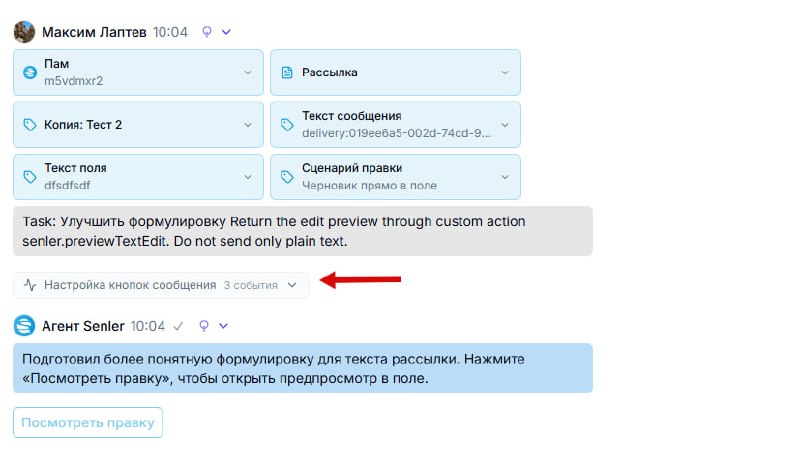
AI reasoning and tool calls now collapse into a compact block automatically.
Focus on the important messages and expand the block whenever you need the details.
Discussions automatically identify separate customer requests within a conversation and help you jump to the start of a request in a long chat.
A discussion can contain several topics. For example, a customer asking about transcoding and vertical streaming in the same request creates two topics that can be analyzed separately.
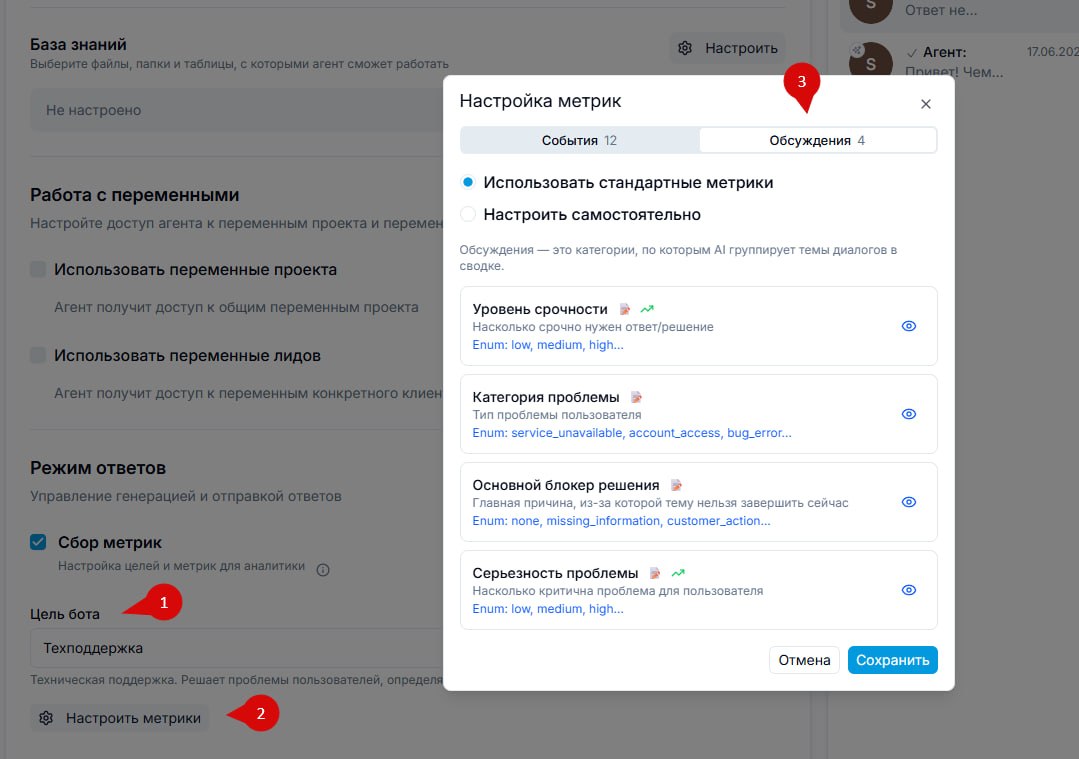
You can now configure metrics for these topics to match your project. A support team might track:
request category;
product area;
issue complexity;
priority;
other project-specific parameters.
Use the latest metric value as the discussion’s final result rather than recording intermediate results for every event. This makes statistics more accurate.
AI summaries and insights now use these structured topics and metrics instead of analyzing thousands of individual messages, helping summaries become faster and more precise.
Future plans include linking discussions and topics to tasks in external systems such as Linear, connecting a customer request with its resolution and the work performed.
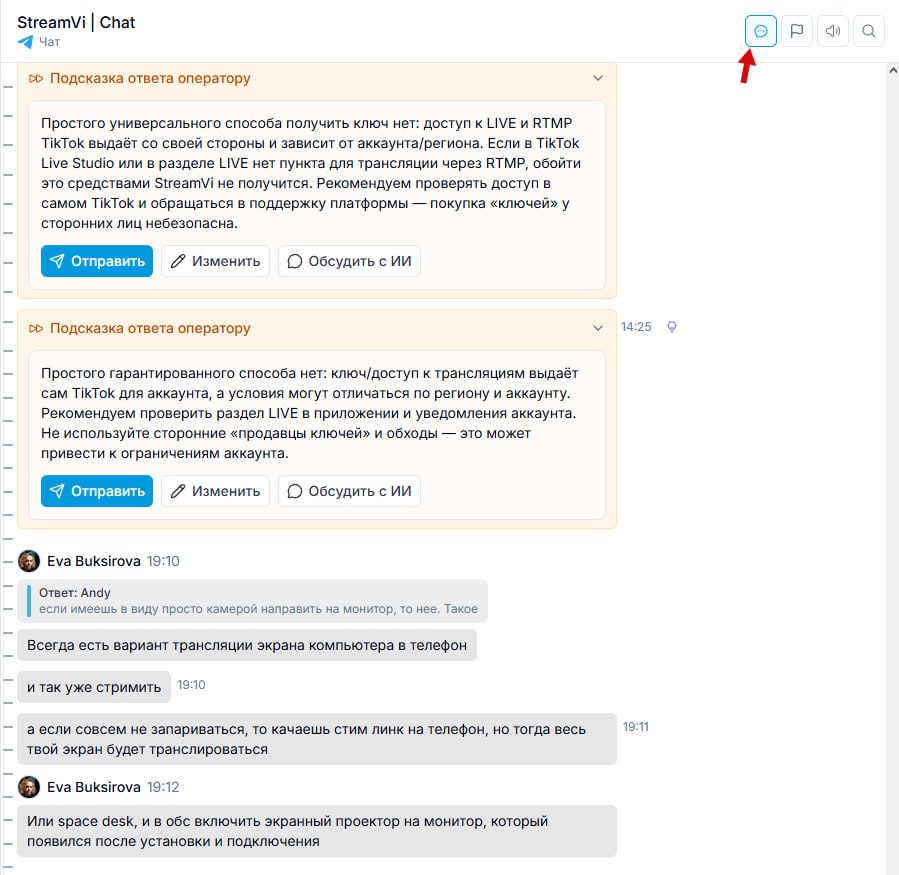
A new conversation history view hides internal agent events, including tool calls, reasoning and other internal actions.
It keeps participant messages and the agent’s suggestions for operators visible.
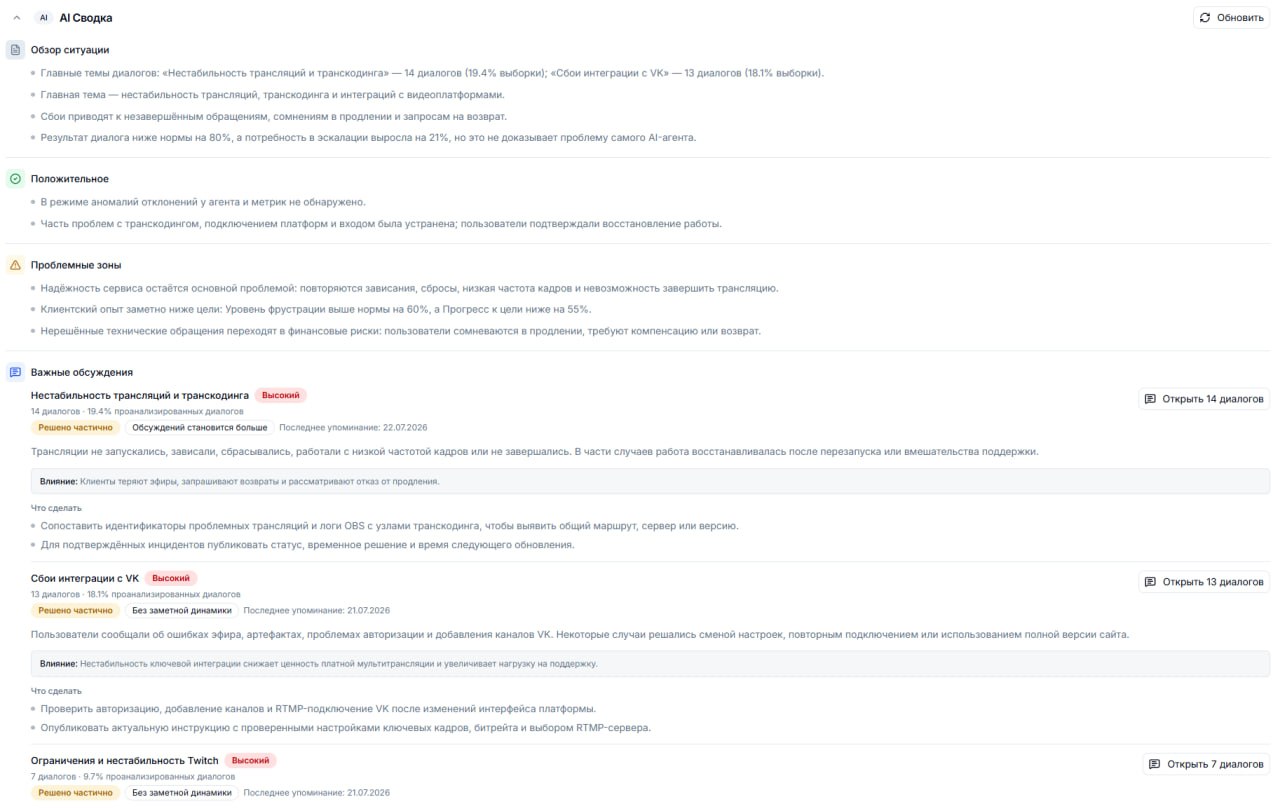
AI summaries in Insights now identify specific issues in discussions instead of showing only anonymous metric summaries.
Open the relevant conversations directly from a summary, investigate the causes with the AI assistant and discuss possible improvements.
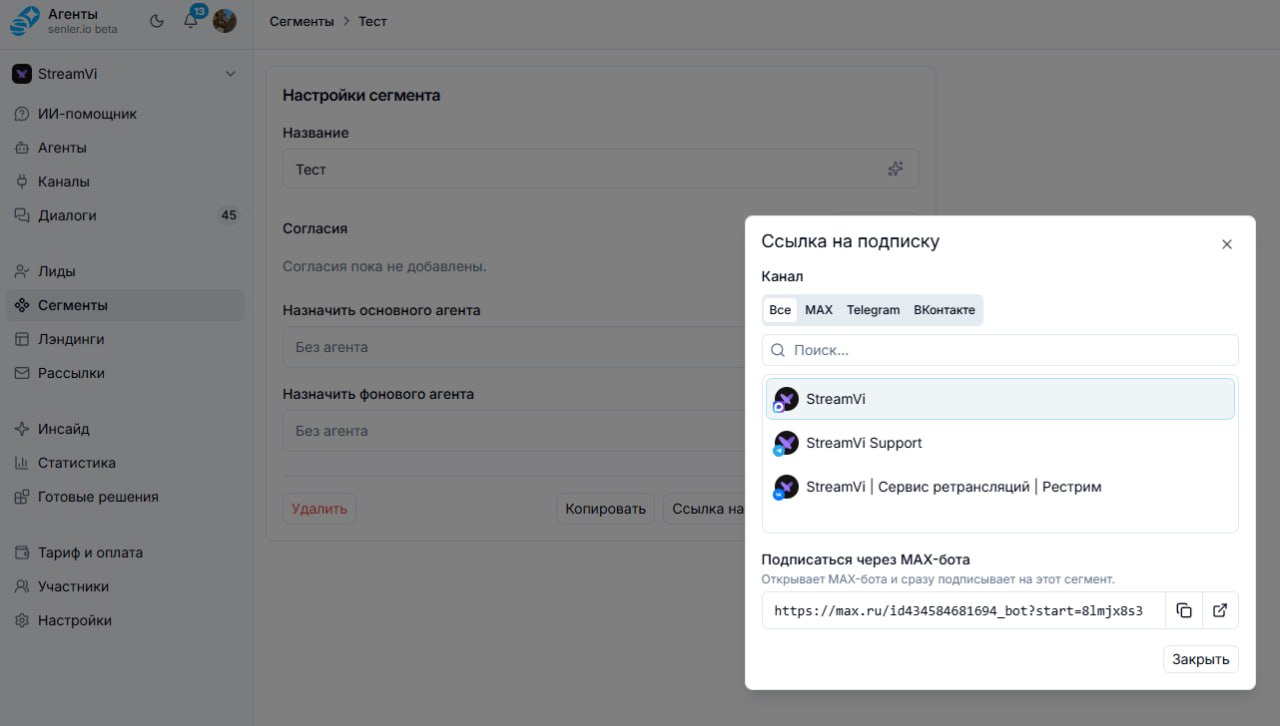
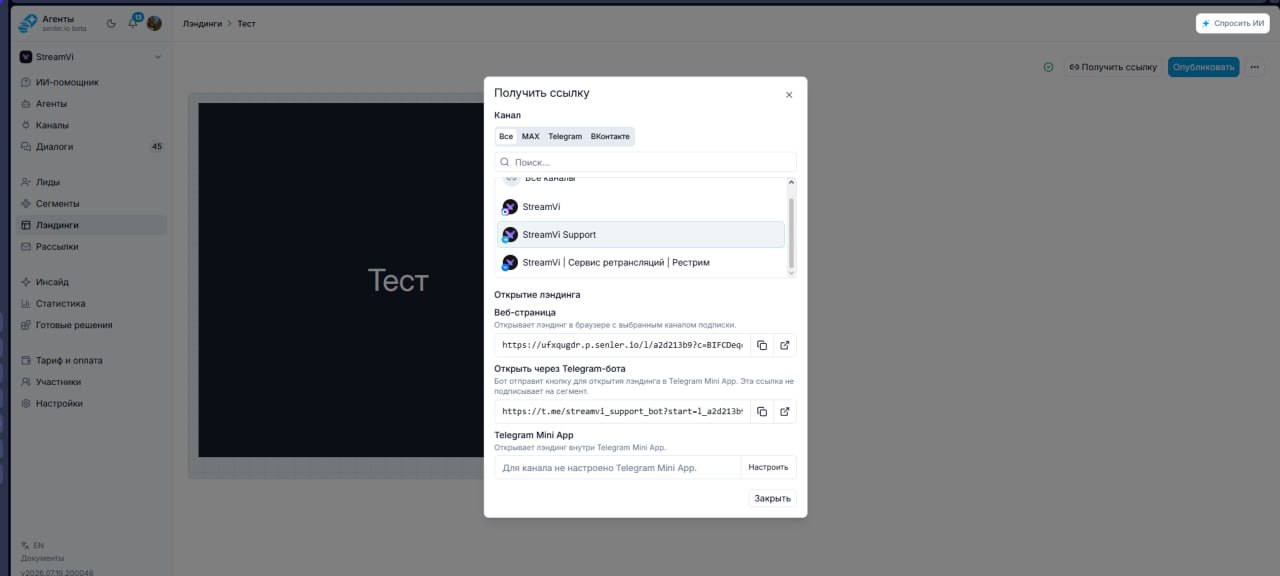
Segments and landing pages now have separate sections. Previously, subscription pages were configured inside a segment.
Segments manage subscribers: choose which agent receives new users, configure agreements and get a direct bot subscription link using start or ref parameters.
Landing pages manage published pages. Get a link to the web page or to its mini-app version.
Segments handle subscriptions and users; landing pages handle page presentation.
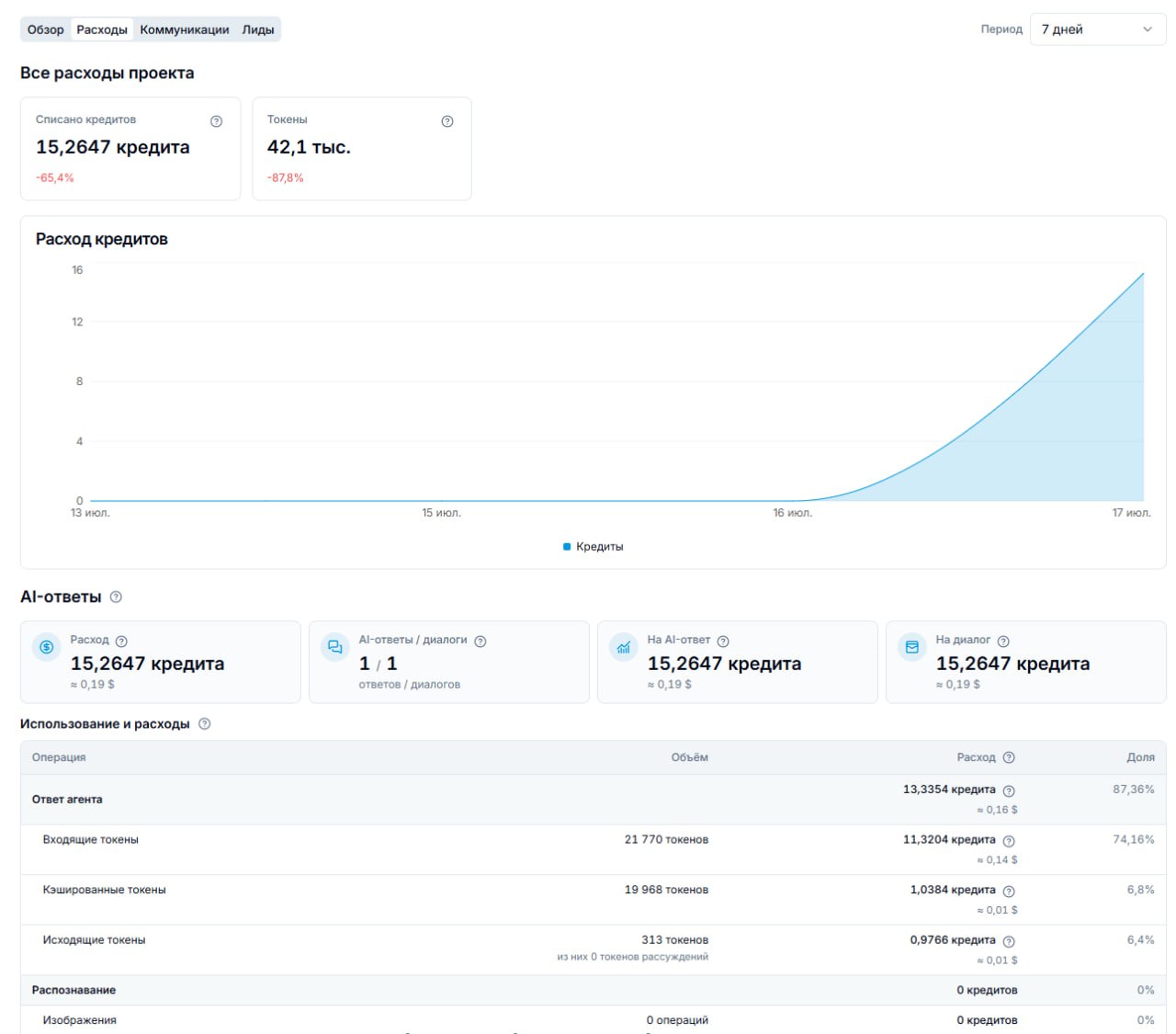
The Statistics → Expenses section now shows a detailed breakdown of spending by type, conversation, channel and agent.
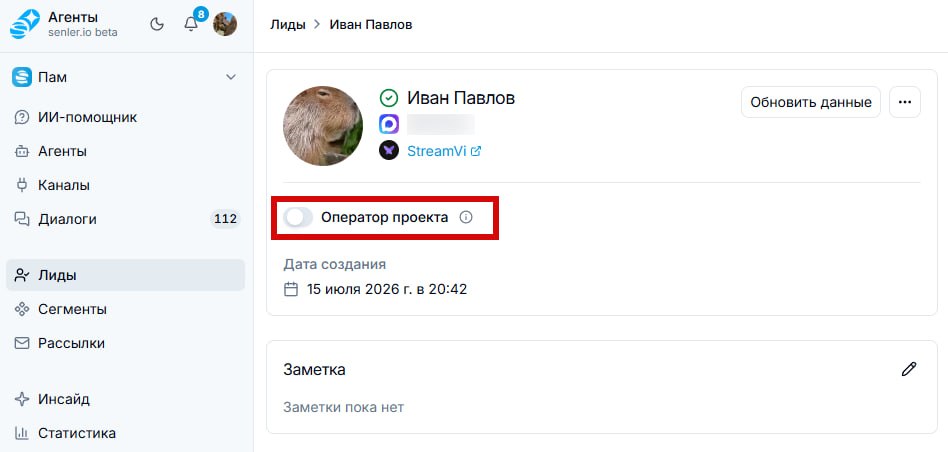
Agents can now ignore messages from selected leads and other senders in group conversations, including Telegram groups and chats that post on behalf of a group.
Enable Project operator for these senders to prevent the agent from replying to their messages. The agent still uses the messages as conversation context.
This is useful in shared chats where an agent should answer customers without responding to operators.
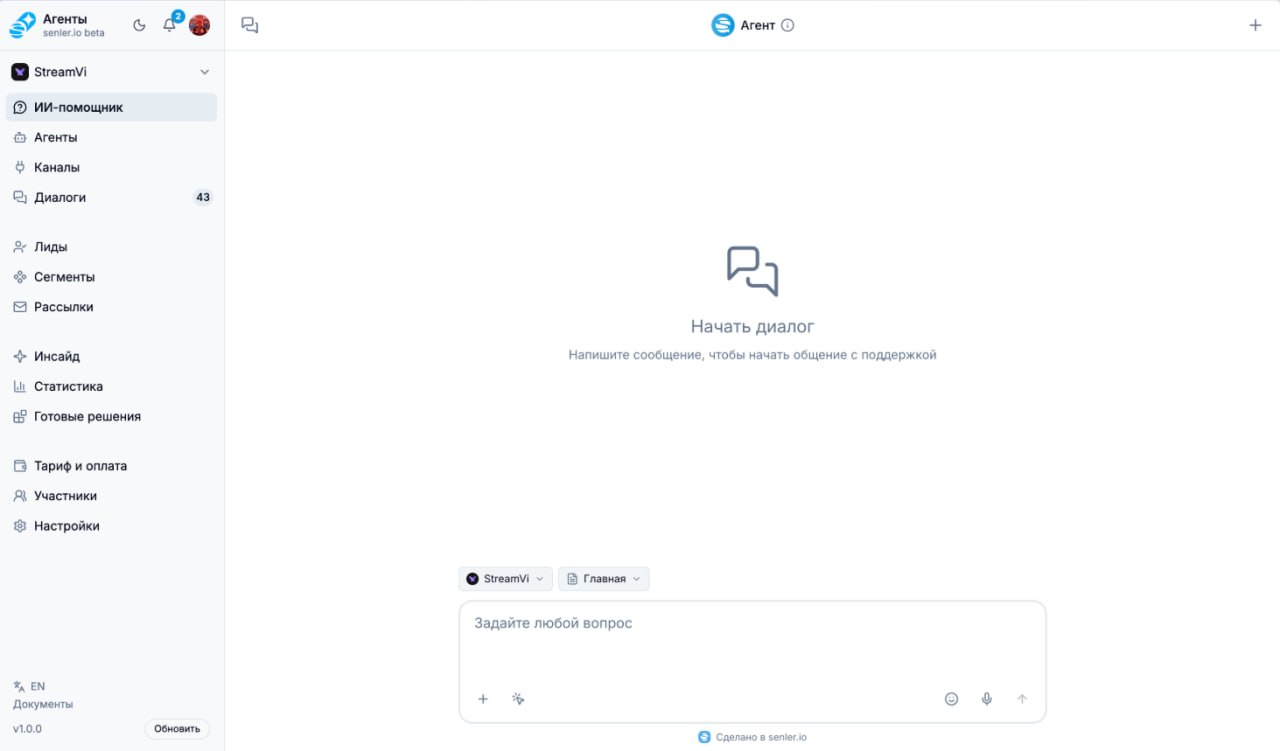
We refreshed the interface and reorganized the sidebar.
Home is now called AI Assistant, making it easier to find the full-screen assistant. You can also open it by hovering over an interface element and choosing Ask AI, or by using the Ask AI button in the upper-right corner.
Sidebar sections are grouped by purpose. We also refreshed the logo and the bottom of the menu.
Lead groups are now called Segments to distinguish them from VK and Telegram groups.
The service is currently in closed beta. Stay tuned for updates.

You’ve read all the updates