Improvement
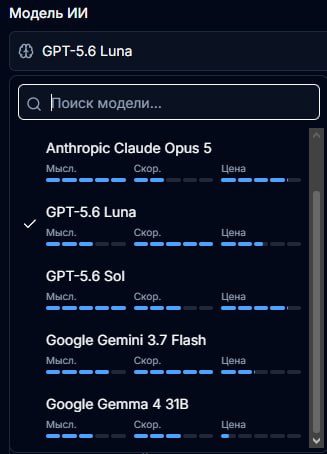
Compare models by reasoning, speed and price
We added new models and a clearer presentation of their key parameters: reasoning, speed and price.
Something went wrong while loading the page. Reload it and try again.
We added new models and a clearer presentation of their key parameters: reasoning, speed and price.
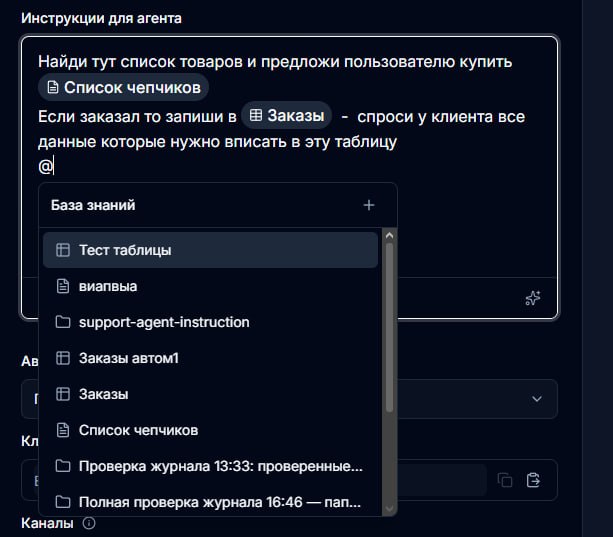
Link materials directly to specific parts of an agent’s instructions so it is clear which knowledge to use in each situation.
Type @ at the relevant point in the instructions and select a file or folder from the knowledge base.
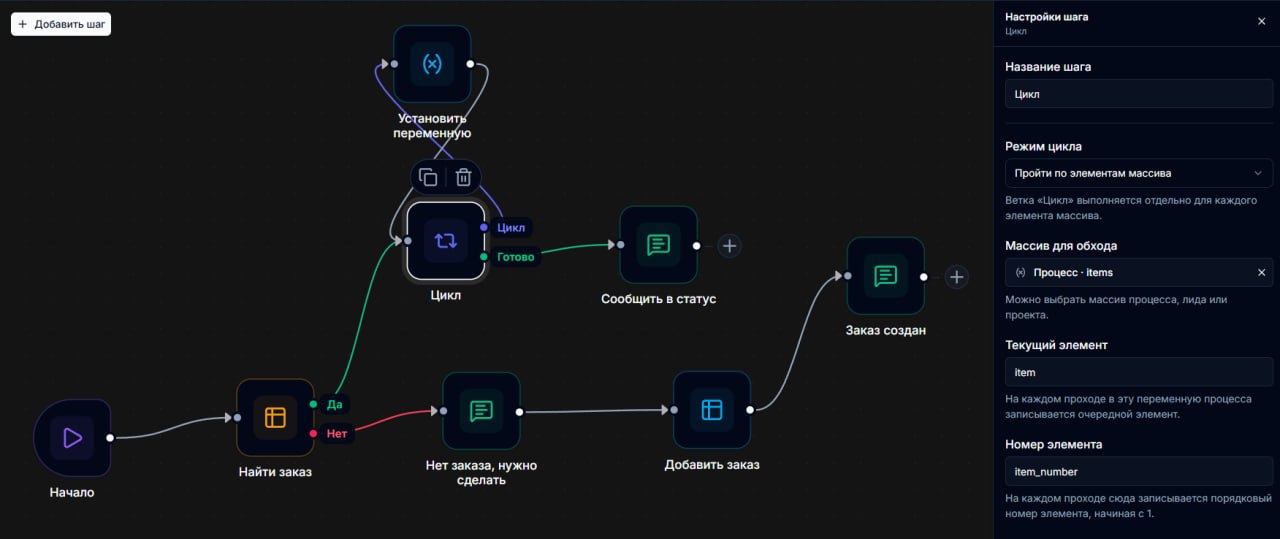
The Loop step can now iterate through a whole array. For example, retrieve several matching rows from a table and perform an action for each row.
This supports more complex workflows and gamification scenarios.
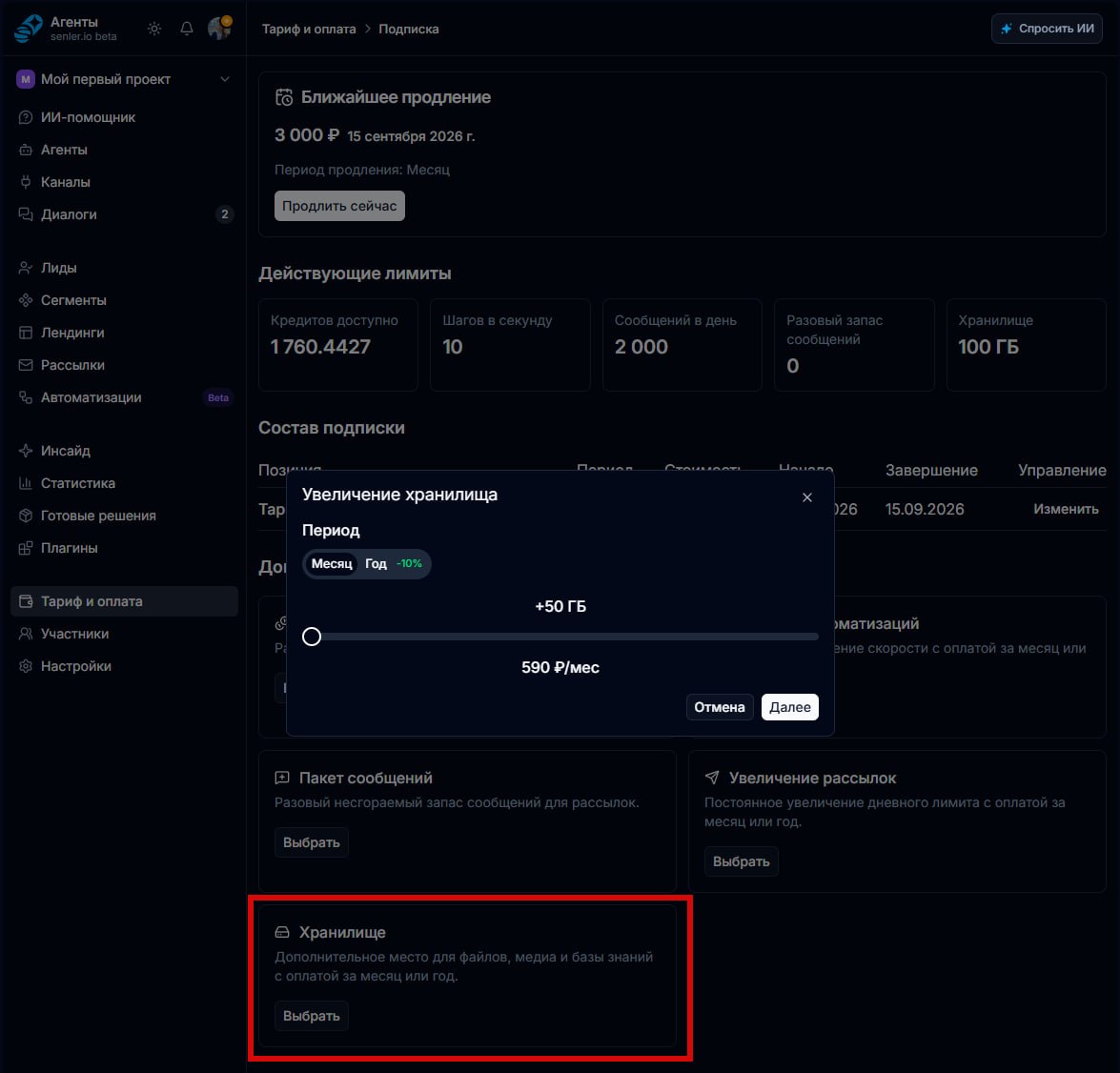
You can now purchase additional storage space.
Storage holds attachments and knowledge base materials: tables, documents, images and other files. The data is indexed and available for AI to work with.
Agents, automations and project members can find information, add and update data, perform calculations and use the results in their workflows.
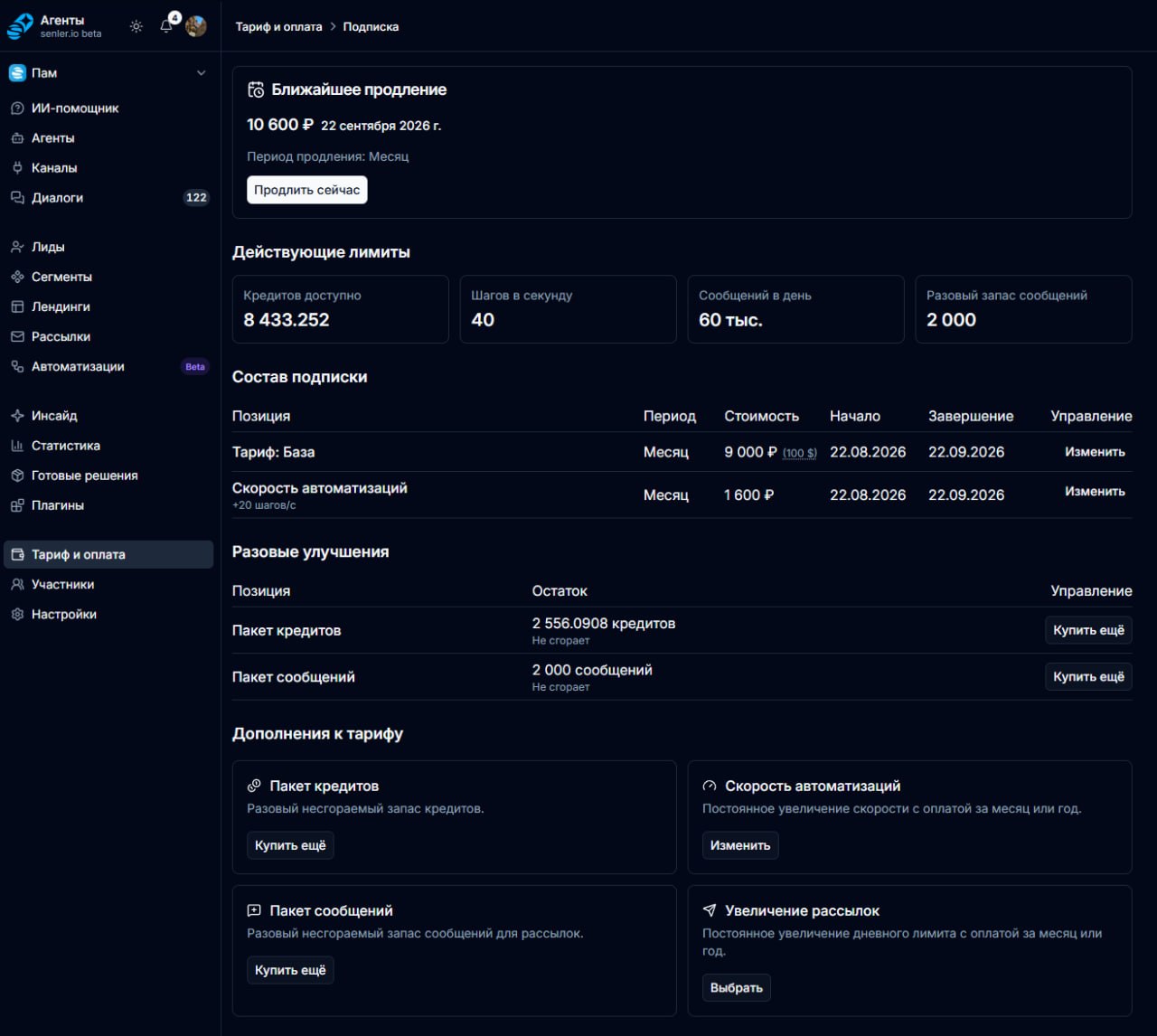
In Plans and billing, choose a plan and the add-ons you need, see the total price and renew everything together.
You can also:
increase automation processing speed;
increase your daily broadcast limit;
buy a one-time broadcast message pack when your current allowance is not enough.
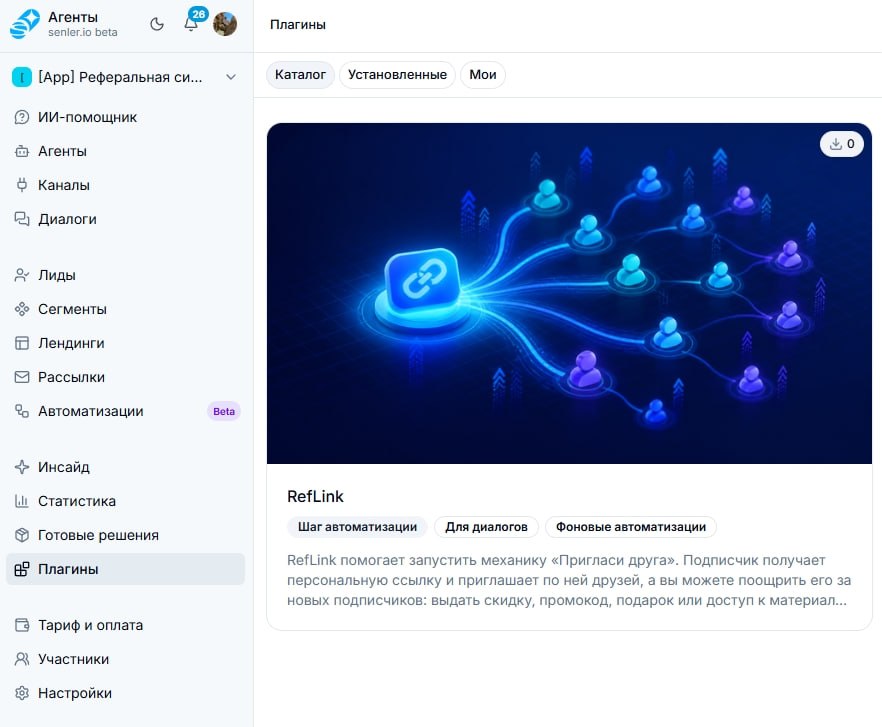
The new RefLink plugin helps you run invite-a-friend campaigns. Subscribers get personal links to invite friends, and you can reward them with a discount, promo code, gift or access to content.
The app tracks referrals automatically and shows who has met the campaign requirements.
Documentation: https://senler.io/help/apps/reflink/ru/getting-started
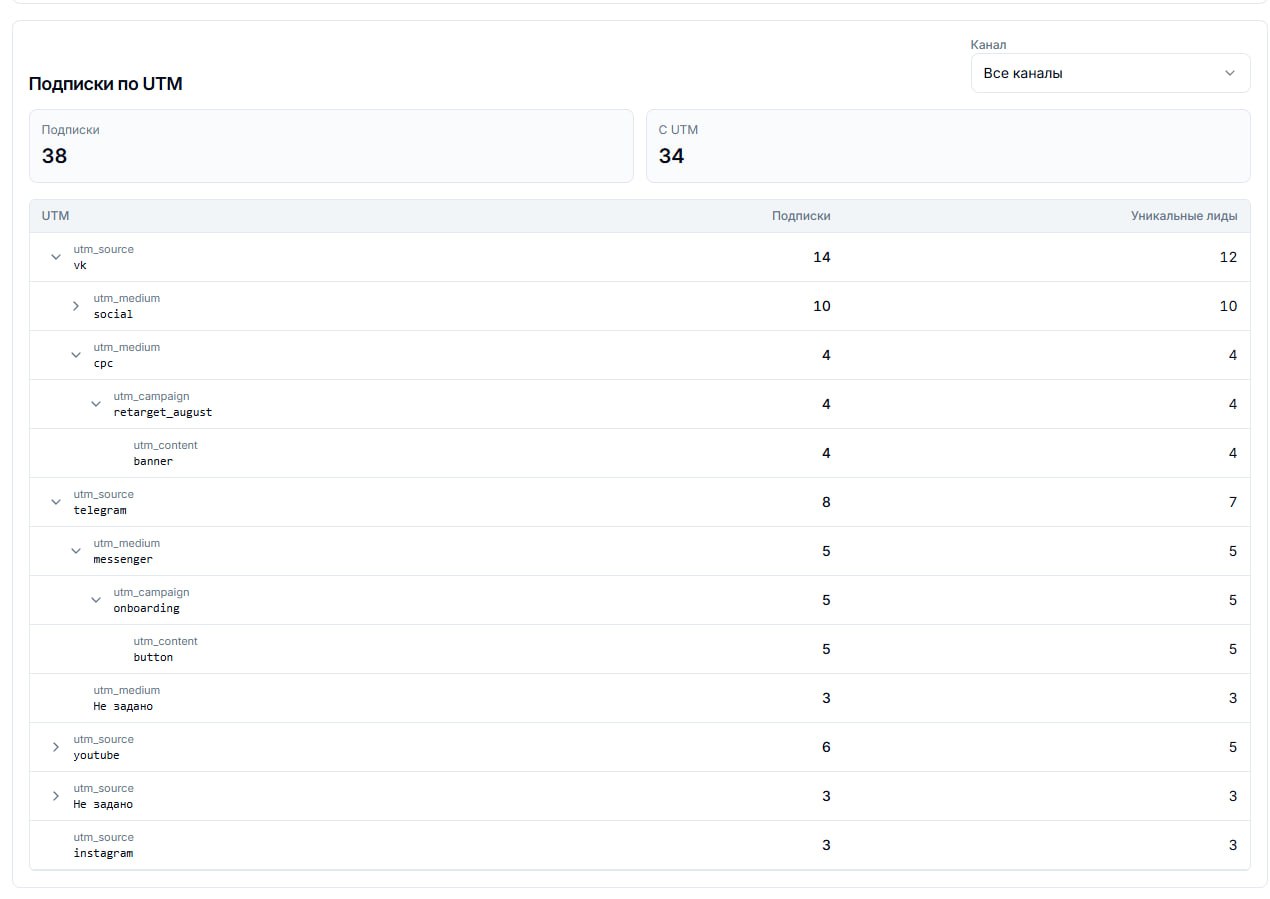
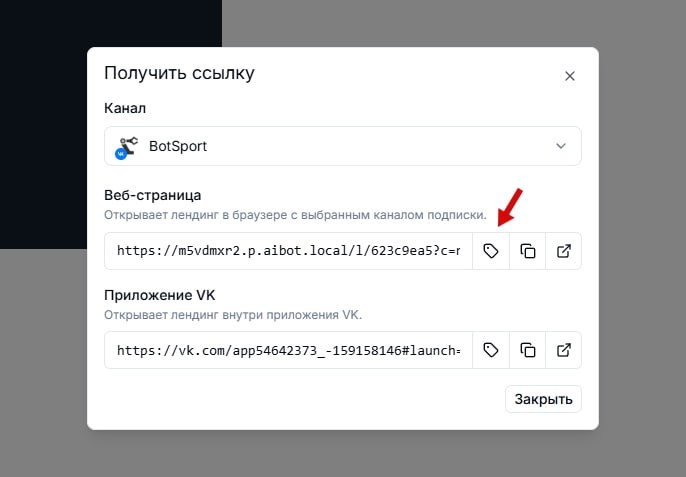
UTM tracking is now available. See where users come from and which sources and campaigns bring more traffic and conversions.
Add tags to a segment subscription link:
https://senler.io/help/ru/segments/subscription-links#utm-метка-для-ссылки
Add tags to a landing page link:
https://senler.io/help/ru/landings/links#utm-метка-для-ссылки
View tag statistics:
https://senler.io/help/ru/statistics/leads#подписки-по-utm
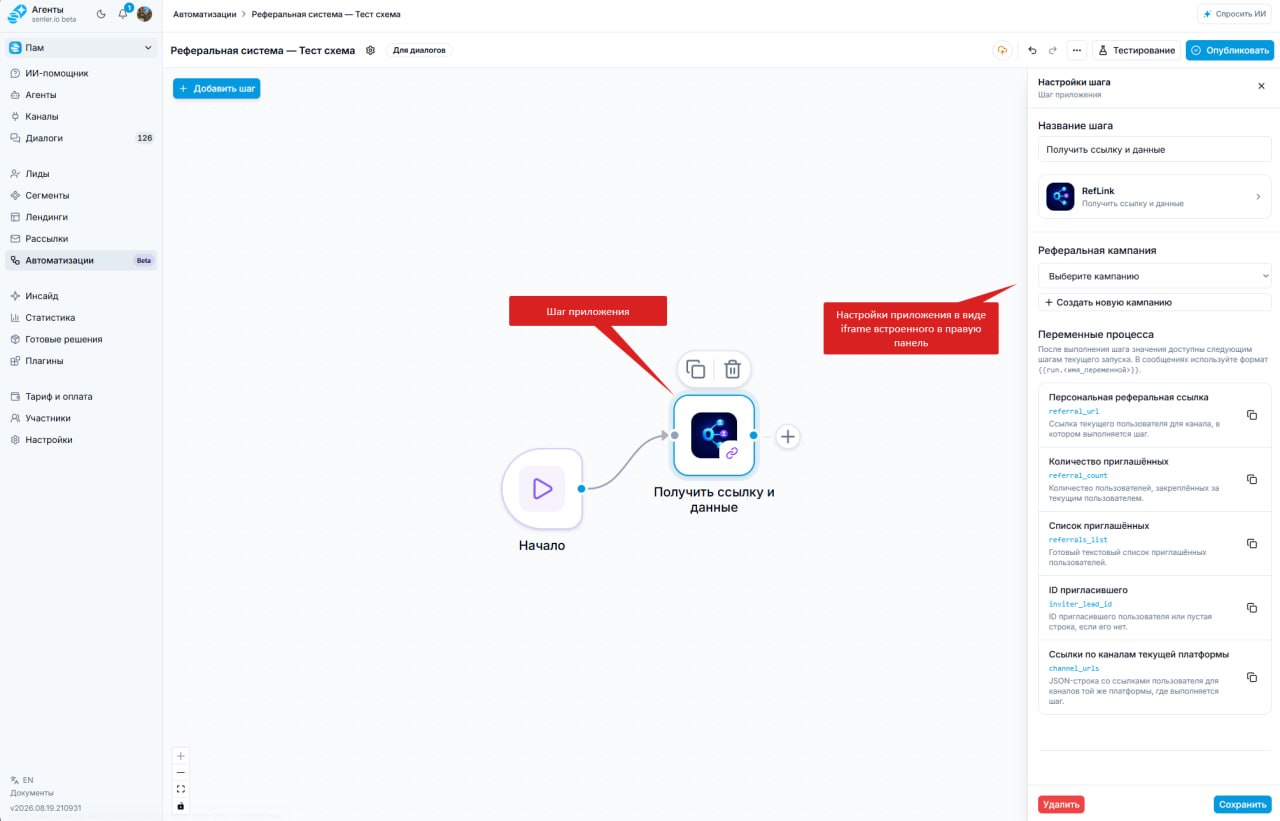
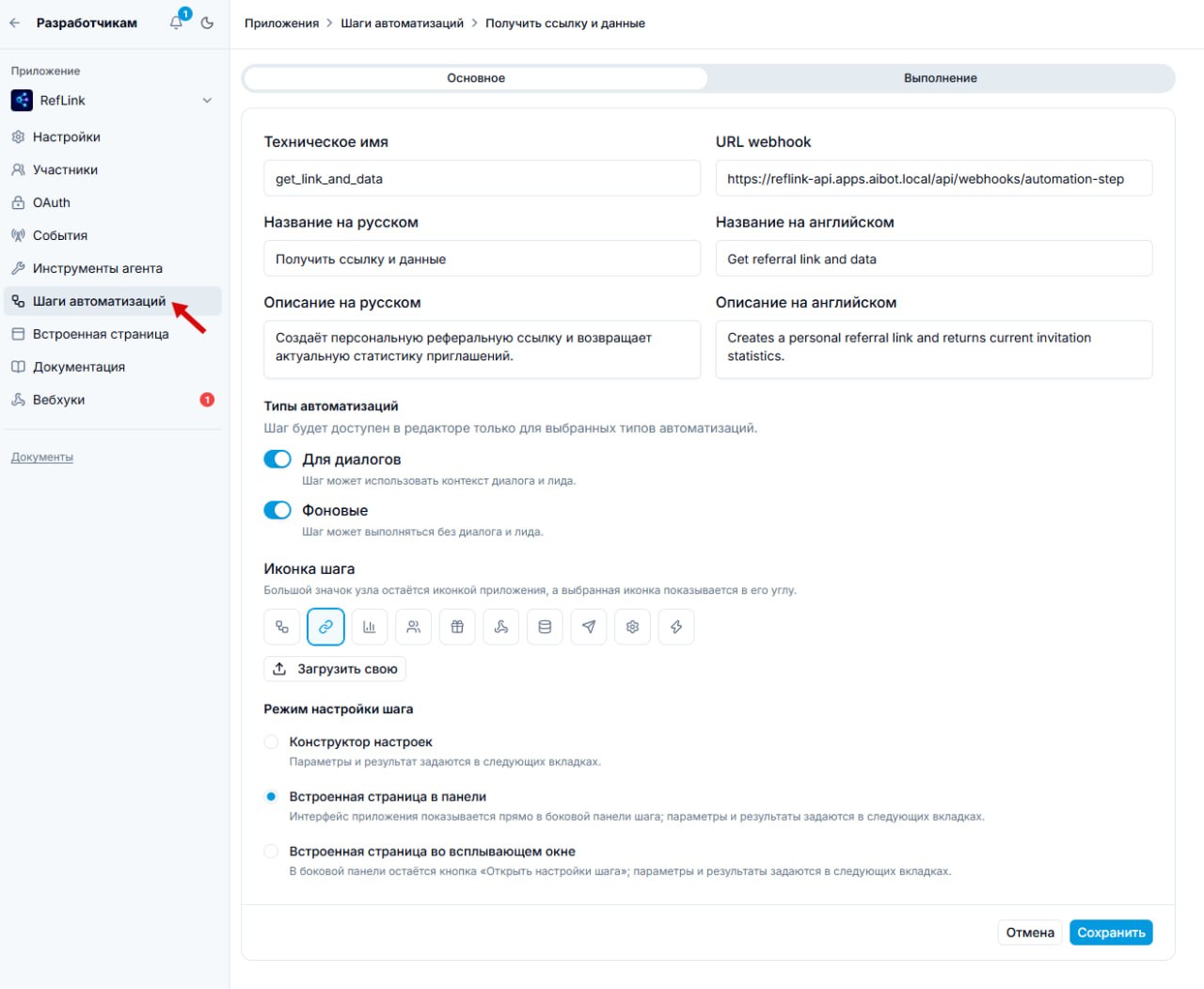
Apps can now add their own steps to Senler automations, bringing app logic directly into the workflow.
Choose where a step is available:
Conversation automations, with the current conversation and lead context.
Background automations, independent of a conversation.
Choose how users configure the step:
Settings builder for simple inputs and output values that users can save to variables, without building a separate interface.
An embedded page in the side panel for compact settings.
An embedded page in a popup for larger, more complex interfaces.
On the Execution tab, configure the branches after the step. Branches can be fixed or generated dynamically from the user’s settings.
An app can provide anything from a simple action to an integration with its own interface and dynamic branches, keeping that logic in one clear step.
Documentation: https://senler.io/help/ru/developer/automation-steps
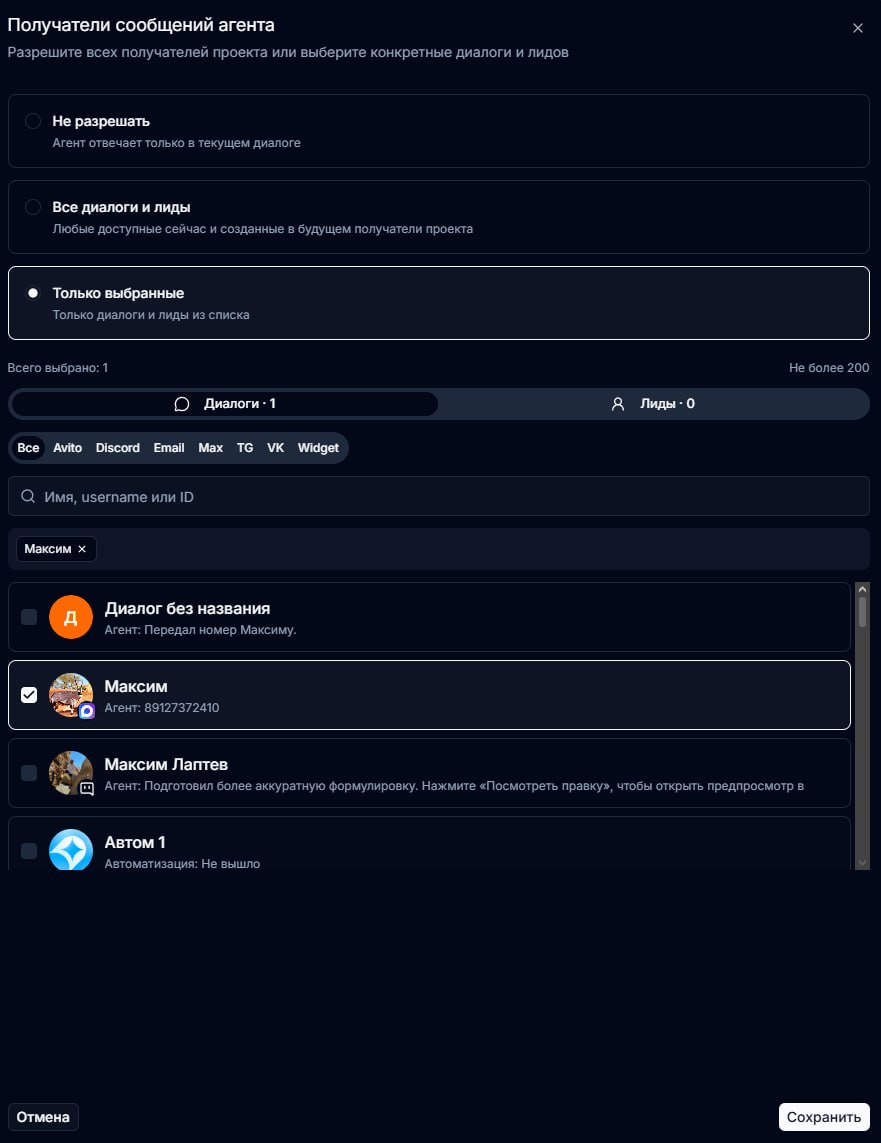
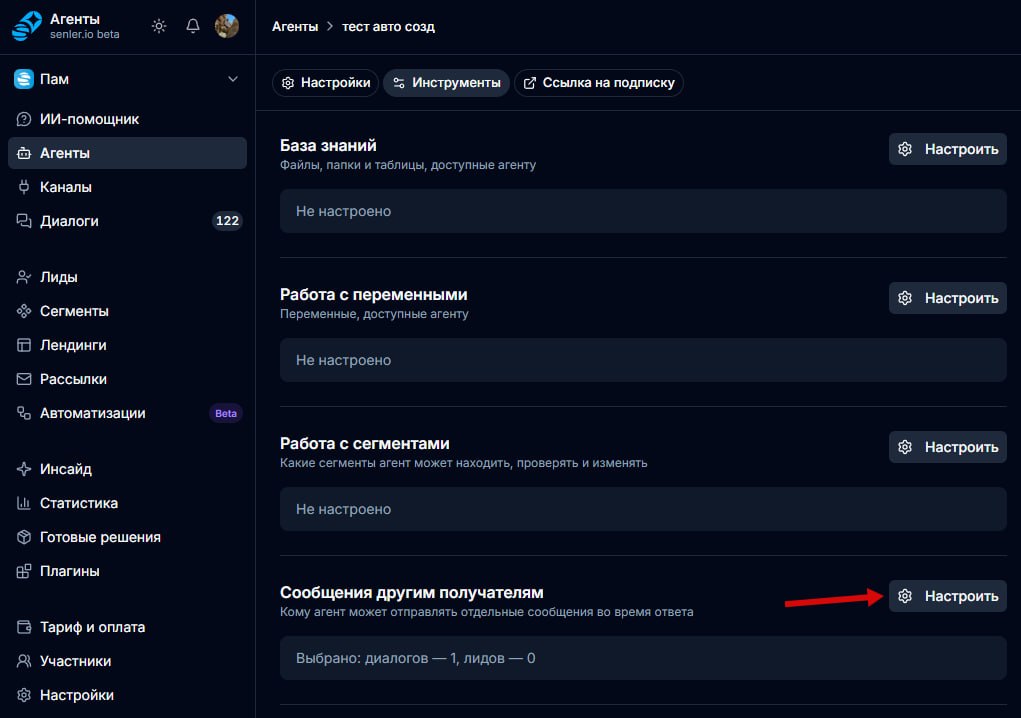
Agents can now send messages to other conversations.
In the agent’s tools, select Messages to other recipients and configure access. Allow messages to any conversation or only to selected conversations.
The agent can then contact other recipients when needed to complete a task. For example: After the user shares their phone number, send it to the conversation with Max in MAX.
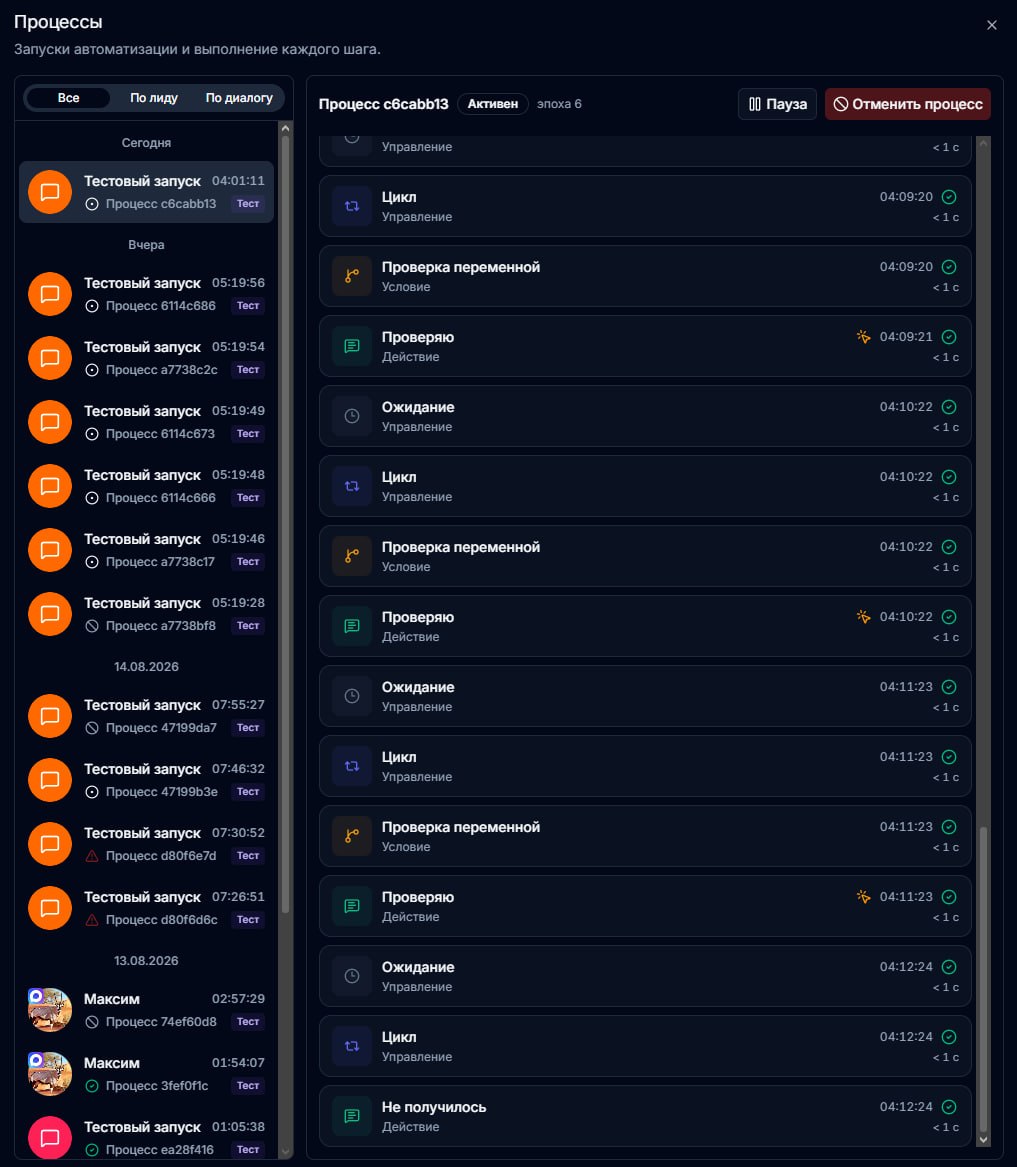
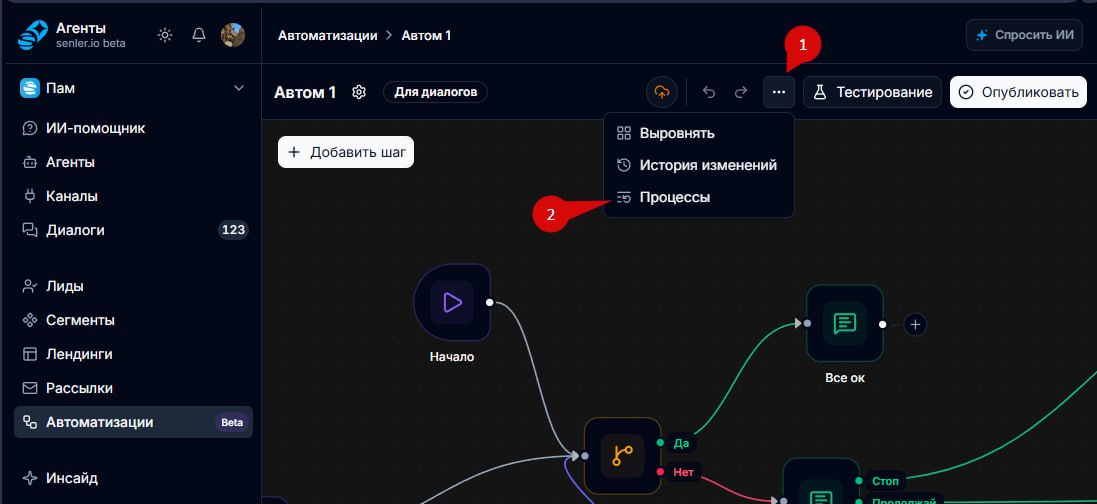
Open a list of an automation’s running processes by conversation. See where each process is running and its current step, pause it or finish it manually.
A process is a specific automation run in a conversation. An event that triggers the automation creates a process that executes its steps. Ten leads starting the same automation in separate conversations can create ten independent processes.
In the start step, choose what happens when the automation is triggered again for the same conversation:
Do not start again while the previous process is running.
Start another process alongside the existing one.
Finish the old process and start a new one.