
Add Channel
How to add a channel
Adding a channel starts with choosing a platform, then opens the connection form for the selected message source.
- Open the section through the Channels item in the side menu.
- Click Add channel.
- On the add channel page, the platform selection block opens.
- Select the button for the required platform: Telegram, VK, MAX, Avito, Discord, Widget, StreamVi, or Email.
- Fill out the connection form for the selected platform.
- After a successful connection, the cabinet opens the created channel settings.
The project overview may also show a quick add-channel button. If it is absent, use the Channels item in the side menu.
How to choose a platform
On the add channel page, each platform is shown as a separate button. Choose the platform by name:
- Telegram;
- VK;
- MAX;
- Avito;
- Discord;
- Widget;
- StreamVi;
- Email.
If a platform is unavailable
If a platform button is disabled, the platform is under development or unavailable for the current project. In that case, choose an available platform or check the tariff and project conditions.
Where this is in the interface
Main elements in this section:
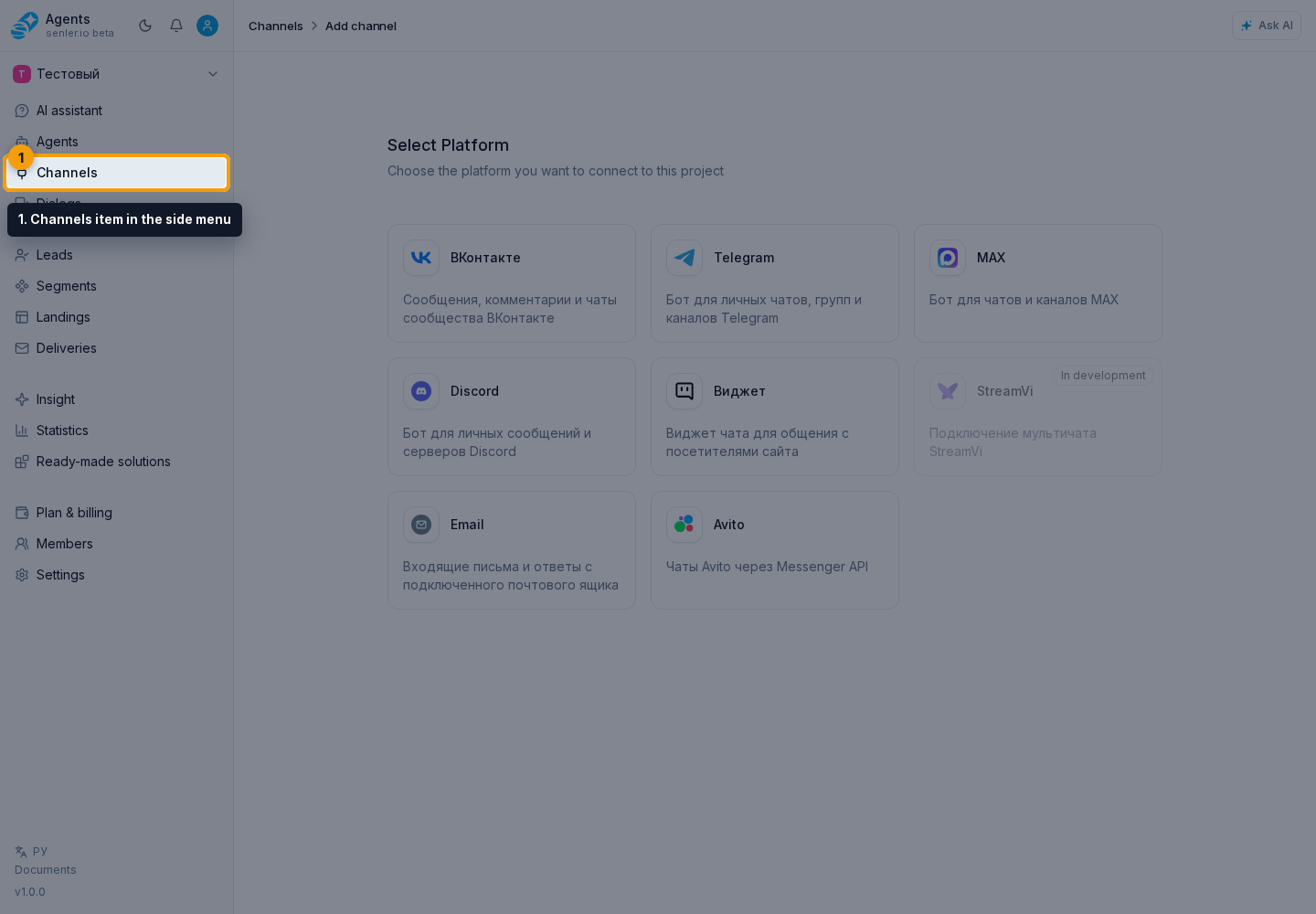
- Channels item in the side menu
- Add channel button
- add channel page
- platform selection block
- platform selection button