
MCP servers
How to open MCP servers
An MCP server provides agents with external tools. The connection is created in a project and then selected in the settings of the relevant agent.
This article covers connecting an external MCP server to Senler agents. To connect Codex or another external AI client to Senler, use the public Project MCP and User MCP URLs and OAuth instructions. You do not need to create a connection in this Cabinet section for an external client.
Select the Settings gear button to the right of the project name, then select MCP Server.

The MCP servers section has two tabs: Servers for individual connections and Server sets for shared lists.
What the list shows
The table shows the connection name, server or connected identity, status, and update date. Status depends on the connection type:
- a custom server shows whether it is active;
- a ready-made server using project authorization shows whether credentials exist and their validation result;
- a server using user authorization shows Per lead.
Search checks the name, template, description, connected identity and, for custom servers, the URL and tags. Search covers all project connections. Long lists of servers and server sets load as you scroll.
How to open or create a connection
Click a server row or Configure in the row menu. If the member has view-only access, the row does not open the form.
The Add MCP server button opens the wizard. See MCP server setup wizard for the exact flow.

Server Sets
A set groups several MCP servers from the project. Connect it to multiple agents to manage their shared tool collection in one place.
Open the Server sets tab. On the server set page, you can find a set with search, open an existing set, or select Create set.
In the set form:
- enter a name;
- optionally add a description;
- in the server list, select the MCP servers to include;
- select Create or Save.

Set changes apply to every agent that uses it. This lets you add or remove a server once instead of reconfiguring each agent.
You can edit or delete a set. Deletion runs after confirmation. A set connected to any agent cannot be deleted; first choose another mode or set for those agents. Deleting a set does not delete the MCP servers it contains.
Custom and ready-made servers
Connect a custom server by URL. After the first save, configure its description, tags and authorization: shared by the project or on behalf of a lead.
A ready-made server is installed from a template. Its URL and allowed authorization methods are defined by the template; the project configures only the fields it exposes and the connection name.
Method Loading Through Senler
Open a saved custom or ready-made server. In Use through Senler, enable Load methods dynamically when the agent does not need to receive the entire tool catalog at once. Senler will find matching methods and provide their schemas to the agent as needed.
After enabling it, select the method search language. The agent writes tool-catalog queries in this language while continuing to answer the user in the conversation language. Save the server after changing these settings.

In Tool timeout, seconds, enter an integer from 1 to 300; the default is 60. For example, allow 120 seconds for an operation that takes 90 seconds. This limits one tool call, not the entire conversation. The overall agent response deadline or request cancellation can stop waiting earlier. Increasing this value does not extend the JWT: its signature is checked when the request is accepted.
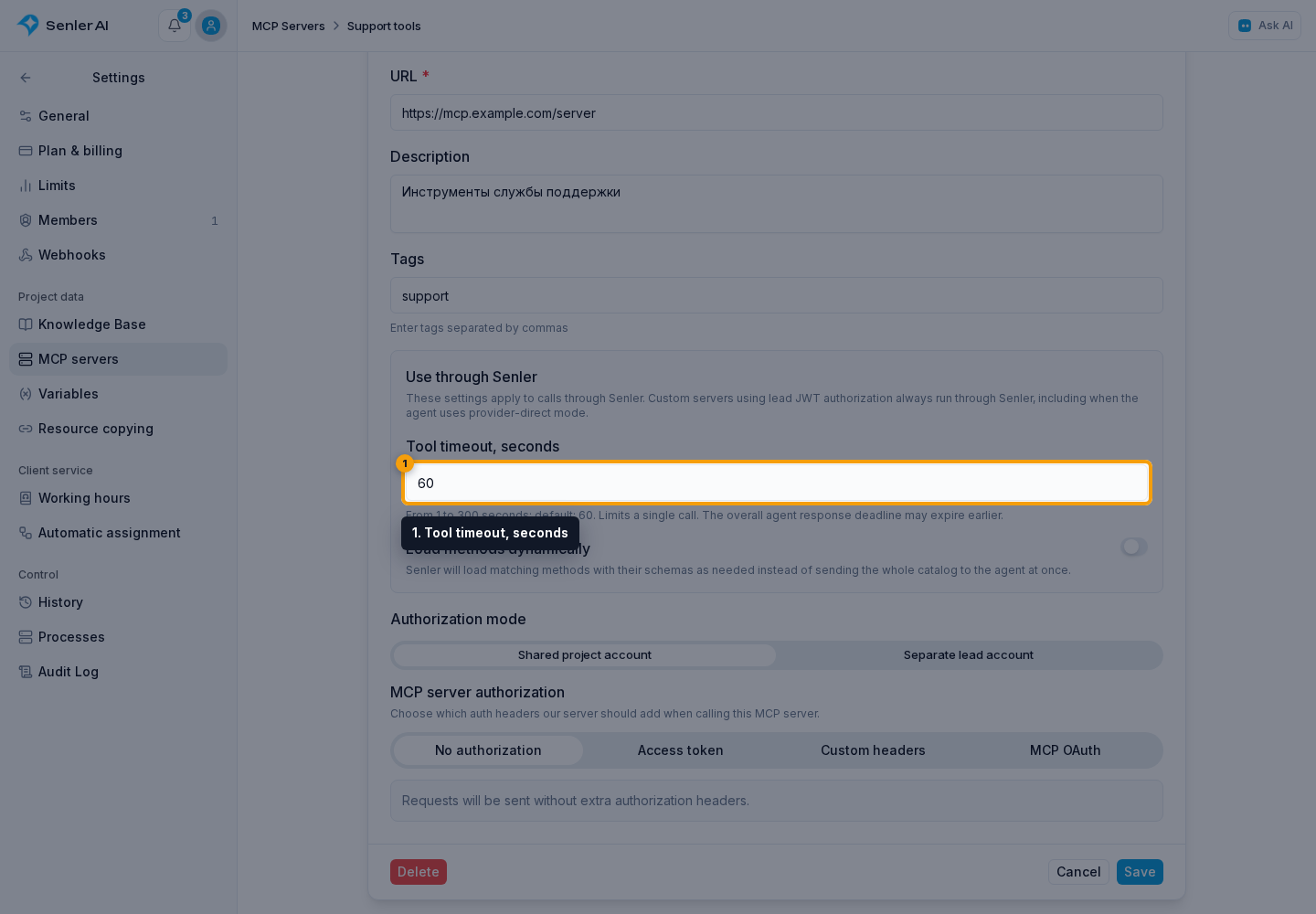
These settings apply to execution through Senler. A custom server using lead JWT always runs through Senler, even when the agent uses a direct AI-provider connection. For other servers in direct mode, the AI provider controls the timeout. Choose the connection mode in the agent’s MCP server settings.
Before connecting it to an agent
Check that:
- the server belongs to the correct project;
- the custom server has the correct URL and authorization mode;
- a ready-made server using project authorization does not show No credentials or Invalid token;
- the server is selected in the relevant agent settings or belongs to its connected set;
- the agent was published after its tools changed.
Token, header, OAuth, and per-lead authorization are covered in MCP server authorization.
For receiving server developers: signed context for MCP requests lets you verify Senler's signature and connection, project, and lead identifiers.