
Variables
Summary
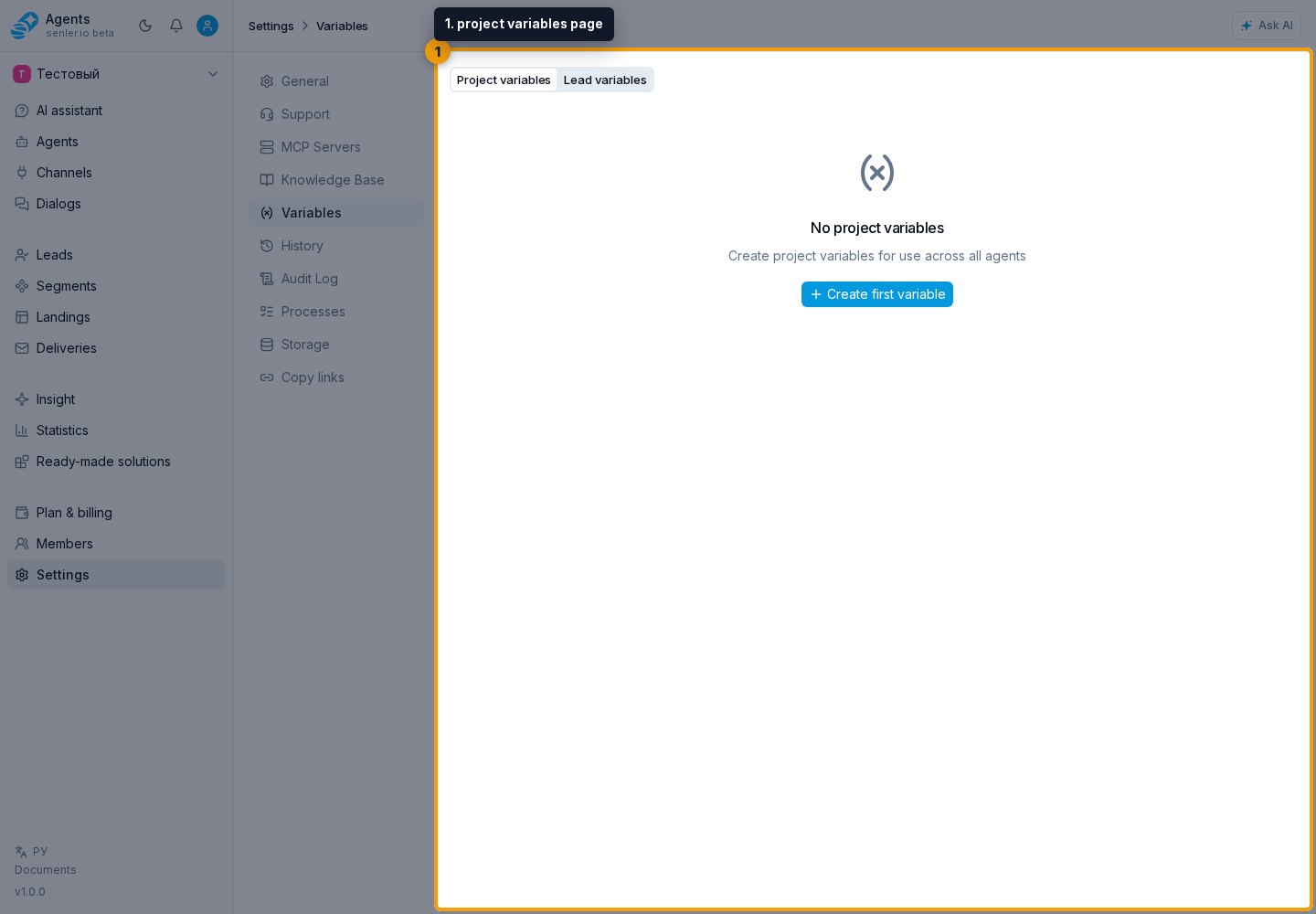
Path: "Settings" -> "Variables" -> Project variables. Project variables are constant values available to agents.
Project variable form
- name;
- type;
- value;
- description;
- AI instruction;
- save or cancel;
- deletion with a separate confirmation.
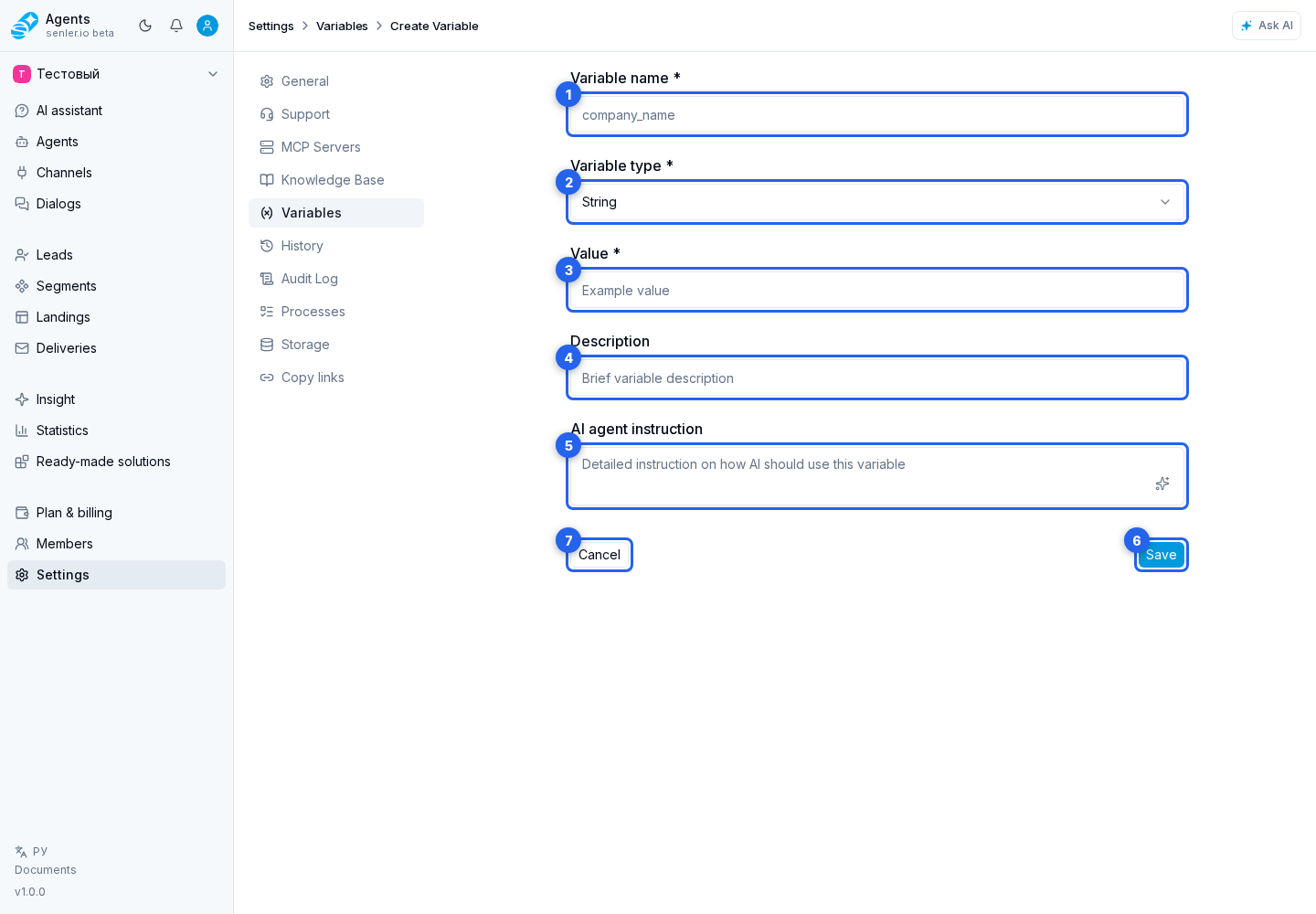
Name
- mandatory;
- in edit mode it may not be available for change;
- it is better to use a clear system name without spaces.
Types
- string;
- number;
- boolean;
- array;
- object;
- json;
- date.
Meaning
- mandatory;
- true/false is selected for boolean;
- for array/object/json, enter JSON;
- for date, enter the date;
- for number, enter a number;
- for string the text is entered.
AI instruction
- explains to the agent how to use the variable;
- example: “Use as the main link for payment”, “Do not show it directly to the client, use only to check the status.”
Copying And Sharing
A variable can be moved to another project through copying or an access link. When creating the package, decide separately whether to include the variable value: it may be a secret or a live project setting.
If the variable does not work for the agent
- check if the variable is created;
- check if project variables are enabled in the agent;
- check the access level;
- check the published version of the agent.
Where this is in the interface
Main elements in this section:
- project settings page
- Settings item in the side menu
- project variables page
- Project variables tab
- Lead variables tab
- project variable form
- create variable
- variable in the list or form
- variable copy button
- variable share button