
Member Editing
In the participant form you can
The member form controls one person's access to the project. It is important to distinguish the project role from channel access: the role defines the general permission level, while channel access limits which conversations and settings the member can see.
- view member information;
- change the role of the project;
- enable or disable the support operator flag;
- configure access to channels;
- remove a participant.
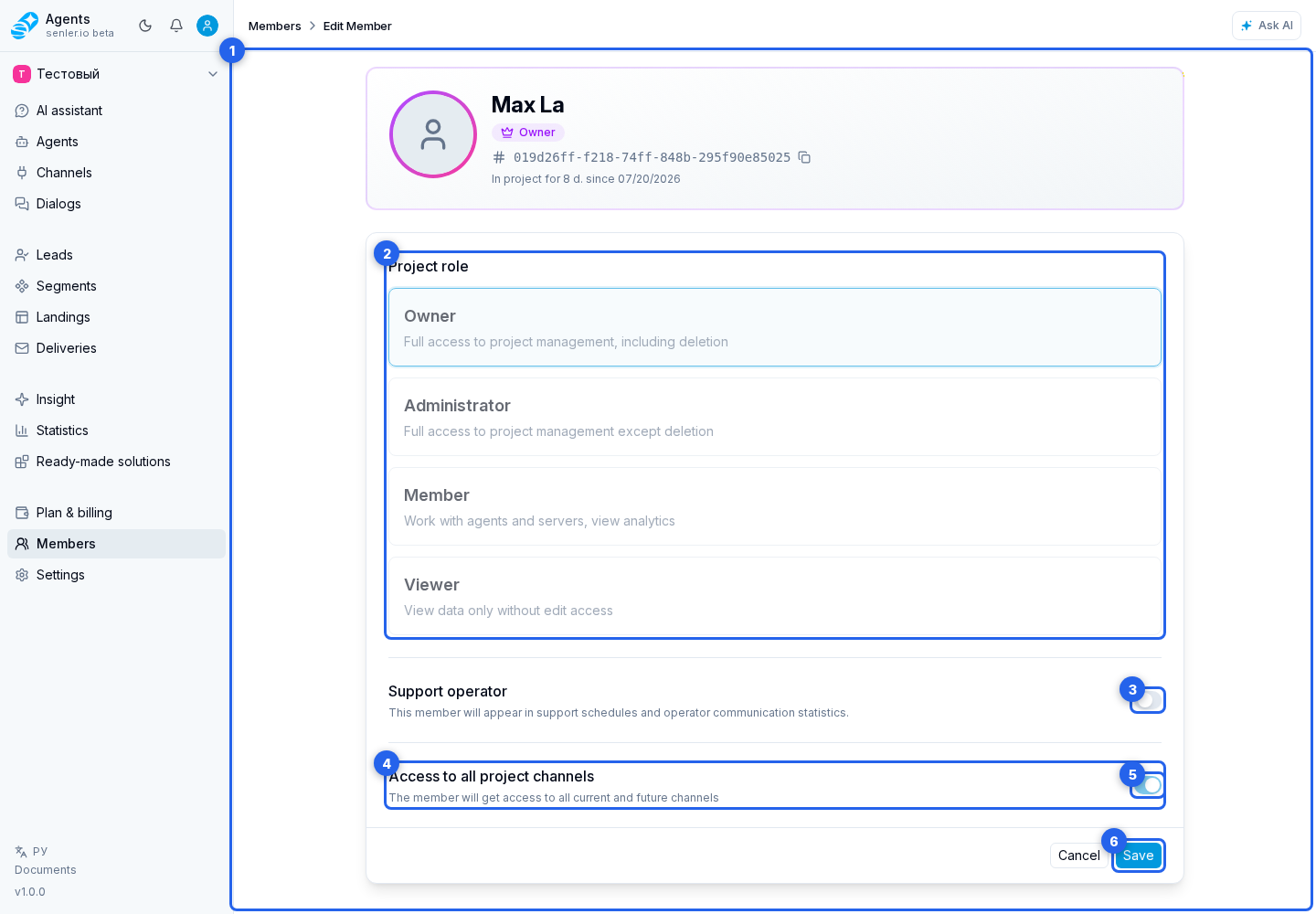
Project roles
- owner - full access, including deletion;
- admin - full access, except deletion;
- member - work with agents, servers and analytics;
- viewer - read only.
Support operator
Enable the support operator flag when the member must be available in the schedule and their replies should be included in per-operator statistics. After changing it, use save member.
The flag cannot be turned off while the member has a current or future schedule assignment. For the same reason, that member cannot be removed from the project. First open support settings and delete assignments from the schedule calendar or move them to another operator.
Past assignments do not prevent turning off the flag. Replies sent while the member was a support operator remain in statistics for past periods.
Access to channels
Channel restrictions are useful when several teams work in the same project. If a member has access only to some channels, they may not see other dialogs, leads, and settings.
- you can give access to all current and future channels;
- you can select individual channels;
- a role is assigned for each channel;
- you can add a channel;
- you can change the role by channel;
- you can remove access to the channel;
- you can add everything or delete everything.
If you don't have access to all channels
- the participant must have at least one channel, otherwise he may not see anything;
- the account can show a warning.
Removing a member
- owner cannot be deleted;
- an operator with current or future schedule assignments cannot be removed;
- after deletion, the member loses access to the project.
Where this is in the interface
Main elements in this section:
- Members item in the project side menu
- project members page
- members tab
- member editing form
- member role
- support operator flag
- member channel access
- access to all channels
- save member
- remove member