
Auto-Training Wizard
Summary
The Auto-Learning Wizard helps you create an agent based on your data. It is suitable if the user wants to quickly get agent options, rather than write instructions from scratch.
Typical scenario
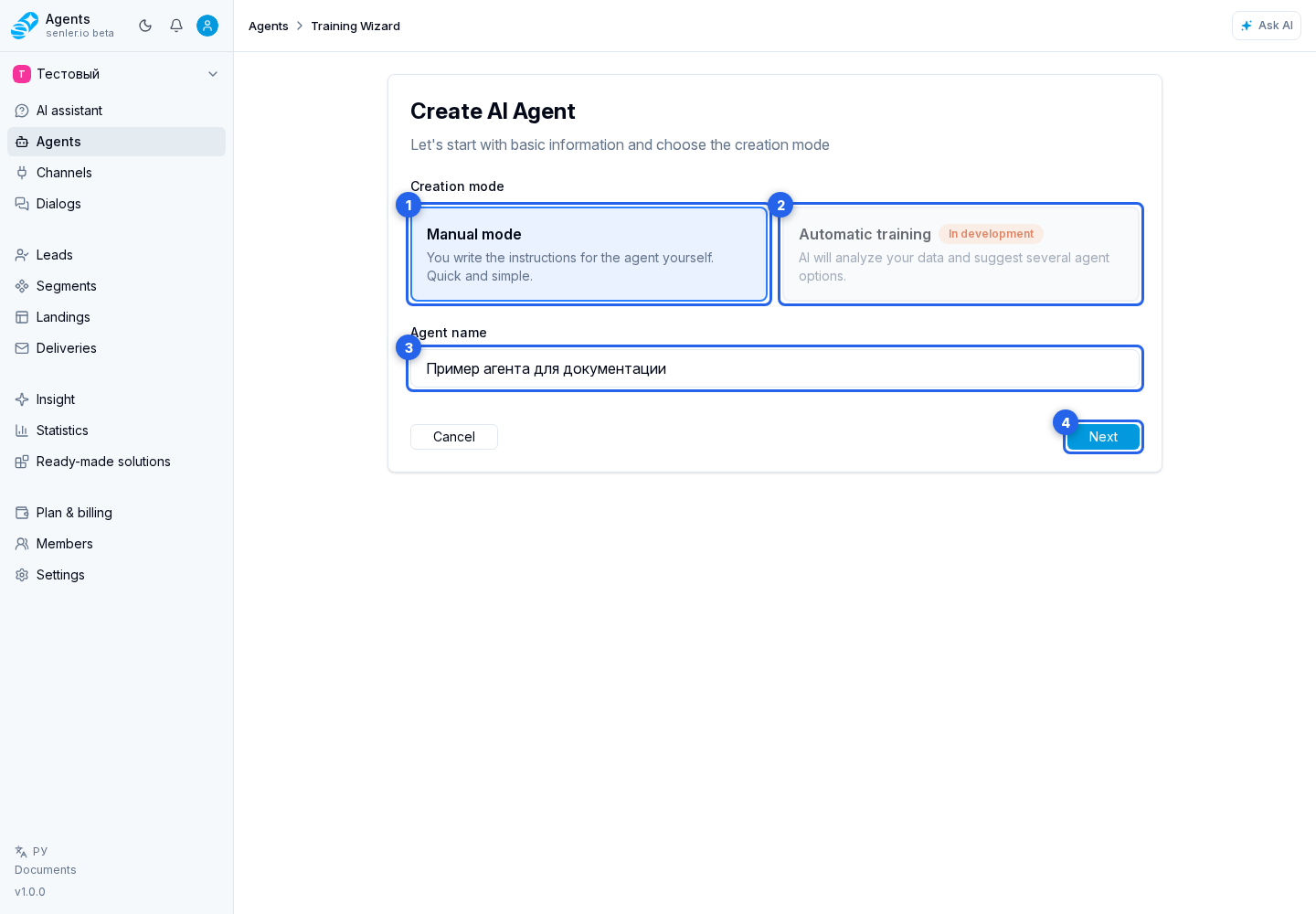
- Choose manual creation or auto-training. For manual creation, enter the agent name and click Next.
- Select data sources. Add a connected channel to training; when the required channel is absent, open Add channel. Continue with Next.
- Configure channel history, choose the training mode, and click Start training.
- The service analyzes the data and shows progress.
- AI generates several agent variants.
- Choose an agent variant, review its instruction and test, then click Create agent. Change the name if needed and finish with the confirmation button.
Data sources
- VK community;
- additional VK communities;
- documents;
- connected project channels;
- website pages or another source available in the project interface.
Sources can be created, validated, restored after deletion, and selected for training. If the wizard does not show a source, check that it exists, passed validation, and is available for training.
For connected channels, the wizard shows whether history is available: old messages are unavailable, history is loading, history has already been saved, only part of the history has been saved, or the previous run ended with an error. If history is supported, it can be used when auto-creating the agent.
Channel history and start estimate
On the training setup step, the wizard may show the Load channel history switch. It loads available old messages before generating agent variants. Use the history period field to choose how much history to include.
Nearby it shows:
- how many messages are already in the project database;
- how many messages can be additionally loaded from the platform;
- history period for training;
- details for each selected channel;
- approximate execution time;
- approximate credit cost.
If the switch is unavailable, the usual reason is that the selected channels do not support old history loading, all available history is already saved, or the system returned a restriction for a specific channel.
Supported Documents
- TXT;
- PDF;
- DOC;
- DOCX;
- CSV;
- JSON;
- MD.
What does AI do when learning
- loads sources;
- analyzes content, style and themes;
- selects the optimal type of agent and metrics;
- generates agent options;
- shows the user options to choose from.
After an option is selected, the wizard adds all available metrics to the created agent: built-in metrics for the selected agent type and the project's custom metrics. Event and discussion sets are saved separately in manual mode, so later changes to default sets do not silently replace the selection.
After creation, open metric settings and remove indicators that this agent does not need. Each group can be switched back to default metrics independently. If automatic metric selection fails, the agent is still created: configure events and discussions manually in its form.
During training
- the process may take time;
- the page can be closed, training continues in the background;
- the state can be tracked by stages: parsing, AI analysis, generation of options, completion;
- if history loading is enabled, the wizard first retrieves available channel messages and then generates agent variants;
- for a website, the wizard may first build a page plan, then select important pages or continue with regular site discovery;
- the current URL, number of processed items, and selected pages may be shown in progress;
- training can be stopped with Stop; after stopping, scanning and generation end, and the wizard offers to return to settings and start training again;
- when progress appears delayed, refresh the state; after an error, copy support information.
Statuses and stopping
- "In progress" - the task is running;
- "Queued" - the task is waiting to start;
- "Errors" - part of processing failed;
- "Stopped" - the user cancelled active tasks;
- "Training stopped" means the current run will not produce agent variants until the user starts training again.
If no options appear
- check the status of the process;
- check if there is enough data;
- check for errors in the process or history;
- if the error is related to channel history loading, try reducing the period or turning off old history loading;
- if the status is "Stopped", return to settings and start training again;
- try another source or create an agent manually.
Where this is in the interface
Main elements in this section:
- agent settings form
- agent list
- Agents item in the side menu