
Webhooks
Application webhooks
On the Webhooks page, a developer application sends selected events to an external URL. One webhook can listen for several event types, and one application can have several webhooks with different URLs and event sets.
Use HTTPS for a production endpoint. A public application event waits up to 60 seconds per attempt, but the handler should preferably accept the event into its own queue and return 2xx promptly.
The General tab contains public application events, For tools contains requests from HTTP tools, and For steps contains internal automation-step webhooks. All types have request history, but waiting for an agent result applies only to tools.
Available events
command_start— the user sent/start;datacontainscommandandargs;message_allow— the user allowed messages;message_new— a new user message; its text is indata.content;button_clicked— the user clicked a button in a message;lead_created— a lead was created;lead_unsubscribed— the user unsubscribed from messages;lead_blocked— the user blocked the bot;segment_subscribed— a lead subscribed to a segment;segment_unsubscribed— a lead unsubscribed from a segment;message_undelivered— “Message could not be sent”: sending a message from an agent, automation, or operator failed;error— “Agent execution failed”: an agent request could not be processed, for example because of an AI timeout or insufficient balance;automation_step_failed— “Automation step failed”: a step failed permanently after exhausting automatic retries, or retries are not available for that error.
The event format reference describes the common JSON fields, data, required values, and when each event type occurs. For subscriptions and unsubscriptions, see Segment events.
An application webhook receives the selected segment events from every project with an active installation of the application. Use project_id and data.segment_id to identify the event's project and segment.
Creating a webhook
On the webhooks page, open the General tab, then:
- Click Add.
- In the creation form, enter a clear webhook name, for example, “New messages to CRM”.
- Enter the full handler URL.
- Select one or more event types with checkboxes. Each option shows a readable description first and the technical payload alias underneath.
- Click Create.
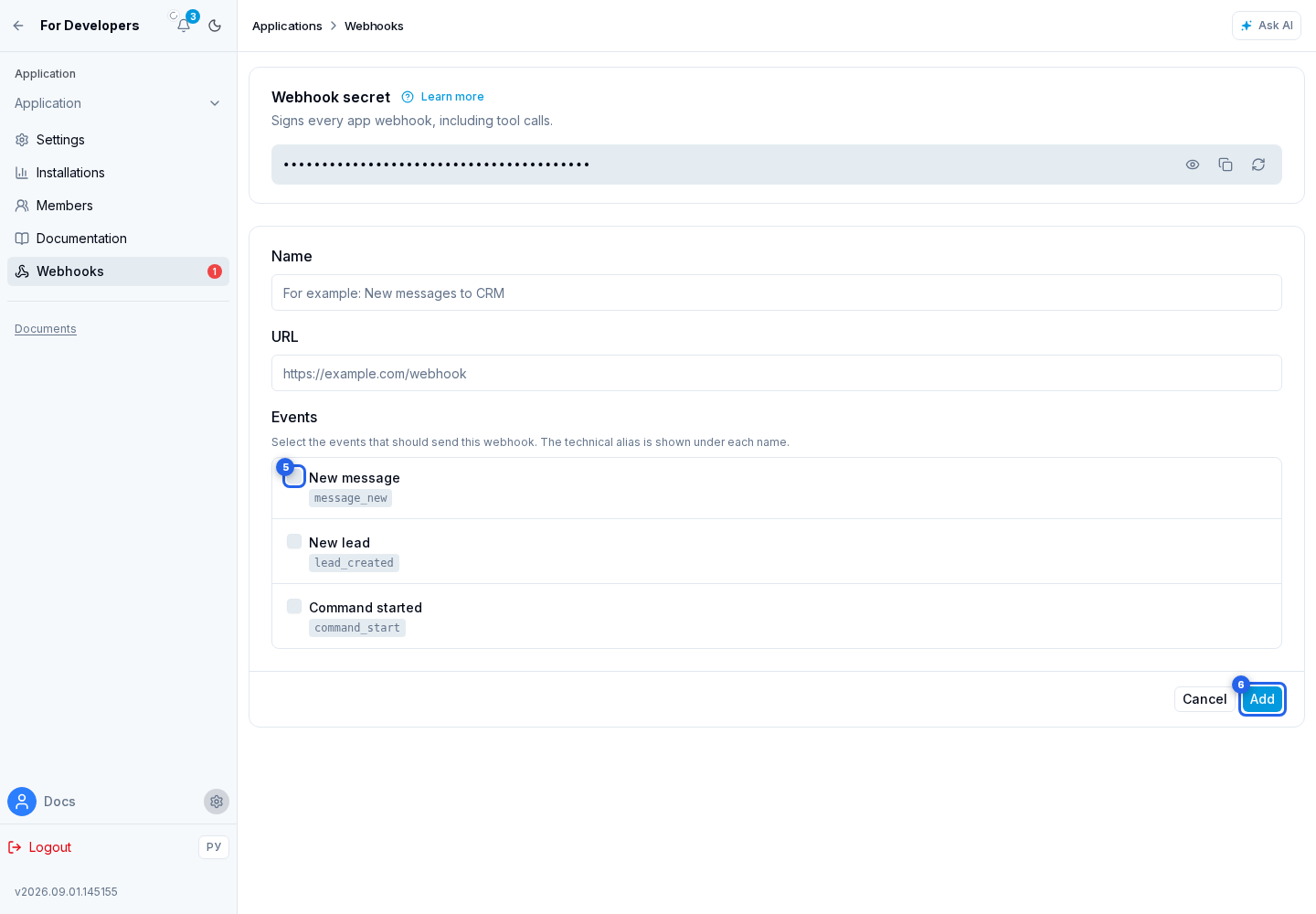
A new webhook immediately receives Active status.
Testing and retries
For the required webhook in the list, open the actions menu and select Test.
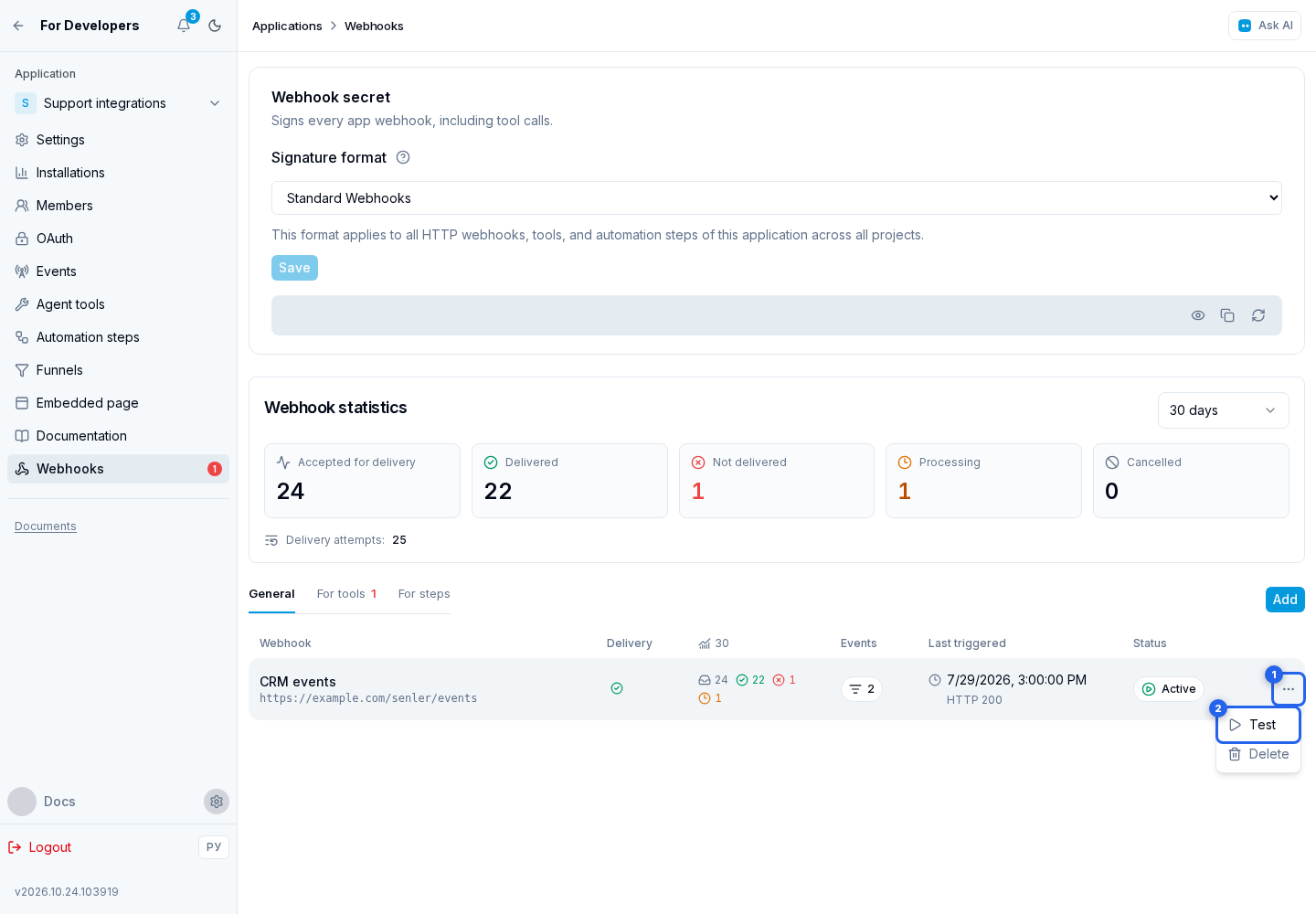
It opens a test dialog with the method, URL, headers, and JSON body of the upcoming request. The request is not sent until you select Run. After the run, the same dialog shows the result, HTTP status, duration, response body, and error reason when applicable.
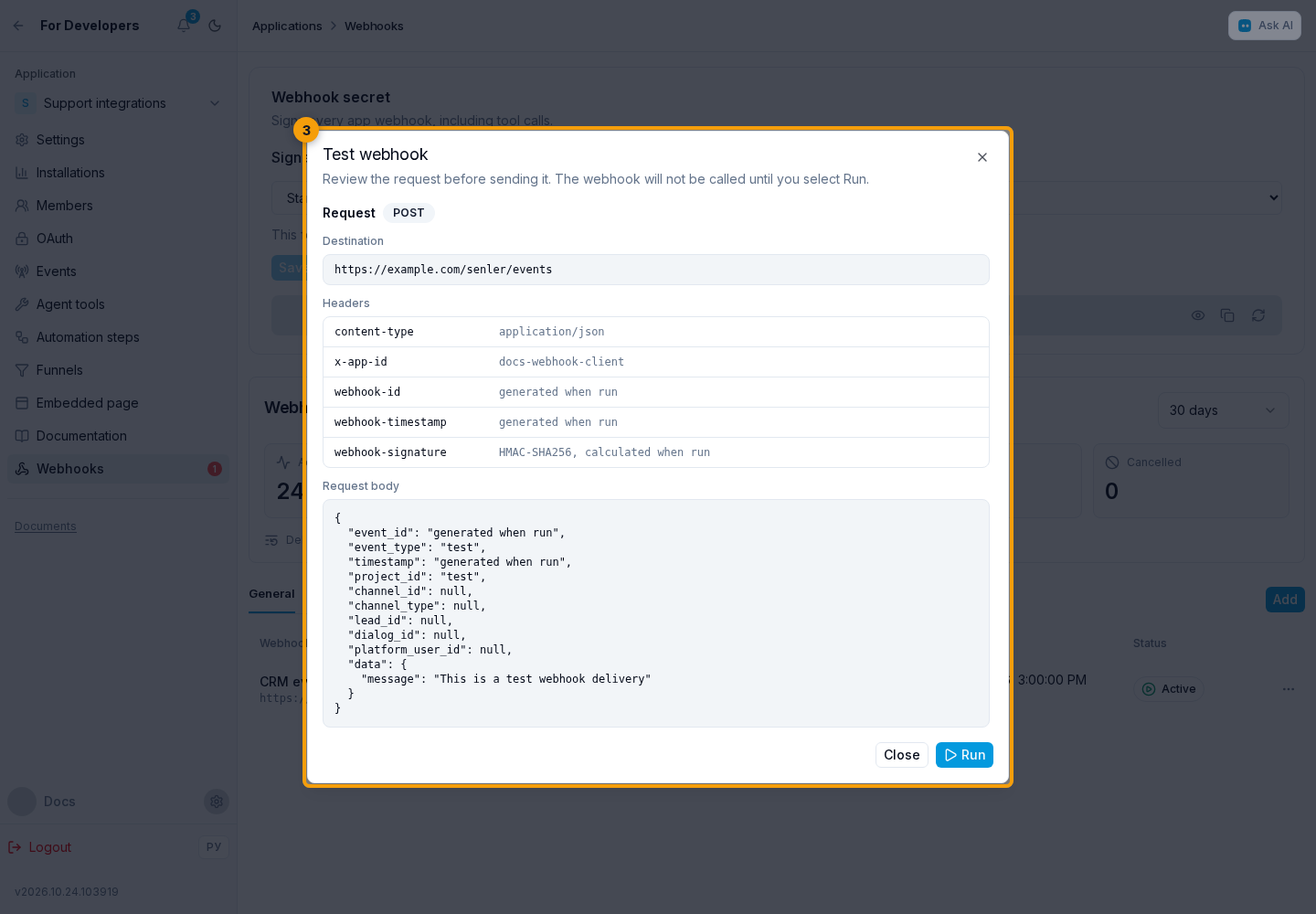
The test sends one request with its own event_id, event_type: "test", project_id: "test", null identifiers, and a message in data. Headers and the signature follow the same rules as a production event. Handle this service event separately from the production event list.
The test succeeds only for an HTTP 200-299 response and reports the status code and response time. It is one immediate request without retries and can wait up to 60 seconds for a response.
A production event is queued with a one-day retry window. After a network error, timeout, HTTP 408, 425, 429, or a 5xx response, Senler makes up to 12 attempts: immediately, then approximately after 1, 5, 15, and 30 minutes, and 1, 2, 4, 8, 12, 18, and 24 hours. Any other 4xx response, including 401 or 403, ends the operation without automatic retries: investigate the cause of the rejection first. After repairing access, a request that received 401 or 403 can be resent manually. Every automatic attempt preserves the same event_id and event data. Standard Webhooks updates webhook-timestamp and the signature while preserving the body. Senler Webhook Standard also updates the body timestamp and X-Webhook-Timestamp. See signature formats. Recognize retries by event_id and return 2xx when the event has already been accepted durably.
Tool webhooks
The For tools tab shows the application's HTTP tools and their webhooks. The URL, parameters, and execution mode are configured in the tool builder; the webhook page provides an Edit tool action.
The For steps tab shows internal webhooks created for automation steps. The endpoint and contract are configured in the step builder; from the webhook page, you can open its delivery history or return to editing the step.
HTTP tool calls are signed with the application's single webhook secret from the section above. Tools do not have separate secrets.
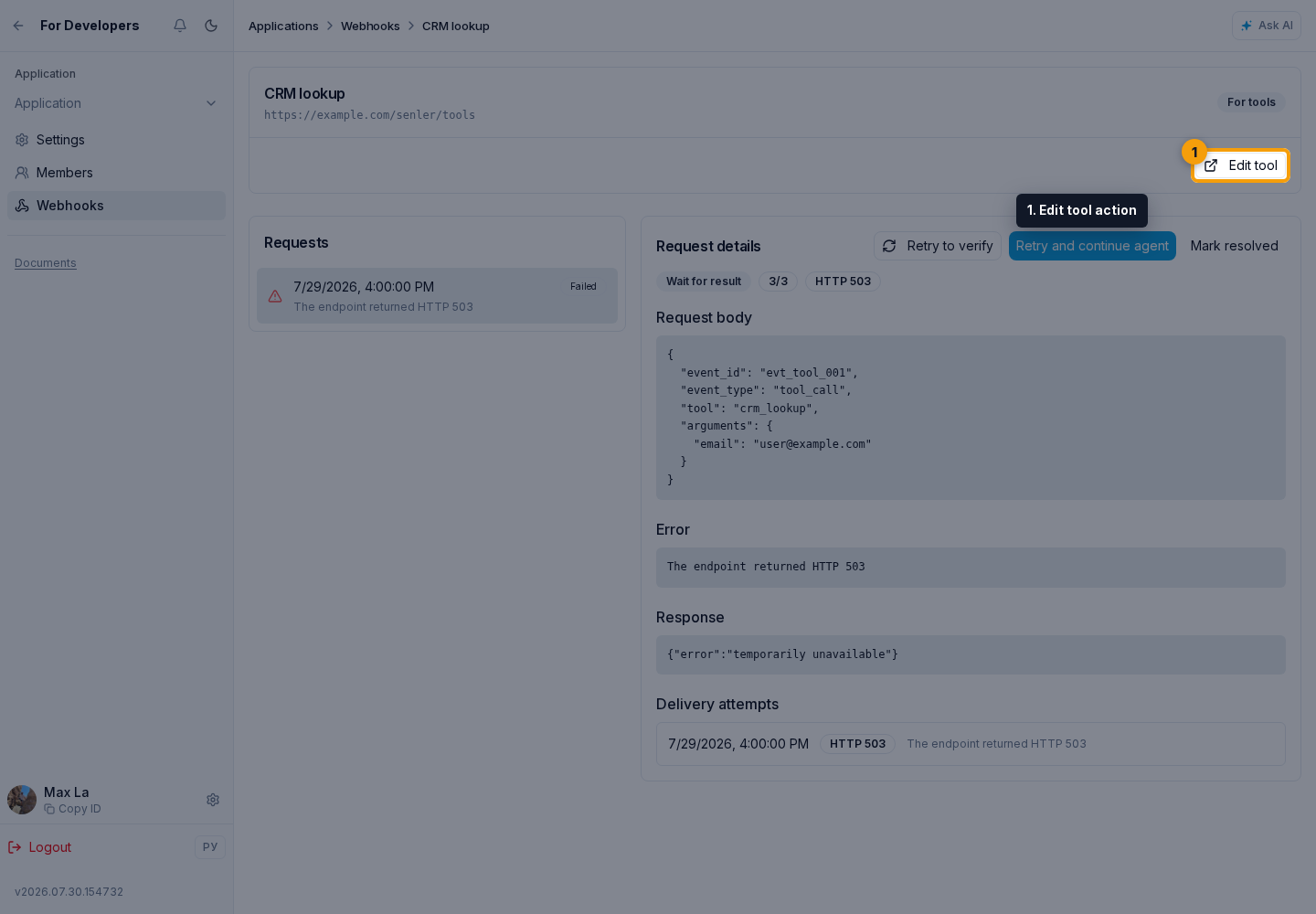
- in instant mode, the agent waits for one response and there are no automatic retries;
- in wait-for-result mode, the request is queued and the agent continues the step after successful delivery;
- in background mode, the request is also queued, but its response does not continue the agent's current step.
The call body contains event_type: "tool_call", event, application, installation, project, agent, and dialog IDs, optional lead_id, the system name and tool_instance_id, plus the instance's arguments, regular configuration, and protected private_data. Headers and the signature follow the rules in Secret and signature and use the shared application secret. The handler must validate the signature and input, keep private data out of public logs, and return a result that is clear to the agent. Execution modes, timeouts, retry windows, and an exact payload example are documented in Agent tools.
Detailed guides
- Event format: Common JSON fields, data for each event, examples, and segment subscription source values.
- Failure events: Subscribe to agent and message-sending failures. These describe event contents, not failures in the webhook's HTTP delivery.
- Webhook delivery: Check event delivery to your application, find the cause of errors, and retry failed requests.
- Webhook signatures: Verify incoming request signatures using the webhook secret and rotate the secret when needed.