
Segment consents
Consents
Consents are documents that a lead must accept before joining a segment. A segment can be saved without them. If documents are attached, the joining request remains pending until every selected version is accepted.
To add a document:
- In the settings of an ordinary segment, select Add consent.
- Select an existing document or select Create.
- In the New consent dialog, choose an empty text document, upload a finished PDF, or a ready template in Russian or English.
- Enter a name and document text or choose a PDF.
- Select Create. Cancel closes the dialog without creating a document.

The new document appears in the segment form immediately, but the required consent list is applied only after the segment is saved. You can edit a document or remove it from the segment.
Text before agreements
After the first consent is added, the optional Text above the consent message field appears. It accepts up to 2,000 characters and is shown before the system “Review the agreements” message and document links.
Leave the field empty to show only the system message. The field is hidden when the segment has no consents.
Document versions
Editing a document creates a new version. It is automatically applied to every project segment where that document is already selected. You do not need to replace the version or save each segment again.
The Accept agreements button in an already sent message refers to the documents and versions presented to the lead. If the required documents or their versions change before acceptance, the old button does not confirm agreement to the new terms.
Earlier versions remain in version history.
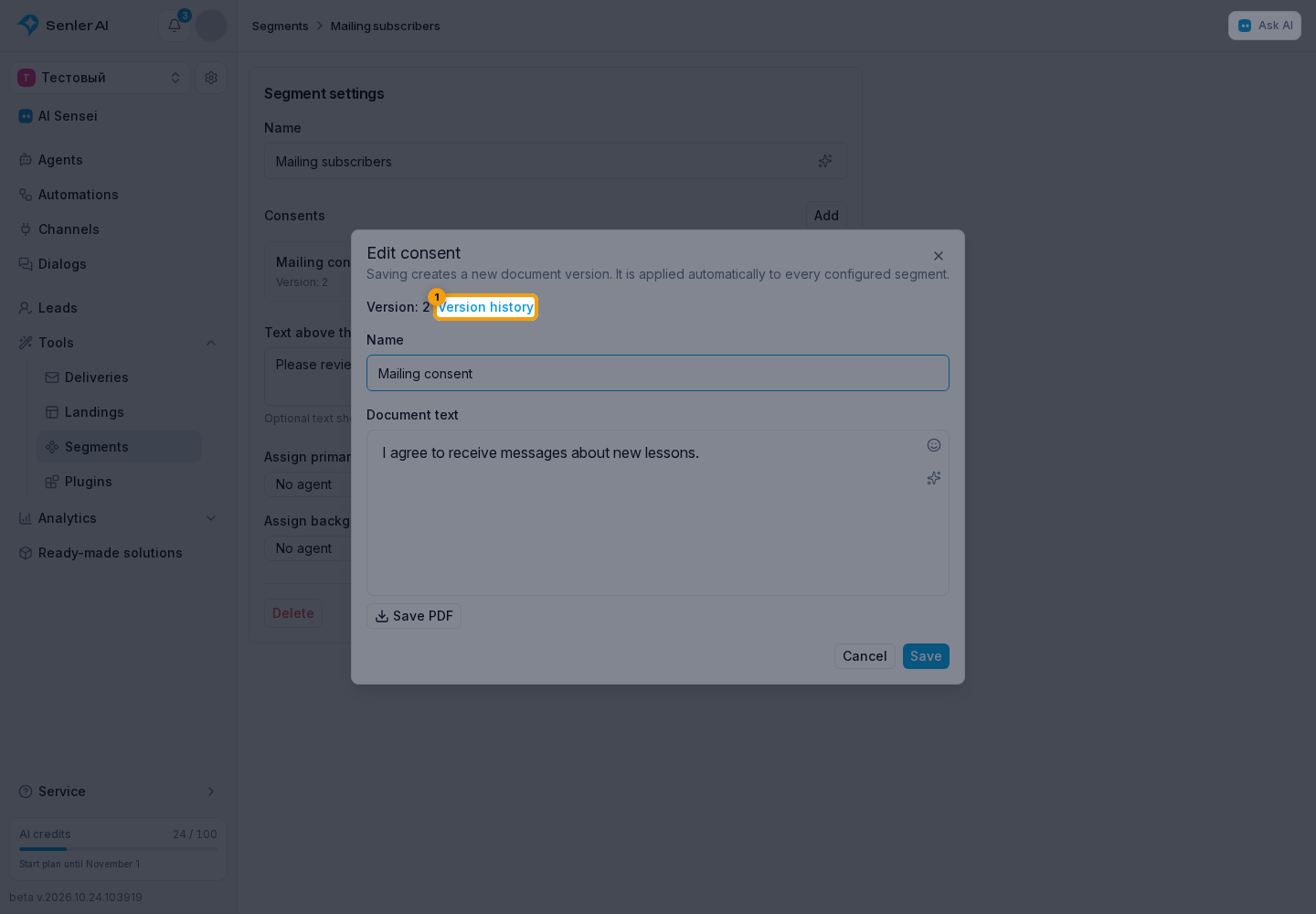
You can open any version for viewing.
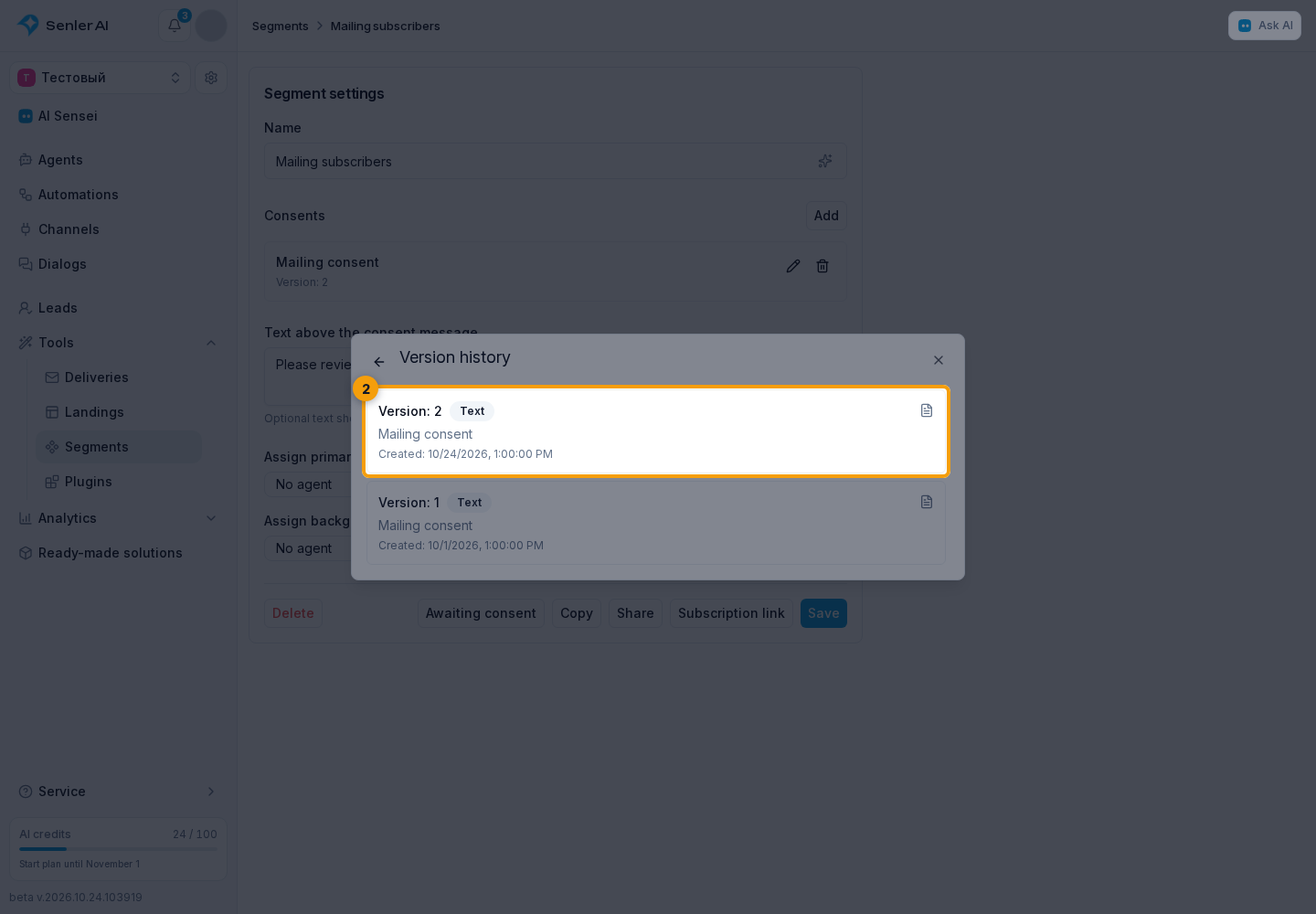
Acceptance history and saved versions remain available to the system after the document is deleted from the consent catalog.
Awaiting consent
When a segment has required consents:
- Open the settings of the required segment.
- Select Awaiting consent.

The cabinet opens Leads with a filter for people who started joining this segment but have not accepted the documents yet. They are not yet included in the segment. After accepting every agreement, the lead joins the segment and disappears from this selection.
In the dialog, the request to read the documents and the Accept agreements button are sent under the segment name. Successful acceptance adds Agreements accepted. If the lead already belongs to the segment, it adds Agreements already accepted.
This button confirms consent and completes segment membership; it does not send the agent a separate question. Acceptance belongs to the lead who started subscribing: an operator cannot accept the documents on their behalf by clicking the button. Repeated acceptance does not create a second membership entry.
If the chat says “This subscription confirmation has expired. Start the subscription again.”, the lead must reopen the subscription link, follow its steps, and accept the current documents. This happens, for example, when the required documents change or the previous subscription request is cancelled.