
Connected applications
A connected application receives only the actions you approved during OAuth authorization. Account settings let you review these permissions and close access at any time.
Opening connected applications
Open Account settings, select Authorization, and scroll to Apps with account access.
Reviewing granted access
Select Granted access for an application. In the dialog, permissions are grouped by service area. Each area shows its effective level: read, read and write, or manage. A technical permission that is not yet part of a known group is shown by its system name. The authorization date appears below.
If the application supports separate connections, a Connected clients list appears below. Each client shows its name, type, and last-used time; the IP address and browser or application details also appear when available. This is the client's activity time, not the date the application was granted access. The revoke control next to a client disconnects only that connection.
If the developer provided an address, Open application website opens it in a new tab. Close closes the dialog without revoking access.
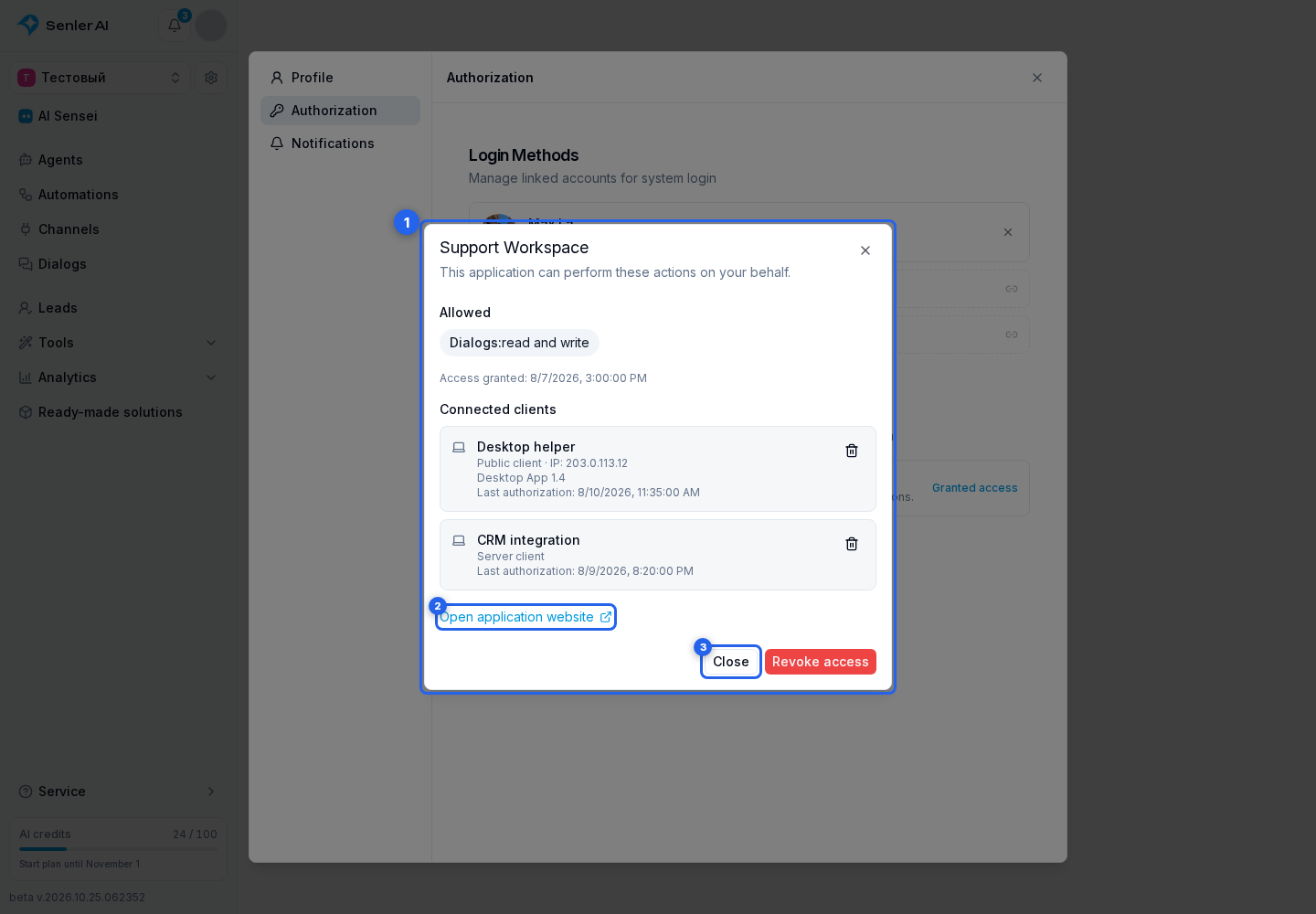
Choosing what to disconnect
| Action | Result |
|---|---|
| Revoke one client | Only the selected connection, such as a particular device or server, stops working. Other clients remain active. |
| Revoke access | The application loses all personal OAuth access, including every connected client. |
If the client list is temporarily unavailable, this does not mean there are no connections. Check again later or revoke all access when you do not recognize the application.
Before revoking access
Check which workflows use the application. Revocation may stop automations, synchronization, or actions performed on your behalf.
Personal OAuth access and an application installed in a project are different. Revoking access does not uninstall a plugin or ready-made solution; use the application's own settings for that.
When you do not recognize an application
- Revoke all of its access.
- Review the other applications and clients in the list.
- Confirm that you recognize every account sign-in method.
- If there are signs of unauthorized access, disconnect unfamiliar connections and contact support with the application name, access grant date, and the suspicious client's last-used time when available. Do not share passwords, tokens, or confirmation codes.