
Unassign Agent Step
The Unassign agent step removes a particular assignment from the current dialog. It is available only in For dialogs automations.
Identify The Assignment
Open the step on the workflow. Select an agent in Agent and select Primary or Background in Agent role.
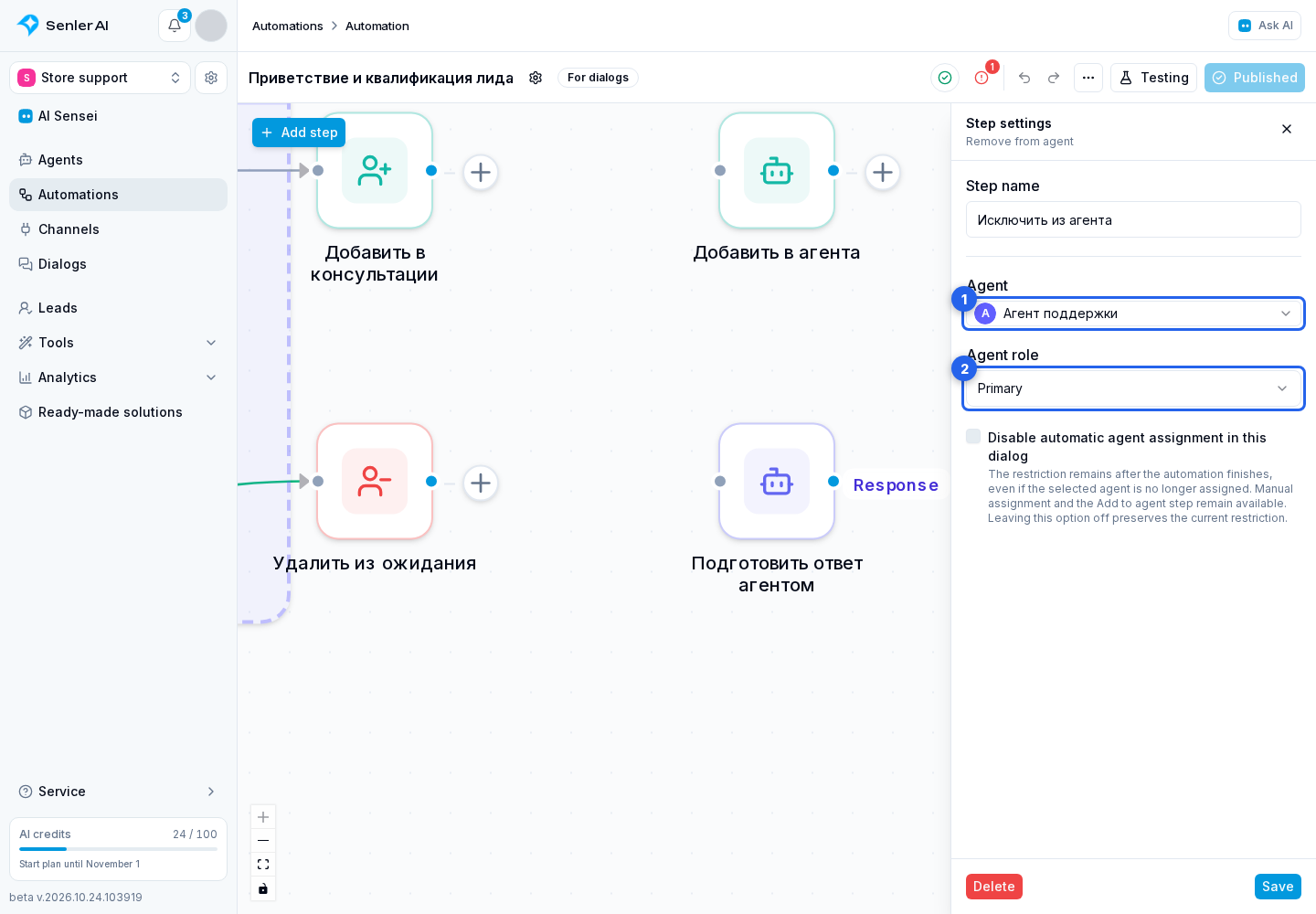
The step removes the assignment only when the selected role is currently occupied by the selected agent. It does not remove a different agent in that role. If the required assignment no longer exists, the step continues through Next; the automatic assignment setting below applies regardless of whether that assignment exists.
The list may show only active agents. A previously saved step still refers to its selected agent; if that agent no longer exists in the project, fix the step before publication.
Disable Automatic Reassignment
Enable Disable automatic agent assignment in this dialog if subsequent incoming messages should be handled by an operator. The step removes the selected assignment and saves the automatic reassignment restriction for the entire dialog in one operation. The restriction applies even if the selected agent is no longer assigned and remains after the automation finishes.

The option is off by default. In that case, the step preserves the current reassignment restriction, including any restriction already in place. Other assigned agents remain. Manual assignment by an operator and the Add to agent step remain available: assigning an agent in either way clears the dialog's automatic assignment restriction.
To prevent the agent from starting a reply to the message that triggers this automation, configure its cooperation with automations and select this workflow.
Check The Result
Execution requires a current dialog. After a test run, open the dialog information and confirm that the intended role was removed while the second assignment, if present, remained unchanged.
If the option is enabled, confirm that automatic assignment is disabled and the next incoming message does not assign an agent through the general autostart rule.