
Create an agent manually
Manual creation is useful when you already understand the agent's task and want to configure its behavior yourself. To build an agent foundation from project materials, use auto-training.
How to start
- In the project sidebar, open Agents.
- Click the create agent button.
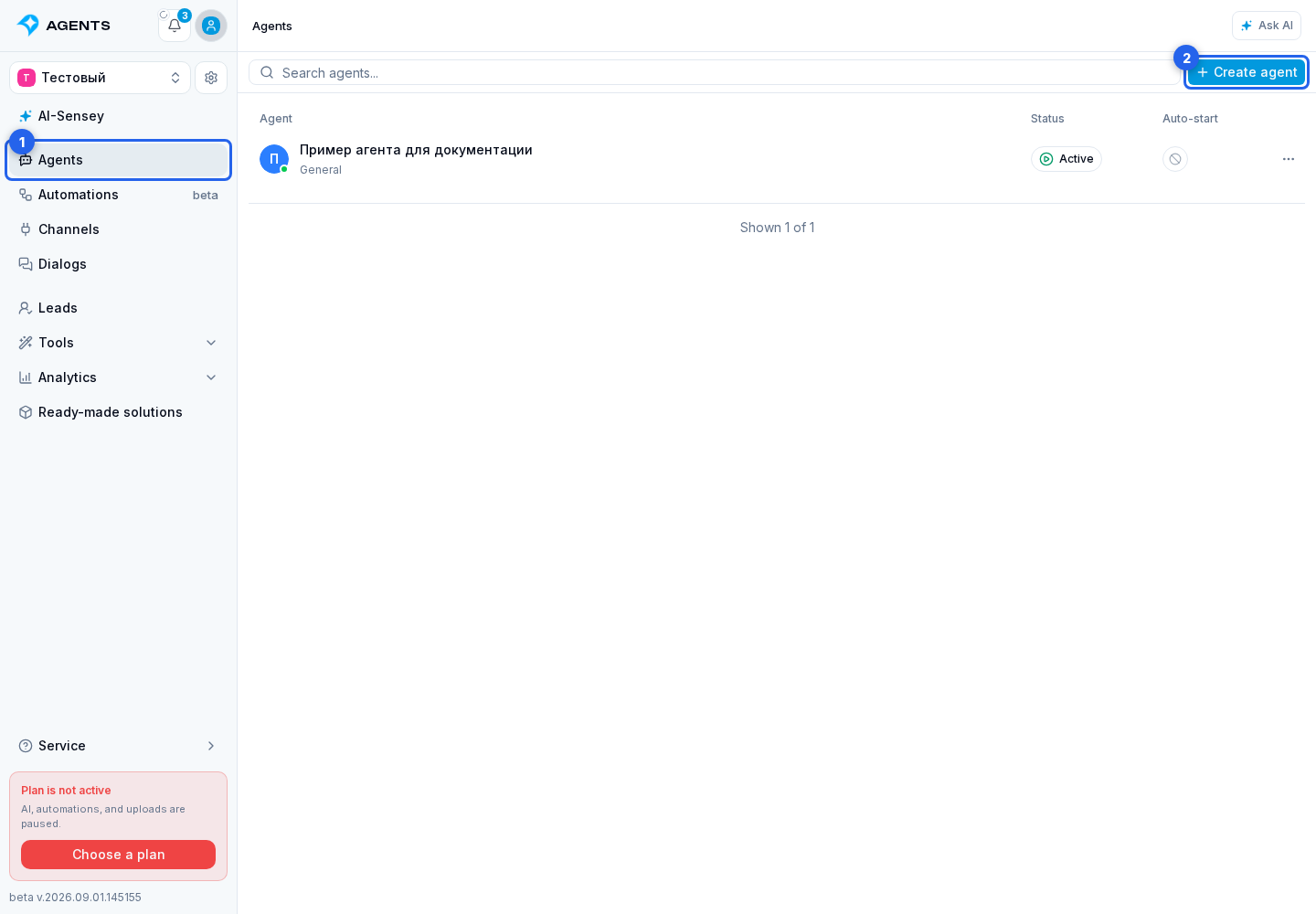
Choosing manual creation
- Select manual creation.
- Enter the agent name.
- Click Next.
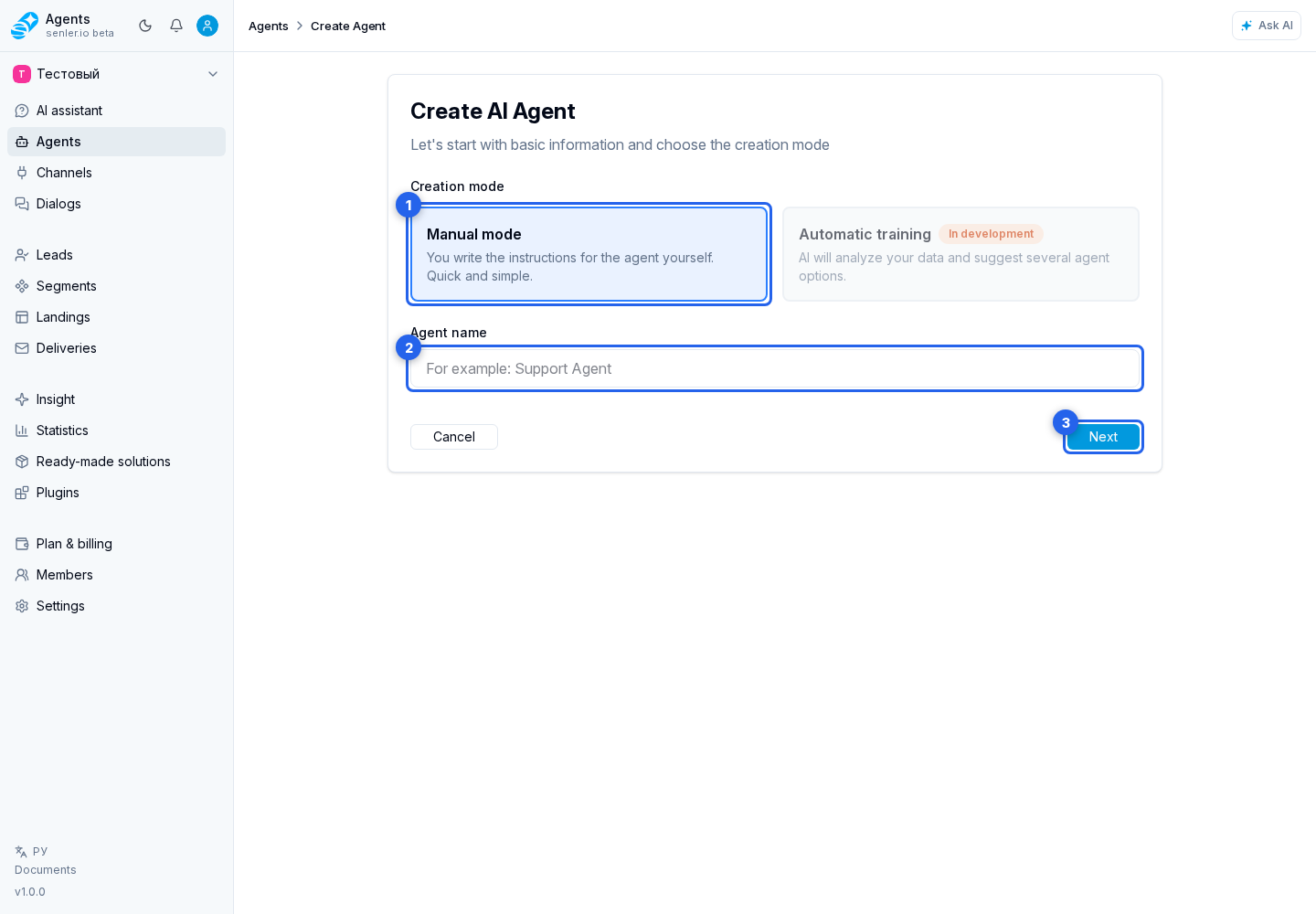
The agent form then opens. Prepare the agent for its first save:
- on the Settings tab, check the name, write the instructions, and choose a model;
- in Subscription, optionally configure starting on a message or the Start button; the link and subscription page become available after the agent is created;
- on the Tools tab, connect only the materials, data, and capabilities the agent needs.
How to finish creation
Finish creation with the Create agent button below the settings. The new agent's editing page opens: its settings are saved as a draft, and the agent remains inactive. The test chat is now available.
After creation, check its answers: on a computer, the test chat is to the right of the settings; on a phone, open it using the triangle button above the form. Adjust the settings if needed, wait for saving to finish, and continue to publishing and launch.