
Application Documentation Languages and Translations
One page with two language versions
One Markdown page can have a Russian version, an English version, or both. Translations share the page ID, so they are not two independent menu entries. The Language column in the materials list shows RU, EN, or both labels.
Neither Russian nor English is mandatory. Start with the language in which the instruction is ready and add the second translation later.
Adding a translation
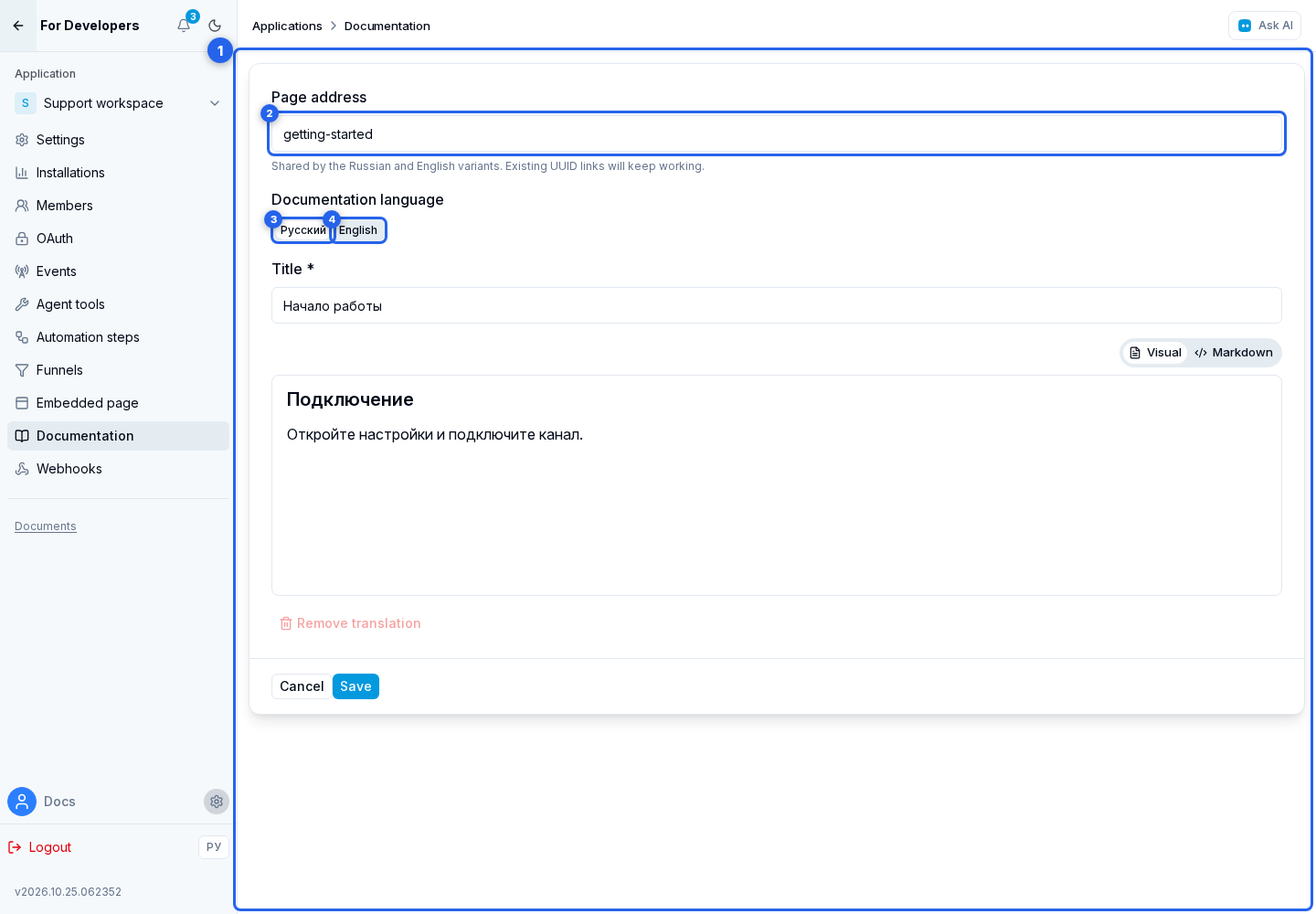
Open a Markdown page to enter the translation editor.
The Page address field sets a short name in the link, for example getting-started. It is shared by the Russian and English translations and does not change the address of the application's entire documentation. The cabinet suggests a name based on the title; you can edit it manually. Use up to 80 lowercase Latin letters, digits, and hyphens, with no leading, trailing, or consecutive hyphens. The name must be unique among this application's pages.
- Switch to the Russian or English tab.
- If the version does not exist, click Add translation.
- Fill in the title and content.
- Click Save. The button saves the page address and changes on both tabs.
Old links containing the page UUID continue to work and lead to the current address. When you change a short name, the previous name is not kept as an alternative address: update any links you have already shared with users. This differs from the public address of the entire documentation, which preserves previous names.
Removing a translation
Remove translation deletes only the open language version. The action is available when another version will remain. Deleting a row from the common table is a different action: it removes the entire page and all translations.
Switching language in public documentation
Russian and English sections use URLs with /ru and /en, but the shared translation ID keeps the current page open when the language changes. If the page has no second translation, the link to that language is hidden. Opening a missing language directly redirects to the existing version.
When the documentation root opens, the site language is preferred. If it is unavailable, the only available language is used. A folder appears in the side menu only when it contains a Markdown page in the selected language.