
Leads in Statistics
Leads helps you assess audience growth: how many people joined the project, how many allowed or blocked messages, which segments are growing, and which UTM tags bring subscriptions.
New Leads And Subscriptions
Open the Leads tab and select a period.
The New leads card shows newly created leads. Beside it:
- Active leads: unique leads with activity during the period.
- Subscribed: unique leads who subscribed or renewed messaging permission during the period.
- Unsubscribed: unique leads who opted out during the period.
- Net growth: new leads minus unsubscriptions. It is not the difference between the Subscribed and Unsubscribed cards.

For example, 12 new leads and 2 unsubscribed leads give a net growth of 10, even if 7 leads subscribed in the same period. Each card counts a lead once. A lead who both subscribed and unsubscribed during the period appears in both cards. An existing lead can subscribe again, so subscribed leads do not equal new leads.
The New leads and Subscriptions and unsubscriptions charts below show when changes happened.
Current Lead Base
Total leads, Subscribed, and Available base show the state now, regardless of the selected period.
Subscribed counts leads with messaging permission who are neither blocked nor blacklisted. Available base is their share of all project leads. Open the records themselves in Leads.
Segment Subscriptions
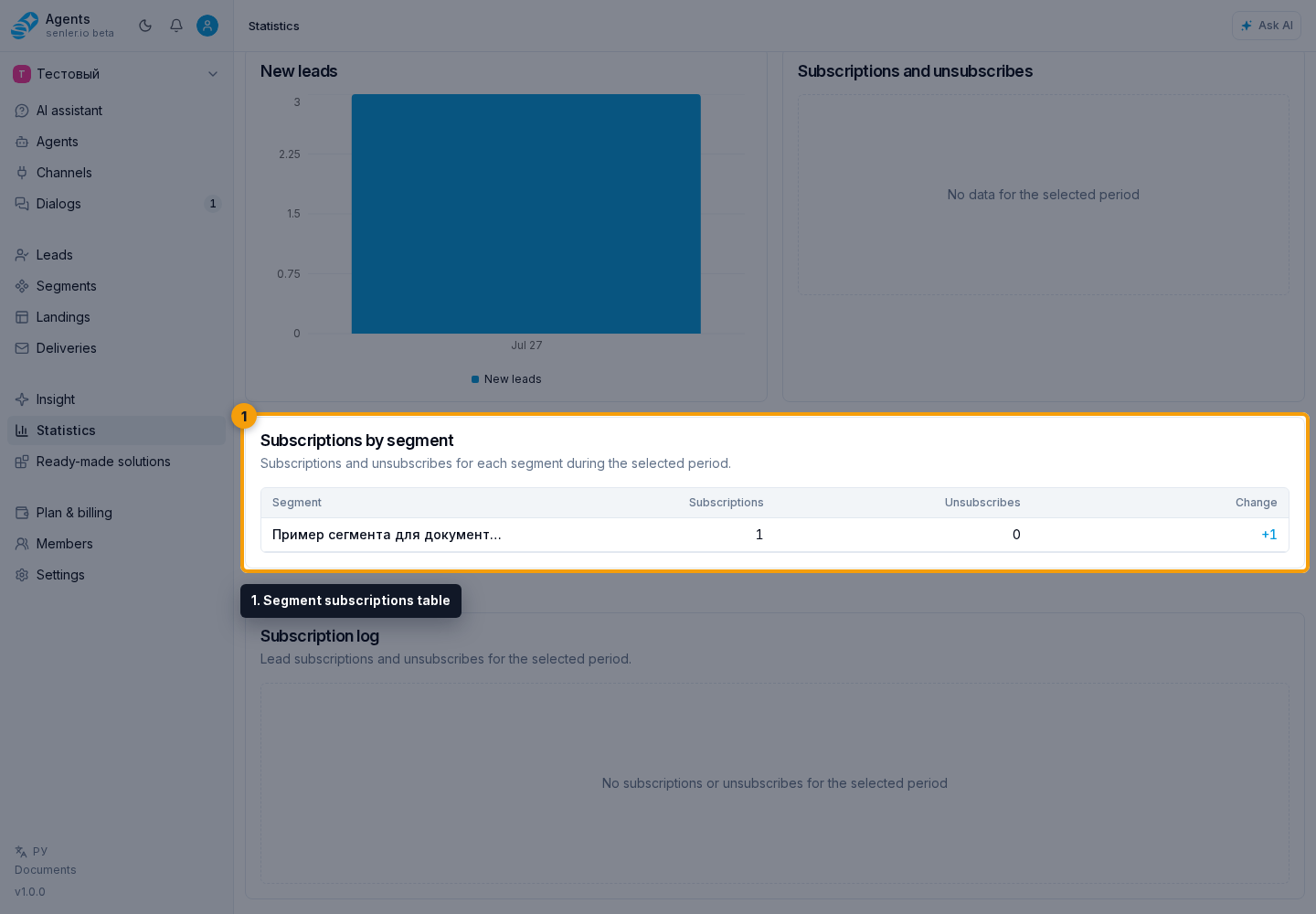
The Segment subscriptions table shows joins, leaves, and their difference during the period. Unlike overall messaging permission, this measures membership in a particular segment.
A positive change means more joins than leaves; a negative change means more leaves. Repeated joins and leaves are counted separately. A deleted segment keeps a Deleted label so historical data remains understandable.
An agent icon appears beside an agent subscription page segment. Select it to see the associated agent and open its settings. The page itself is covered in agent subscriptions.
Open the segment or the lead profile to see specific members and why they entered the segment.
Subscription And Unsubscription Log
The subscription log shows who subscribed or unsubscribed and when. The external platform ID and source appear when known. More records appear as you scroll.

The log helps explain a chart spike. Times use the browser's time zone.
Subscriptions By UTM
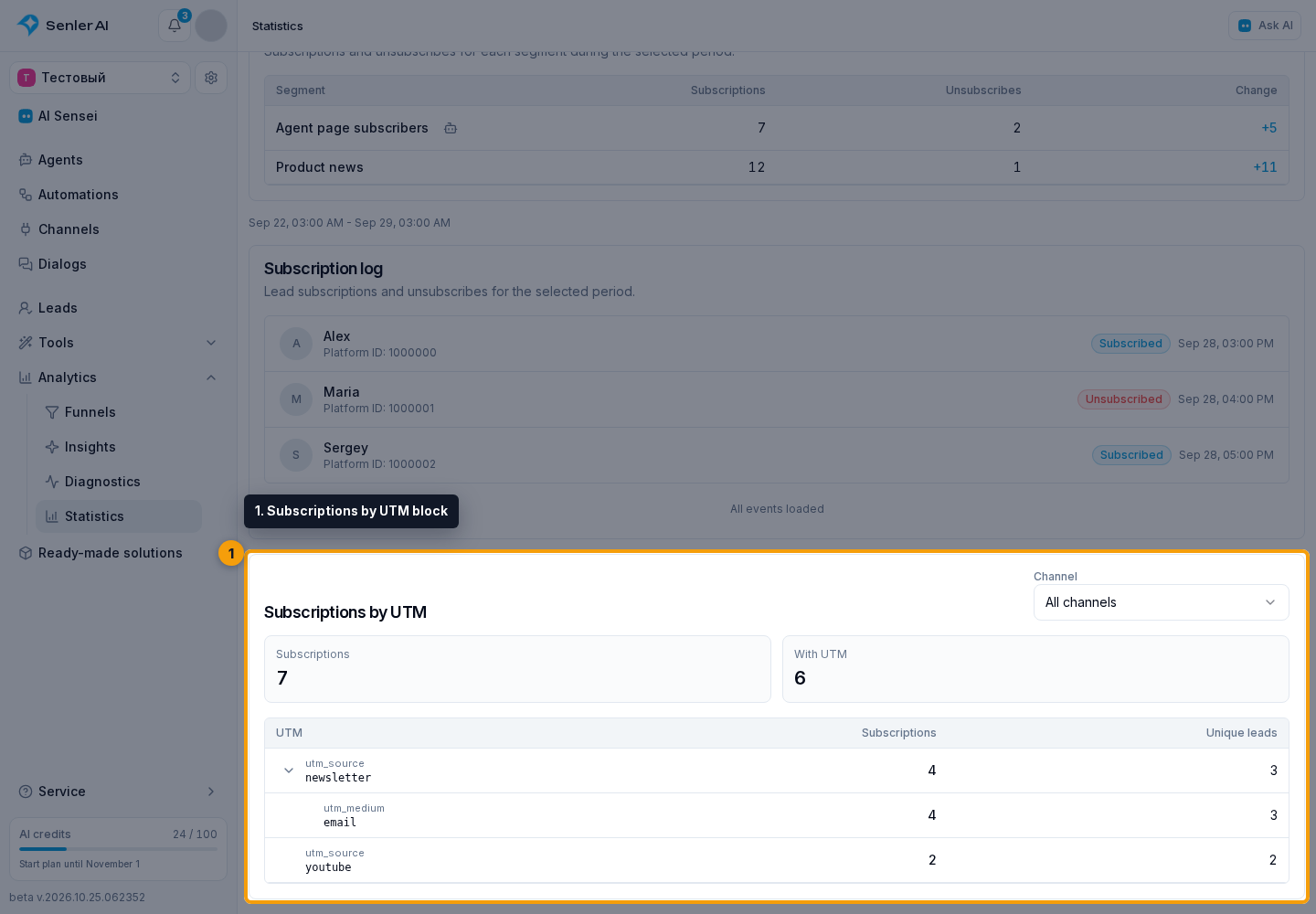
In the Subscriptions by UTM block, select a channel or keep All channels. This filter affects only the UTM report; the period comes from the main statistics filter.
At the top are all subscriptions through links and those with saved UTM attribution. The table shows subscriptions and unique leads for each source.

Select the arrow beside a source to expand nested values: utm_source → utm_medium → utm_campaign → utm_content → utm_term. Not set means that tag value was not provided.
Creating tagged links is covered in segments and landings.
This report counts subscriptions, not page visits. For visits, connect landing web analytics.