
Event Step
The Event step creates a new run after a selected customer action. It is available only in For dialogs automations.
Select An Event
Add Event from the catalog and open the step on the workflow. The Event that starts the step field offers:
- reaction added;
- reaction removed;
- like added;
- like removed;
- lead blacklisted.
For reaction additions or removals, an Allowed reactions field appears. Add separate reaction values if only those reactions should start a run. An empty list accepts any reaction. You can enter up to 100 unique values, each up to 120 characters long.

When a like or blacklist event is selected, the reactions field is hidden and does not participate in event matching.
Configure Repeated Runs
Add to automation repeatedly controls whether a new run can be created while an earlier run for the same lead or dialog is still active.
When repeated entry is allowed, Finish previous runs on new start chooses between cancelling the earlier active run before the new one or allowing both runs to continue in parallel.
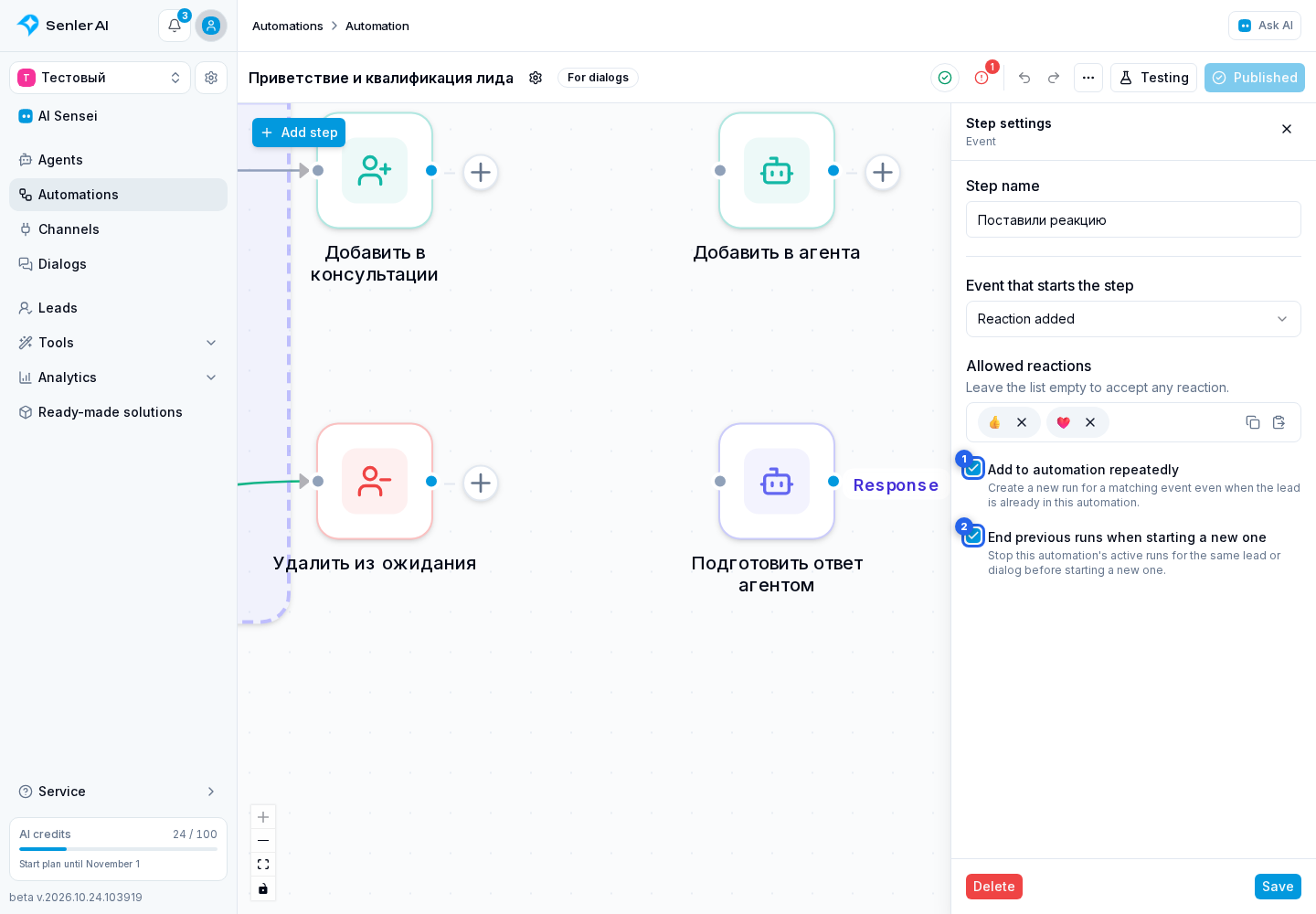
Repeated entry is enabled by default, and the earlier active run is finished.
Add A Continuation And Test The Trigger
A trigger cannot have incoming connections. Connect its only output to the next step. Without a continuation, the run is created and finishes immediately.
To check an event condition:
- Open Testing and choose Test dialog.
- Select the required Event step in Start step and select Check trigger.
- For a reaction, enter an example, then select Simulate followed by the event name.
A real customer action is not needed for the check. See checking the trigger condition for illustrated steps and test limitations. After publication, review actual starts in Runs.