
Email Connection
Summary
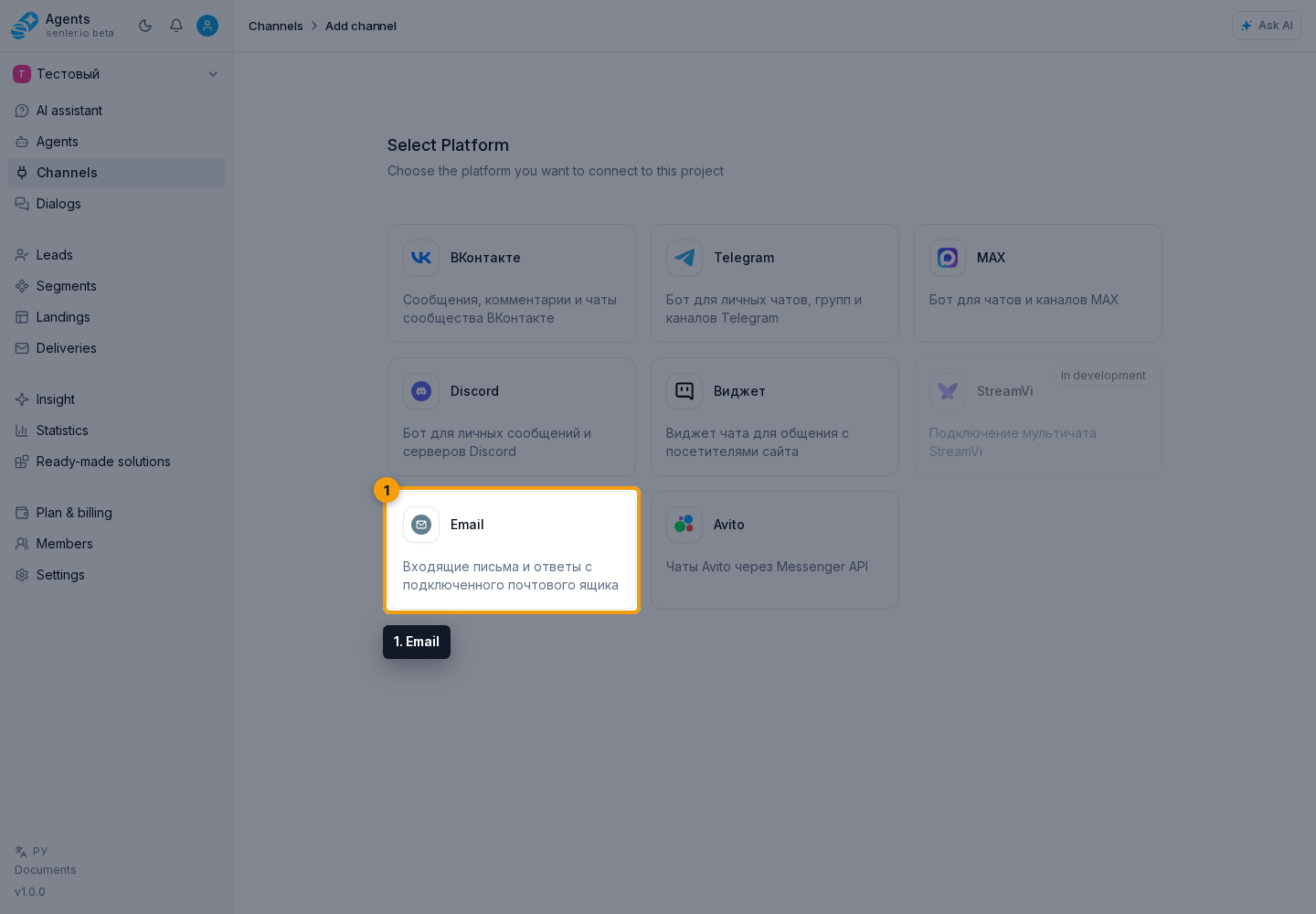
Open Channels in the side menu. Above the channel list, select Add channel, then Email.
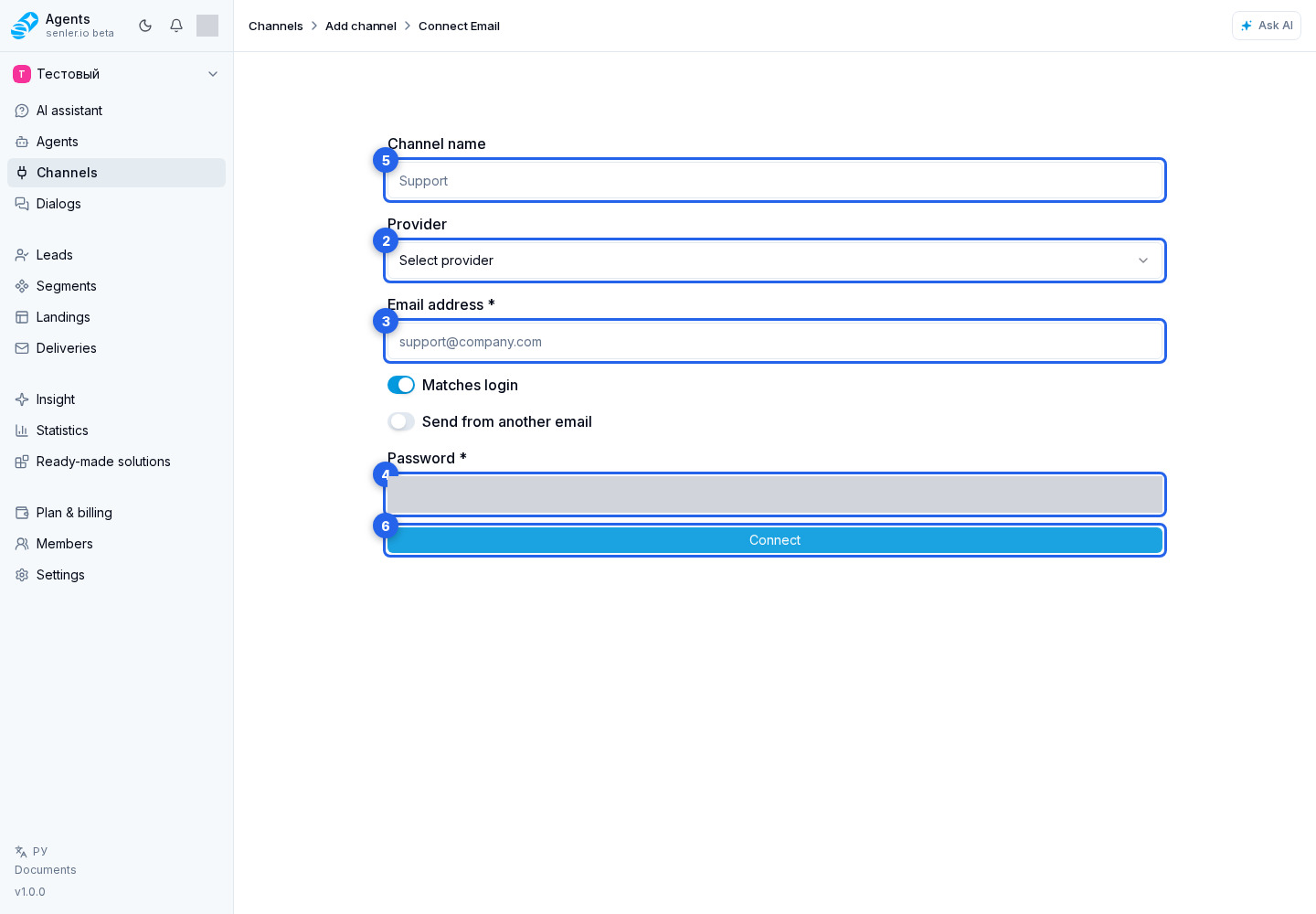
Form
- provider;
- custom provider, if the provider is not in the list;
- email address;
- "Email corresponds to login" switch;
- login, if it differs from email;
- password or application password;
- channel name;
- custom Send From;
- Send From email;
- advanced IMAP/SMTP settings;
- after checking the fields, click "Connect".
Advanced fields
- IMAP host;
- IMAP port;
- SMTP host;
- SMTP port;
- TLS.
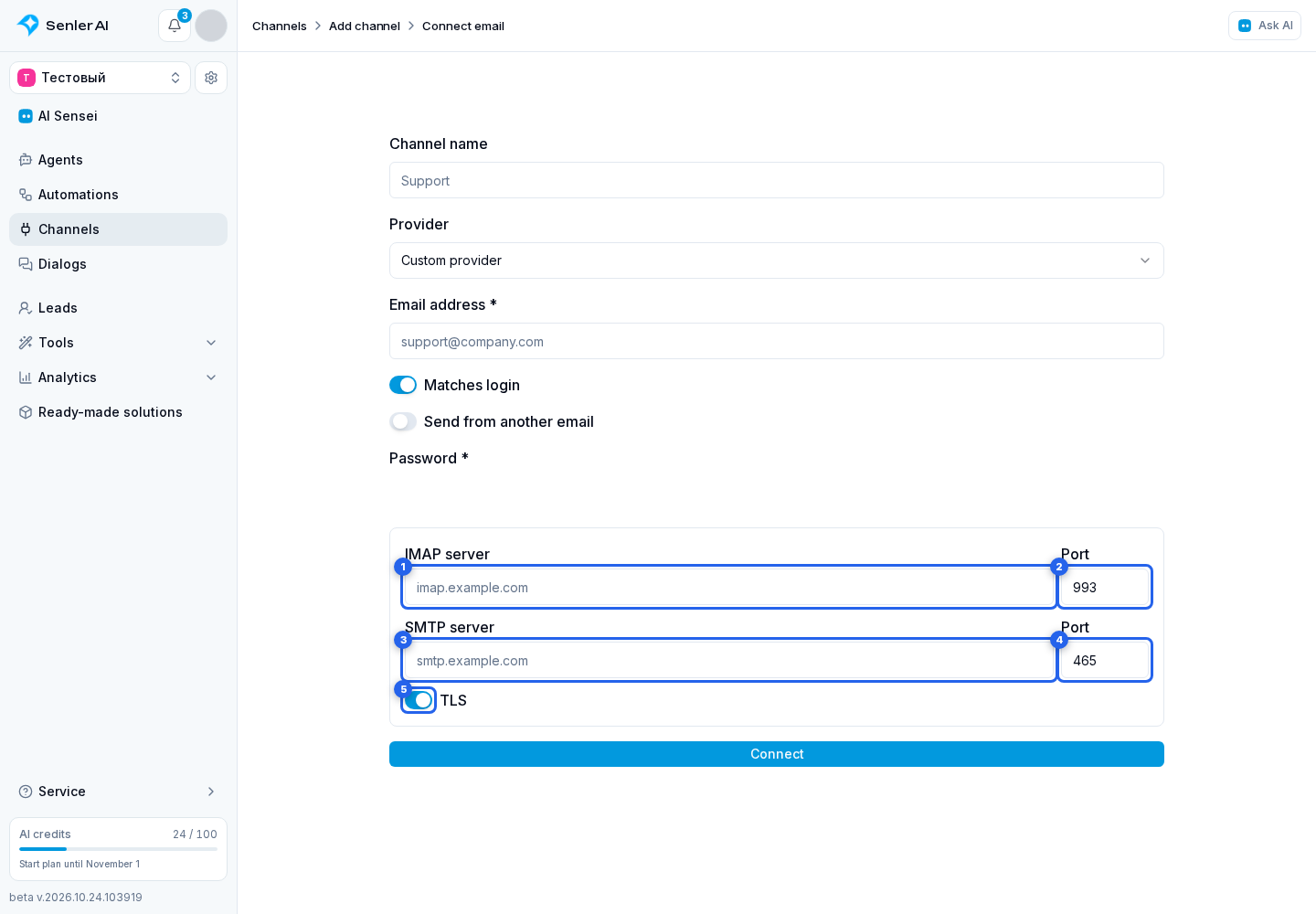
Use IMAP and SMTP addresses accessible from the internet. localhost, local network addresses, and names that resolve to an internal IP are not supported. For a corporate mailbox, ask its administrator for the public server addresses, ports, and TLS mode.
When connecting Gmail, Yandex, Mail.ru, or another service
- you often need an application password, not a regular email password;
- the exact method of creating a password depends on the provider;
- the password must be entered only in the cabinet form.
After connection
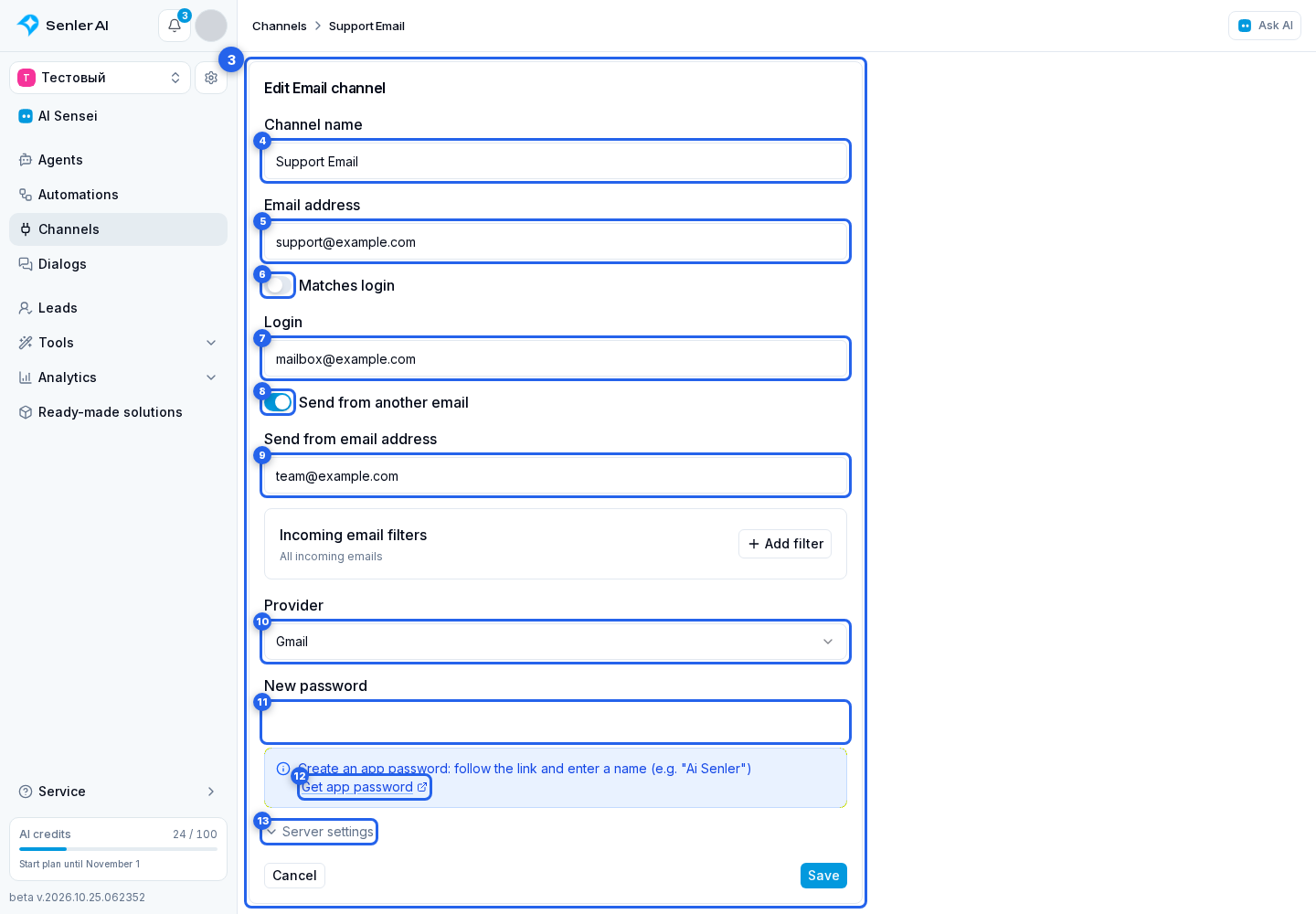
Email channel settings show the IMAP and SMTP connection states. Select the channel image to change its avatar. To edit the connection, open the channel menu and choose Edit.
In the connection form:
- The name distinguishes the channel from others; the email address identifies the connected mailbox.
- If the login differs from the address, disable Email corresponds to login and enter the login.
- To use a different sender address, enable custom Send From and enter the sender address.
- Select the provider. Enter a new password only when replacing it; leaving the field empty keeps the current password. If the provider supplies instructions, a Get application password link appears nearby.
- Select Server settings. The connection section contains the IMAP host, IMAP port, SMTP host, SMTP port, and TLS. These fields are already expanded for a custom provider.
Select Save to apply changes. Cancel leaves the editor without saving them.
Email Filters
Filters limit which incoming emails reach the cabinet. To configure them, open the Email channel connection editor.
- Select Add filter.
- Choose the action: include or exclude.
- Select the field: recipient, sender, or subject.
- Enter the filter value. Recipient and sender require a complete email address: the whole address is compared, ignoring case. For the subject, enter a text fragment: it matches anywhere in the subject, also ignoring case.
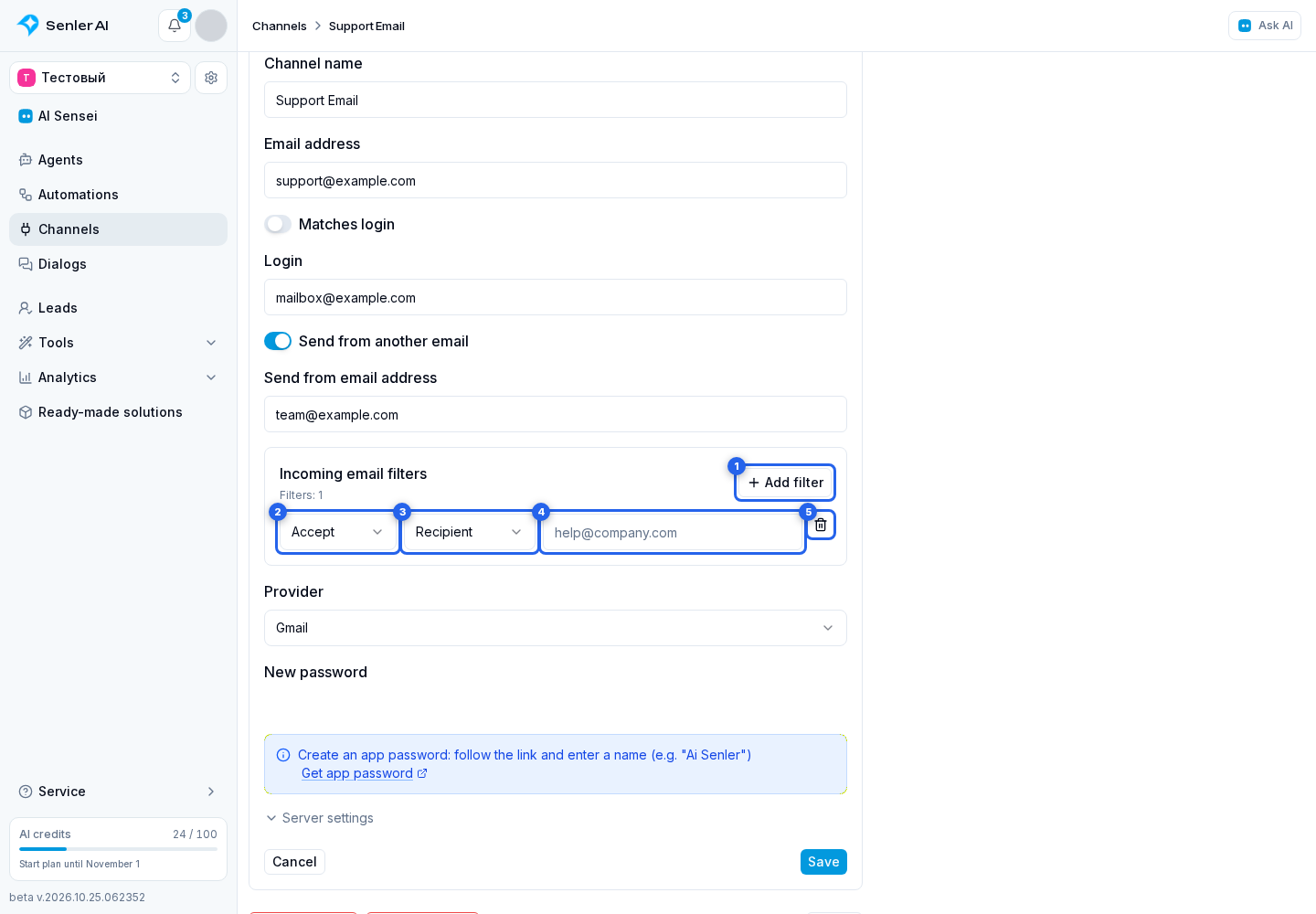
If any exclusion rule matches, the email does not reach the cabinet, even if an inclusion rule also matches. When inclusion rules exist, matching any one of them is enough. Without inclusion rules, all emails except excluded ones pass. Without filters, these restrictions do not apply.
For example, including the subject "order" accepts "New order 123", but excluding the sender spam@example.com rejects an email from that address even with this subject.
The trash button in a row removes only that rule. Empty rows are not saved; up to 20 completed rules are supported. Changes apply after saving the connection editor.
If emails do not arrive
- check IMAP;
- check the application login and password;
- check incoming filters;
- check if your provider is blocking the connection;
- check the history of events.
If emails are not sent
- check SMTP;
- check Send From;
- check TLS and port;
- check the application password;
- check your provider's restrictions.