
Landing links
Getting a link
Select Get link. This opens the links dialog.
The main link opens the published landing in a browser. The channel selection area provides search by name and, when several platforms are connected, a platform filter. All channels returns the main link without binding it to a channel.
After choosing a channel, the dialog may provide a web page, VK App, Telegram Mini App, MAX Mini App, or Telegram bot opening option. A ready address can be copied or opened.
Press the help icon beside the link title to read the details. Help opens on click or tap, including on a phone. For the Telegram bot opening option, first press Start in the chat, then Open landing in the bot's message. The subscription is completed on the landing page.
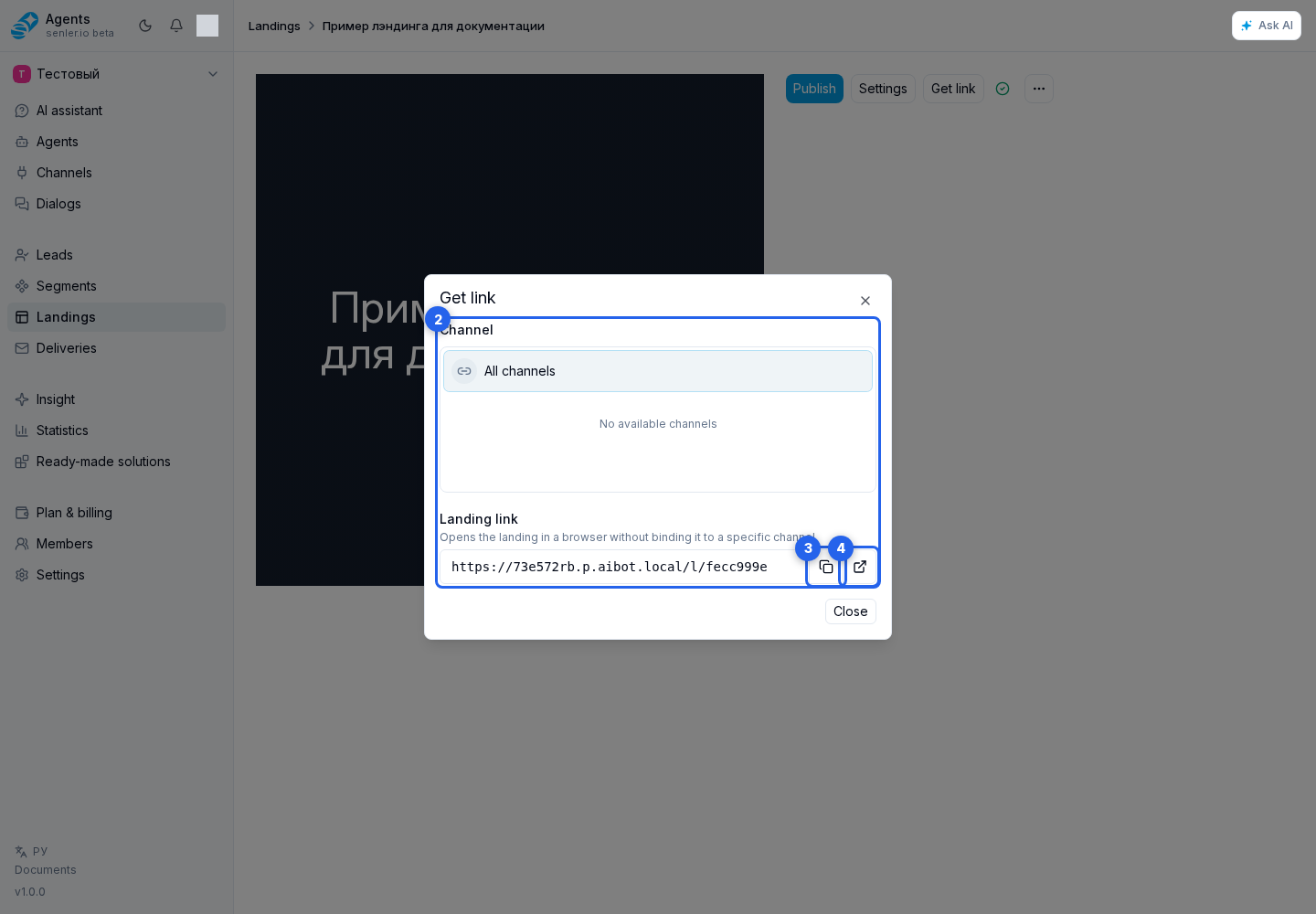
If the landing does not have a published version yet, its public link is unavailable. Publish the draft and reopen the dialog.
The link in this dialog opens a specific landing. To use one project address that opens either a catalog or a selected landing, configure the public project web page.
You can place these links in buttons, text, or card descriptions on another landing. This creates a custom page collection for a chosen audience or channel.
UTM tag for a link
Select the tag button beside the required link option. In the traffic marks dialog, choose a saved mark or select Create mark.

A new mark requires an internal name and utm_source. Add utm_medium, utm_campaign, utm_content, and utm_term when needed, then save the mark. You can copy or open the resulting marked link.

UTM fields are readable in web and VK App links. For Telegram, MAX, and bot links, Senler may pass a compact mark ID and restore the UTM values when the subscription is completed. Do not append parameters to a platform link manually; use the ready address from the dashboard. The values are also preserved when a visitor moves from a web landing to the selected bot or Mini App.
A saved mark can be reused for other project links, archived, and restored. The result is available in the lead filter and subscription statistics.
Agent page direct links
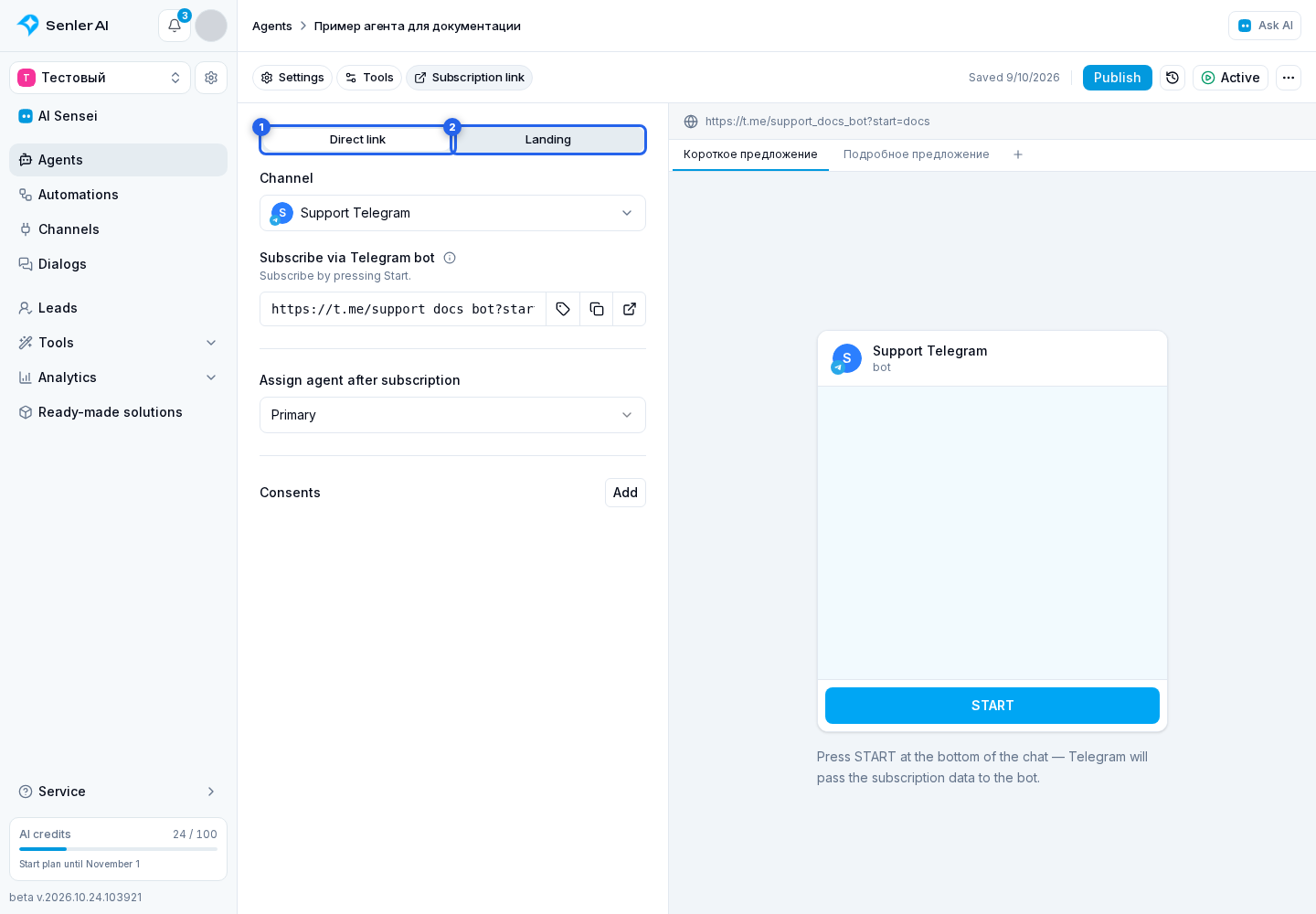
A published agent page has Direct link and Landing tabs.
On Direct link, select a channel. In Telegram, the user presses Start; in MAX, they start the bot using the link. These links are built for the agent's managed segment independently of landing blocks.
Opening a VK chat does not complete the subscription. After following the link, send a message or press Start if VK displays that button. It depends on the community settings and is available when contacting the community for the first time.
Use vk.me for sharing outside VK: on websites, in newsletters, and QR codes. The vk.com link is useful for posts and messages within VK: it opens the chat without going through vk.me.
A direct link does not open a web form, so it does not request a phone number or email. If the managed segment has required consents, the bot first sends the documents and acceptance button; the user joins the segment after accepting them. Direct links are unavailable for a segment with paid subscription.
See Agent subscription page for agent landing settings.