
Communications in Statistics
Communications helps you assess support workload and response speed. See when more messages arrive, how many dialogs are waiting for a reply, and how individual operators are doing.
Messages And Dialogs
Open the Communications tab and select a period.

The summary shows:
- Messages: the total and separate lead, AI, and operator counts.
- New dialogs: dialogs that started during the selected period.
- Active dialogs: dialogs with activity during the period, including those that started earlier.
- Unanswered dialogs: dialogs with a lead message during the period that remain in the Unanswered state. A reply can come from a person, AI, or an automation.
- Operator handoffs: dialogs with an operator assignment during the period.
- First response: the average wait for the first human reply in a conversation. AI and automation replies are not included in this metric.
- Closed dialogs: dialogs completed during the selected period that remain closed.
Total messages may exceed the sum of the three displayed types: it also includes automation messages, which do not have a separate card.
Operator Replies
Use the Support operators table to compare reply counts and average waiting times. First responses refer to the beginning of a conversation; Responses include subsequent replies.
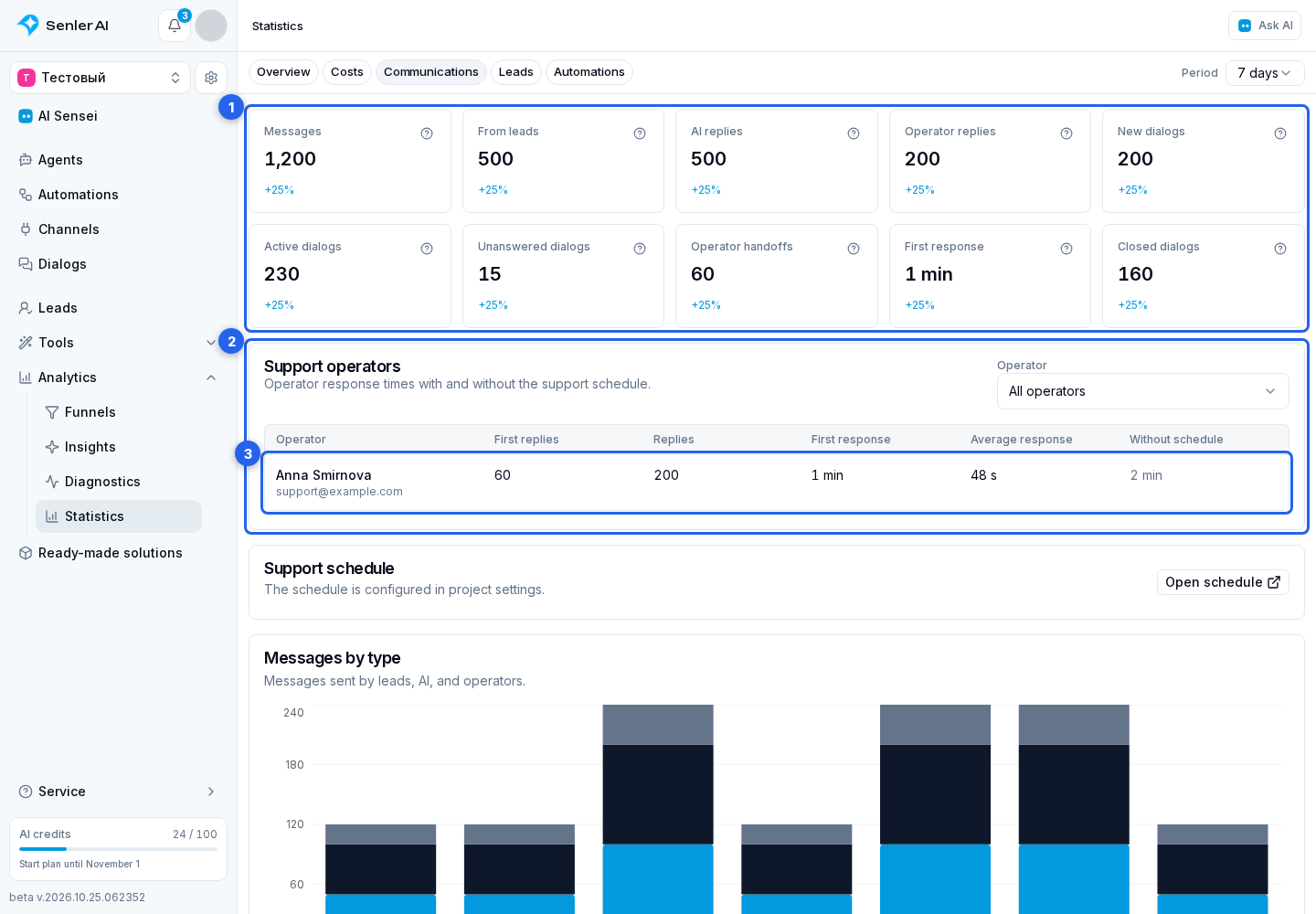
First means the first human reply in the conversation, not each operator's first message.
Select a person in the Operator field. You can also select their table row.

The selected operator's metrics appear below:
- Average first response and Average response show mean waiting times.
- Median: half the replies took no longer than this.
- P90: 90% of replies were within this time. It helps reveal long waits that the average smooths out.
- Maximum: the longest wait.
- Average without schedule: full calendar time, including non-working hours.
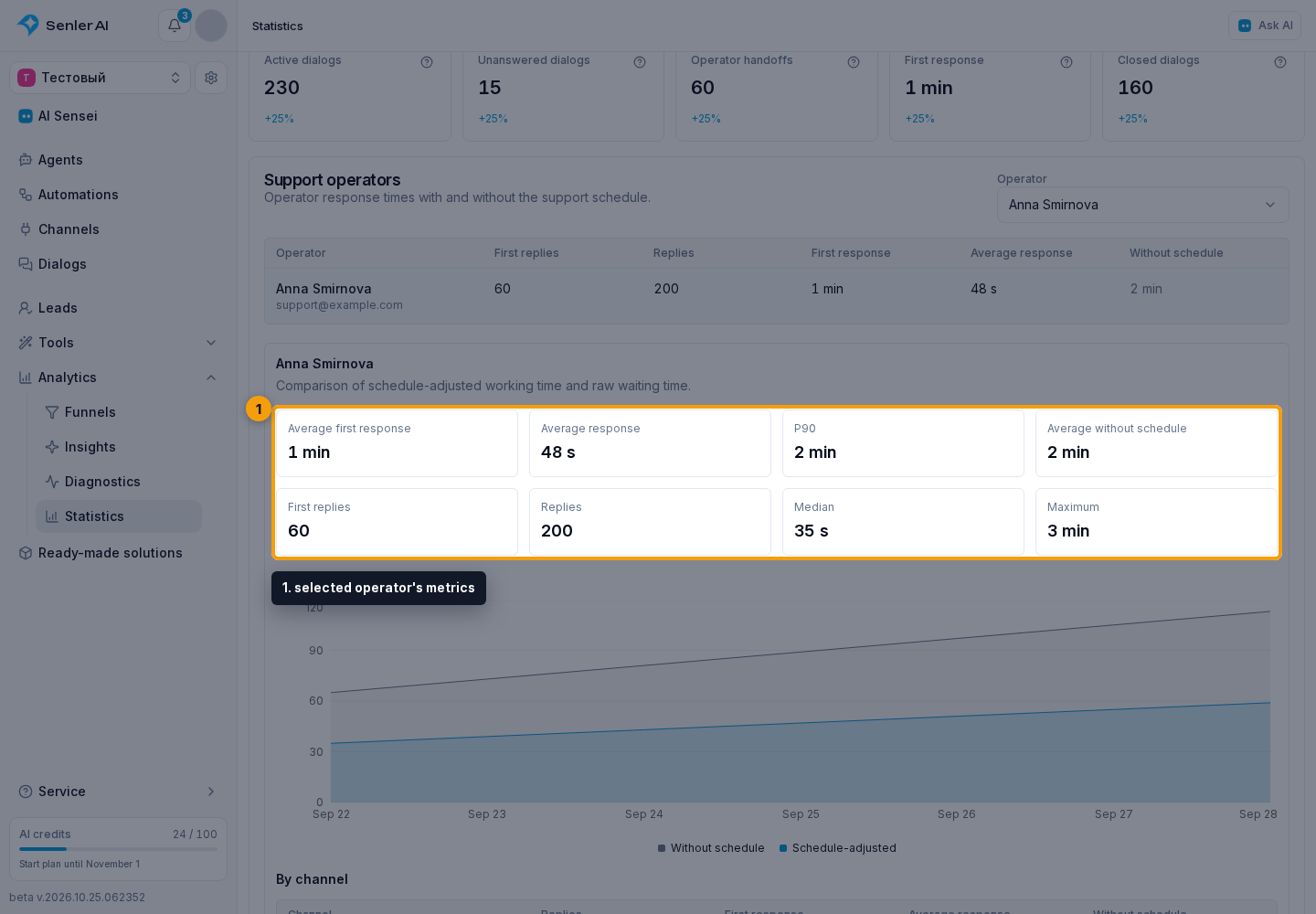
Below the cards are a response-time trend chart and a breakdown by channel.
A reply is attributed to an operator when the person was marked as a support operator at the time it was sent. A reply from someone without that role ends the wait in the dialog but does not appear in that person's operator row. A later role change does not recalculate past data.
Support Schedule
Select Open schedule to go to support settings.
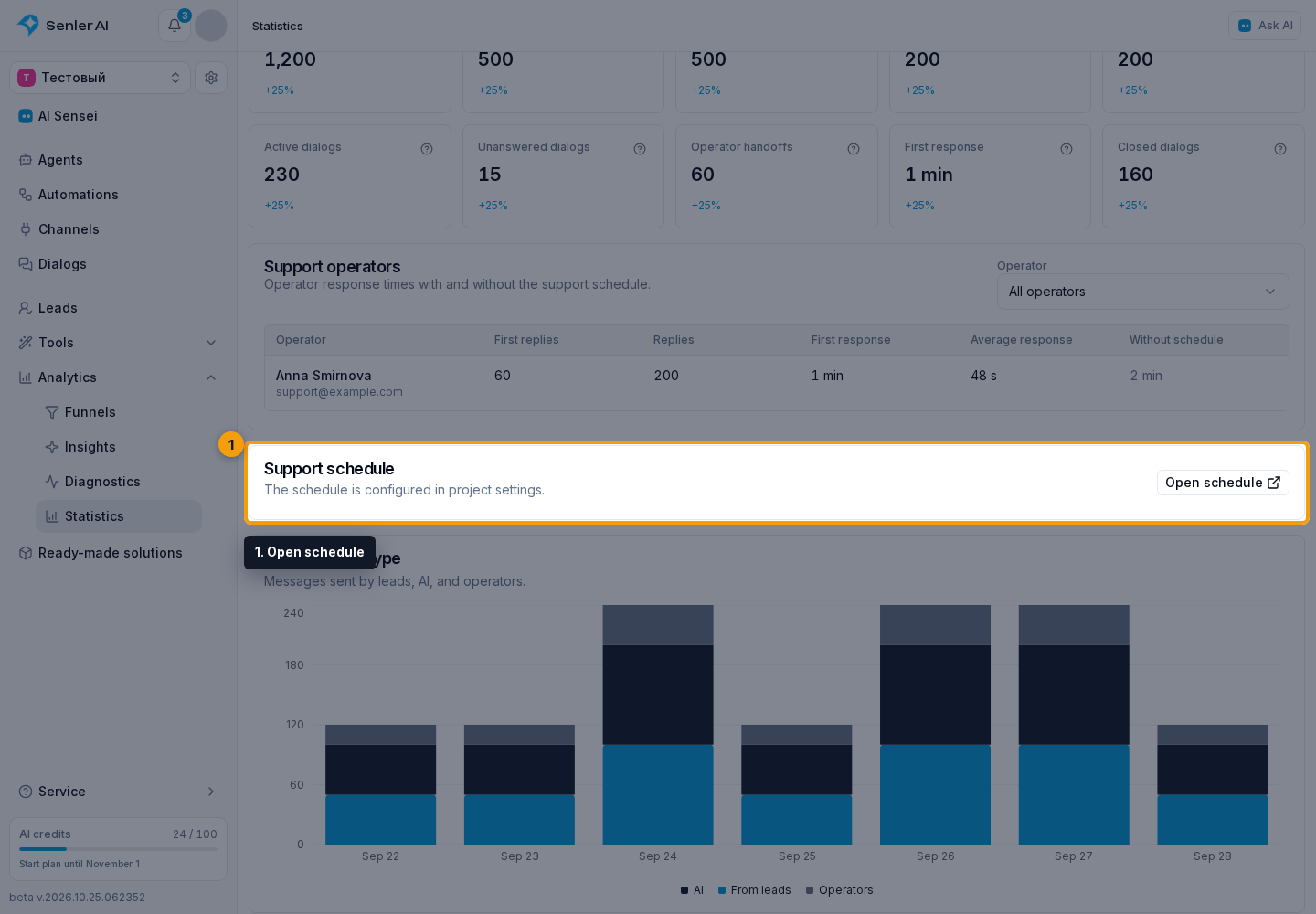
When Use schedule in response statistics is enabled, time is counted only inside working intervals. When it is disabled, full calendar time is used.
Overlapping assignments form one working interval. Editing the schedule does not recalculate response indicators already stored for the past.
Charts And Workload
Messages by type and New dialogs charts show how activity changed during the period.
The Messages by hour heatmap helps you find busy hours and weekdays. Stronger cell color means more messages. Hover over a cell for its messages, active dialogs, and workload relative to the busiest hour.
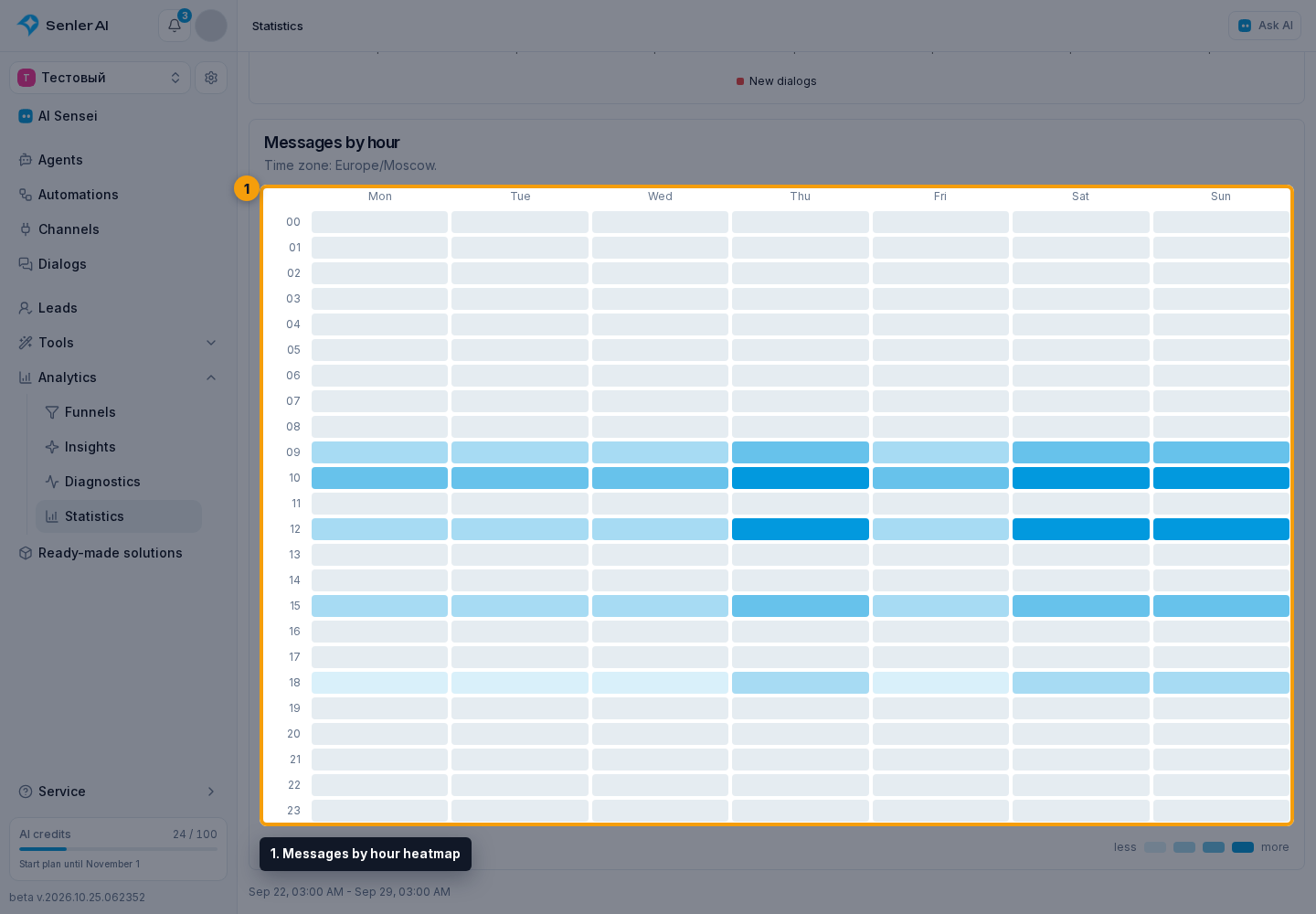
Times use the browser's time zone, shown above the map. Keep it in mind when comparing workload with team shifts.