
Plugin OAuth access
When the access request appears
Installing a plugin and granting data access are separate actions. A plugin starts OAuth authorization separately, only when it needs to read or change permitted data.
Before approval, review the application name, selected project, and requested permissions. If the purpose of a permission is unclear, do not approve the request until you have reviewed the documentation or developer website.
Project access and access on behalf of a user
- Project access belongs only to one selected project.
- Access on behalf of a user lets an integration work within explicitly approved permissions and only while those actions remain available to that user.
In both cases, the application does not receive arbitrary cabinet access. Installation, an application secret, or knowledge of its identifier does not grant permissions by itself.
Where to review or revoke access
Permissions of an installed plugin in a particular project are available under Granted access in plugin management.
To review personal access:
- Open account settings and select Authorization.
- Scroll to Apps with account access.
- Select Granted access next to the application.

Review permissions and the authorization date in the dialog that opens.
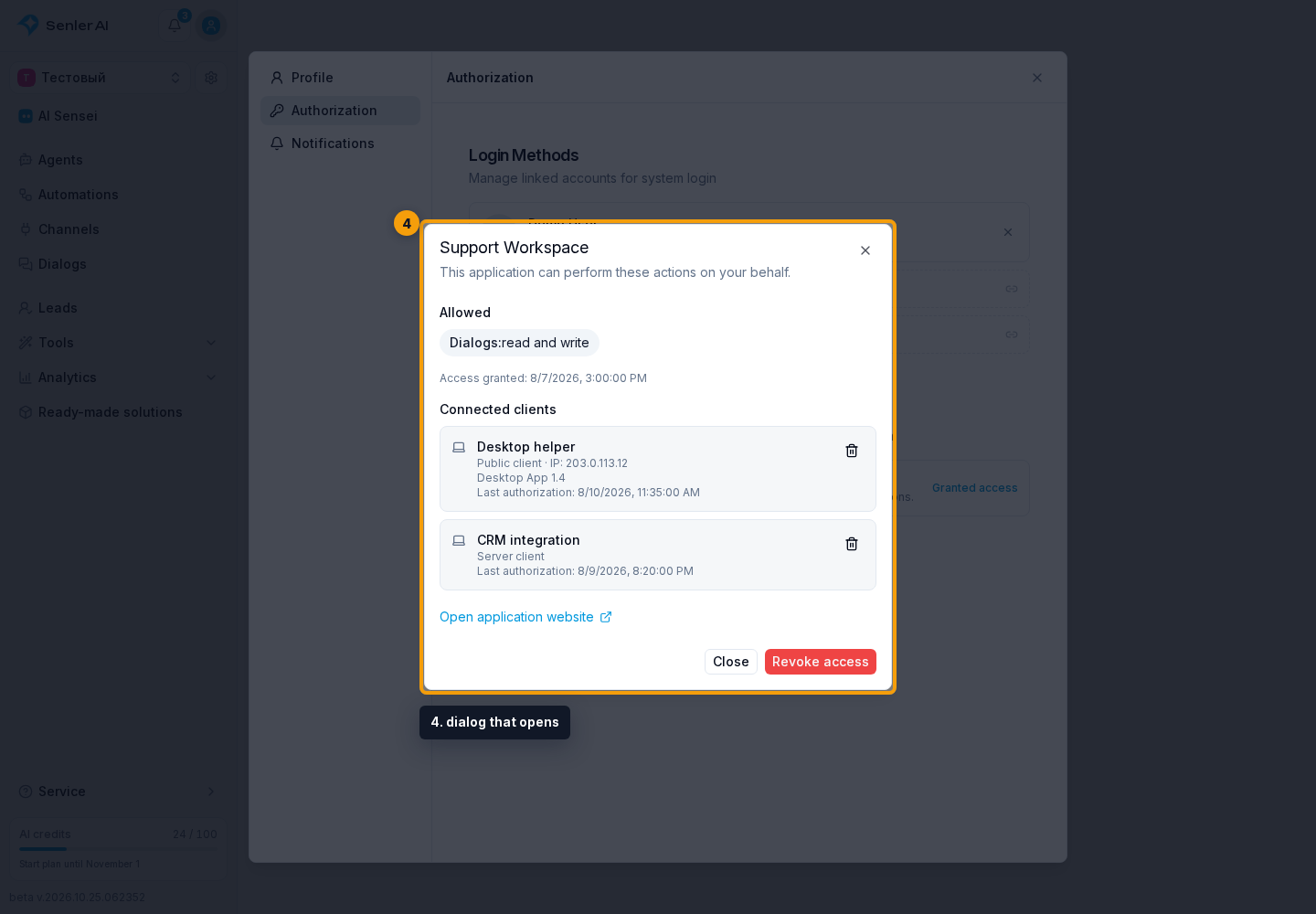
This dialog lets you disconnect one external application client or revoke the entire personal authorization. See Connected applications for the differences and consequences. Full revocation prevents the application from continuing to act on your behalf but does not remove its project installation.
Technical OAuth configuration for application authors is documented separately under OAuth for developers.