
Webhook signatures
Verify incoming request signatures using the webhook secret and rotate the secret when needed.
Main section: Webhooks.
Secret and signature
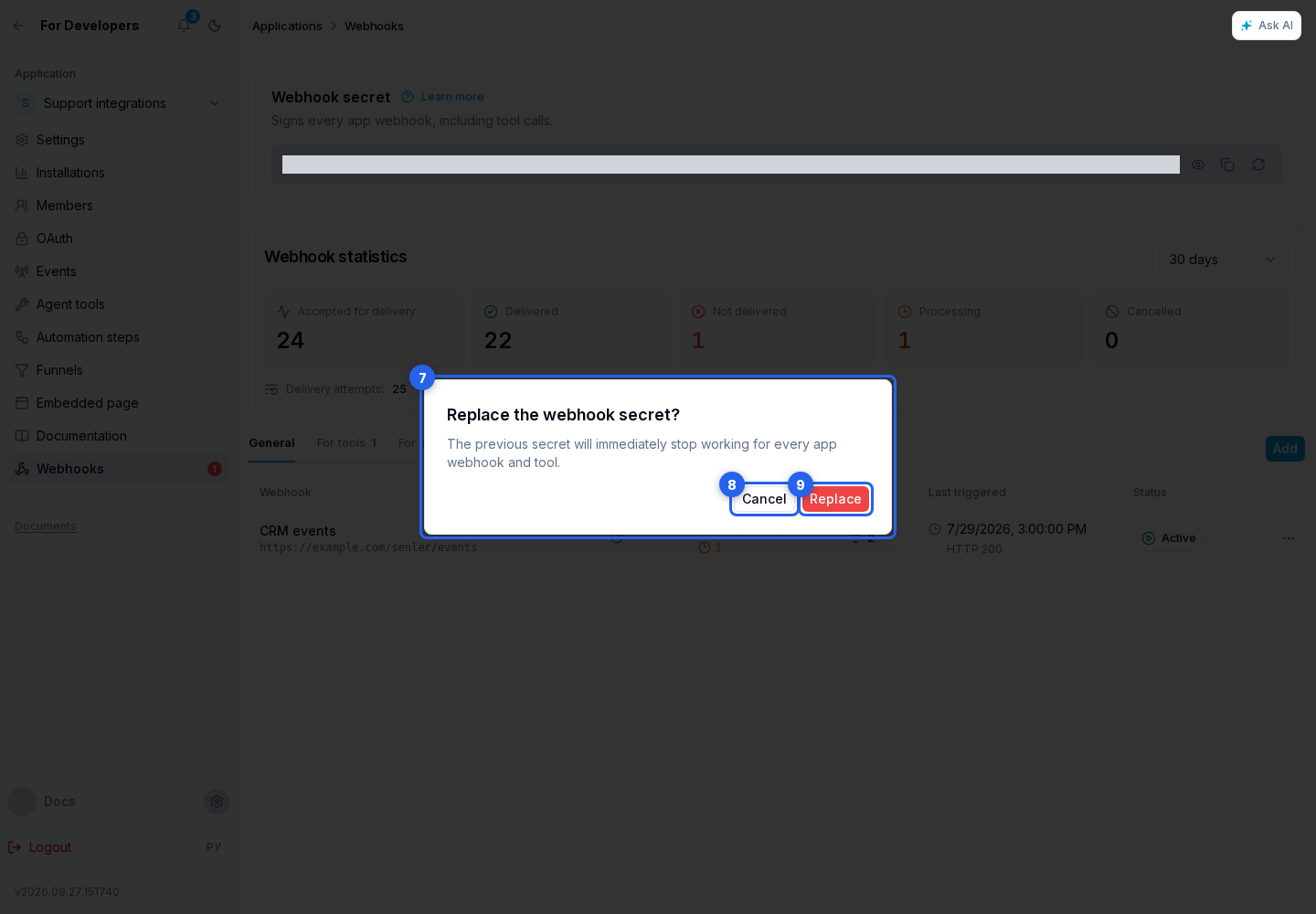
The Webhook secret section stores one signing secret for every app webhook, including tool calls. You can show or hide it and copy it into the application backend's protected secret storage. Learn more opens a dialog with the headers and HMAC formula.
If the secret is lost or compromised, select Replace secret. In the confirmation dialog, you can cancel or confirm the replacement. The previous secret immediately stops working for every app webhook and tool, so update the application backend without delay.
Every request contains these headers:
Content-Type: application/json;X-App-Id— the application's Client ID;X-Webhook-Timestamp— the current delivery attempt time, matching the bodytimestamp; both change on retries;X-Webhook-Event-Id— the unique event ID, matchingevent_idin the body;X-Webhook-Signature— a hexadecimal HMAC-SHA256 string.
The signature protects the entire request body. It is HMAC-SHA256 of v1.timestamp.event_id.canonicalJson(payload) using the application secret. canonicalJson recursively sorts object keys, preserves array order, and adds no whitespace. In this example, request.body is the parsed JSON of the received request:
import { createHmac, timingSafeEqual } from "node:crypto";

function canonicalize(value) {
  if (Array.isArray(value)) return value.map(canonicalize);
  if (value !== null && typeof value === "object") {
    return Object.fromEntries(
      Object.keys(value).sort().map((key) => [key, canonicalize(value[key])])
    );
  }
  return value;
}

const payload = request.body;
const deliveryTimestamp = request.headers["x-webhook-timestamp"] ?? "";
const eventId = request.headers["x-webhook-event-id"] ?? "";
const signature = request.headers["x-webhook-signature"] ?? "";
const signedContent = [
  "v1",
  payload.timestamp,
  payload.event_id,
  JSON.stringify(canonicalize(payload)),
].join(".");
const expected = createHmac("sha256", webhookSecret)
  .update(signedContent, "utf8")
  .digest();
const received = Buffer.from(signature, "hex");
const signatureIsValid =
  /^[a-f\d]{64}$/i.test(signature) &&
  payload.timestamp === deliveryTimestamp &&
  payload.event_id === eventId &&
  received.length === expected.length &&
  timingSafeEqual(received, expected);
Before processing, validate the freshness of X-Webhook-Timestamp, the signature, the match between X-Webhook-Event-Id and the body event_id, X-App-Id, the allowed project_id, and the event type. Never write the secret to logs or send it in chat. Do not process the same event_id twice.
Managing and replacing a secret
The webhook list shows the assigned name, URL, selected events, status, last-triggered time, and the last HTTP status. Use the status toggle to disable and enable a webhook; a disabled webhook receives no new production events.
Open the webhook page to change its name, URL, or checkbox-based public event set, then select Save. The secret is not tied to an individual URL; it remains available in the shared section on the application's webhooks page.
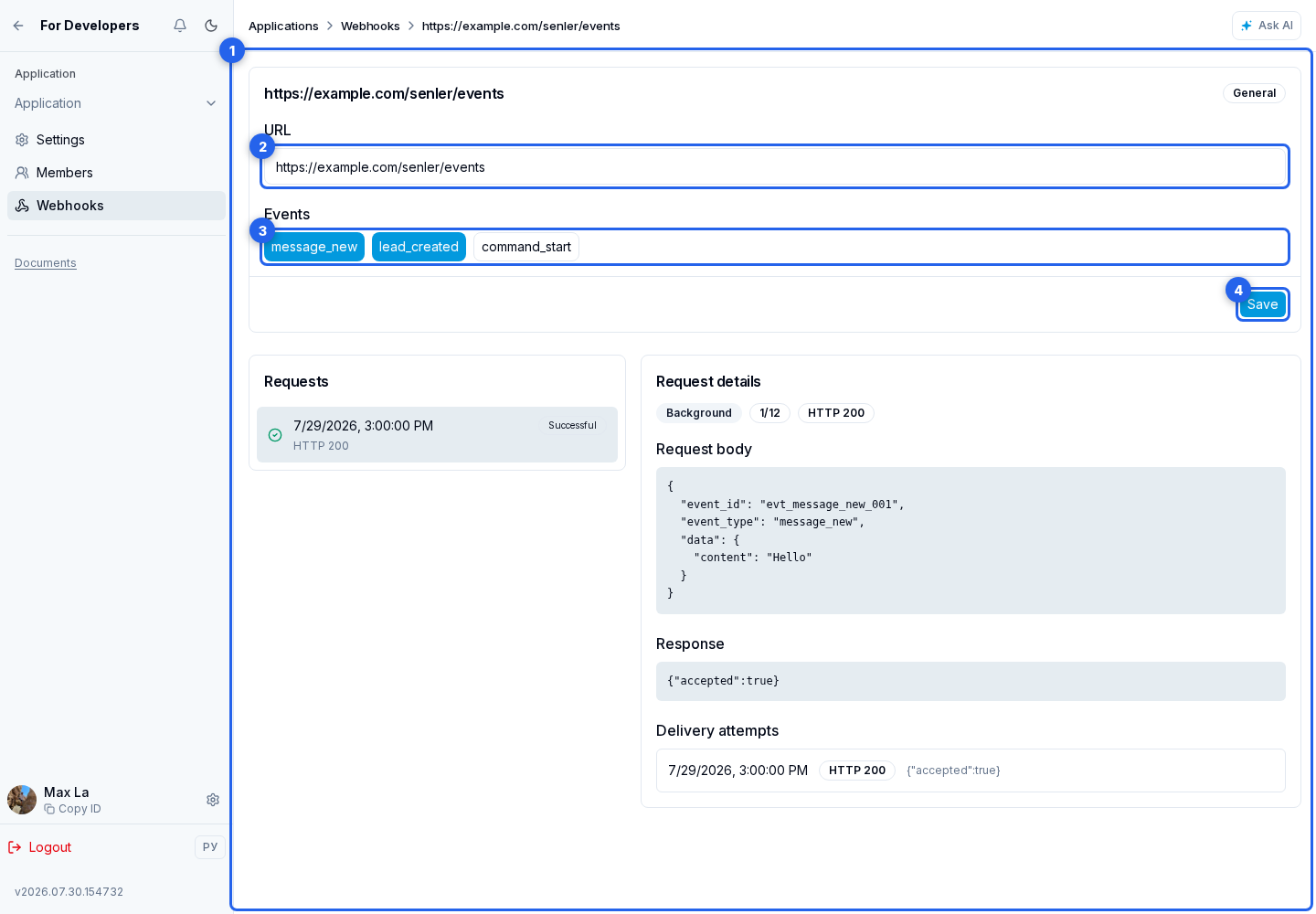
The delete webhook action opens a confirmation. After final deletion, delivery to that URL stops; the shared application secret does not change.