
Webhook delivery
Check event delivery to your application, find the cause of errors, and retry failed requests.
Main section: Webhooks.
Delivery statistics
The Webhook statistics section combines delivery for every application webhook. The period selector offers 7, 30, and 90 days.
The metrics separate operations accepted for delivery, delivered, not delivered, processing, and cancelled. Delivery attempts are actual HTTP requests, including automatic retries and test sends. There can therefore be more attempts than accepted events.
Failure events
Agent execution failures and message sending failures are independent events. Select both error and message_undelivered to monitor both stages. An automation can call an agent or send a message directly; the same events apply in these cases.
The data of error and message_undelivered events includes error_code, error_message, and error_message_key, along with the available context: agent_id, sender_type, sender_id, message_event_id, response_id, automation_id, version_id, run_id, task_id, and node_id. message_event_id identifies the outgoing message when sending fails. The reason text may be absent: use error_code for programmatic handling; error_message_key identifies the localization key for an agent error. Internal stack traces and full AI provider responses are not included.
The data of automation_step_failed includes automation_id, version_id, run_id, task_id, node_id, the captured step name node_name, and error_code, error_message, occurred_at, and retryable: false. A message sending step may also provide message_event_id. The common dialog_id, lead_id, and channel_id fields are populated when that context exists; an automation without a dialog can also send this event.
Intermediate failed attempts, test runs, and an HTTP step following a connected Error branch do not produce automation_step_failed. A step failure does not mean that other parallel branches stop. One failure can produce two distinct events: for example, message_undelivered followed by automation_step_failed when unsuccessful sending causes an automation step to fail. Redelivery preserves the same event_id; manually retrying a step creates a new task and can produce a new event.
Delivery history and recovery
On the webhook page, the Requests area shows delivery operations that are queued, retrying, completed successfully, or finished with an error. Internal webhooks also show a readable type: an agent tool call or an automation step run. Select an operation in the list to open its details.
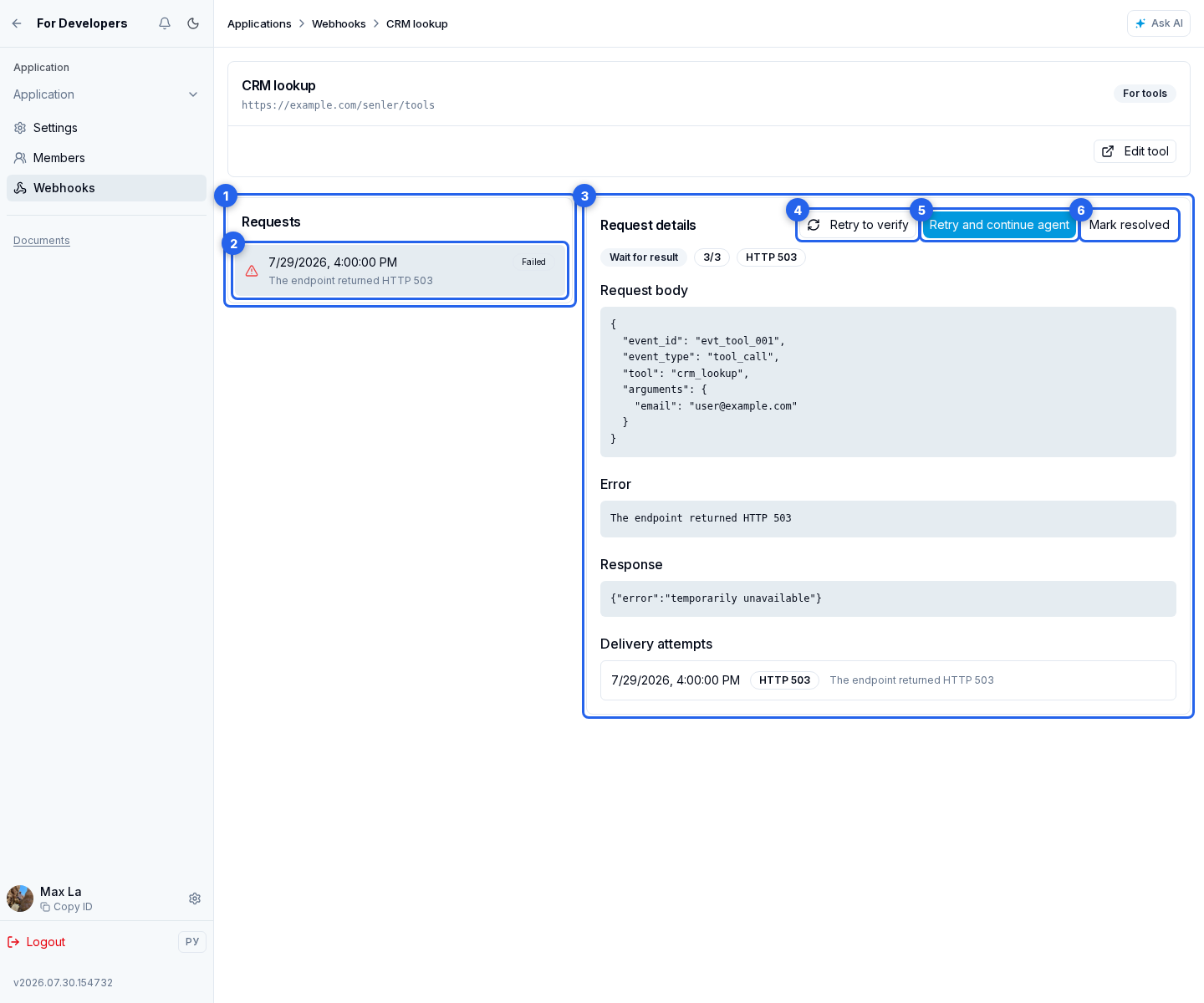
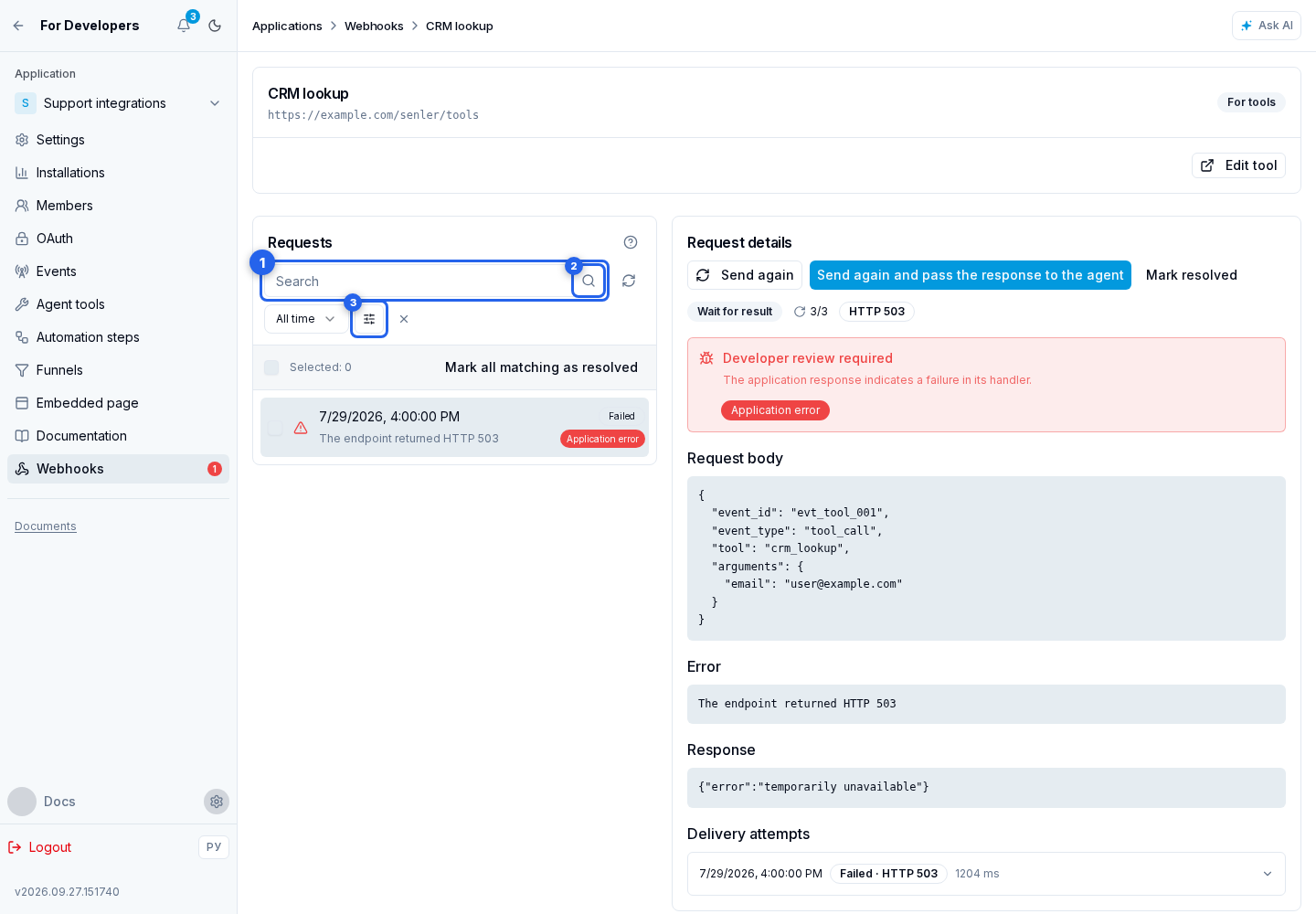
In the history filters:
- Enter a full
task_idorevent_idin the identifier field. - Select the search button. ID search is exact and does not scan JSON contents.
- For additional conditions, select the filter button.
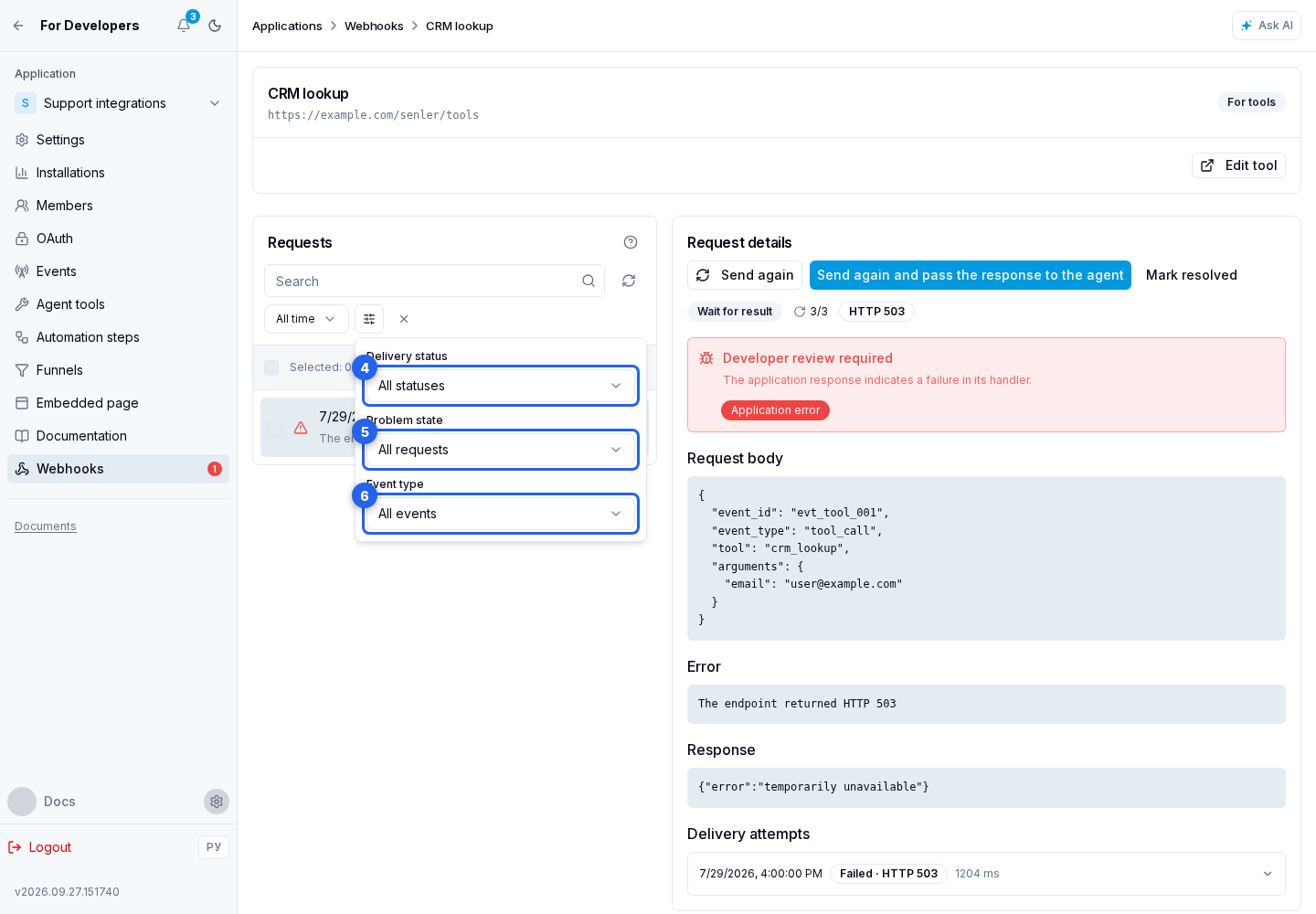
Choose the conditions you need in the menu:
- delivery status;
- problem state;
- event type.
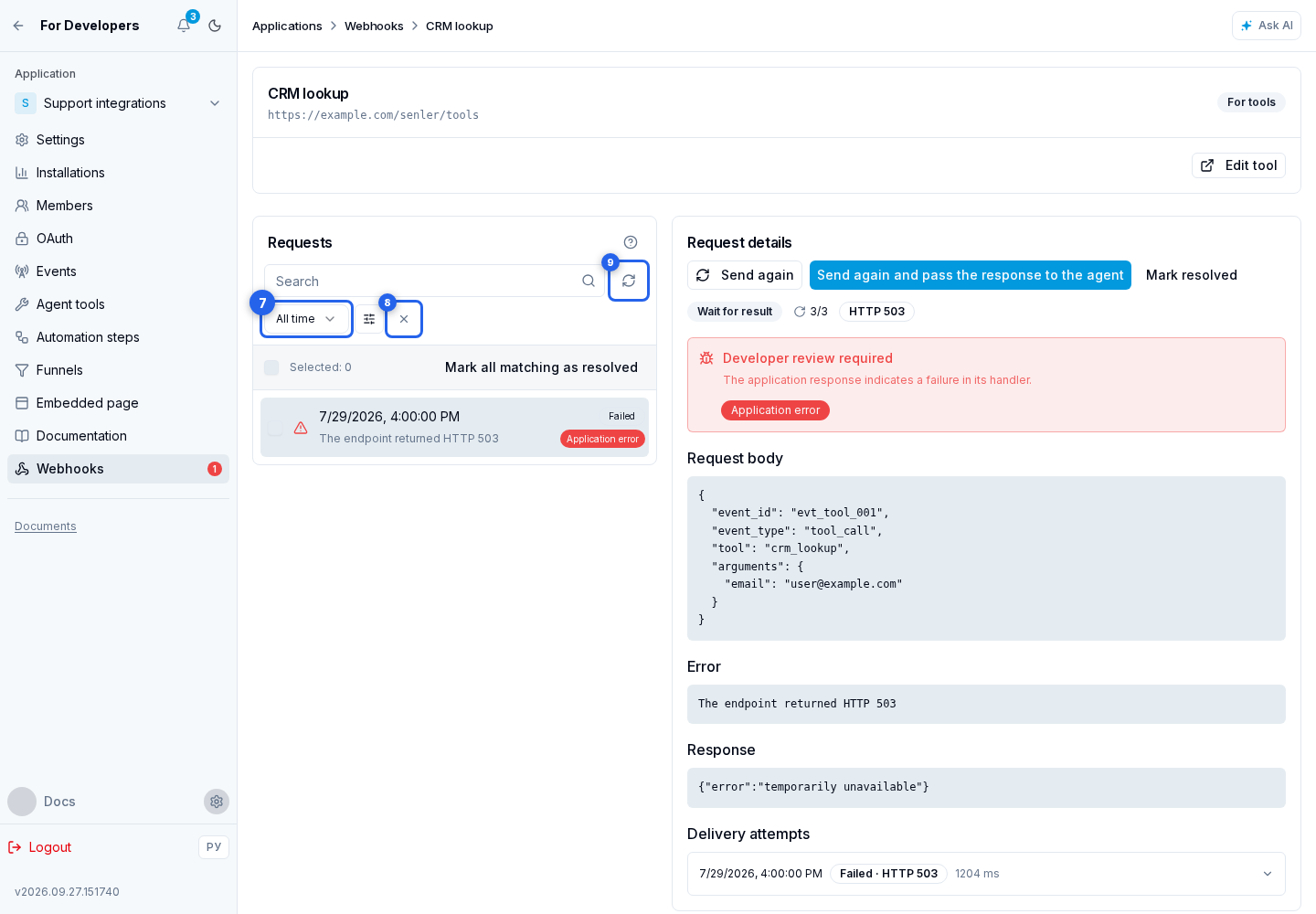
Close the menu to return to the search panel:
- Use the period selector to choose an interval from the last 24 hours to the full retention window.
- Reset filters to return to the initial selection.
- When needed, refresh the list for current results.
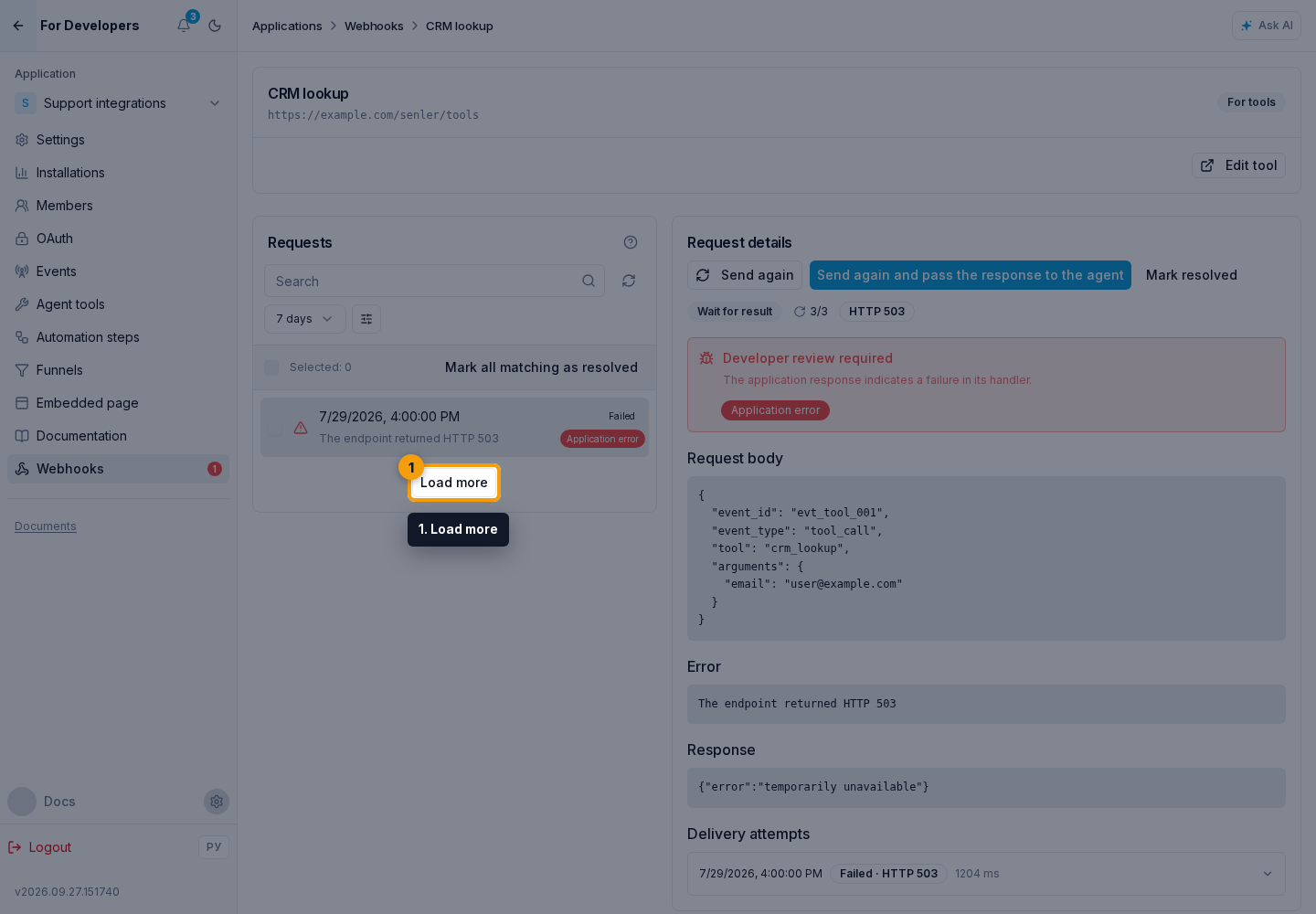
Load further records with Load more.
What requires developer attention
The application list shows two separate numbers for each application: current incidents that require developer review and deliveries that did not complete successfully during the selected period. These are different metrics. A historical failure remains in analytics after it has been reviewed, while Developer review contains only current unresolved incidents. In the API, this current count is returned as developer_attention with the corresponding app_id.
The category answers who should investigate the cause:
- Application error (
application). The application handler returned an error or reported a failure in its own logic. The application developer checks the handler. - Project configuration (
configuration). The installed application in a specific project is missing an account, access, or another setting. The project owner or member corrects the setting; this is not an application code defect. - Platform error (
platform). The request did not reach the application because delivery failed inside Senler. Senler resolves the cause; the application developer does not need to reconfigure anything. - Cause not identified (
unknown). The response is insufficient for reliable classification. The developer reviews the request and response manually.
application and unknown receive developer_action_required: true and contribute to the developer-review count. configuration and platform receive developer_action_required: false and do not contribute to that count.
How the category is determined
Senler does not classify an incident from only an HTTP status or error text. It applies this order:
- If delivery fails before the external handler is called, the incident is
platform. - If the handler returns a valid
incidentobject, Senler uses theapplicationorconfigurationcategory declared by the application. - Without an
incidentobject, a5xxresponse is classified asapplication. - Other unexplained failures are classified as
unknown.
The code field does not select a category automatically. It is a stable technical identifier for a cause inside an already determined category. The retryable field separately indicates whether repeating the request without correcting its data may help. For a response without an incident object, the value is derived from the delivery result, such as a network failure, timeout, or HTTP status. In request history, the API returns the resulting incident with code, category, developer_action_required, and retryable fields. Manual resending has an additional exception for an external handler's 401 and 403 responses, described below.
How an application reports the exact cause
To avoid making Senler infer the cause from the HTTP response, an application handler can return safe JSON with an incident object. For example, a payment tool cannot find the account selected by the user in project settings:
{
  "message": "Configured Prodamus account is unavailable",
  "incident": {
    "code": "prodamus_account_unavailable",
    "category": "configuration",
    "retryable": false
  }
}
The object contract is:
code— an optional stable machine-readable cause code from 1 to 128 characters; it starts with a Latin letter or digit and then contains only lowercase Latin letters, digits,.,_, or-; a missing or invalid code is stored asnullwithout discarding the category;category— onlyapplicationorconfiguration; Senler assignsplatformandunknownitself;retryable—trueonly when retrying the same payload without changing its data is genuinely safe and may help;- the application does not send
developer_action_required; Senler derives it from the category.
category and the boolean retryable value are required. If either is missing or invalid, Senler ignores the declared object and applies its regular classification from the failure origin and HTTP status.
The message is for a person, while incident.code is for an agent, logs, and automated diagnostics. Do not put secrets, tokens, personal data, or internal stack traces in either field. Use configuration when the cause is an account or setting of a specific installation; use application when the application handler logic itself is broken.
Retrying and resolving an incident
In the selected operation, inspect the request details: the source JSON, HTTP response, or network error. Below is the list of attempts with the time and result of each delivery. Fix the cause first, then choose the action you need:
- Send again resends the stored request to the webhook URL. The response stays in the journal and does not by itself resume a waiting agent.
- Send again and pass the response to the agent is available for a wait-for-result tool when the operation is linked to an agent and can be retried. After a successful response, the result is passed to the waiting agent to continue its work.
- If no retry is needed, mark the problem as resolved. It is removed from the unresolved count, but the request is not resent and history is retained.
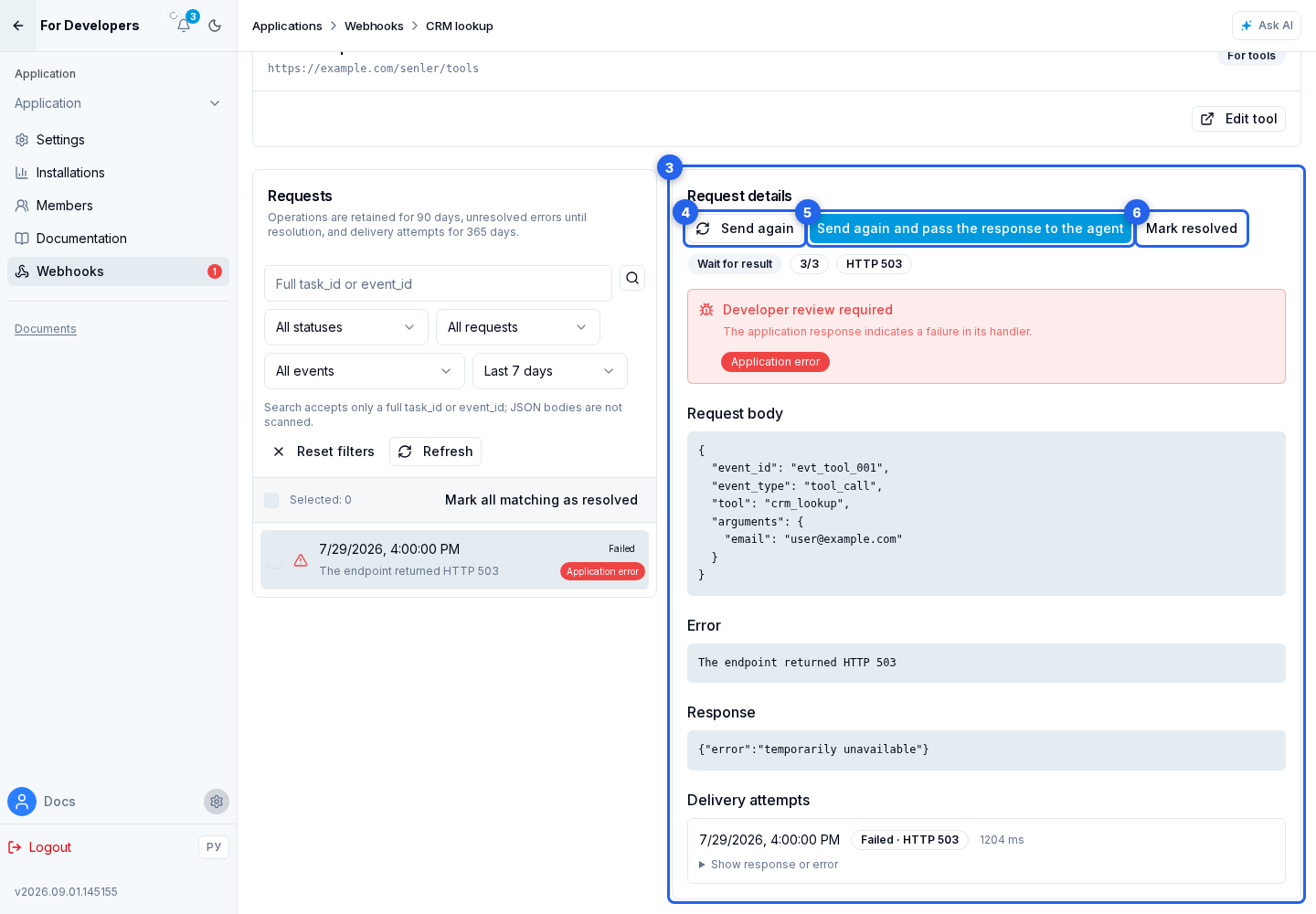
Resending is available only for an unresolved operation in a retry or failed state. It normally requires incident.retryable: true. The exception is an external handler's HTTP 401 or 403 response: after repairing authentication or permissions, you can resend manually even with retryable: false. The Automatic retry unavailable label does not prevent this manual resend. The exception does not apply to failures inside the platform.
If the resend button is absent, correct the data or configuration and run the originating action again. This creates a request with current data. Resending from the journal does not rebuild parameters: it uses the stored request body.
Before confirming, consider duplicate protection. A manual resend creates a new delivery operation but preserves the original event_id; the body timestamp is updated and other data stays unchanged. Automatic attempts also preserve event_id, but update the body and header timestamps for every delivery. The handler should therefore identify duplicates by event_id, not by time or an exact JSON match. If the action was already completed, do not create the order or message again; for a tool, return the previous result in the expected format.
For several unresolved operations, select all loaded requests or select rows manually. You can resend up to 25 selected requests in one action; each must allow a manual retry. Each creates a separate operation with its original event_id. Mark selected as resolved supports up to 100 requests. Mark all matching the filter as resolved handles up to 1,000 matches; narrow the filter when there are more.
When resolving an incident, select a reason and leave a comment from 10 to 1,000 characters. For a normal review, use reviewed when no fix was needed, or fixed when the cause was corrected. Special cases also support obsolete, superseded, invalid_payload, accepted_loss, task_completed, diagnostic_completed, replay_cancelled, and webhook_deleted. The reason code is stored as resolution_code and the comment as resolution_comment; an agent can use both fields to distinguish a reviewed incident from one that was actually fixed.
Operations are retained for 90 days, unresolved errors until resolution, and individual delivery attempts for 365 days. Marking a problem Resolved neither deletes history nor resends the request; it only removes the problem from the unresolved count.
If events do not arrive
- Make sure the webhook has Active status and the required event type is selected.
- Run Test and inspect the last HTTP status and trigger time.
- Verify that the external HTTPS URL is reachable and responds within the timeout: 60 seconds for a public event or its test, or the configured tool timeout for a tool.
- Make sure the handler accepts
Content-Type: application/jsonand the serviceevent_type: "test". - Match
X-App-Idto the application's Client ID andX-Webhook-Event-Idto the bodyevent_id. - Validate the freshness of
X-Webhook-Timestamp, its match with the bodytimestamp, and the request body signature using the shared application secret and the signature verification example. - Open request history and match the saved payload, response, or error with the external server log by
event_id. - Return
2xxonly after the event is accepted or durably queued; do not process a repeatedevent_idagain. - If the secret is lost, replace the shared secret and immediately update every application handler.