
Webhook requests
Open the webhook and select the Requests tab. The history page lets you inspect a test result or find a specific event your service did not receive.
Test delivery
- Make sure the webhook is enabled.
- Select Send test.
- Check the recipient name and URL in the delivery dialog.
- Confirm with Send test.
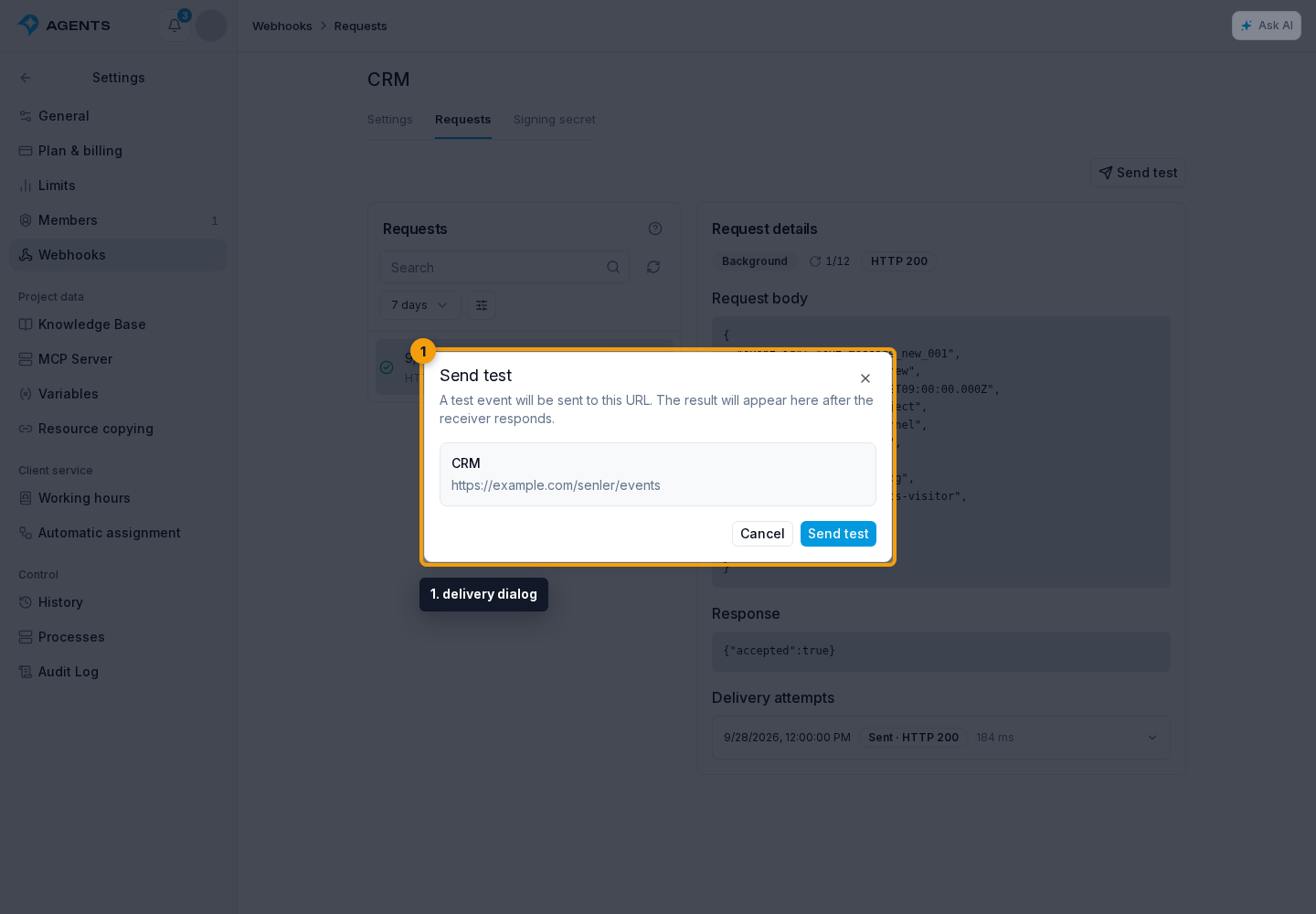
The same dialog shows the result, HTTP status, or error. This is a real request to the specified URL, with event_type: "test": the recipient should treat it as a check, not a new customer message.
The test contains the current project ID, its own event_id, and data.message: "Test webhook delivery"; the channel, lead, and dialog IDs are null. Verify the signature as usual. There is one attempt without automatic retries, waiting up to 10 seconds for a response. HTTP 200-299 means success.
Search and filters
The search and filter panel is above the request list.
- Enter a full
task_idorevent_idin search and select the magnifying-glass button. This is an exact ID search, not a JSON content search. - Select a period.
- Select the filter button to choose a delivery status, issue resolution state, or event type.
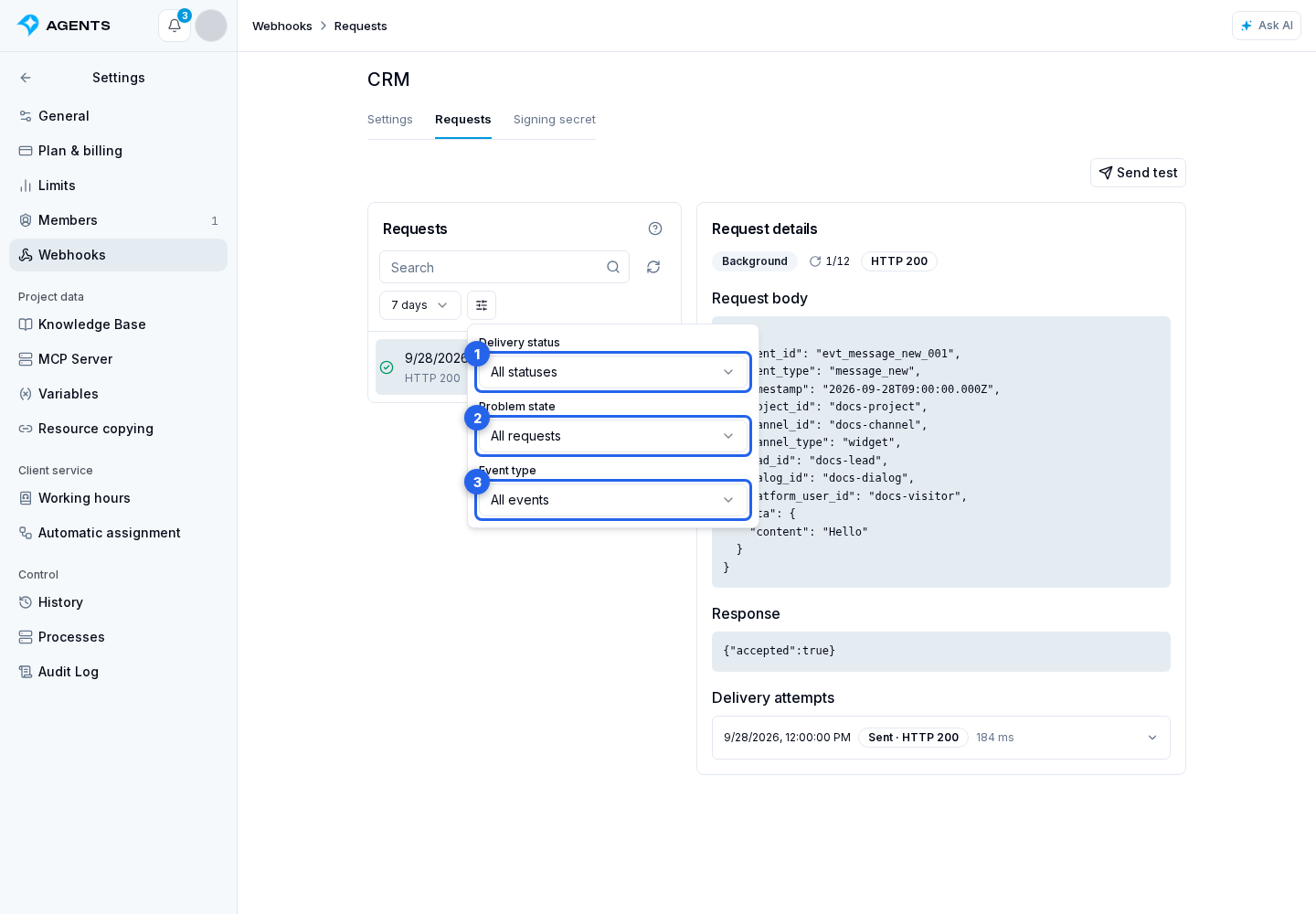
The reset button restores the default filters, while Refresh fetches current results. If earlier records are available, load them with Show more.
Delivery details
Select a request in the list. Its details show original event data, the result, HTTP response or error, and delivery attempts with their time, status, and duration. Expand an attempt with details to read its response or error.
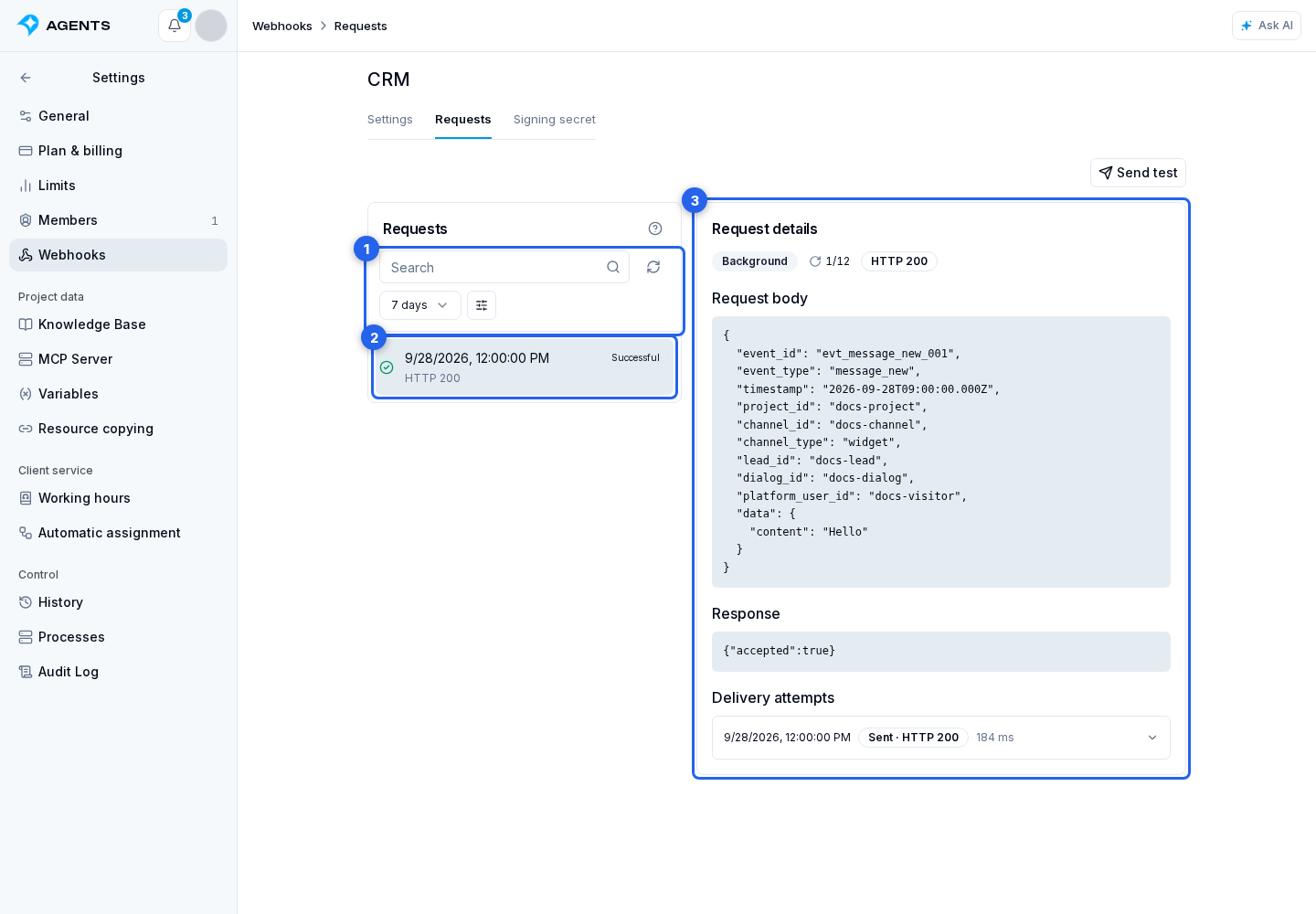
Queued means delivery is waiting to run. Retrying means another attempt is scheduled. Successful confirms a successful recipient response; Failed means no further automatic attempt will be made.
A regular event waits up to 60 seconds per attempt. Network errors, timeouts, HTTP 408, 425, 429, or 5xx trigger retries: up to 12 attempts over one day. Other 4xx responses end delivery without automatic retries. Check the recipient logs by event_id, because one request can have several attempts.
Project webhook history has no manual resend or incident resolution commands. After fixing the recipient, check it with a test; a pending automatic retry runs on schedule while the webhook is enabled and the delivery still allows retries.