
Results
Check both the overall delivery status and each recipient's result. "Completed" means all recipients have been processed: some messages may have failed or been skipped.
Recipient Results
Open a delivery that has started. In the Delivery results block, select a result tab:
- All: the entire run audience.
- Sent: the message was created and handed to the channel. "Delivered" appears when the channel confirms delivery.
- Errors: send errors and channel-confirmed delivery failures, with the reason shown alongside.
- Not sent: sending has not been attempted yet, or the recipient was skipped. This may include recipients waiting for continuation after a quota pause.
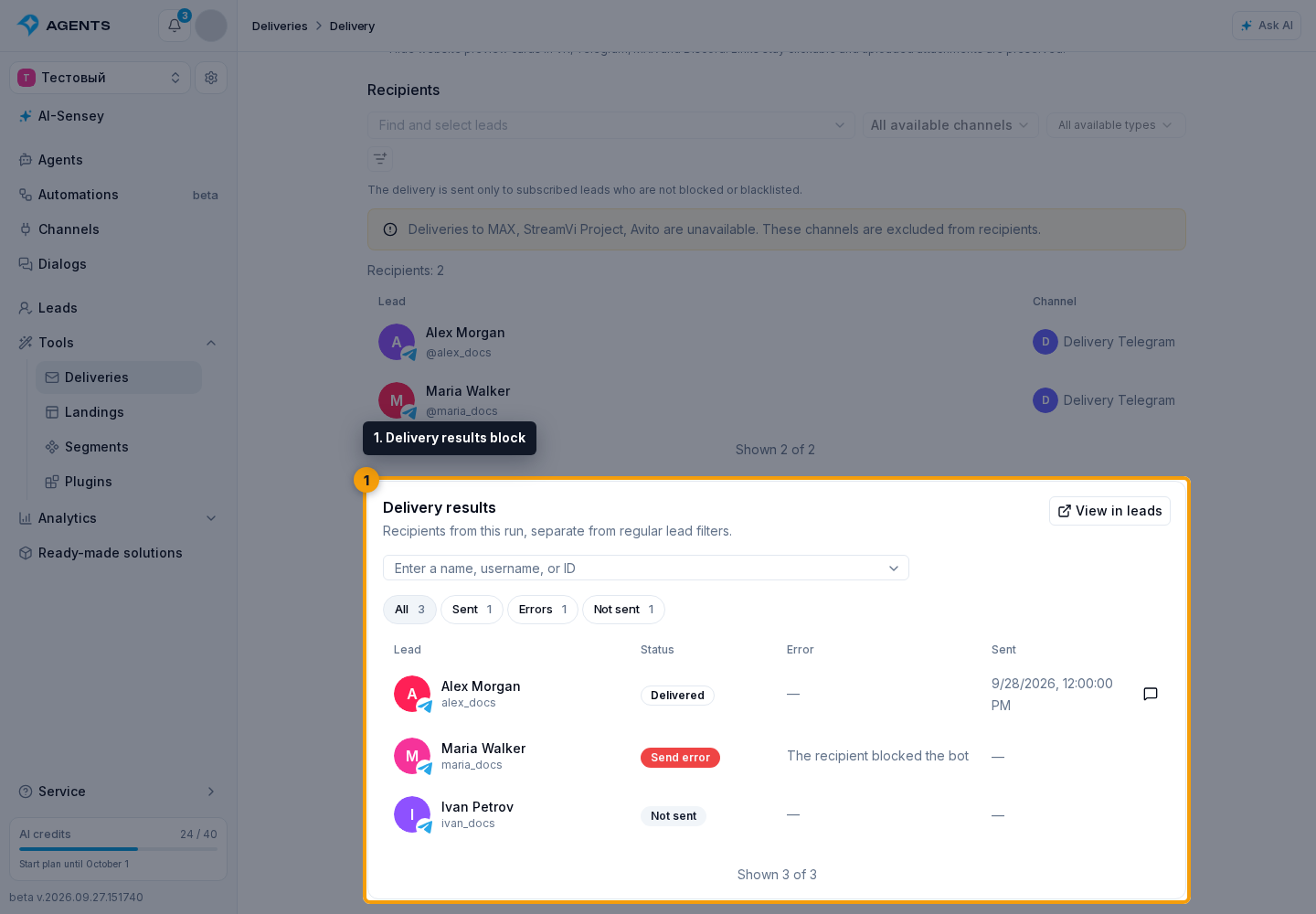
Select a row to open the lead's profile, or the dialog button to open the conversation that received the message. If the lead has been deleted, the saved result remains, but their profile cannot be opened.
Filters And Export
Select View in leads.
The leads list opens in "Deliveries" mode with this run selected. Filter by channel, channel type, sending result, or a specific lead. To find a person, enter their name, username, or ID and select a suggestion. Regular "General" mode filters are not applied to this selection.
Select Export, choose a file format and encoding, and confirm. The file includes recipients in the current selection. File preparation runs as a background process.
Delivery List Metrics
Before starting, "Recipients" shows the current unique recipient count. After starting, it shows that run's audience size.
"Sent" is the number of messages sent. The "Not sent" column in the main list combines errors and skips; it is not the same as the result tab of that name. Progress on the "Processing" tab shows the share of recipients already processed.
Delivery Statuses
- Waiting: the delivery is being prepared and has not started.
- Scheduled: a future start date has been selected.
- Queued: a sending process has been created.
- Collecting leads: the run audience is being determined.
- Sending: messages are being sent.
- Paused: daily limit: available messages have run out; you need to continue manually.
- Completed: all recipients have been processed.
- Error: the run ended with an error.
- Stopped: the user stopped sending.
- Deleted: the delivery was moved to deleted items.
The overall status appears next to the name. Background run details are available in Settings → Processes.