
Analytics and counters
Connect a web analytics service to view landing visits and traffic sources in its reports. One configuration covers the public catalog and all project landings on the web, in VK App, Telegram Mini App, and MAX Mini App: you do not need to add code to every page.
Visitors, clicks, and subscriptions are also available in built-in landing statistics. No external counter is required.
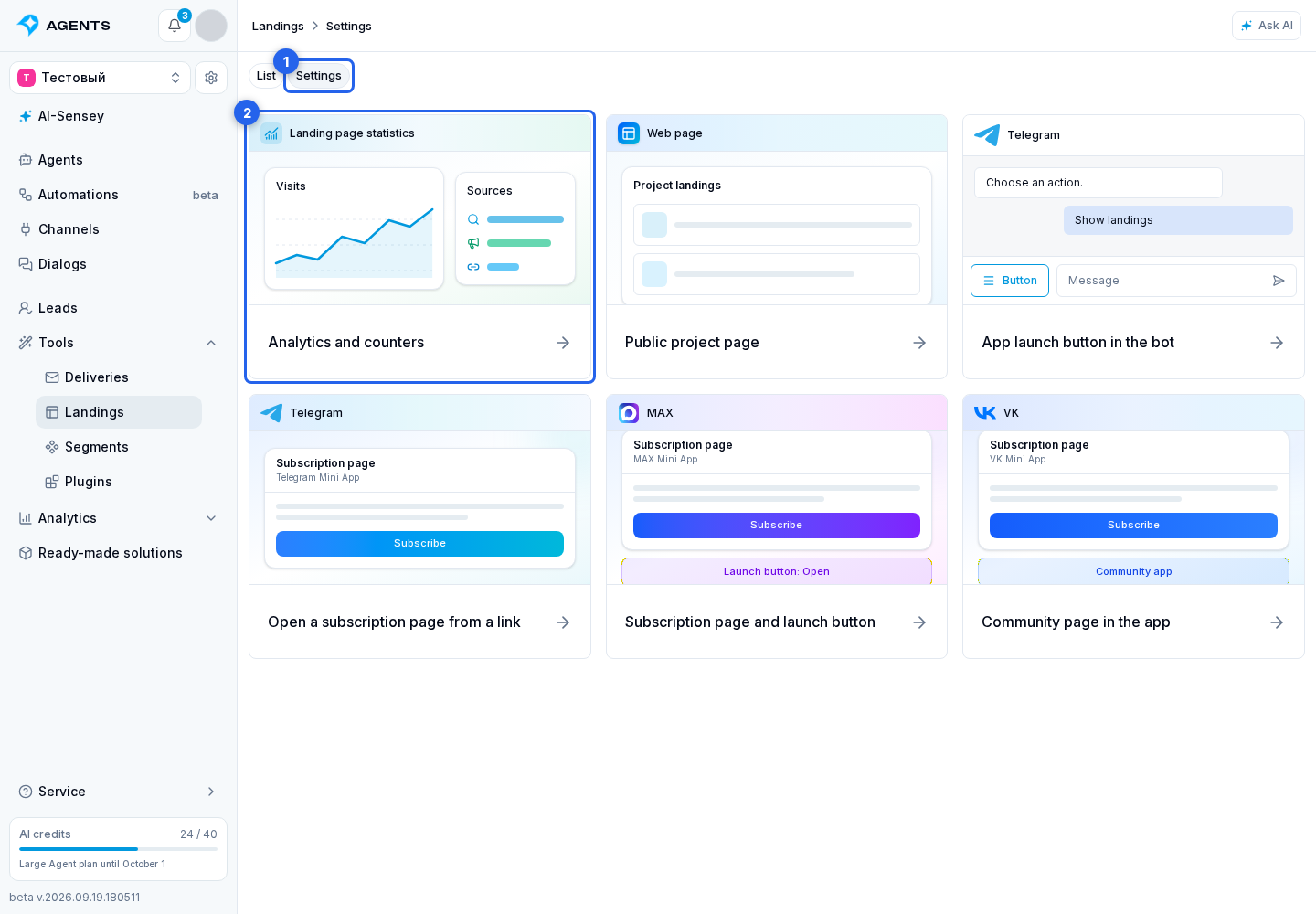
Open counter settings
- In Landings, open the Settings tab.
- Select Analytics and counters.
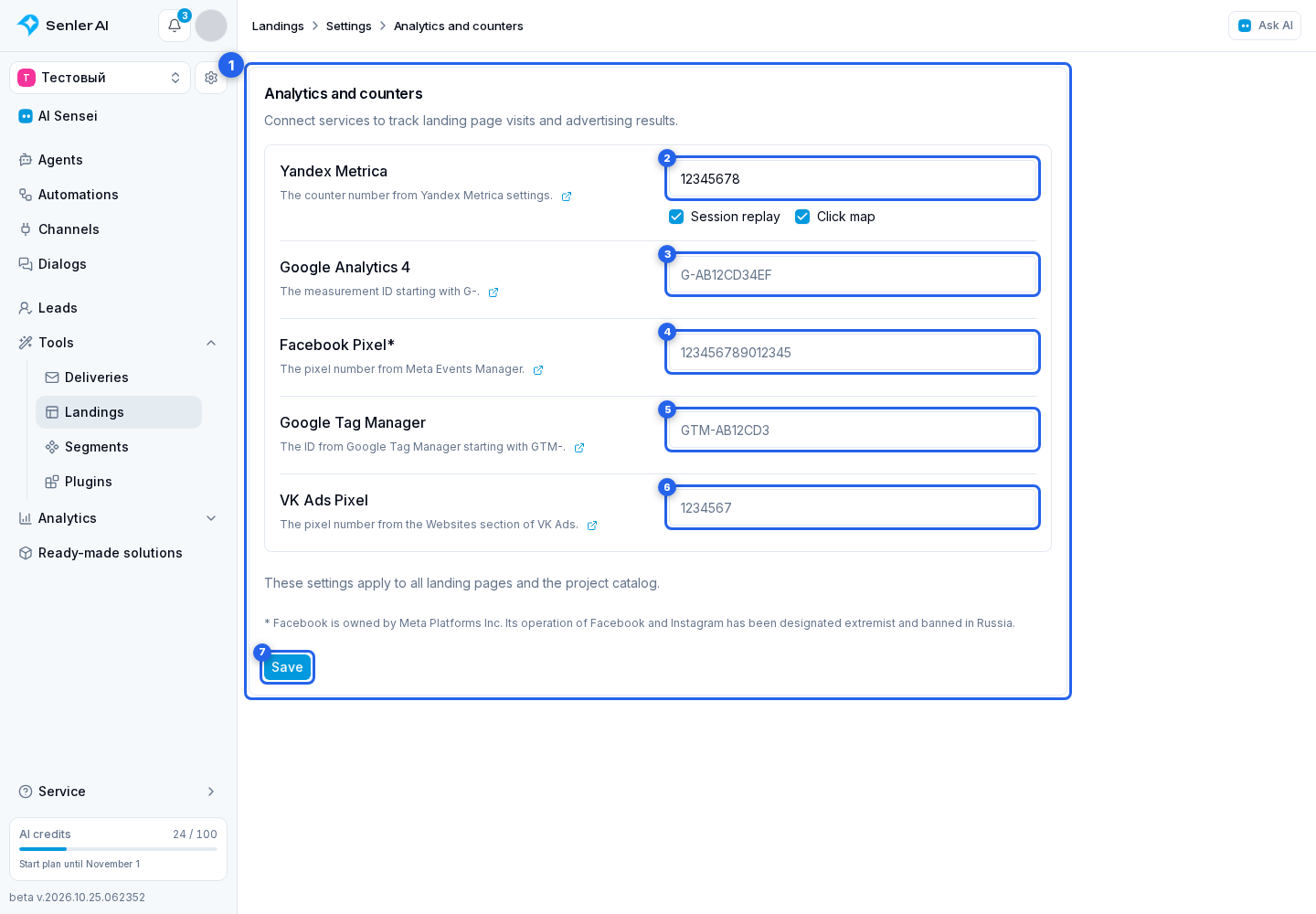
Connect the services you need
In the counter form, fill in only the services you want to use:
- Yandex Metrica: a counter number, such as
12345678. - Google Analytics 4: a data stream ID such as
G-AB12CD34EF. - Facebook Pixel: a pixel number, such as
123456789012345. - Google Tag Manager: a container ID such as
GTM-AB12CD3. - VK Ads Pixel: a pixel number, such as
1234567.
Select Save.
Enter only the number or ID, not script code. The external-link icon beside each field description opens that service's instructions. Editing requires permission to manage landings.
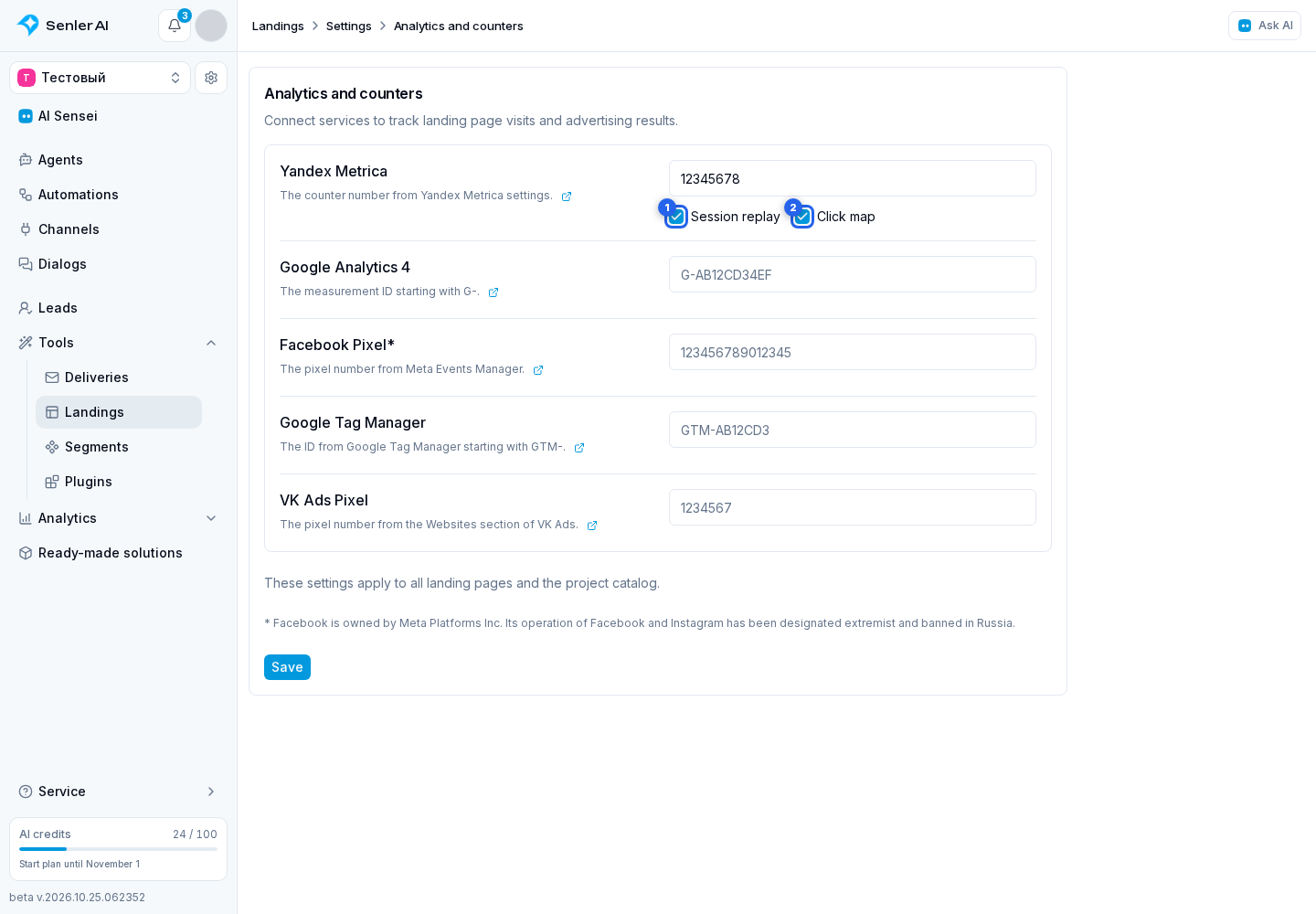
Session replay and the click map
There are two switches below the Yandex Metrica counter number:
- Session replay records visits.
- Click map shows where visitors click.
Both options are off by default. Enable the ones you need and save the settings.
Where counters run
Counters run on published pages in a regular browser, VK App, Telegram Mini App, and MAX Mini App. They use the same project settings; you do not need to connect services separately for each platform.
Counters do not run in the editor preview or during app connection verification. To check analytics, open the landing's public link in a browser or launch the landing inside the platform you want to check.
You do not need to republish landings after saving. The new settings apply the next time a public page opens; refresh a page that is already open.
What the reports show
View data in the connected service. The built-in integration with Metrica, Google Analytics, and pixels sends page views but does not send separate segment-subscription or button-click events. Yandex Metrica uses accurate bounce tracking; session replay and the click map work when you enable their options. Automatic link tracking is off. Google Tag Manager loads your container; configure its tags in Tag Manager itself. Install each counter in only one place: directly or through the container.
If you separately configure a Facebook Pixel event for a landing button, it will count clicks even when the visitor does not go on to subscribe in Telegram. Sending completed registrations requires a separate integration that sends an event to Meta after a confirmed segment subscription. Entering the pixel ID does not enable this delivery.
To compare sources, add UTM tags to landing links. This does not replace lead statistics in Senler: Senler shows acquired leads and their tags, while the web analytics service shows page visits.
Linking a visitor to a lead
When a visitor subscribes from a published landing, Senler also saves available visitor identifiers from configured tags: Metrica and GA4 ClientID, a Meta Pixel identifier, or VK Ads identifier. This works in both a browser and inside platforms. Current visit data, such as an advertising click or session, remains in the subscription event. This enables matching external records to funnel leads.
Obtaining an identifier depends on tag availability in the browser. If a tag is blocked or returns no ID, subscription still works. A page view alone does not create a lead; data is linked when subscribing. This does not send a conversion to an external service.
For your own site with an embedded widget, supply identifiers from site code, not this form.
Change or disable a counter
To replace a counter, enter another ID and save the form. To disable it, clear its field and select Save. The other configured services will keep working.