
AI model
Choose the model for agent replies and check access through the project accounts.
Open agent settings.
Choose a model
If the project uses own AI accounts, check the access indication when choosing a model: your account, a Senler account, or an unavailable model. Connecting one provider does not automatically make every model available. Senler fallback is enabled in the Your AI accounts block in the project's General settings and consumes project credits.
The model's tooltip explains why access is unavailable. If using Senler accounts requires an active plan or more AI credits, open Plan and billing. If the model is unavailable with your current connections, check the project's AI accounts and permission to fall back to Senler. An unavailable indicator does not necessarily mean you need your own key: read the reason first.
In the AI model field, select the current model to open the list.
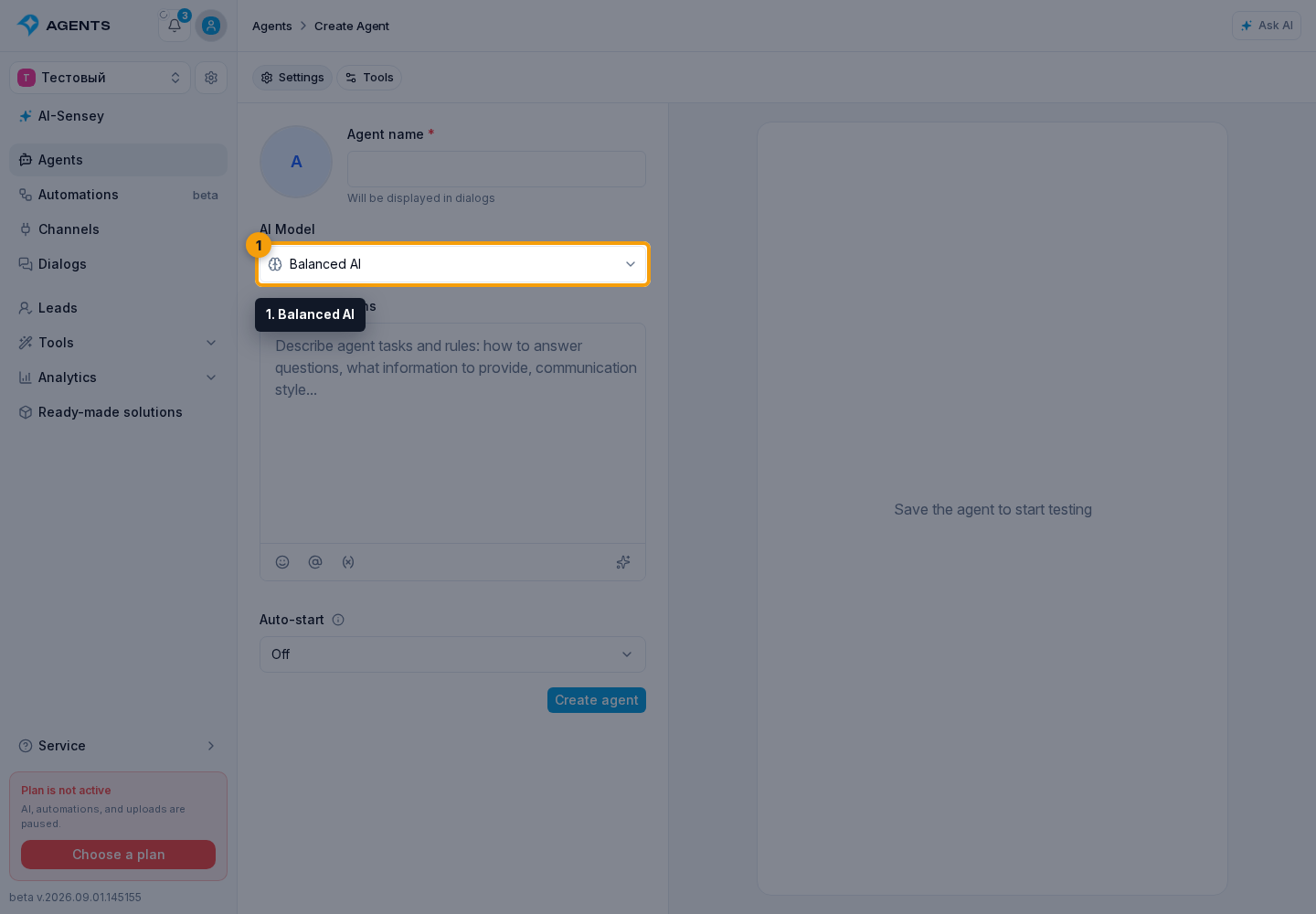
- Use search by display name, technical name, or AI provider.
- Compare the models and select the required option.
The list shows three comparative scales from one to five. When a rating is unknown, it shows No data instead of a scale:
- Reasoning — how well the model handles complex reasoning; more means stronger;
- Speed — relative response speed; more means faster;
- Price — relative usage cost; more means more expensive.
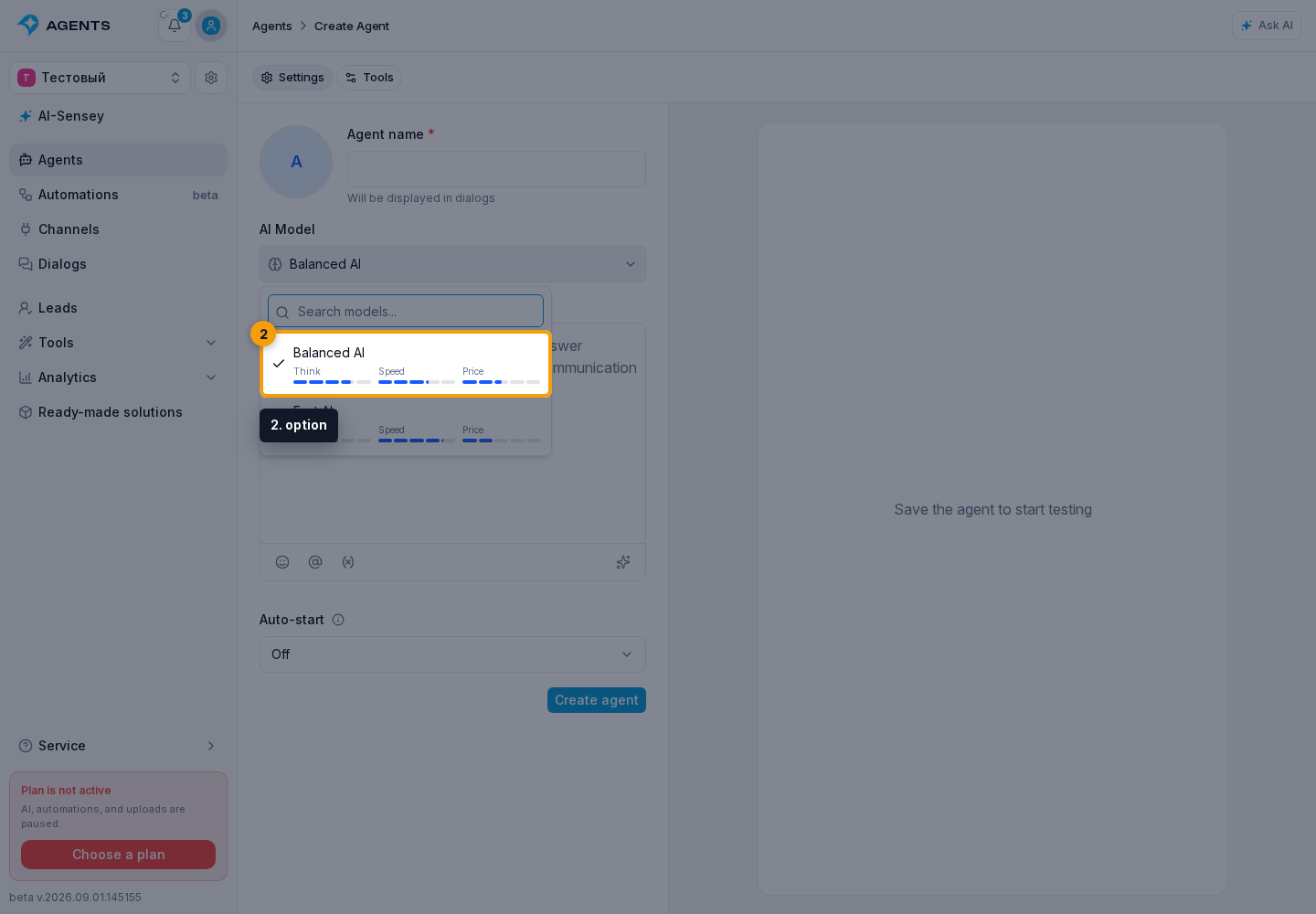
On a wide screen, hover over an option to open a card with its full description and actual credit rates. For a new agent, the cabinet selects the first available option, but it can be changed before saving.

Compatibility and access
The model must also support the selected MCP mode. If a new model cannot use the current mode, the cabinet shows a dialog with a replacement. Select Change model and mode to apply both changes, or Cancel model change to keep the previous settings. For an unsupported provider-direct mode, the cabinet first offers an option through Senler; if that is unavailable too, it offers No MCP servers.
A previously created agent may retain a model marked Outdated. It keeps working and is not replaced automatically, but it cannot be assigned to a new agent. To switch, explicitly select an available model, save the changes, and verify the result in a test dialog.
If the old model name cannot be retrieved, the card is called Previously selected model. This also does not indicate an automatic switch.