
Bulk actions
Apply an action to several leads: assign an agent, start an automation, or change segment membership.
Main section: Lead list.
Bulk operations with agents, automations, and segments
All three actions apply to the complete current filtered selection, not only the loaded page. Before starting, configure the filters and check the lead count.
In the lead list, choose an action: Agents, Automations, or Segment.
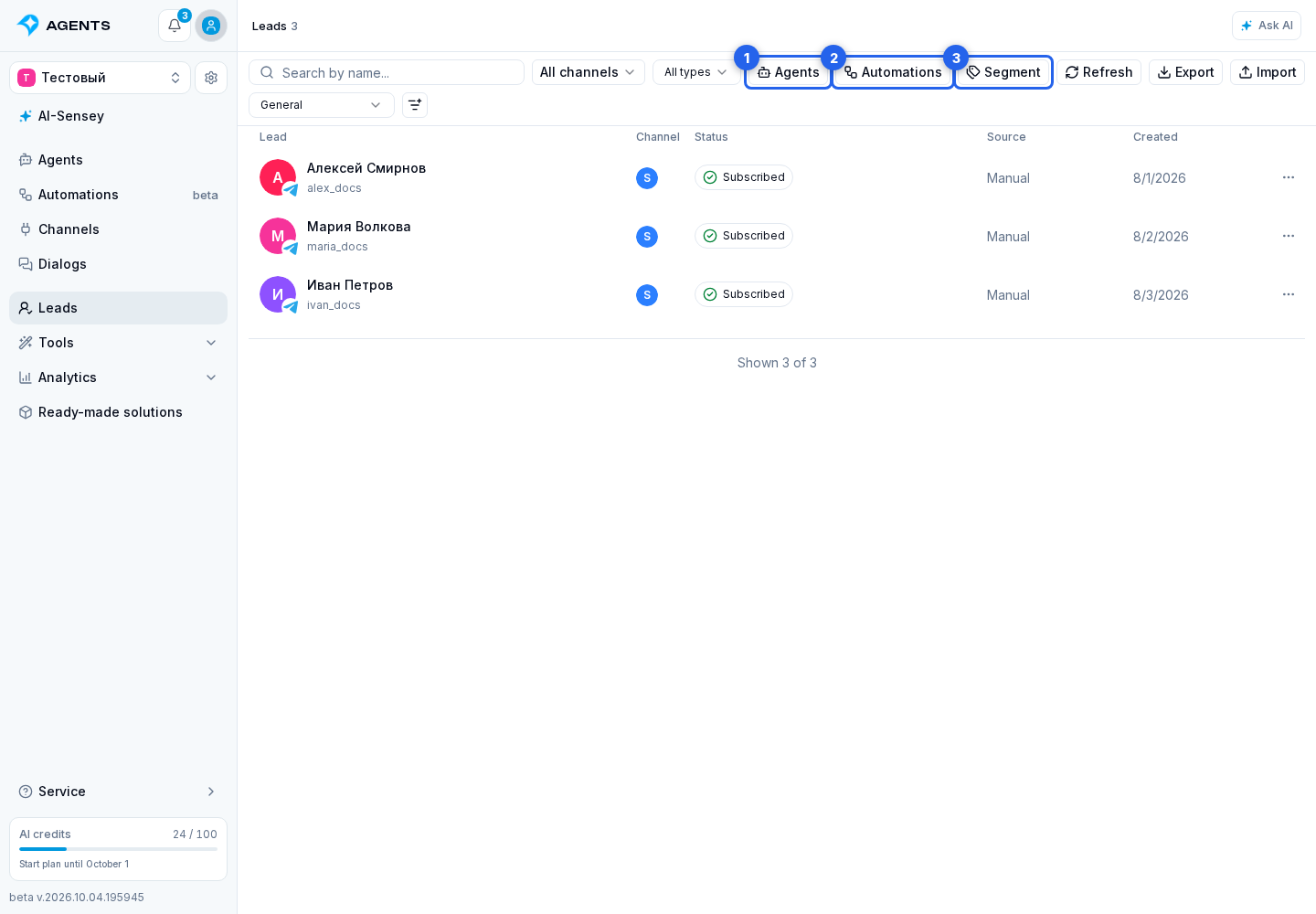
Assign an agent
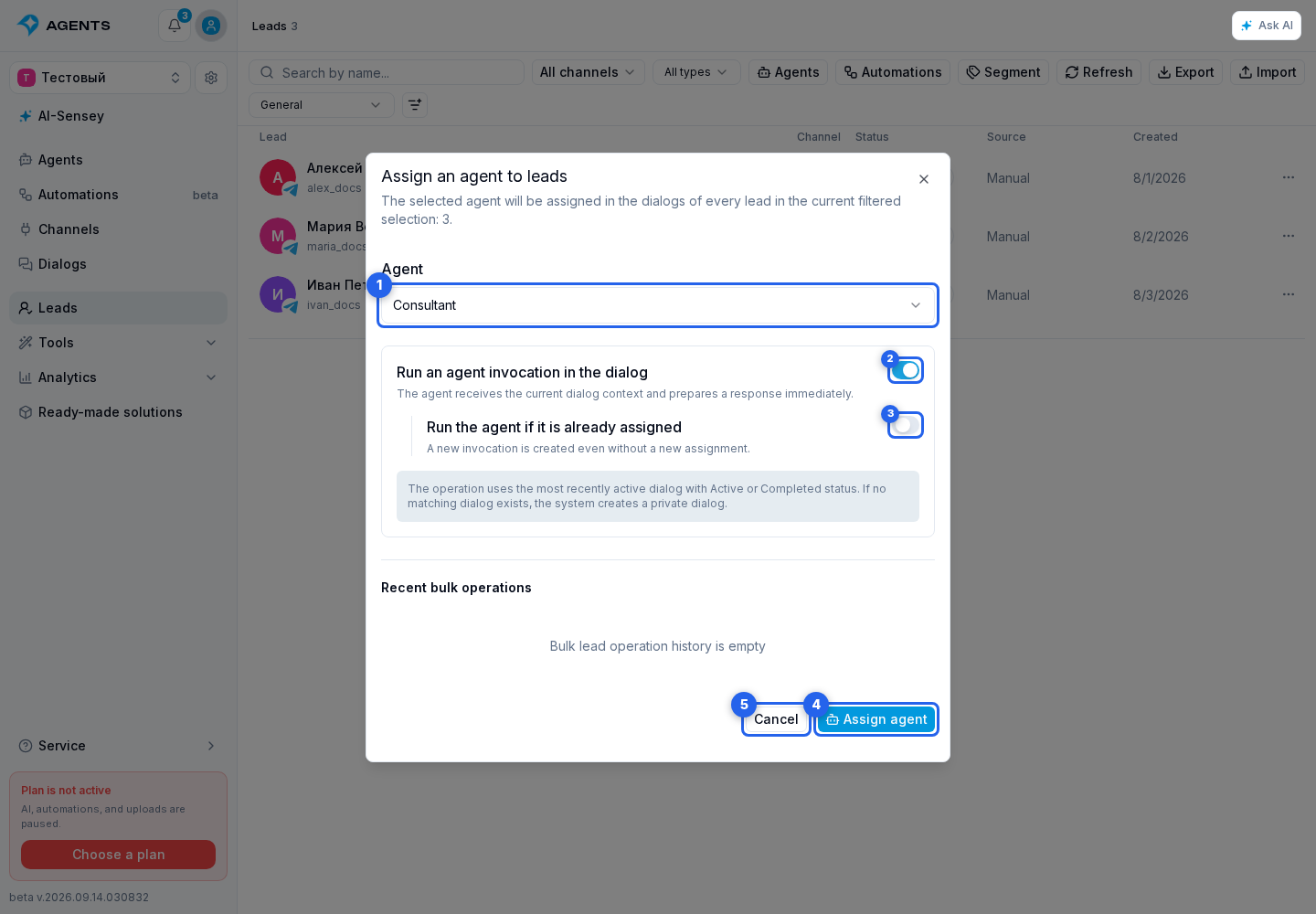
- Select Agents to open the bulk agent assignment dialog.
- Select an agent.
- For an immediate response using the message history, enable Run an agent invocation in the dialog. The newly displayed Invoke the agent if it was already assigned option allows invocation without a new assignment.
- Select Assign agent to start the operation. Cancel closes the dialog without starting.
Only active agents are available in the list.
Start an automation
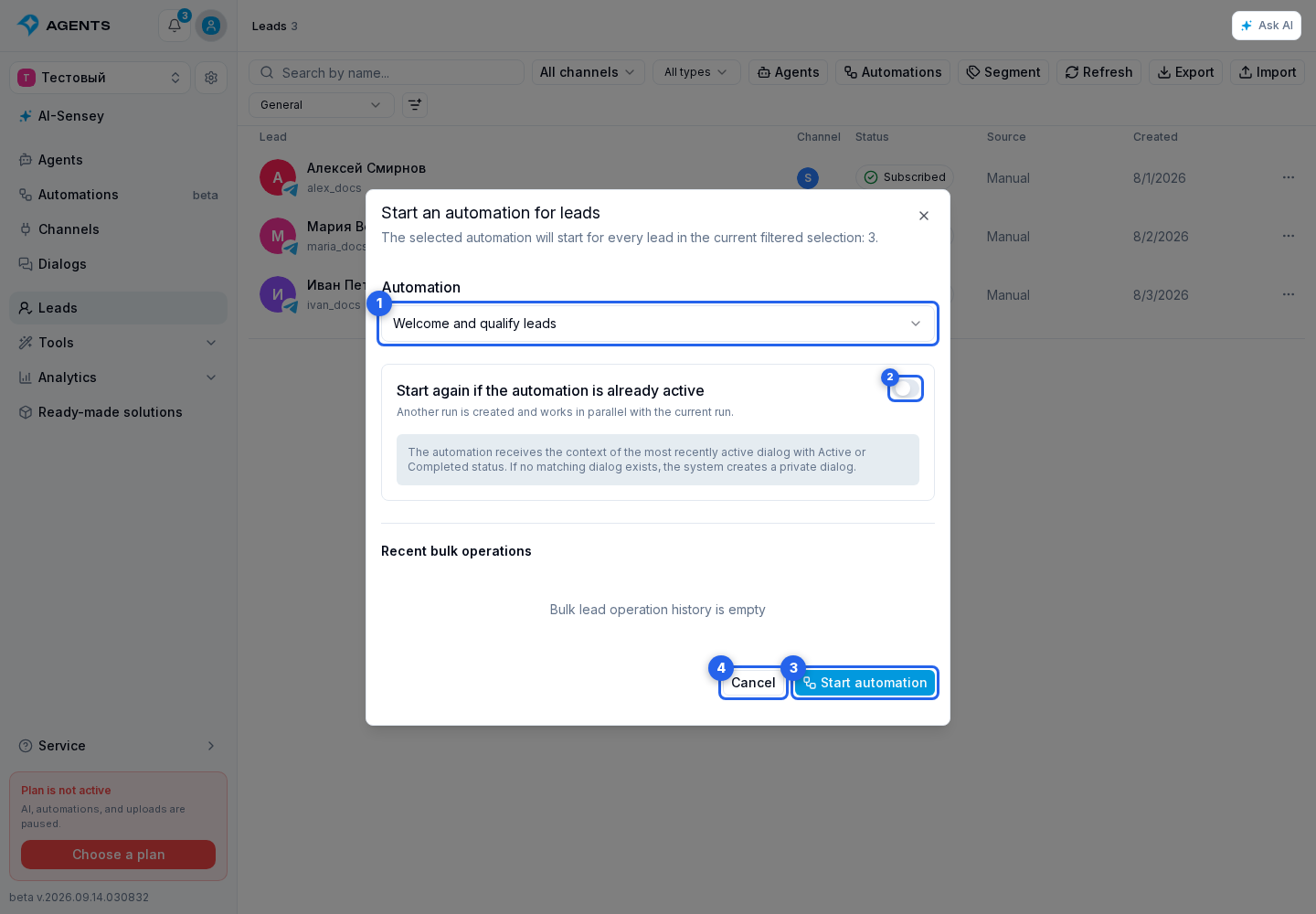
- Select Automations to open the bulk automation start dialog.
- Select an automation.
- By default, an active run is not duplicated. Enable Start again if the automation is already active only when another parallel run is needed.
- Select Start automation to begin the operation. Cancel closes the dialog without starting.
The list shows only published “For dialogs” automations that accept new runs.
Change segment membership
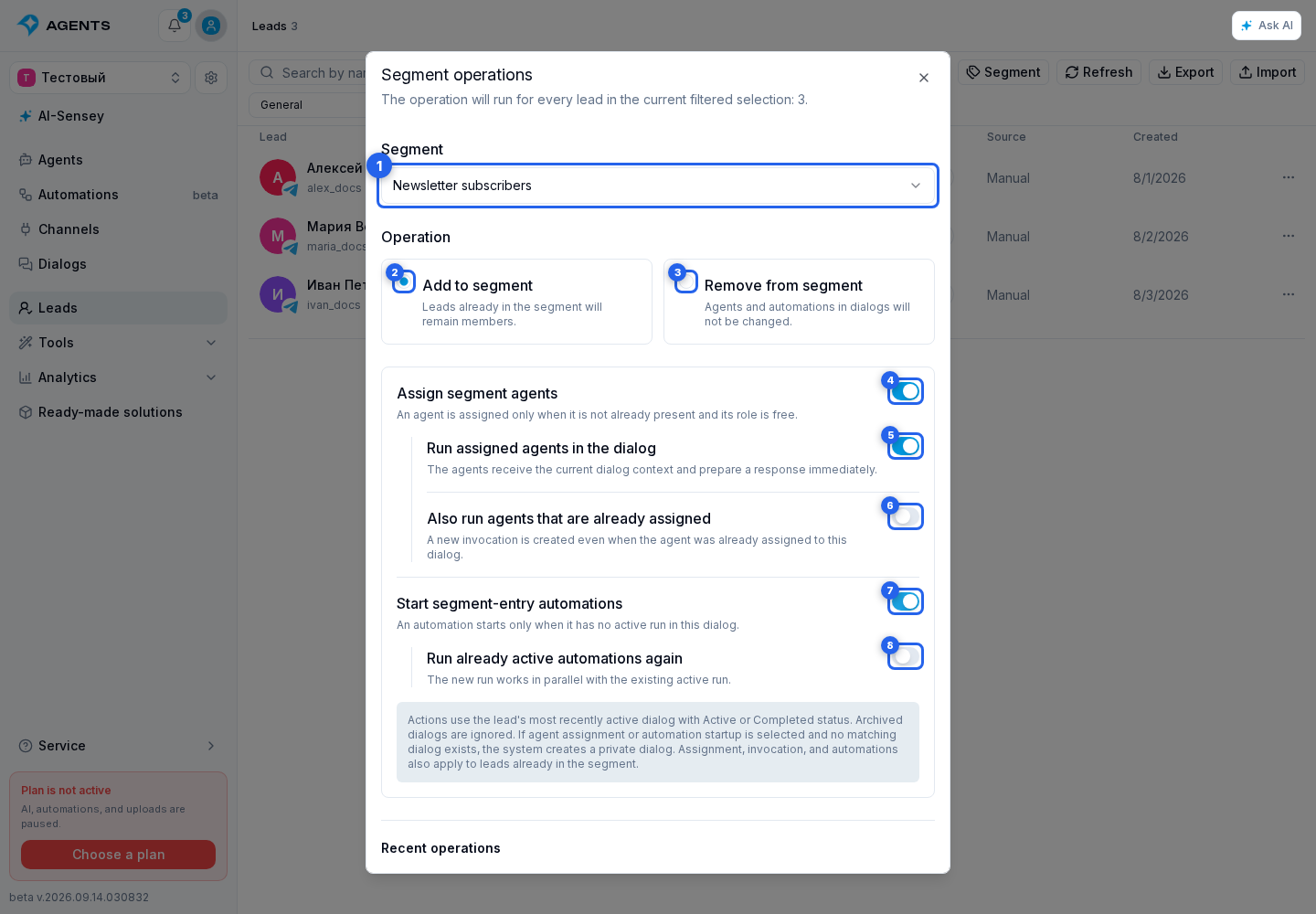
Segment opens the segment operation dialog. When adding, you can assign segment agents, invoke them immediately including agents that were already assigned, and start segment-entry automations. These actions also run for leads that are already members of the segment.
For a segment operation, select an active segment that allows manual changes, then choose Add to segment or Remove from segment. Removal changes segment membership but does not delete the lead or change agents or automations in the lead's dialogs.
When adding, the following settings are available:
- Assign segment agents: an agent is assigned if it is not already in the dialog and the corresponding role is available.
- Enabling assignment reveals Invoke assigned agents in the dialog; enabling invocation then reveals Also invoke already assigned agents.
- Start segment-entry automations starts them if the dialog does not already have an active run. The nested Start already active automations again option allows parallel runs.
These switches are initially off. Turning a parent switch off resets its nested options; switching to removal resets all action settings. Select Start to apply the operation to the entire selection, or Cancel to close the dialog without starting.
Agent and automation actions use the lead's most recently active private dialog with Active or Completed status. Archived dialogs are not selected. If no matching dialog exists and the channel supports private dialogs, the system creates one. If a dialog cannot be created, the action for that lead fails. In a segment operation, the segment membership still changes.
The action runs in the background after it starts. In Processes, an agent operation reports assigned and invoked agents separately, while an automation operation reports started automation runs; both also show skipped records and failures.
Recent bulk operations are available in the corresponding dialog, while the complete list of background tasks is in Processes.