
Variable permissions
Allow the agent to read or change selected variables and account for data scope in group dialogs.
Open the agent Tools tab.
Configure independent variable access
Open the agent's Tools tab.
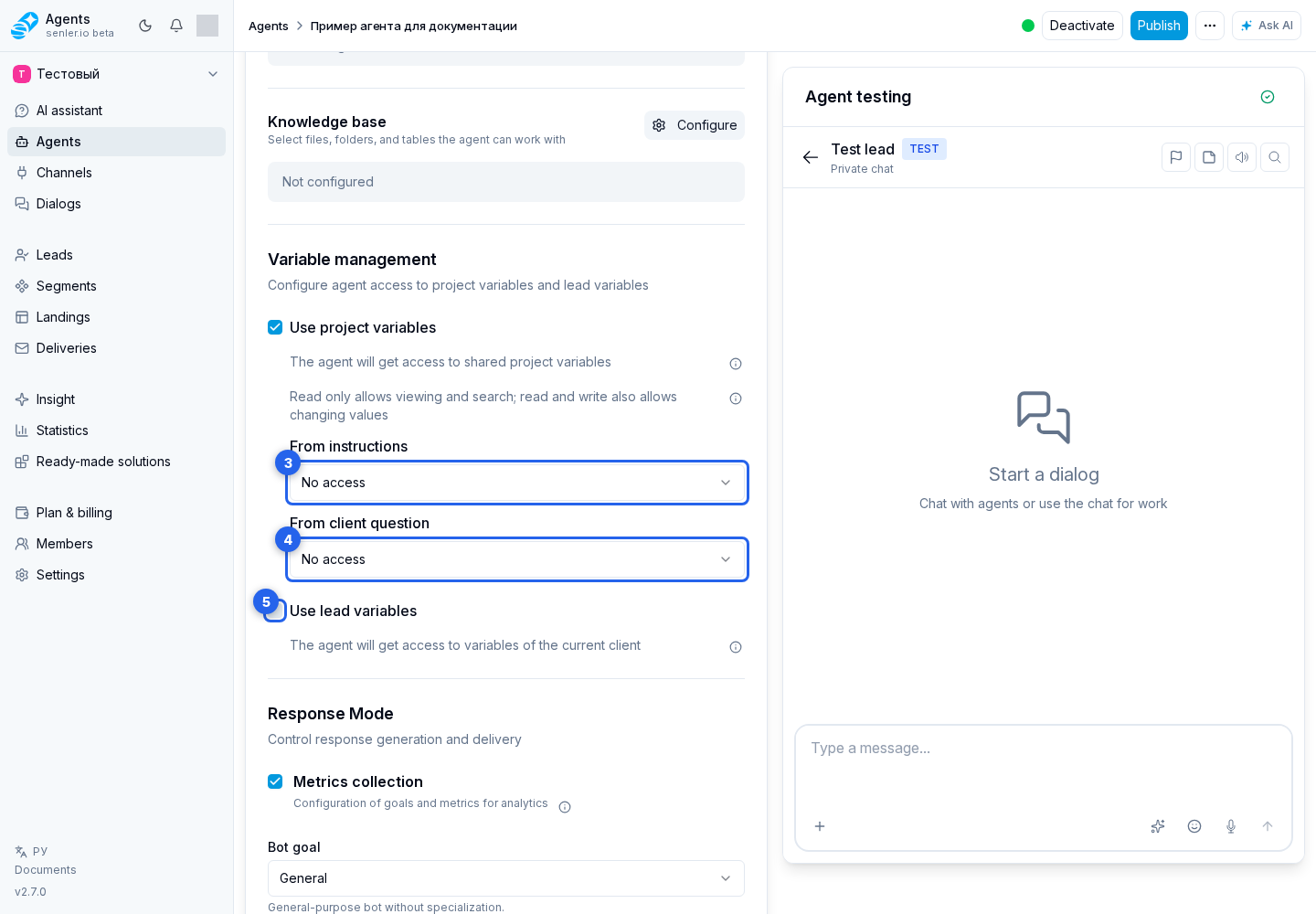
- In Variables, select Configure. The variable access dialog opens.
- In Access level, choose the default rule: No access, Read only, or Read and write.
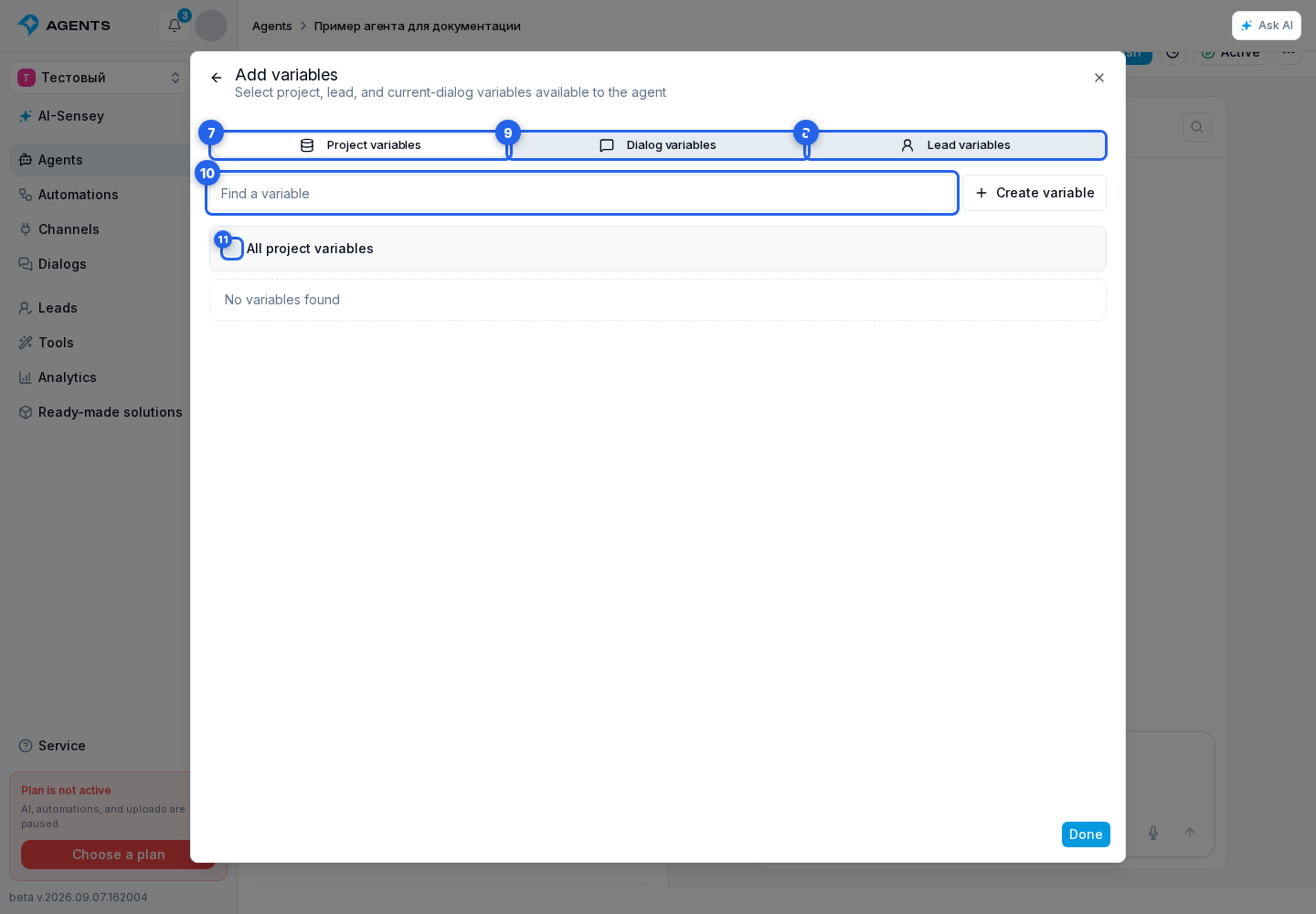
- Select Add variable.
In the picker, open the Project, Lead, or Dialog tab. Use search, then select individual variables or all variables in the current scope. If the field does not exist yet, use the create button. Select Done when the selection is ready; the back arrow returns to the settings without closing the whole dialog.
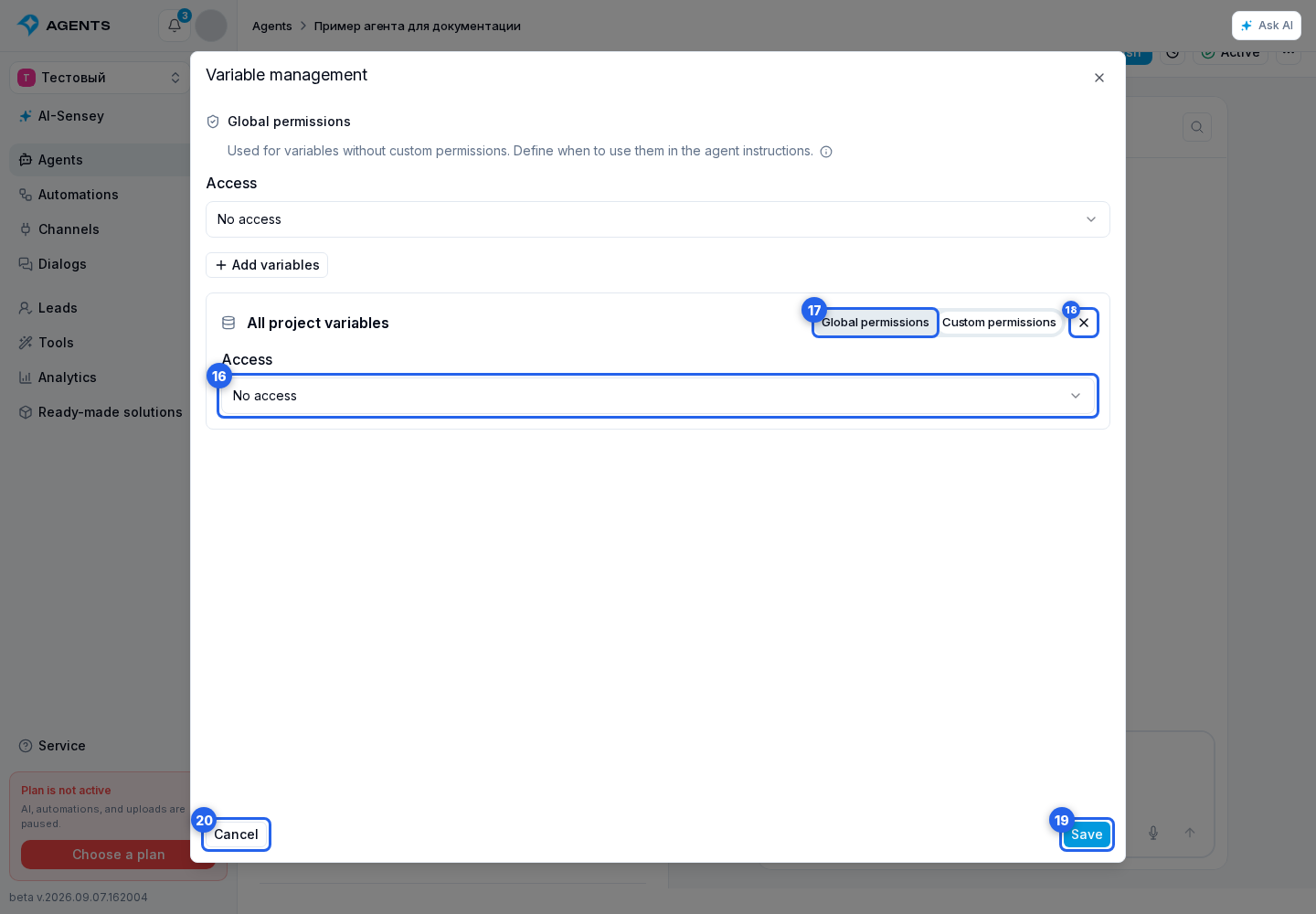
Each added variable initially uses the default access level. To give it a different rule, select Custom permissions and choose a separate access level. Default permissions applies the shared value again, while the remove button removes the variable from the agent's access list.
Select Save to transfer the selected permissions to the agent draft. Cancel closes the dialog without applying the current edit.
Grant only the minimum required permissions. Read and write allows the agent to change a value, but is not itself an instruction to modify anything: describe the required action in the instructions or request it in the conversation.
The agent can find an accessible variable by name, description, or filling instructions even when it has no value yet. Search shows the purpose and type of the field; the agent reads its current value separately. Clear descriptions therefore help it choose the correct field instead of guessing its name.
Private and group dialogs
When working with lead variables in a private dialog, reading and writing apply to the current lead. A group chat or publication comments can contain several participants, so the agent selects a specific lead using the message author, an explicit reply, and the current conversation context.
To read or change a particular participant's data, name them or reply to their message. The agent works only with a lead who actually participated in that dialog. When the participant cannot be identified unambiguously, data should not change until the person is clarified.
Project variables do not depend on the participant and remain shared across the project. A lead_data or lead substitution belongs to the current response lead. To change another participant's data through a tool, identify them unambiguously by name or by replying to their message.