
Website actions
Allow the agent to help visitors with website elements through the installed widget.
Main section: Tools.
Interface
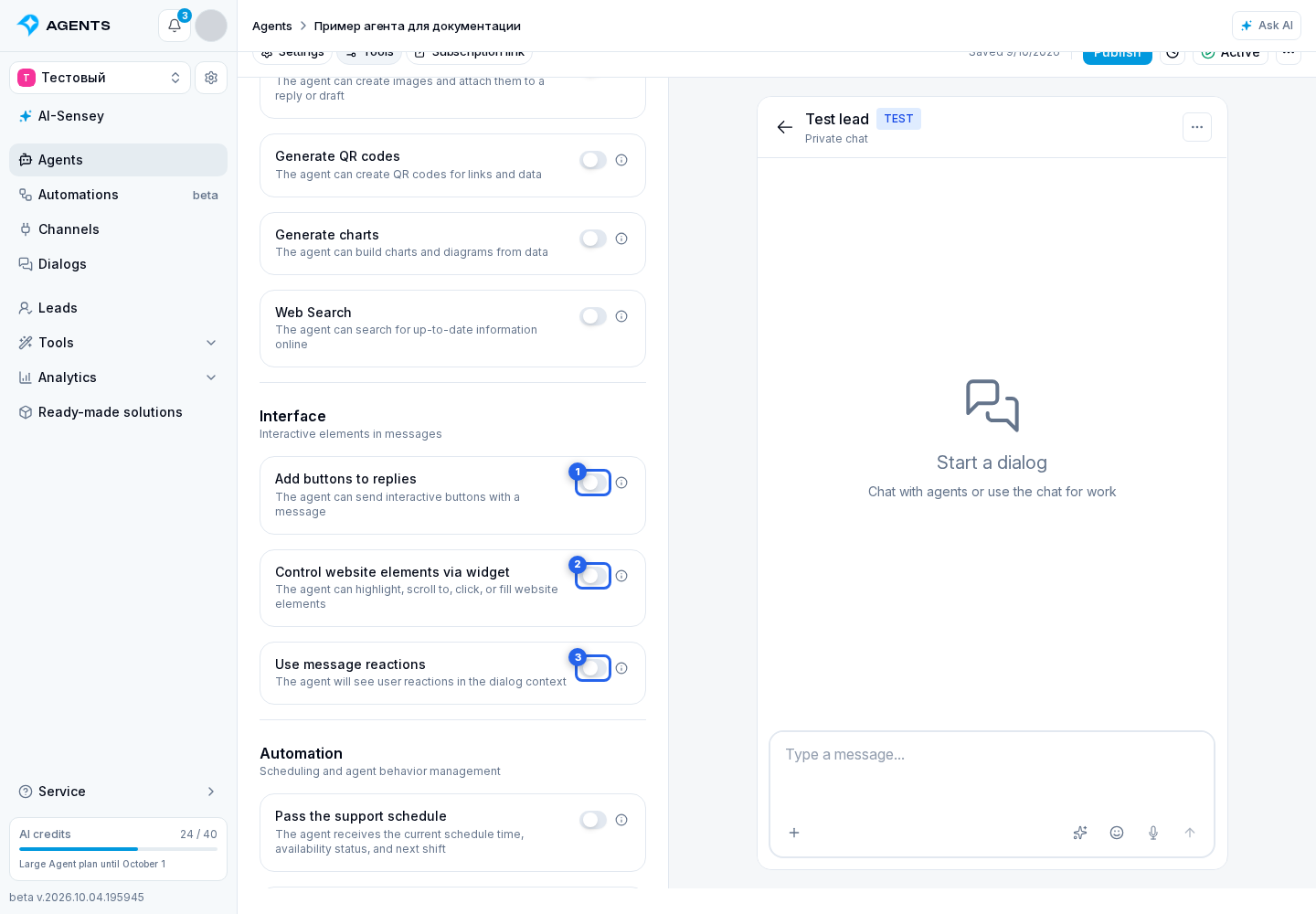
- buttons in answers;
- controlling website elements via the widget;
- taking message reactions into account.
In the widget, buttons can invoke actions declared by the website developer. To retrieve data without a button, the site can provide an action that returns a result, such as counting matching orders and including the number in the answer. These actions do not depend on the buttons or page-element controls; the website defines which actions are available. See Custom actions for setup and limits.
Actions with site elements
- enable Control website elements via widget in the Interface block of the agent's Tools tab;
- enables the tool for highlighting and acting on elements of the open page;
- works only in Widget channel dialogs;
- install the widget on the website and mark up the required elements;
- if the checkbox is disabled, site element actions are unavailable, even if the widget and markup are present;
- together with the message, the widget attaches context tags: the open page, project, recommendation, or selected element;
- the page tag is usually labeled with the open page title, and the project tag with the project name;
- acting on an element should happen only after an explicit user request: highlight, scroll to, focus, click, fill, clear, select, or toggle;
- in the dialog, the action card shows execution status: completed, executing, not found, blocked, or failed.
The same setting lets the agent show buttons inside the widget: new dialog, history, and an available MCP connection to external AI. These hints do not require a separate knowledge-base or MCP search connection. Your website's own elements and workflows still need its documentation.