
Check results
Review recorded errors and AI findings, then proceed to change the settings.
Open the result of the current check or a saved report from history.
Known errors
Errors are marked on entities in the main list. Select an agent or automation to view the details in its card.
Agents show errors within the selected period. Automations show errors within the period and open incidents separately; the latter may have occurred before that period. An already reviewed error alone does not return an entity to the AI group: another selection requires a new error, a change to the reviewed settings or new activity. The error count is not a failed execution rate. Viewing this data is available without AI analysis or credit charges.
Reading results
Select an entity in the group. Its result card shows activity statistics, findings and suggested actions. The counters reflect recorded errors but do not explain their causes on their own. Until AI finishes the analysis, the card indicates that results are not yet available or that the review is incomplete.
Each finding initially shows its main point and suggested action. The “Possible problem” label indicates that the hypothesis still needs verification. Select Details to expand the evidence, quotes and instructions for verifying the outcome. AI findings include verified exact quotes and source names, such as “Agent instruction: Support”. Quotes are saved with the result and passed to the assistant when discussing it. They show which text supports the finding; the AI conclusion still needs evaluation.
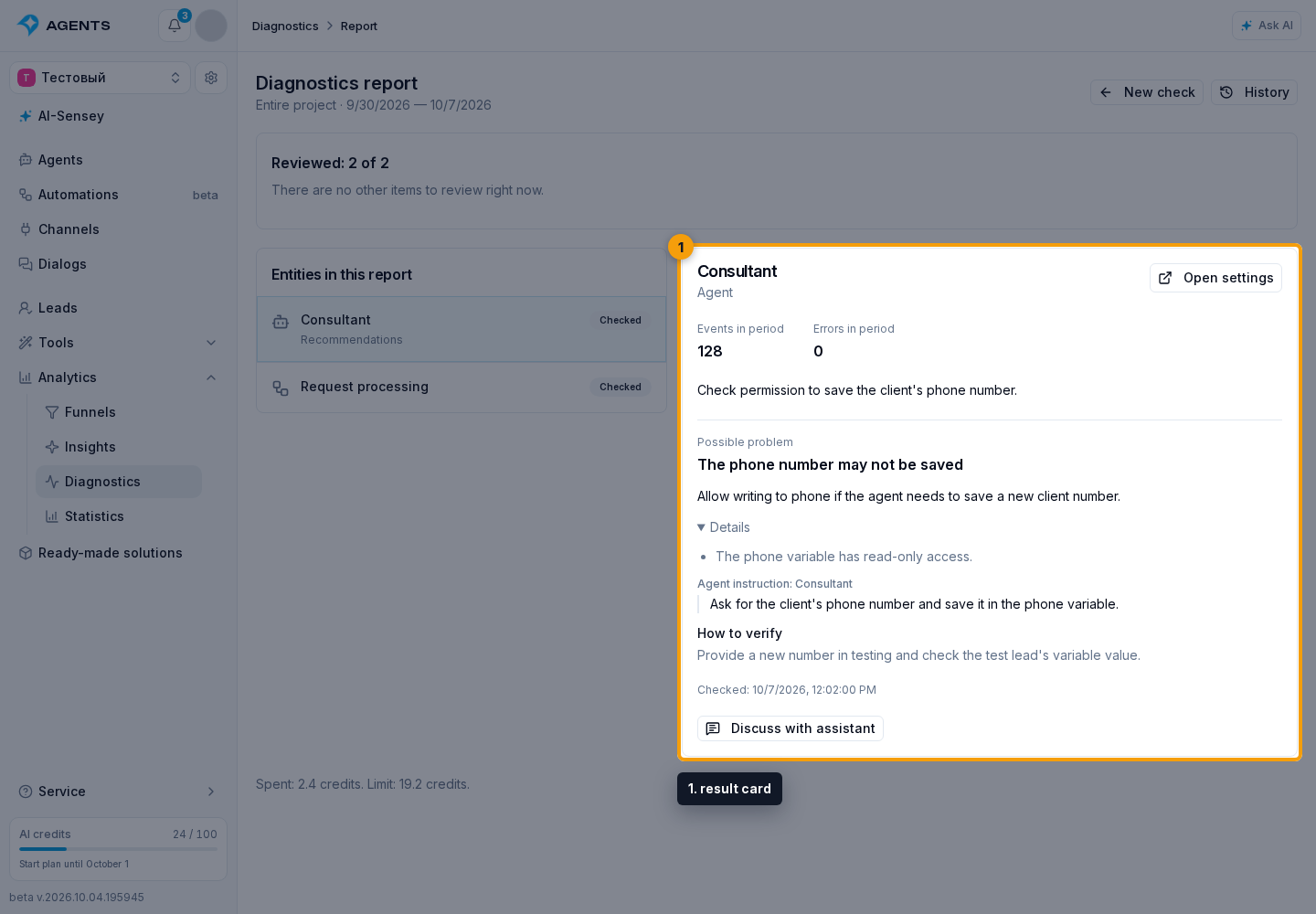
Missing execution data does not mean an object is working correctly. If only part of the history could be retrieved, the card says so; unknown values are not presented as zeros. An unavailable source or incomplete review is also marked separately. No findings does not guarantee that there are no problems.
What data is reviewed
Diagnostics examines step settings, nested automations, connected agent instructions, and the variables they use. It compares the entire scenario: what data one step creates, what the next receives, and whether instructions, branches, and loops agree. The scenario is not considered reviewed until reading and connection checks are complete.
Available examples of automation executions and agent events within the selected period are used to assess operation, not the entire history. The card shows event, step run, and error counts for that period; an automation also shows its current open errors separately.
Instructions are also checked for the intended use of variables. For example, {{lead.phone}} inserts a phone number but does not tell the agent where to save a new one. An @ reference does not replace write permission either. Diagnostics compares the rule with access settings rather than treating every {{...}} template as an error.
Passwords and access keys are hidden. External services are not executed. Knowledge-base content and the current state of every lead and dialog are not automatically loaded; conclusions apply to the reviewed settings and examples.
For automations, diagnostics reviews the published version. If none exists, it reviews the draft and marks this in the card. Errors from another version are not evidence of a defect in the current workflow.
All findings are saved. The card initially shows two; select Show more findings to expand the rest.
Next steps
Click Open settings to navigate to the entity. The button is available with the corresponding permissions. Alternatively, click Discuss with assistant for an explanation of the findings and a plan of changes.
Diagnostics does not apply changes automatically. After changing settings, select “New check”, choose the agent or automation and start a review to evaluate the outcome.