
Import Leads from Senler.ru
What is transferred
Use the import to bring over an existing subscriber base. It is optional for new conversations: Senler.io creates leads automatically. Connecting alone does not start an import or enable continuous synchronization.
Profiles available from Senler.ru for the selected channel are imported with their subscription and blacklist status. If a source record is marked as unsubscribed, the import does not subscribe it. Existing leads are skipped without changing their data. The import does not send messages or start automations.
Conversation history, bot settings, subscriber groups, and Senler.ru variables are not transferred. Bot configuration access limitations are covered separately.
Leads from Senler.ru
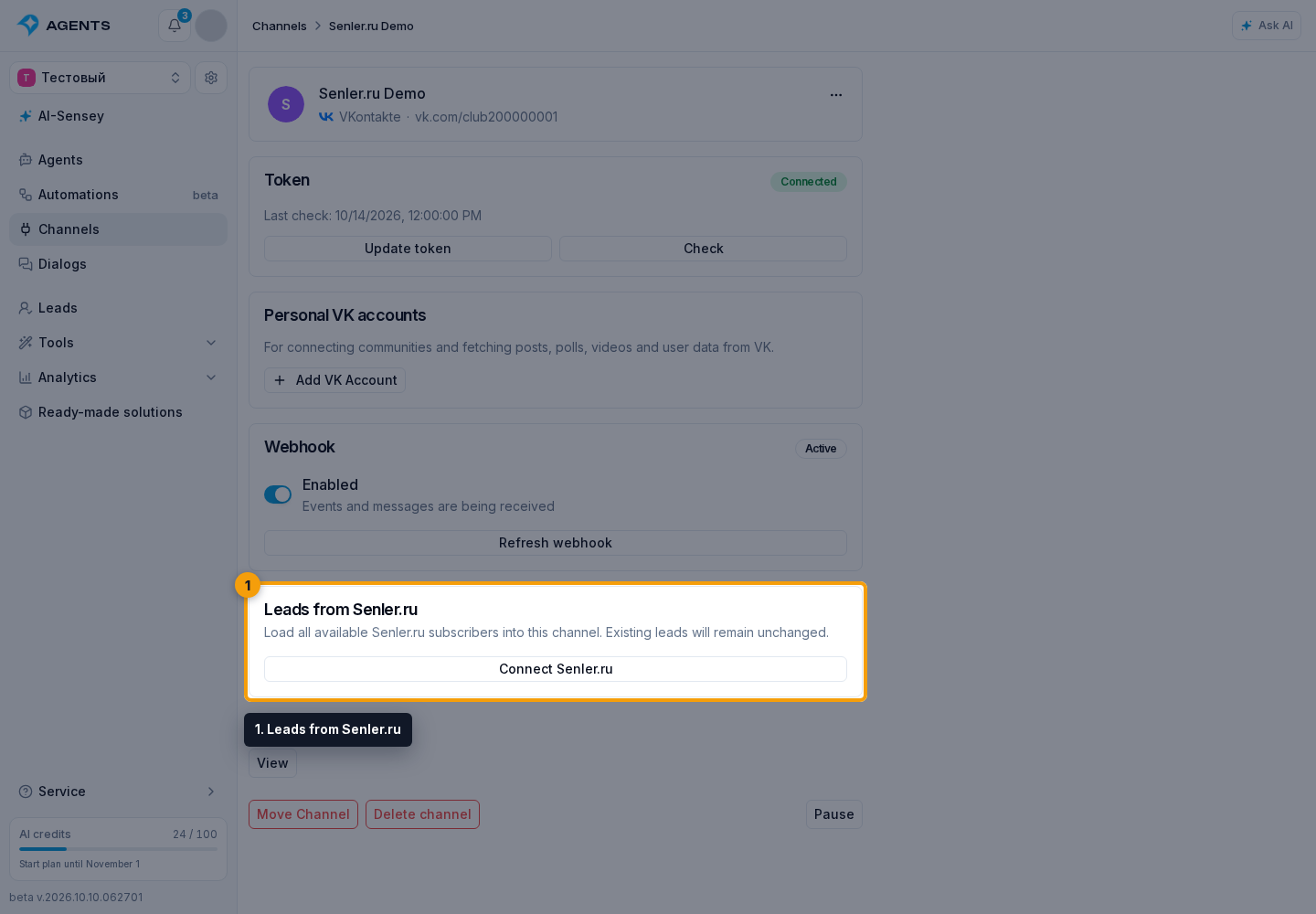
Connect a VK, Telegram, or MAX channel in Senler.io and open its settings. The Leads from Senler.ru section lets you connect the matching Senler.ru channel and import its leads.
- Click Connect Senler.ru. Only the matching Senler.ru channel can be linked: the same community for VK, or the same bot for Telegram and MAX. You cannot connect another channel's subscriber base.
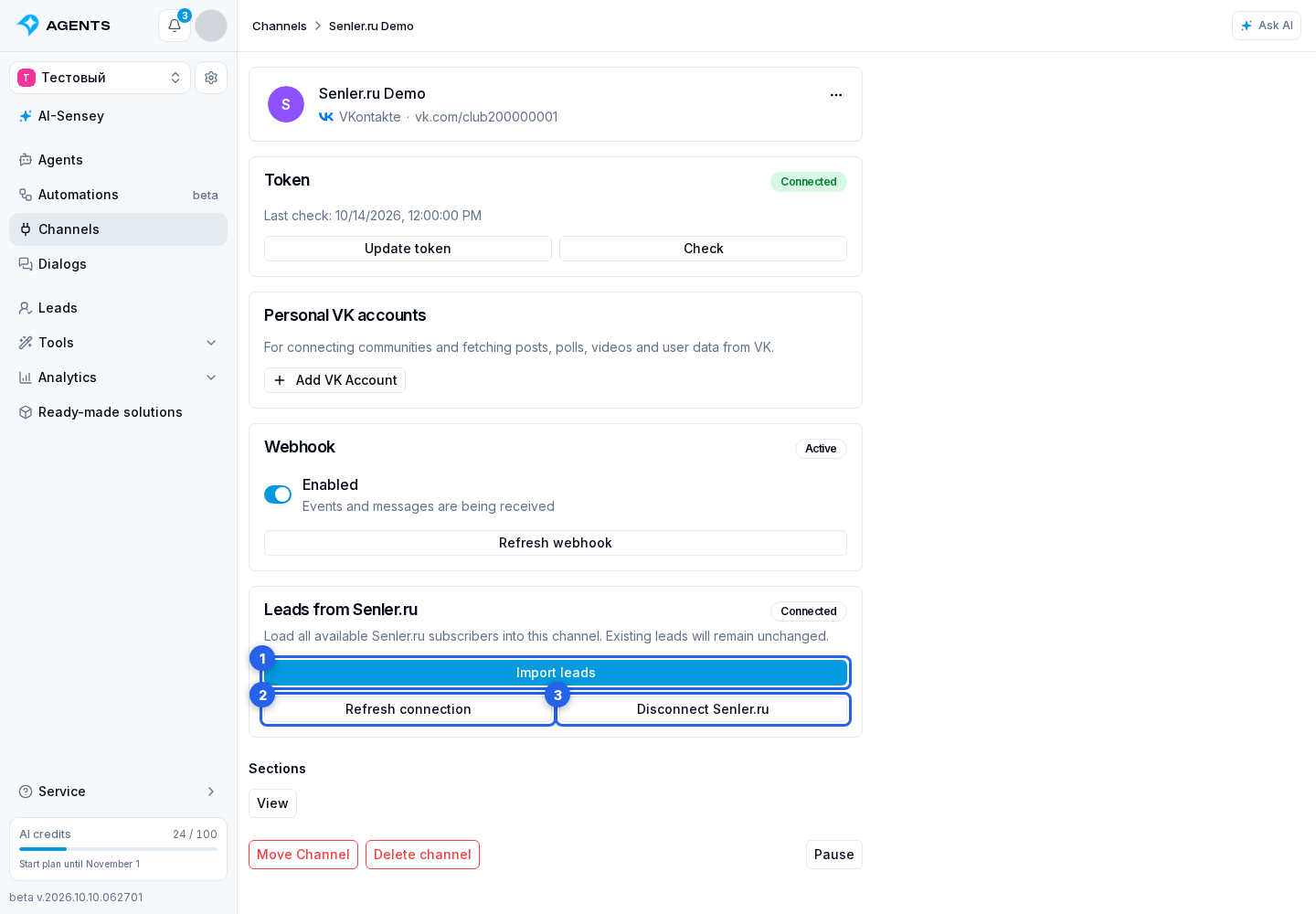
- After linking, the connection status is shown.
- Click Import leads. Starting an import requires lead management permission and a valid Senler.ru connection.
- The import runs in the background as a separate “Leads import from Senler.ru” process. You can close the window. “View import” reopens the same process, including after reloading the page. Only one import runs per channel. Status and results also remain available under Processes in project settings.
- Check the counts of imported, skipped, and failed records. Cancelling keeps leads already added. A repeated import adds only new leads and does not update existing profiles.
- To refresh the connection, click Refresh connection.
- To remove the link, click Disconnect Senler.ru and confirm the action.
After a temporary failure, the import resumes automatically from its saved position. If it stops because of the connection, refresh it and start the import again. If the channel or link has changed, start a new import from the correct channel's settings. Leads already added remain saved.
For your own integration, use API import.