ruLog in to Senler

Widget Button

Open the settings of the Widget channel.

Button Position

The widget button exists only in Popup mode. Place it at the top left, top right, bottom left, bottom right, or hide it. If the button is hidden, the widget can only be opened programmatically from the site.
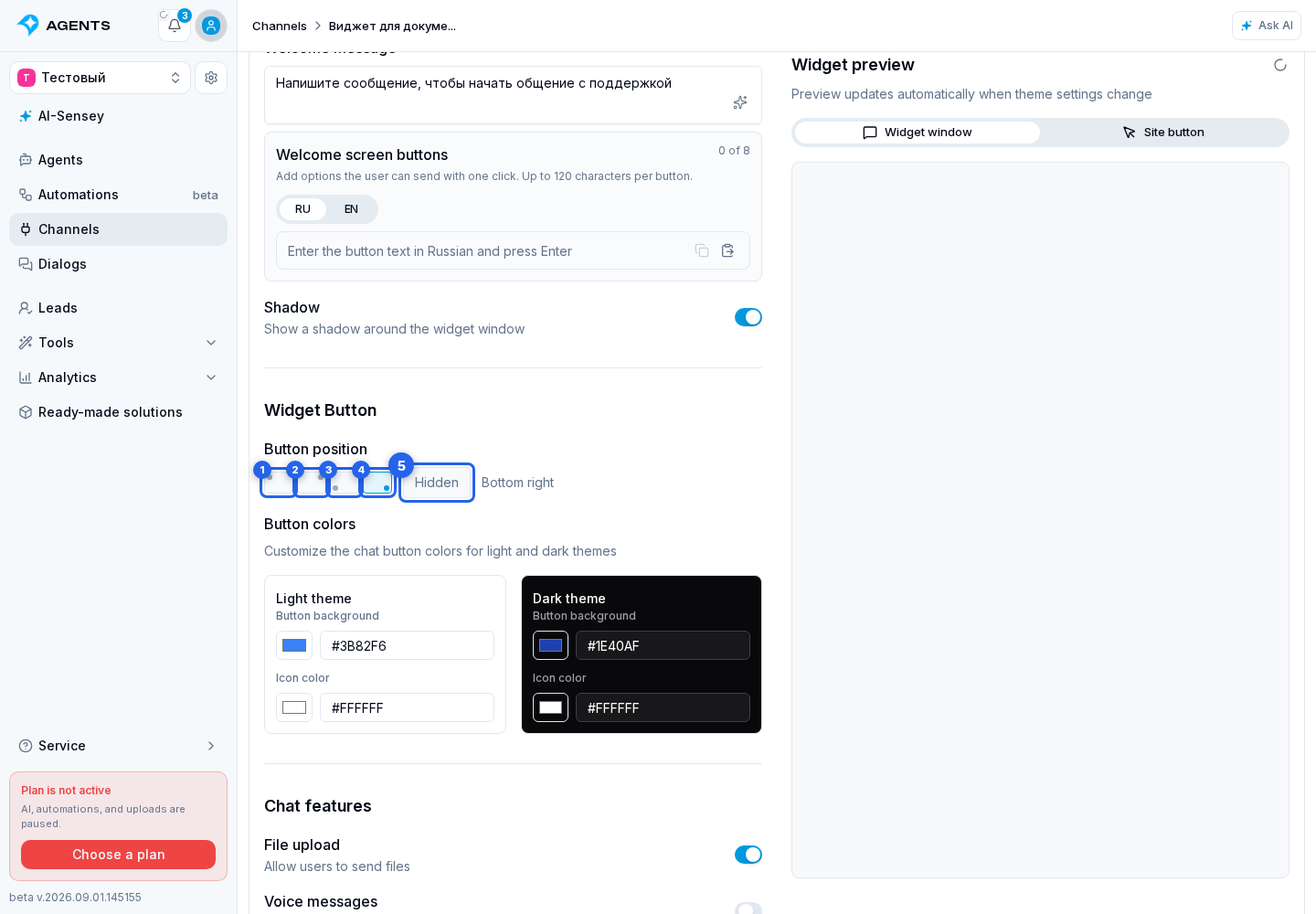
Button Position. Highlighted elements: 1. top left; 2. top right; 3. bottom left; 4. bottom right; 5. hide it
1. top left · 2. top right · 3. bottom left · 4. bottom right · 5. hide it

Button Colors

For the light theme, choose the background in the palette and refine it in the HEX field when needed, then set the icon color in the palette and its HEX field. For the dark theme, use the background palette, background field, icon palette, and icon field.
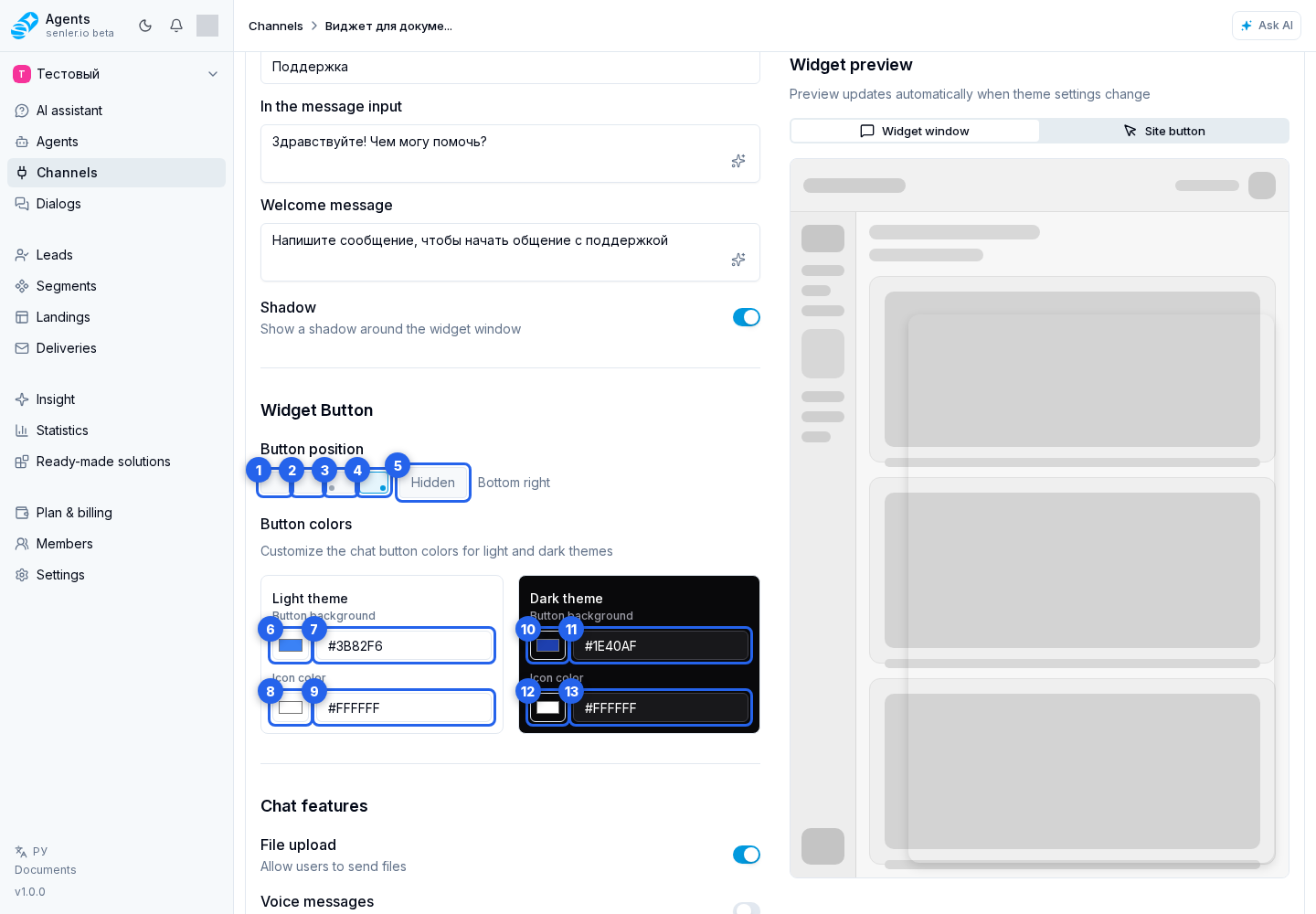
Button Colors. Highlighted elements: 1. background in the palette; 2. HEX field; 3. icon color in the palette; 4. HEX field; 5. background palette; 6. background field; 7. icon palette; 8. icon field
1. background in the palette · 2. HEX field · 3. icon color in the palette · 4. HEX field · 5. background palette · 6. background field · 7. icon palette · 8. icon field