
Retrying webhook delivery
Open the operation in delivery history. First check the failure cause, then choose an action with its consequences in mind.
Retrying and resolving an incident
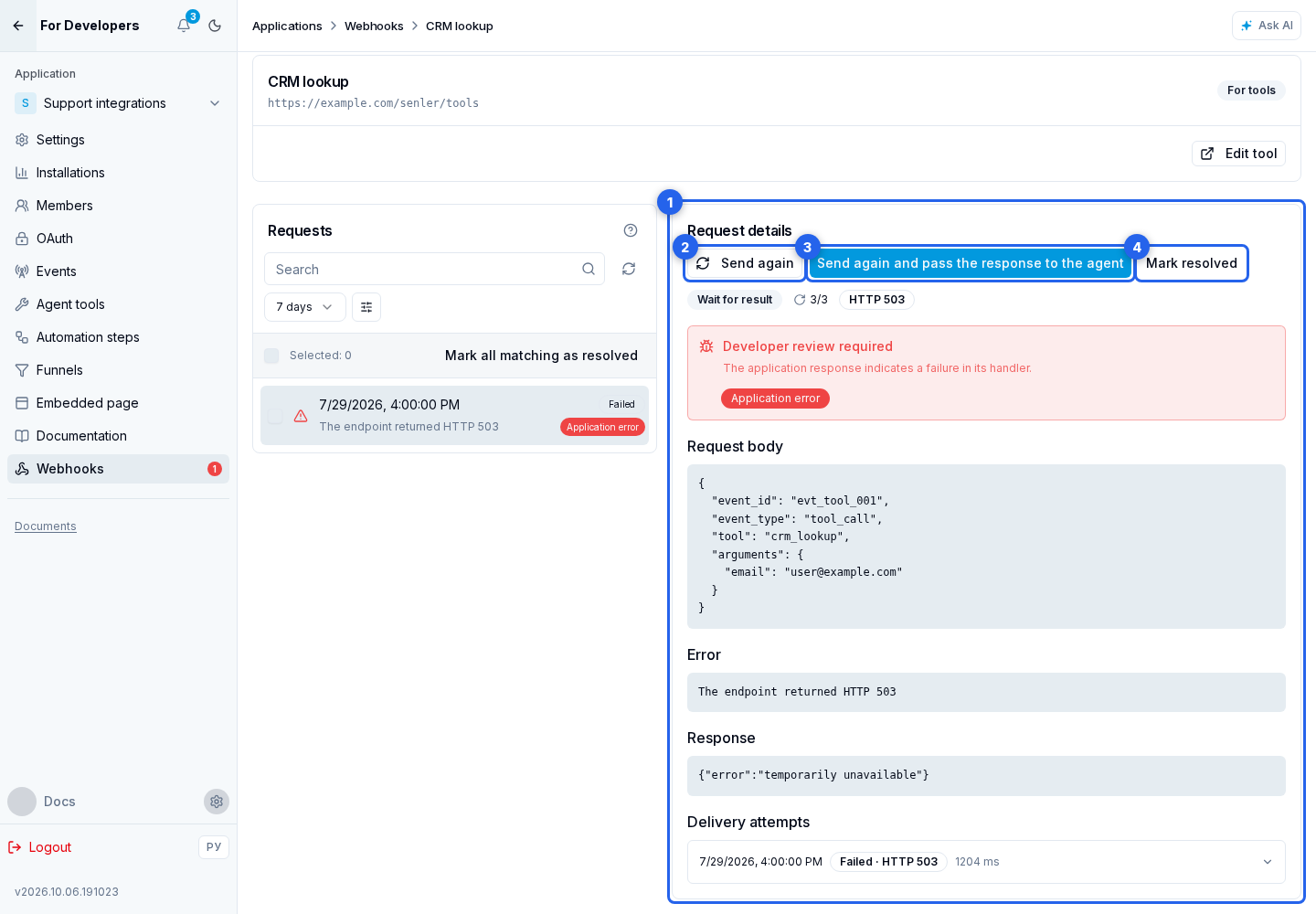
In the selected operation, inspect the request details: the source JSON, HTTP response, or network error. Below is the list of attempts with the time and result of each delivery. Fix the cause first, then choose the action you need:
- Send again resends the stored request to the webhook URL. The response stays in the journal and does not by itself resume a waiting agent.
- Send again and pass the response to the agent is available for a wait-for-result tool when the operation is linked to an agent and can be retried. After a successful response, the result is passed to the waiting agent to continue its work.
- If no retry is needed, mark the problem as resolved. It is removed from the unresolved count, but the request is not resent and history is retained.
Resending is available only for an unresolved operation in a retry or failed state. It normally requires incident.retryable: true. The exception is an external handler's HTTP 401 or 403 response: after repairing authentication or permissions, you can resend manually even with retryable: false. The Automatic retry unavailable label does not prevent this manual resend. The exception does not apply to failures inside the platform.
If the resend button is absent, correct the data or configuration and run the originating action again. This creates a request with current data. Resending from the journal does not rebuild parameters: it uses the stored request body.
Before confirming, consider duplicate protection. A manual resend creates a new delivery operation but preserves the original event_id; the body timestamp is updated and other data stays unchanged. Automatic attempts also preserve event_id, but update the body and header timestamps for every delivery. The handler should therefore identify duplicates by event_id, not by time or an exact JSON match. If the action was already completed, do not create the order or message again; for a tool, return the previous result in the expected format.
Multiple operations
For several unresolved operations, select all loaded requests or select rows manually. You can resend up to 25 selected requests in one action; each must allow a manual retry. Each creates a separate operation with its original event_id. Mark selected as resolved supports up to 100 requests. Mark all matching the filter as resolved handles up to 1,000 matches; narrow the filter when there are more.
Resolving an incident
When resolving an incident, select a reason and leave a comment from 10 to 1,000 characters. For a normal review, use reviewed when no fix was needed, or fixed when the cause was corrected. Special cases also support obsolete, superseded, invalid_payload, accepted_loss, task_completed, diagnostic_completed, replay_cancelled, and webhook_deleted. The reason code is stored as resolution_code and the comment as resolution_comment; an agent can use both fields to distinguish a reviewed incident from one that was actually fixed.
Operations are retained for 90 days, unresolved errors until resolution, and individual delivery attempts for 365 days. Marking a problem Resolved neither deletes history nor resends the request; it only removes the problem from the unresolved count.