
Building a package
Before building a package
You need view permission for source resources and management permissions for every package resource type in the destination project. Before transferring, review package contents and additional settings: variable values can contain secrets, and some agent permissions must be configured again on the copy.
Build A Package From Several Resources
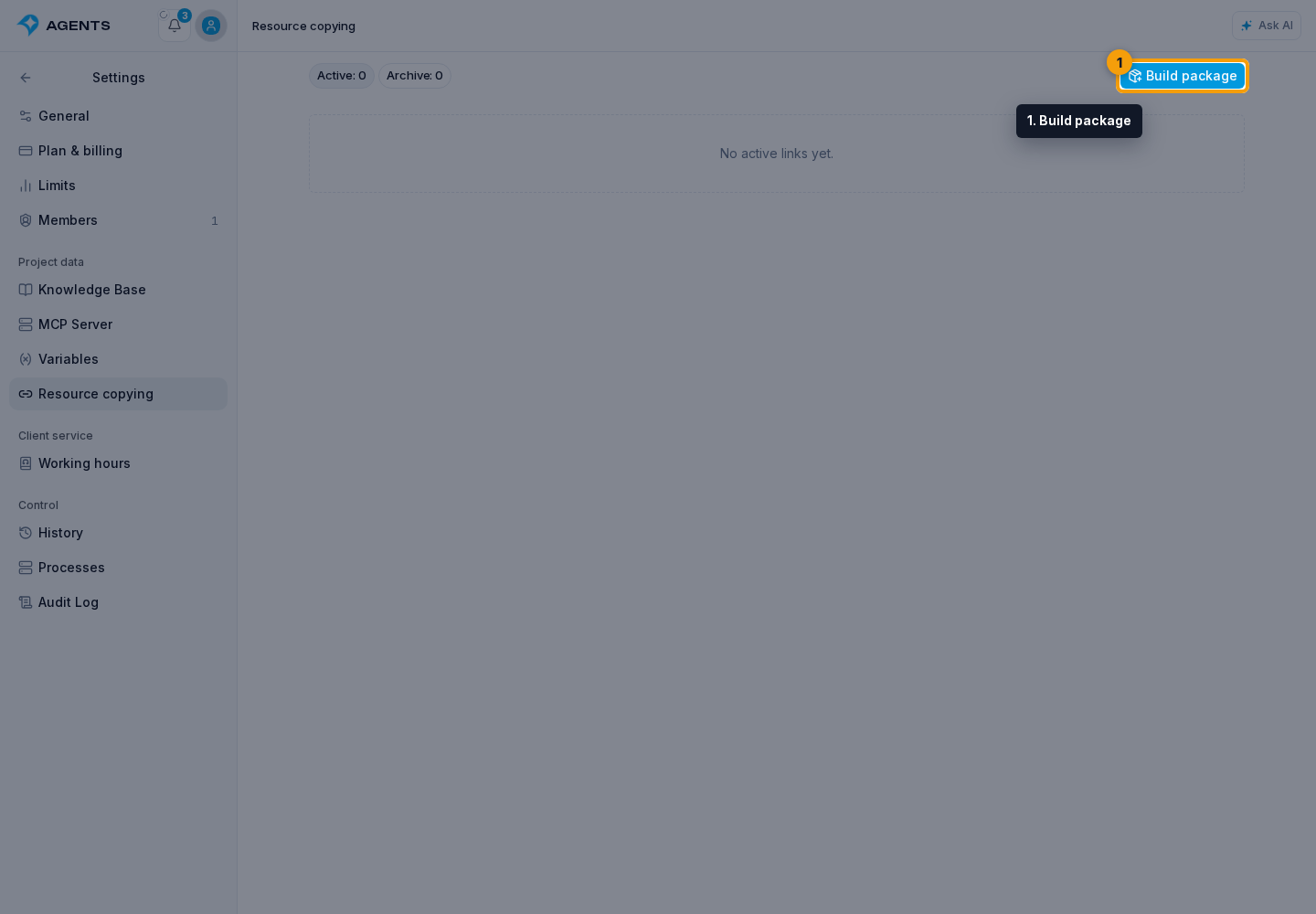
To transfer several independent items at once, click the Settings gear to the right of the project name. In Project data, open Resource copying and click Build package.
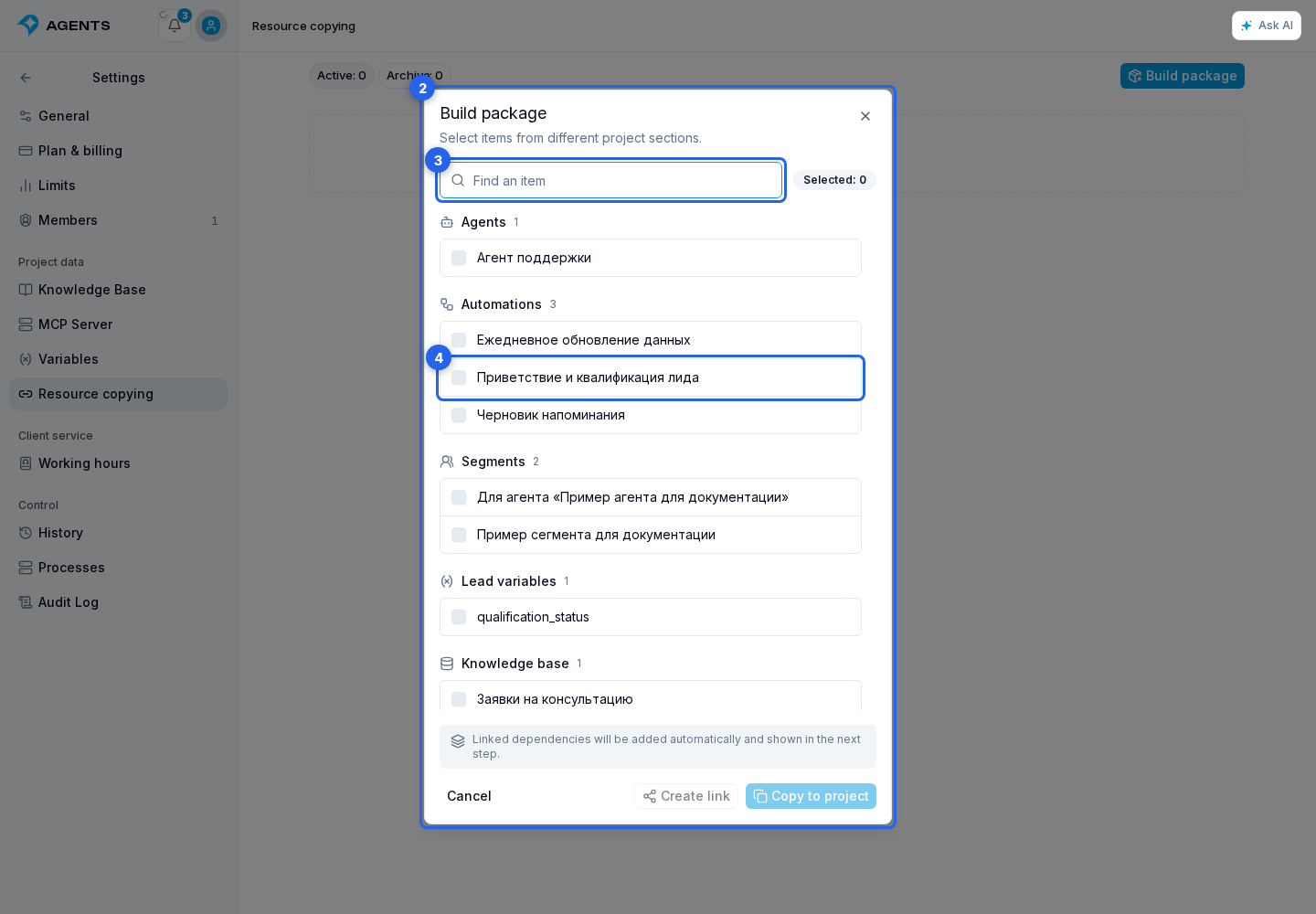
The builder window groups resources by section: agents, automations, deliveries, segments, consent documents, landings, custom metrics, project variables, lead and dialog variable definitions, and the knowledge base. Only sections and items you can view are shown. Landings contain standalone pages, while metrics contain custom, non-built-in metrics.
- Find the required items with the name or ID search. Large agent, landing, and variable groups have result pages; deliveries have a button to load more items. Selections are kept when you change pages or search terms.
- Select the package items. The first selected item is marked as the root. It determines the default package name and the source section recorded for the link. If you clear its selection, the next selected item becomes the root.
- Click Copy to project or Create link.
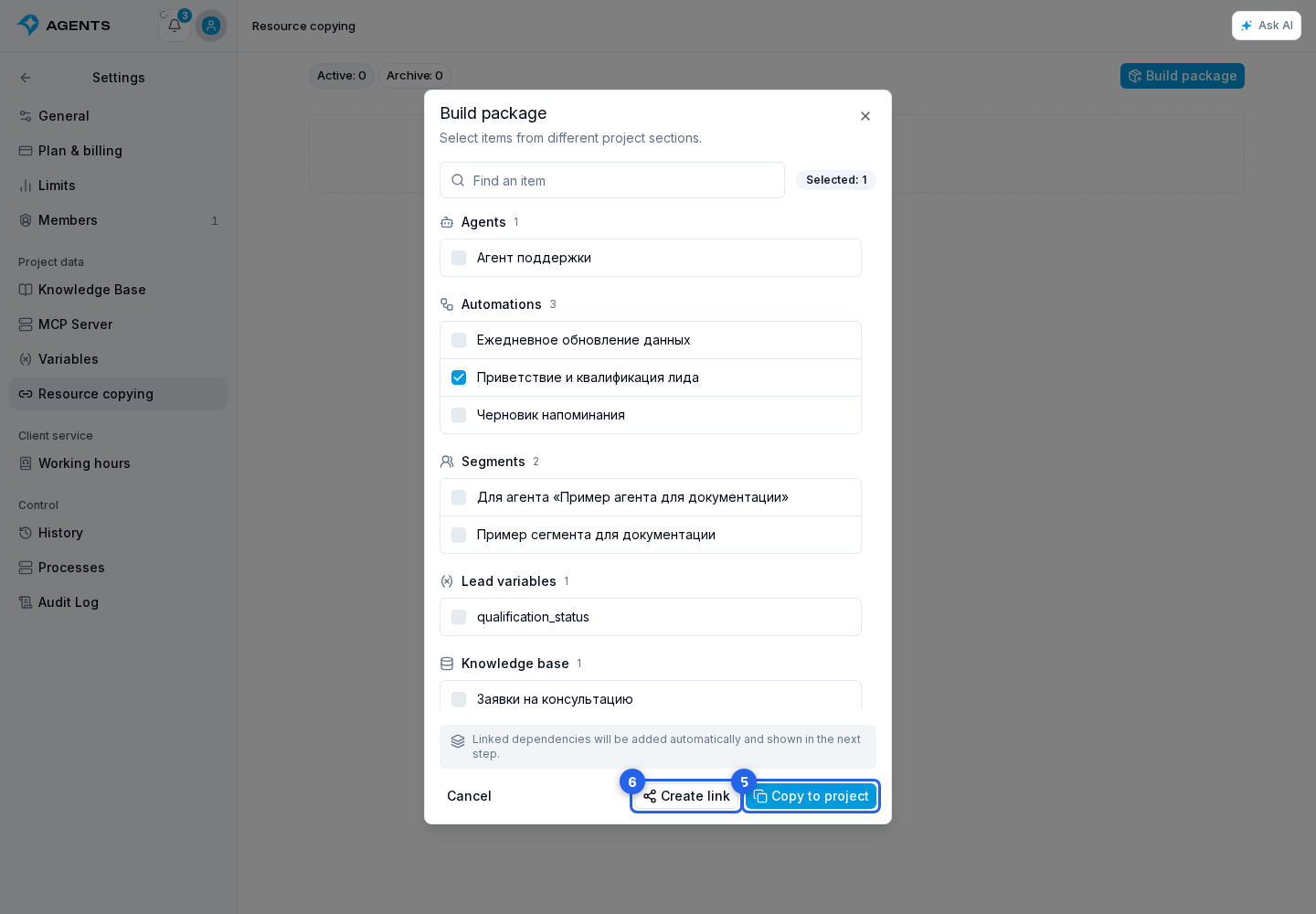
- Review the calculated contents in the next window. Linked dependencies of selected items are added automatically.
If a package contains an automation, the titles, descriptions, and positions of its visual step groups are transferred with it. Groups are not separate resources and cannot be selected separately in the package.
Continue with copying into a project or sharing by link.