
Run Controls
Open the automation runs and select a run. Actions require permission to manage automations.
Pause and Resume
To pause execution temporarily, select the pause button. The current step finishes, then continuation stops.
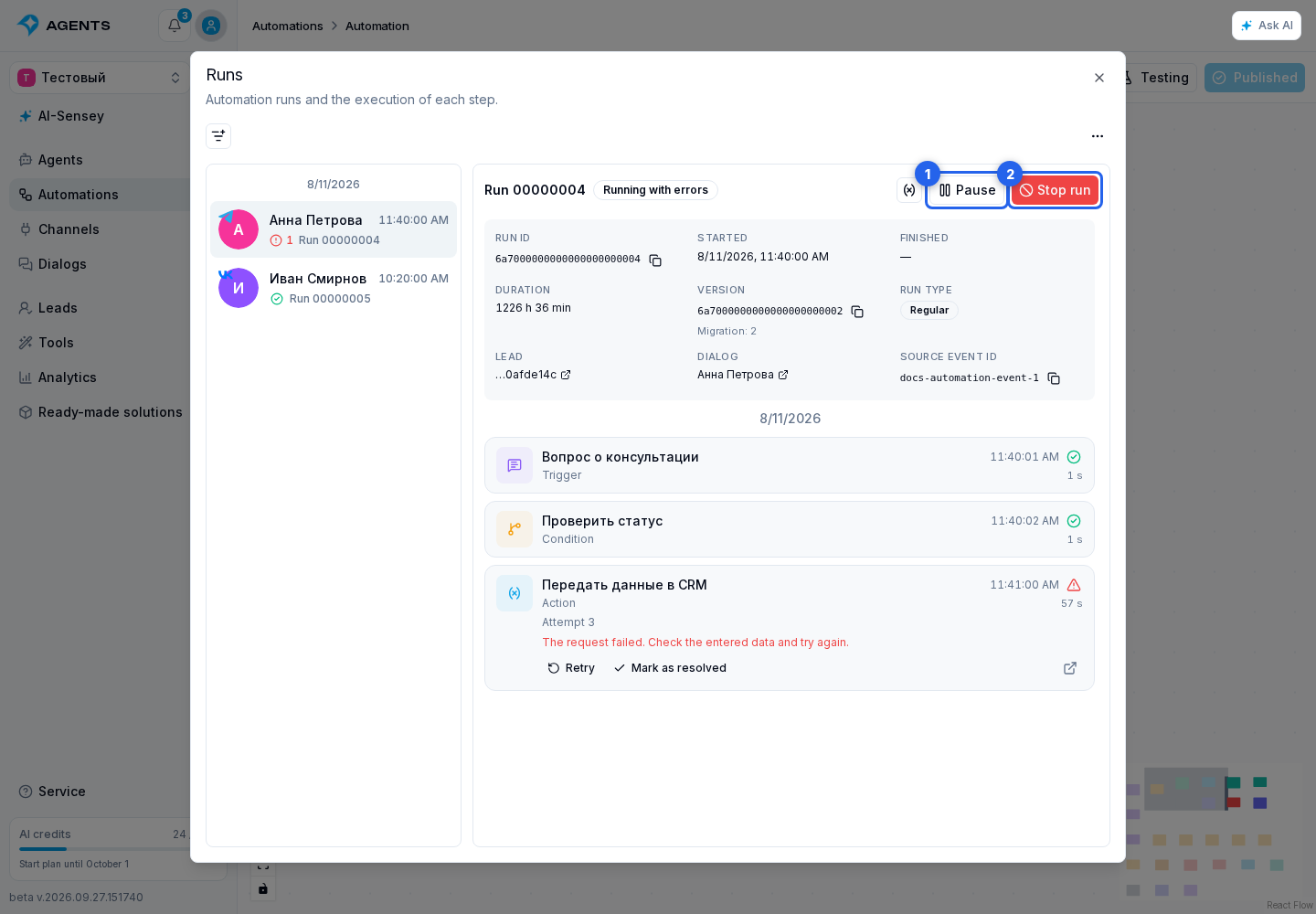
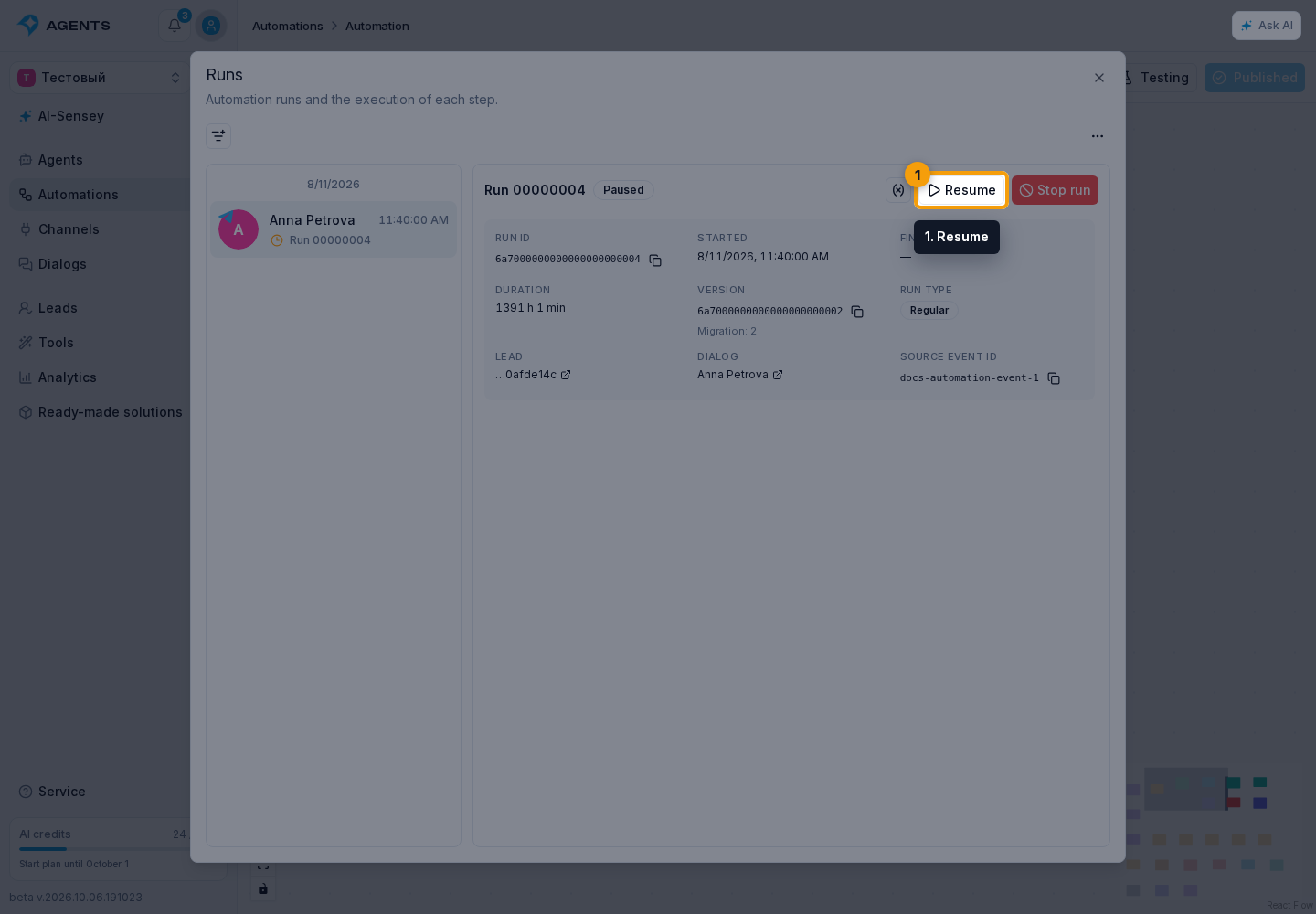
Resume allows the following steps to execute.
Stop Permanently
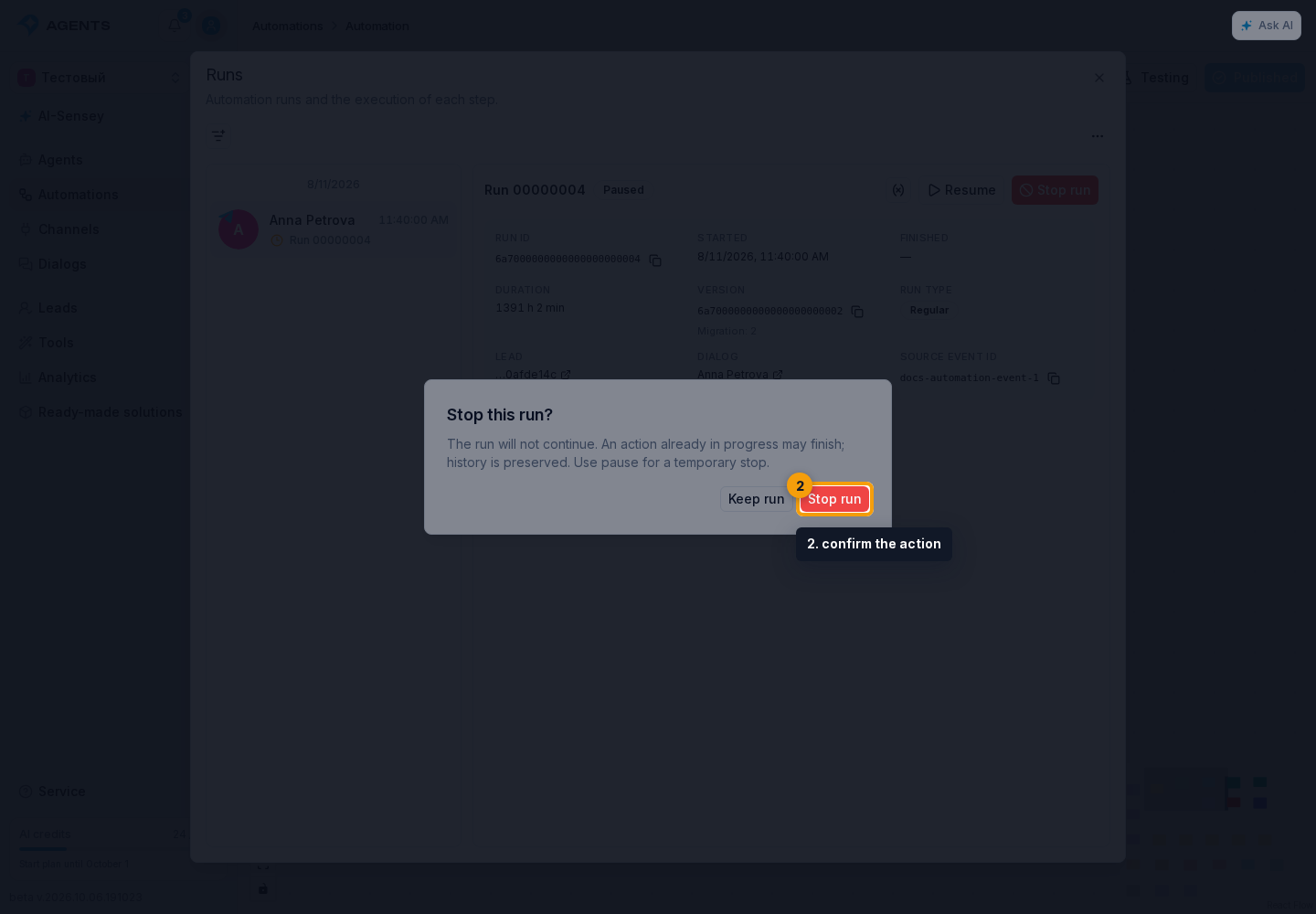
To stop permanently, select Stop run and confirm the action. This is available for running, paused, and failed runs. The current step may finish; completed actions are not rolled back. A stopped run cannot be resumed, its steps cannot be retried, and buttons in previously sent messages cannot continue it.
A failed step is not the same as stopping the entire run: other branches may continue. An available button or an expected reply to a previously delivered message can start a configured branch even after the run failed or completed. This does not retry the failed step. A manual pause holds continuation, while stopping closes the run permanently.
For multiple runs, use bulk actions.