
Dialog Costs
Check AI Costs For The Entire Dialog
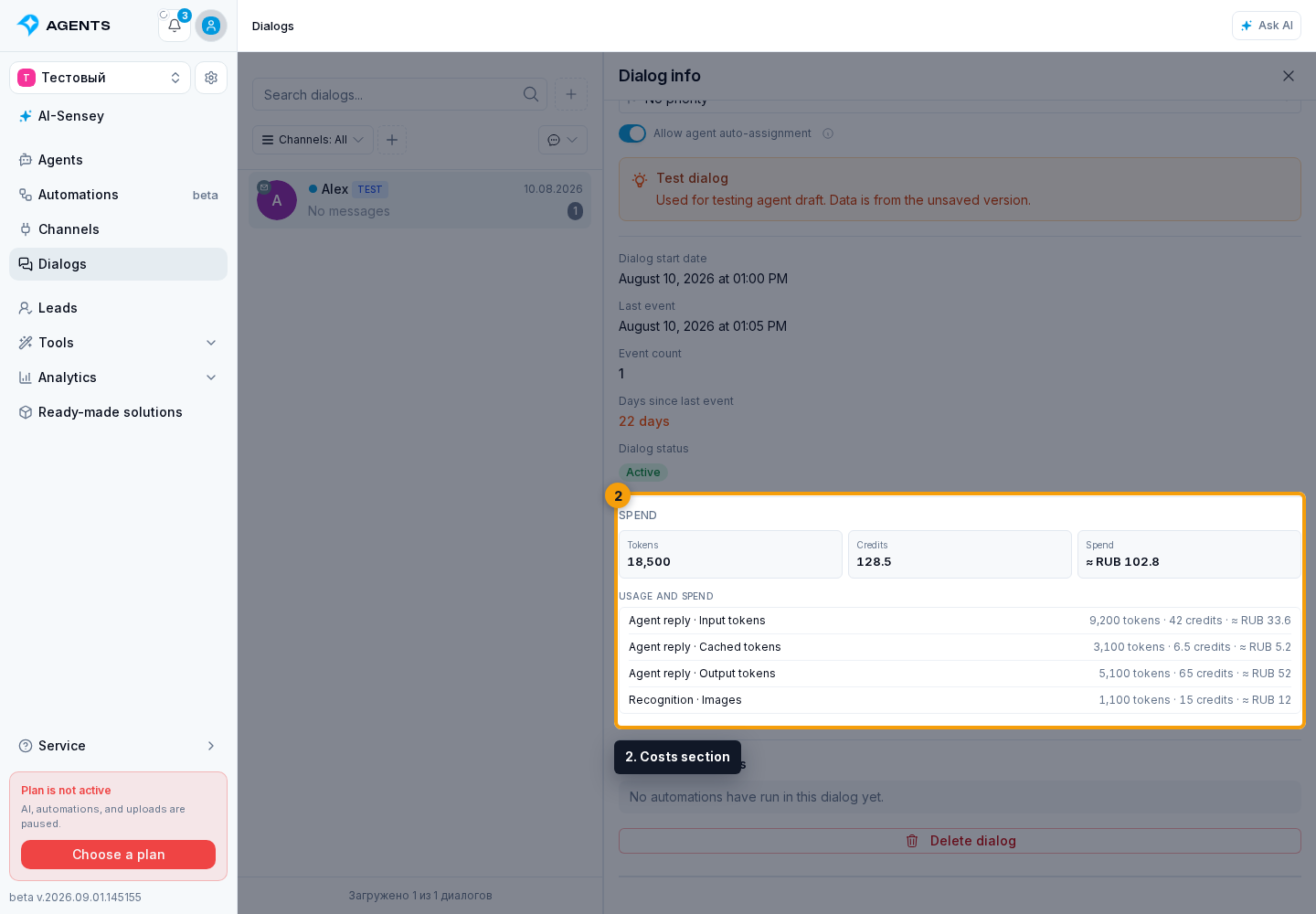
Open the required conversation, select the dialog information button, and scroll below the dates and statistics. The Costs section brings together all recorded AI operations in this conversation: total tokens, deducted credits, and an approximate expense in the project currency.
Operation Breakdown
Below the totals, the breakdown contains only operations that were actually used: agent-reply input, cached-input, and output tokens; image or speech recognition; image or audio creation; metrics and summaries; canceled generations; and other usage. Empty categories are not shown.
The currency amount is an informational equivalent of the used credits, not a separate monetary charge. If some older operations do not have a complete breakdown or reliable conversion, the panel says so directly; the credit total remains the primary value.
If a cost refresh temporarily fails, the panel keeps the last loaded amounts and warns that they are not up to date. This does not mean zero cost: refreshing retries automatically. If amounts have never loaded, an error message appears instead.
For a single response, open message information.