
Connecting messengers
Use the profile icon to open Notifications and find Account notification channels at the top. The connection belongs to the account; events are selected separately for projects.
Connect a messenger
Connection always starts in the Account notification channels block at the top:
| Messenger | Connect | While confirmation is pending | After connection |
|---|---|---|---|
| Telegram | Select the connection row | Open the bot again or cancel | Disconnect |
| VK | Select the connection row | Open the bot again or cancel | Disconnect |
| MAX | Select the connection row | Open the bot again or cancel | Disconnect |
After selecting the row, complete confirmation using the link that opens. Until confirmation is complete, the channel may show Awaiting confirmation or Waiting for subscription.
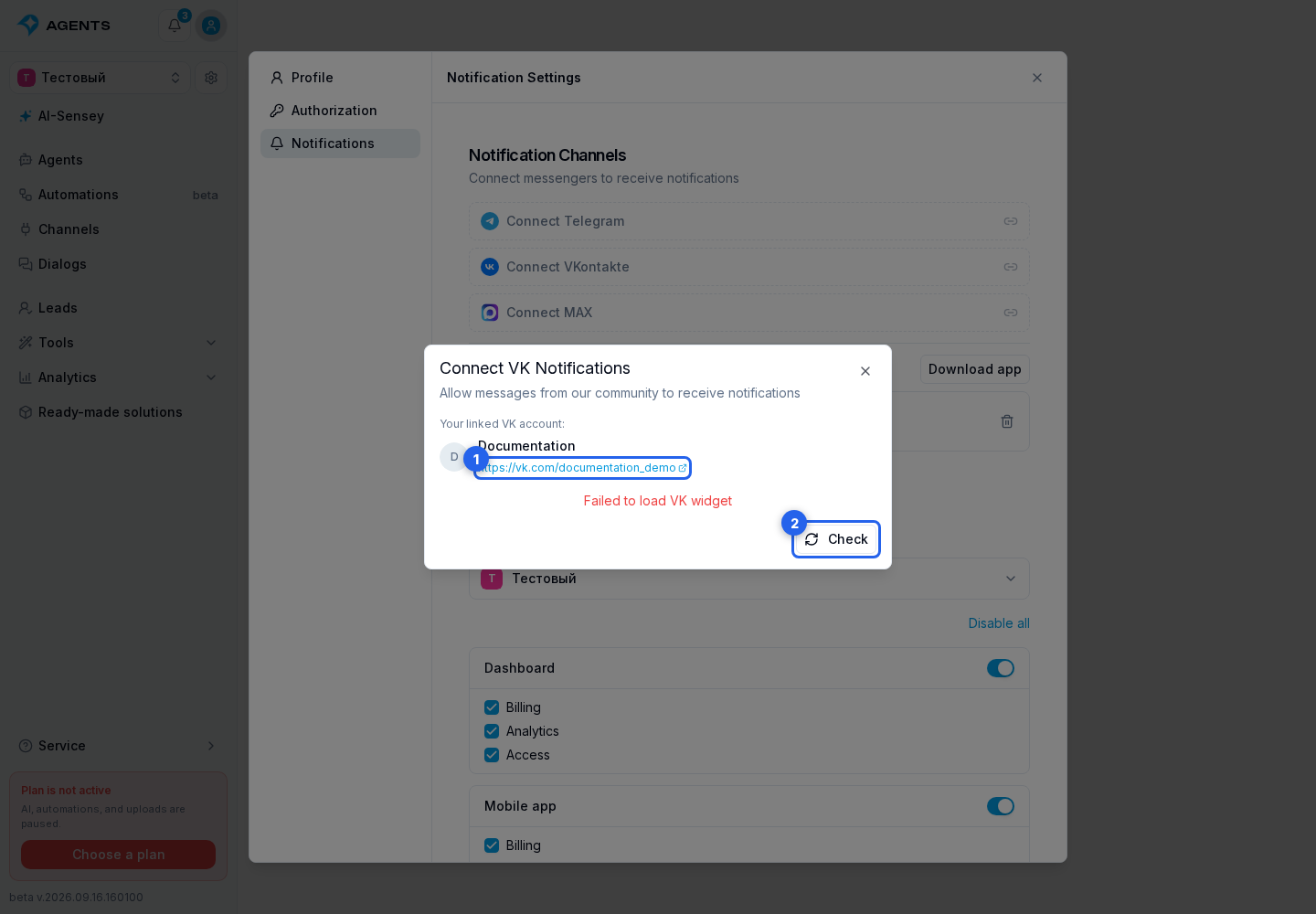
VK may additionally request permission for community messages and a linked VK account.
In the VK connection dialog, check the linked account: when a link is available, you can open its profile. After allowing messages, select Check if the state has not updated. The check reloads the connection status but does not grant permission for messages itself.
A messenger row appears in the Project notifications block below only after that messenger has been confirmed in the top block. Connect the account channel first, then configure its project events.
Reconnecting a Messenger
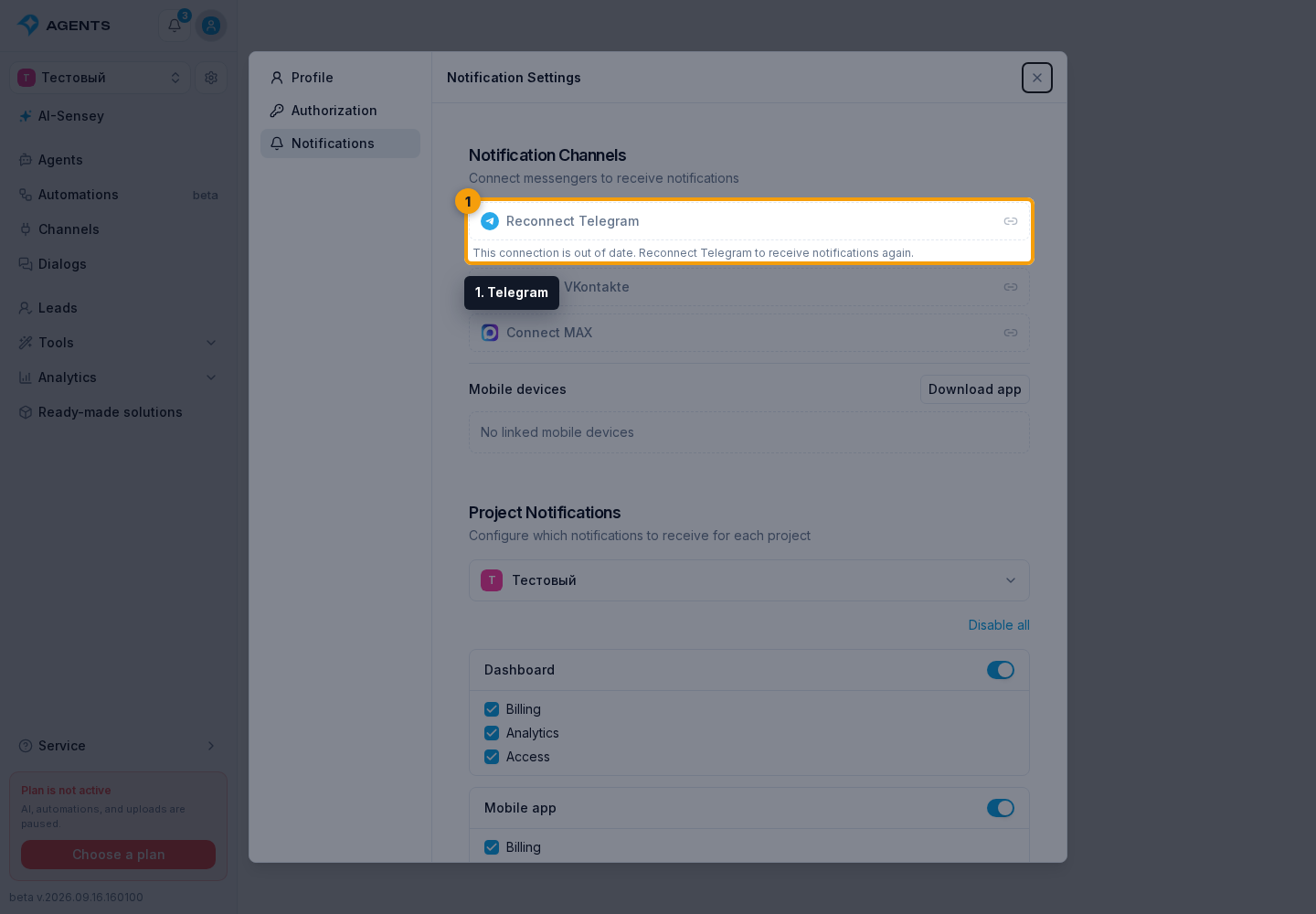
If the connected account in the Telegram, VK, or MAX row is replaced by a reconnect button, the previous connection can no longer be used for notification delivery. Select the button and confirm the connection again using the link that opens. Notifications to that messenger are paused until confirmation; the project's selected event categories are preserved.
If messages do not arrive
Complete connection confirmation and check your bot subscription. Then choose the project and enable notification categories. Connecting a messenger does not select events for every project.