
Error Handling
First configure the HTTP request and open its step in the automation editor.
Configure errors and retries
Open the Advanced dialog to change the timeout and number of attempts.
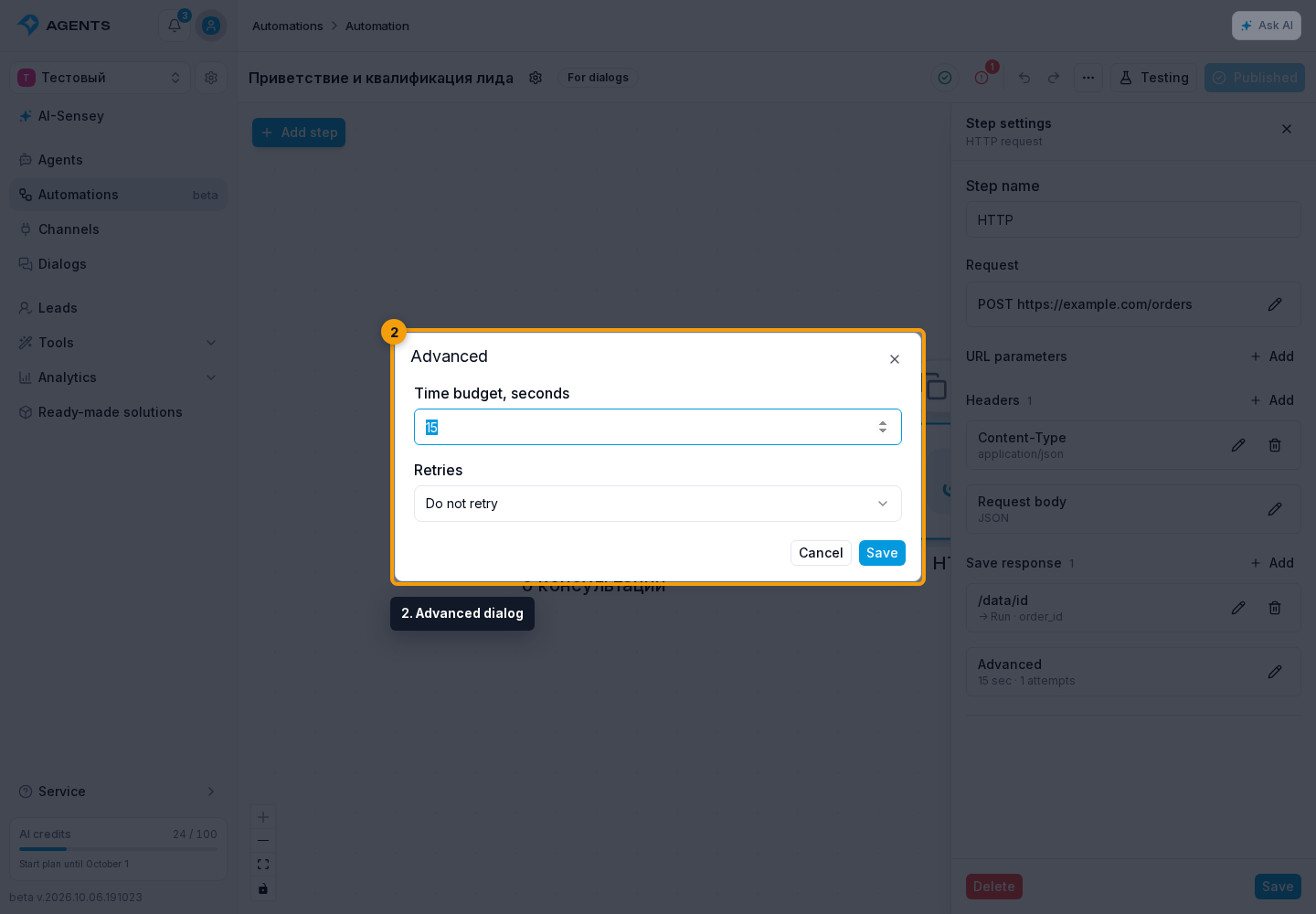
The step always has two outputs: Success and Error. Statuses 200–299 count as success when the selected data is saved successfully. Request or mapping failures follow the Error output. Available selected response fields are saved first; missing JSON fields, headers and absent responses are skipped. The Error output then runs. If it has no connection, the run ends with an error and the received data remains in the variables. Saving the HTTP status separately is useful for checking the result.
The time budget is 1–30 seconds including retries. By default, the request runs once. You may allow up to three attempts for temporary network failures and statuses 408, 425, 429 or 5xx. Attempts stop when the total time budget expires.
An invalid domain, an invalid HTTPS certificate, or a blocked destination cannot be fixed by automatic retries. Open the step's error in the run history: check the service URL for a domain error, or the URL and the service's certificate for a certificate error. Use a reachable public HTTP or HTTPS URL instead of a private-network address.
Retry Safety
Use retries for requests that are safe to repeat or services supporting Idempotency-Key. A custom Idempotency-Key header is preserved. The system adds its own key only when you have not supplied one. The same key is used for all attempts of a step. If the outcome is unknown after losing contact with the delivery service, automatic resending is blocked: first check the result in the external service.
Delivery uses the webhook service's address checks, protection against access to private networks, rate limits and response size limits. Redirects are not followed automatically. HTTP and HTTPS are supported.
HTTP status, duration, attempt count and errors belong to this step execution and appear in automation history. Request headers and keys are not added to the step result.
Configure response storage to determine which data is available after execution.