
Hand off to operator step
The Hand off to operator step passes the current dialog to project staff. It is available in For dialogs automations.
Choose an assignment method
Open the step and select an Assignment method:
- Use auto-assignment settings. Keeps the assigned operator in an open dialog if they still have the operator role and access to the dialog. Otherwise, the dialog waits in its group queue or, if it has no group, the project's default group or general queue.
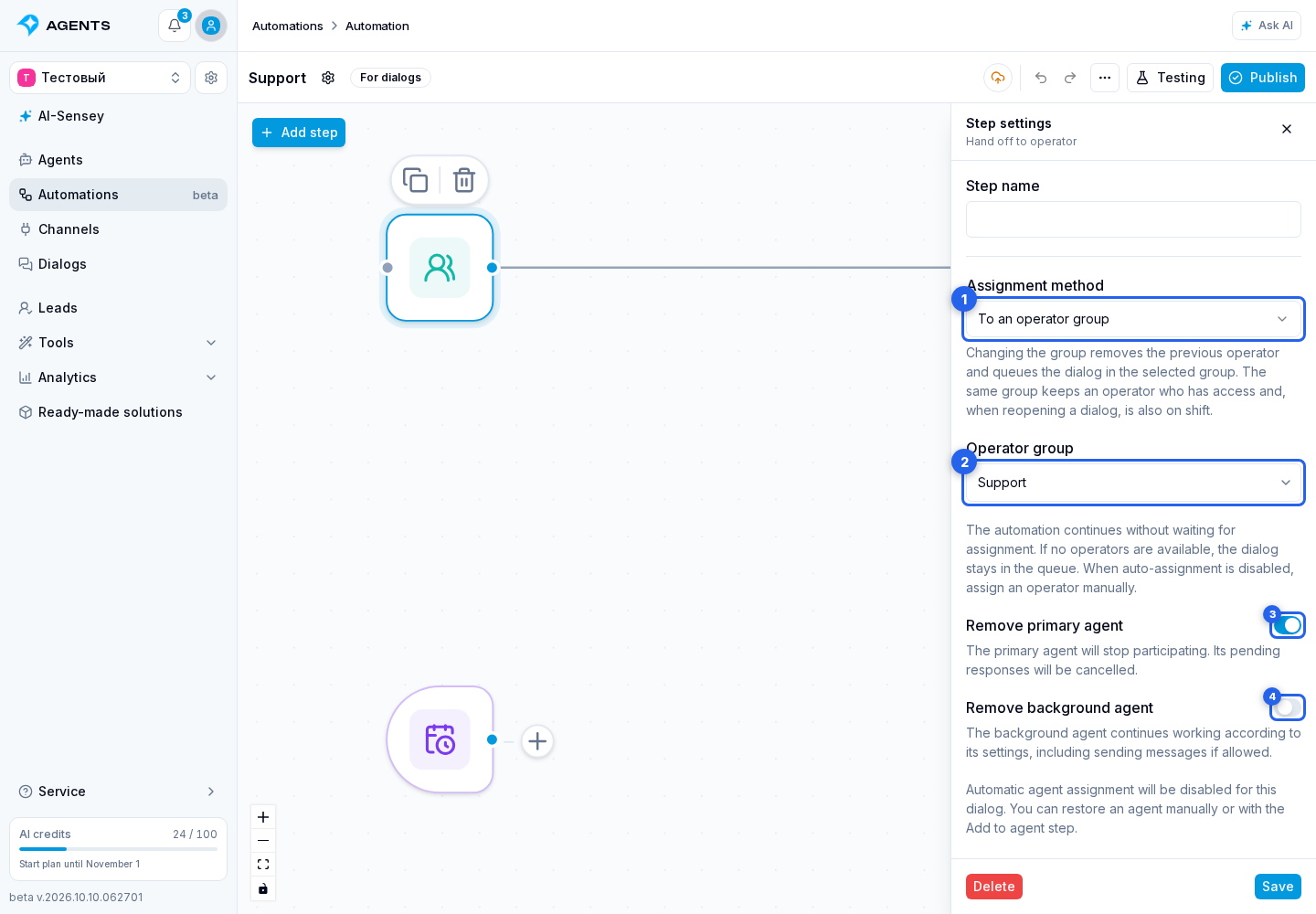
- To an operator group. Select an Operator group. Changing the group removes the previous operator and queues the dialog in the selected group. Repeating a handoff to the same group keeps the assigned operator.
- To a specific operator. Select an active project Operator. They are assigned immediately, regardless of their shift or dialog limit, provided they have access to this dialog. The current dialog group stays the same.
Queue assignment follows auto-assignment settings, shifts, and limits. If no operator is available, the dialog waits in the selected queue. If auto-assignment is disabled, manual assignment is required. The automation continues immediately after the handoff: this does not yet mean an operator has been assigned or replied. Use the separate condition to check assignment.
When reopening a completed dialog, the previous operator is kept only if they have access and are on shift in the same group. If the previous group was deleted, automatic handoff uses the current default group or general queue. When an operator is explicitly selected, the deleted group is cleared and the staff member is assigned regardless of their shift. The previous assignment remains in the history.
If the group explicitly selected in the step is unavailable, or the selected operator has lost their role or access, the handoff fails. The dialog and agent assignments remain unchanged. Update the target in the step settings.
After copying the automation to another project, select the specific group or operator again. An app can include a handoff using auto-assignment settings; a fixed reference to a staff member or group in the source project cannot be included.
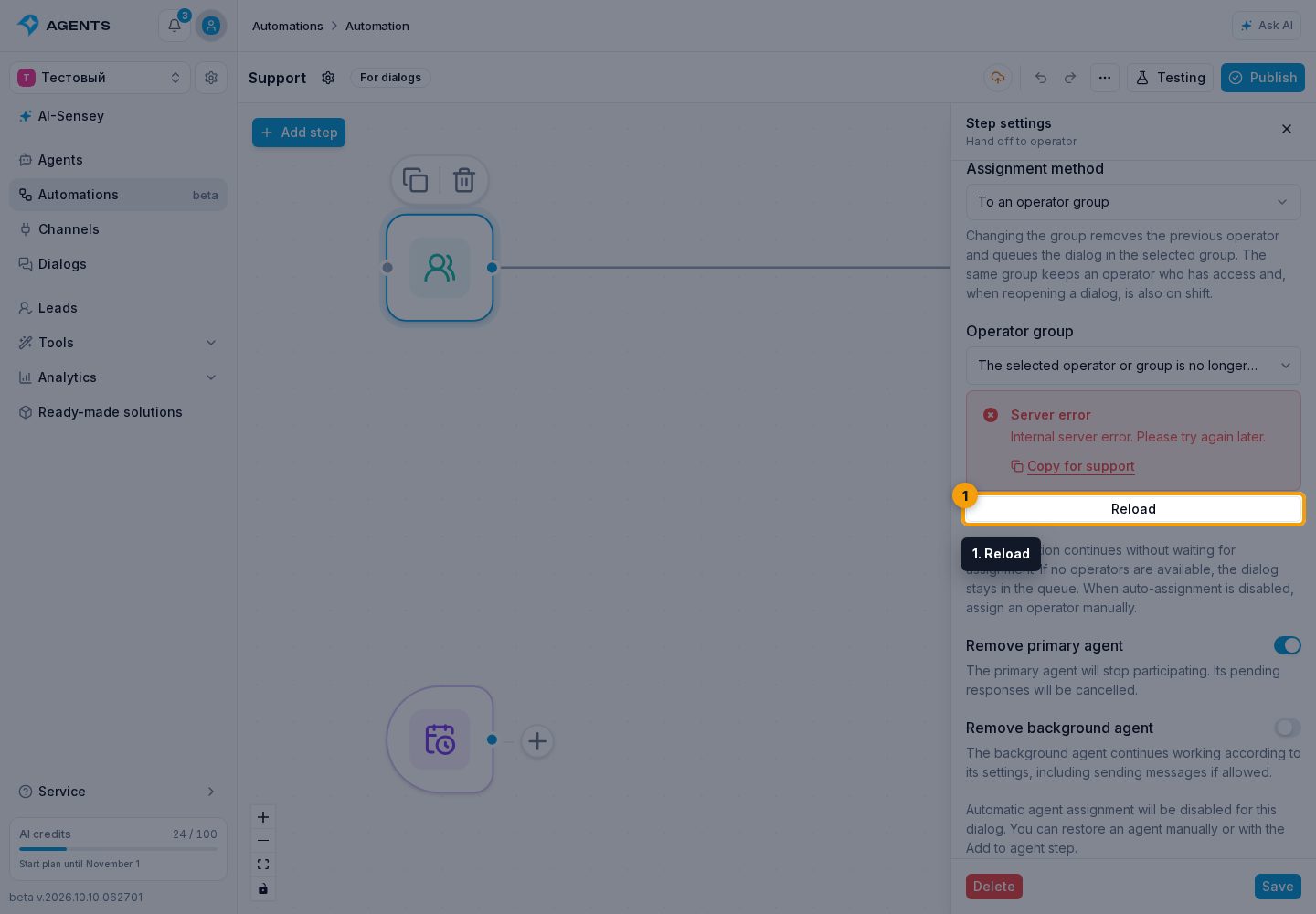
If the operator or group list fails to load, click Reload below the error.
Configure agent participation
The two switches work independently:
- Remove primary agent is on by default. The primary agent is removed from the dialog, and its pending responses and timers are cancelled.
- Remove background agent is off by default. The background agent stays in the dialog and continues working according to its settings, including sending messages if allowed. Turn this switch on to remove its assignment and cancel its pending responses too.
If either switch is on, automatic agent assignment is disabled for this dialog. You can restore an agent manually or with the Add to agent step. If both switches are off, the step keeps agent assignments and the current agent auto-assignment setting.
Hand off an issue from the first line to the second
The first line handles routine questions. When further investigation is needed, the automation runs Hand off to operator → To an operator group → Second line.
The previous assignment is removed and the dialog waits for a second-line operator. If a staff member belongs to both groups, they may receive the dialog again under the regular auto-assignment rules. The group describes the dialog's route, not a unique set of staff members. To send the dialog to a particular person, choose To a specific operator.