
Agent Assignment
In the version draft, create an installation step and complete its common fields.
Prepare the Version Agent
First, add a source-project agent to the version contents. Set Default Agent and Assign Agent in Dialogs appear in the form only after at least one agent has been added.
If a step already uses the agent, change or delete that step before removing the agent from the version. Publish a changed agent draft before publishing the ready-made solution version.
Agent steps
For Set Default Agent and Assign Agent in Dialogs, you must specify:
- the agent slot: the primary agent answers the user, while the background agent performs supporting work;
- an agent from the current version; use search and choose it from the result list.
These steps have no No Agent option.
For Set Default Agent, also choose a dialog scope: all, private, or group dialogs. The scope determines where the automatic assignment rule applies.
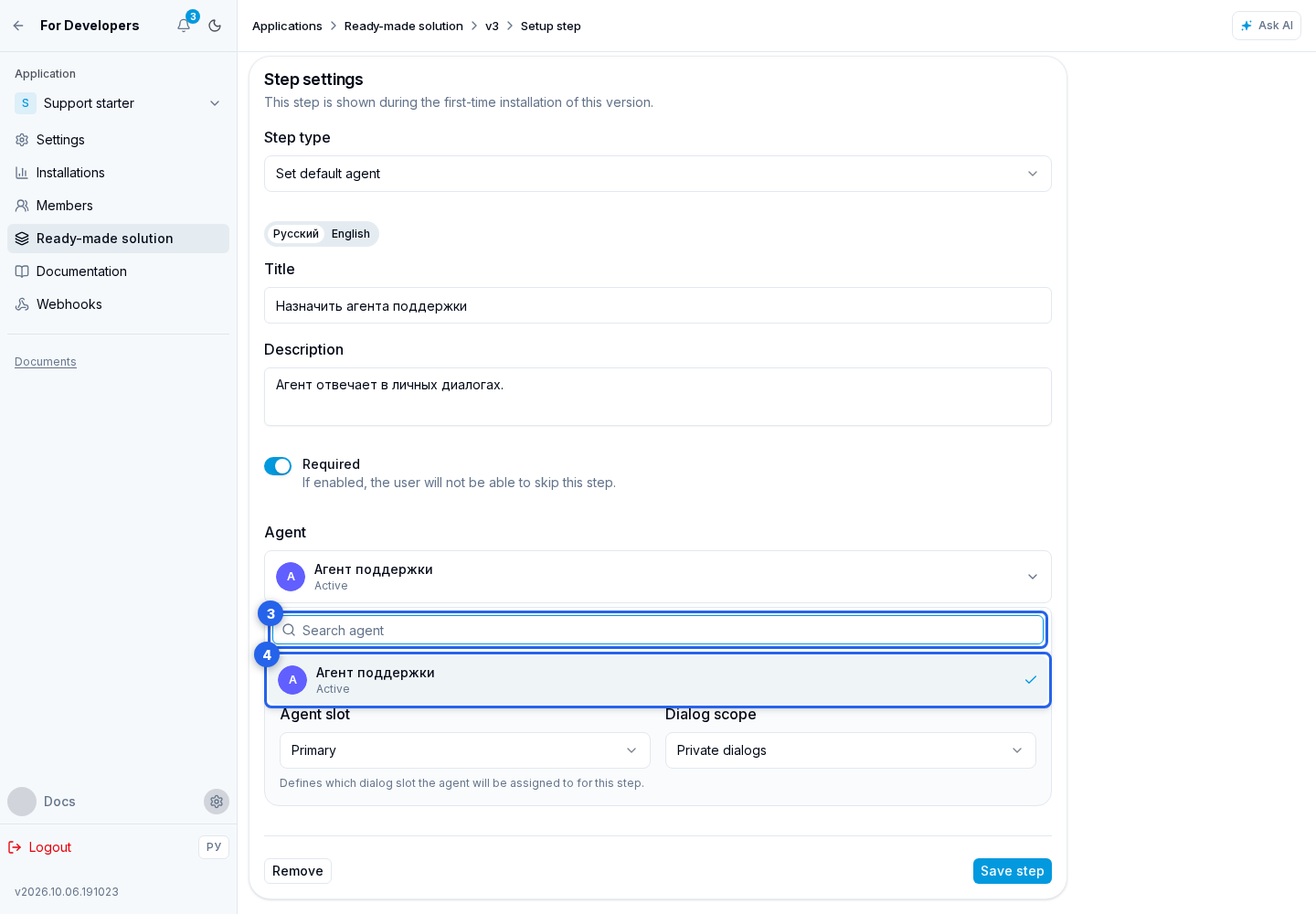
After configuration, save the step.