
Segment Access
An agent can check a lead's segment membership and change it according to its instructions. For example, it can add a customer to News on request, or only explain subscription status without changing it.
Choose segments
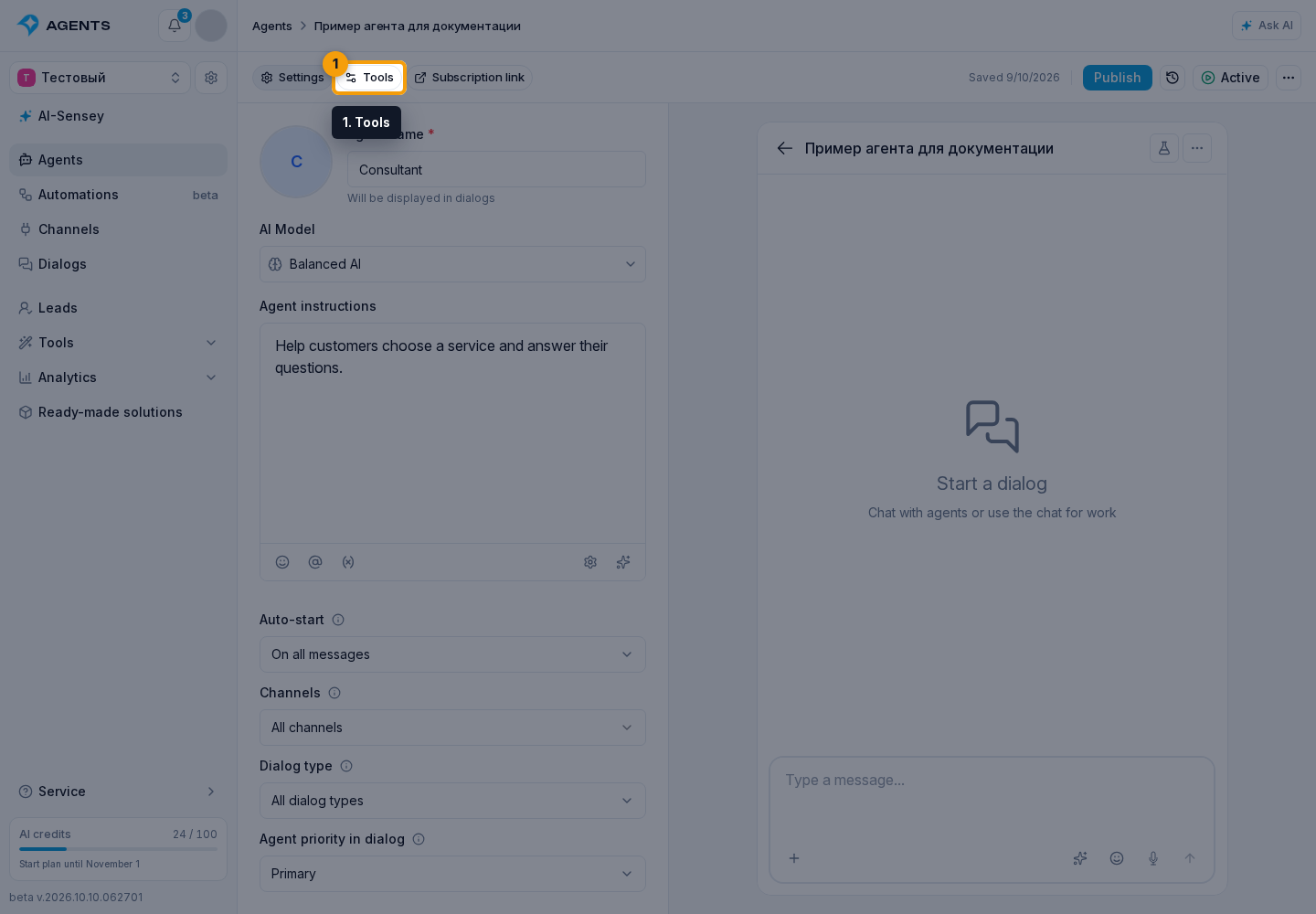
- Open agent tools.
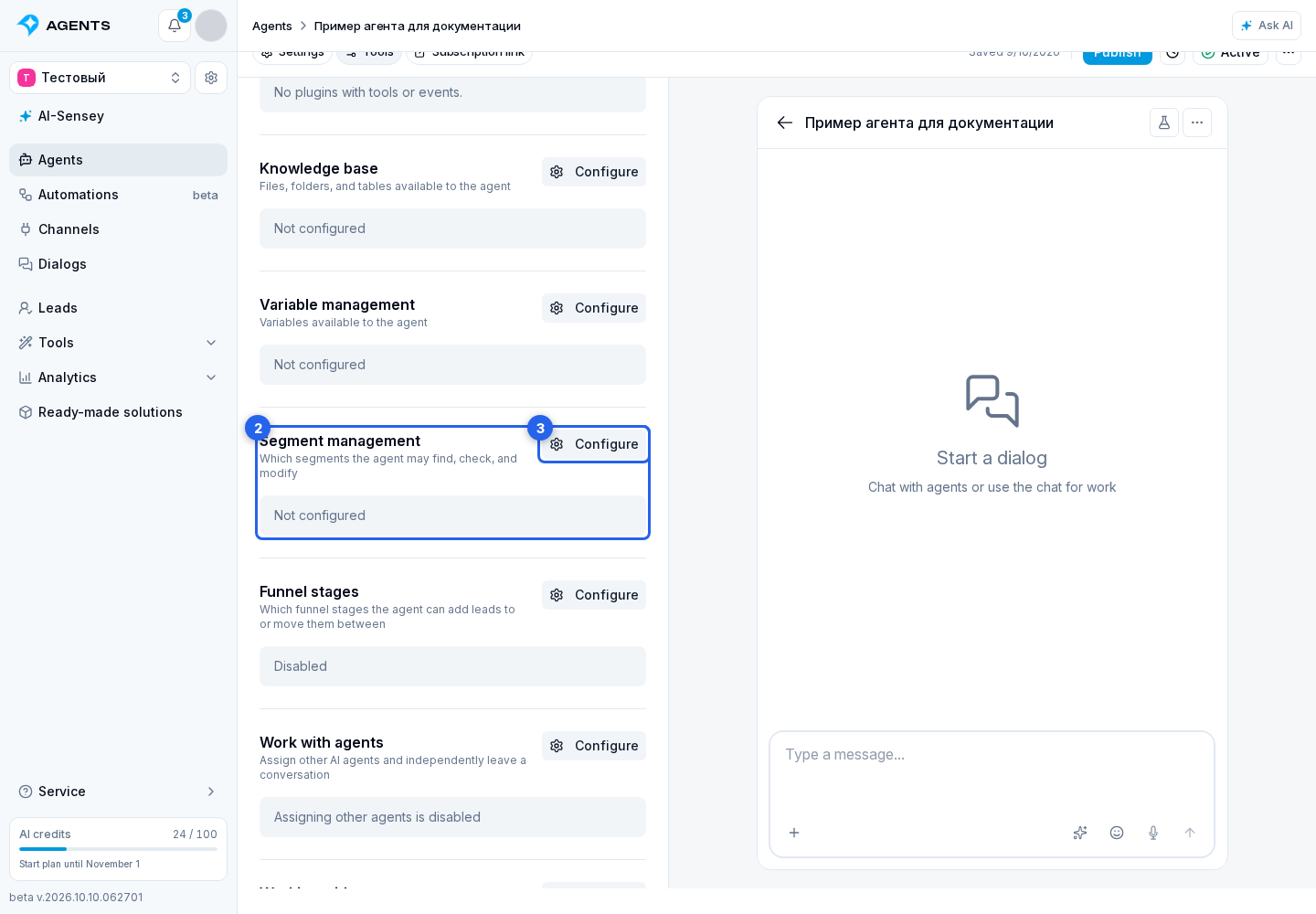
- In "Working with segments", click "Configure".
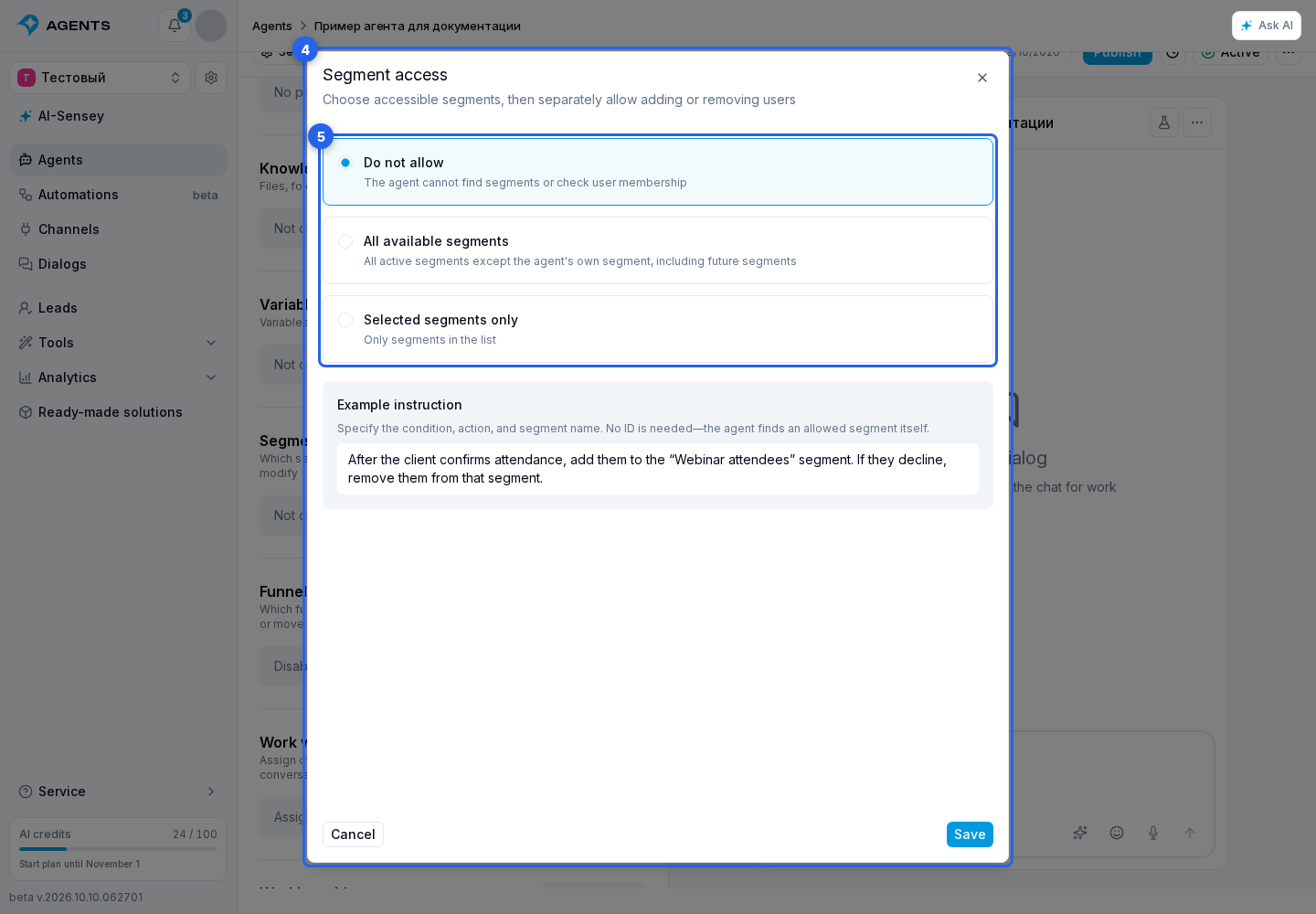
- In the settings dialog, choose the available segments.
Access options: none, all available segments or selected items. "All available" includes segments created in the future. Archived or deleted segments and this agent's own automatic segment are unavailable.
Allow actions
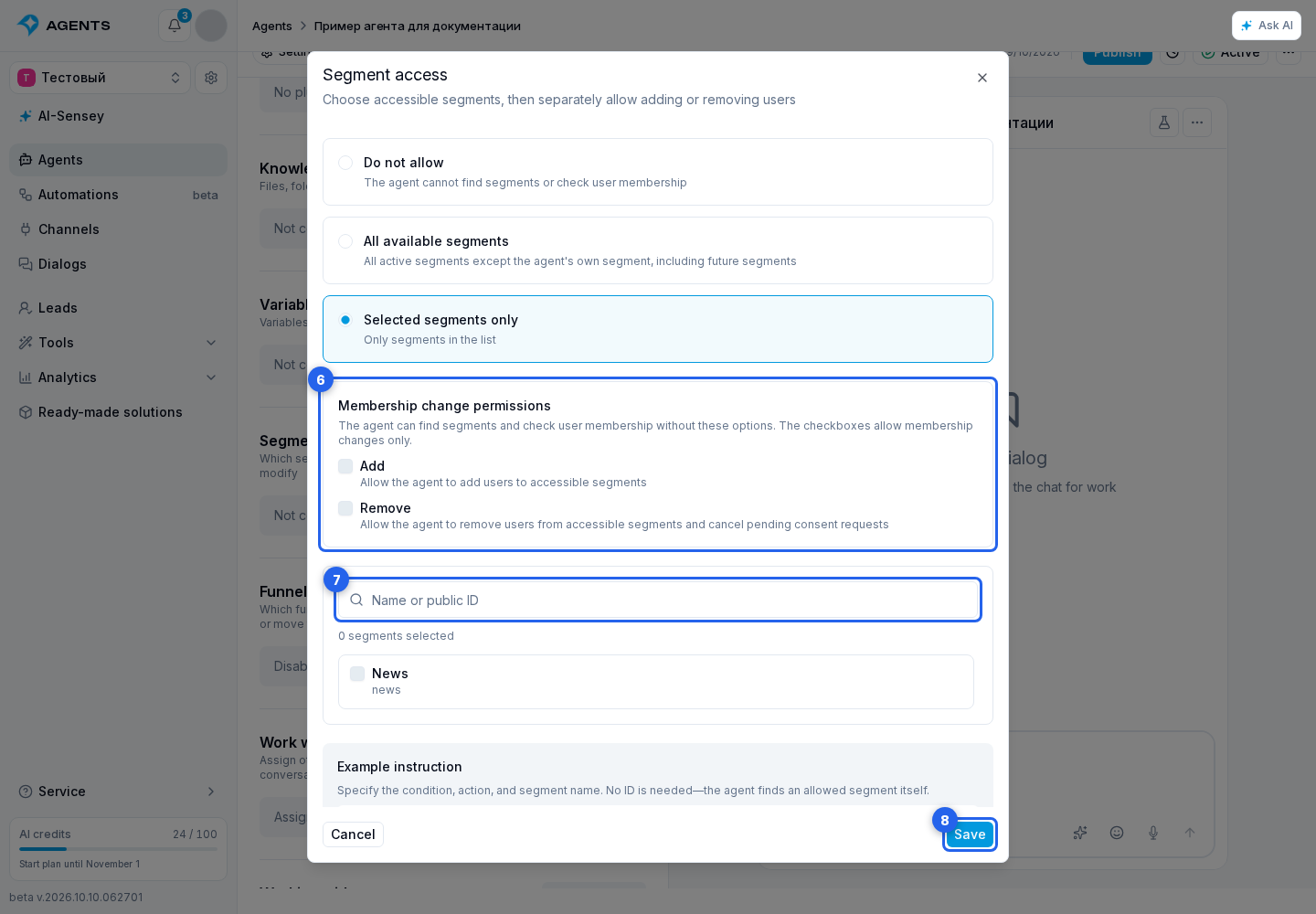
With access enabled, the agent can find available segments and check a lead's membership. The permissions separately allow adding and removing. Leave both off for read-only access.
If you chose Selected segments only, search by name or public ID and check the items you need.
Click "Save", then publish the agent.
Define the condition in the instructions: "If the customer asks to receive news, add them to the News segment." Segment access alone does not define that rule or replace required consents.