
Sharing by link
You need view permission for source resources and management permissions for every package resource type in the destination project. Before transferring, review package contents and additional settings: variable values can contain secrets, and some agent permissions must be configured again on the copy.
Creating a link
Open the resource menu and select Share.
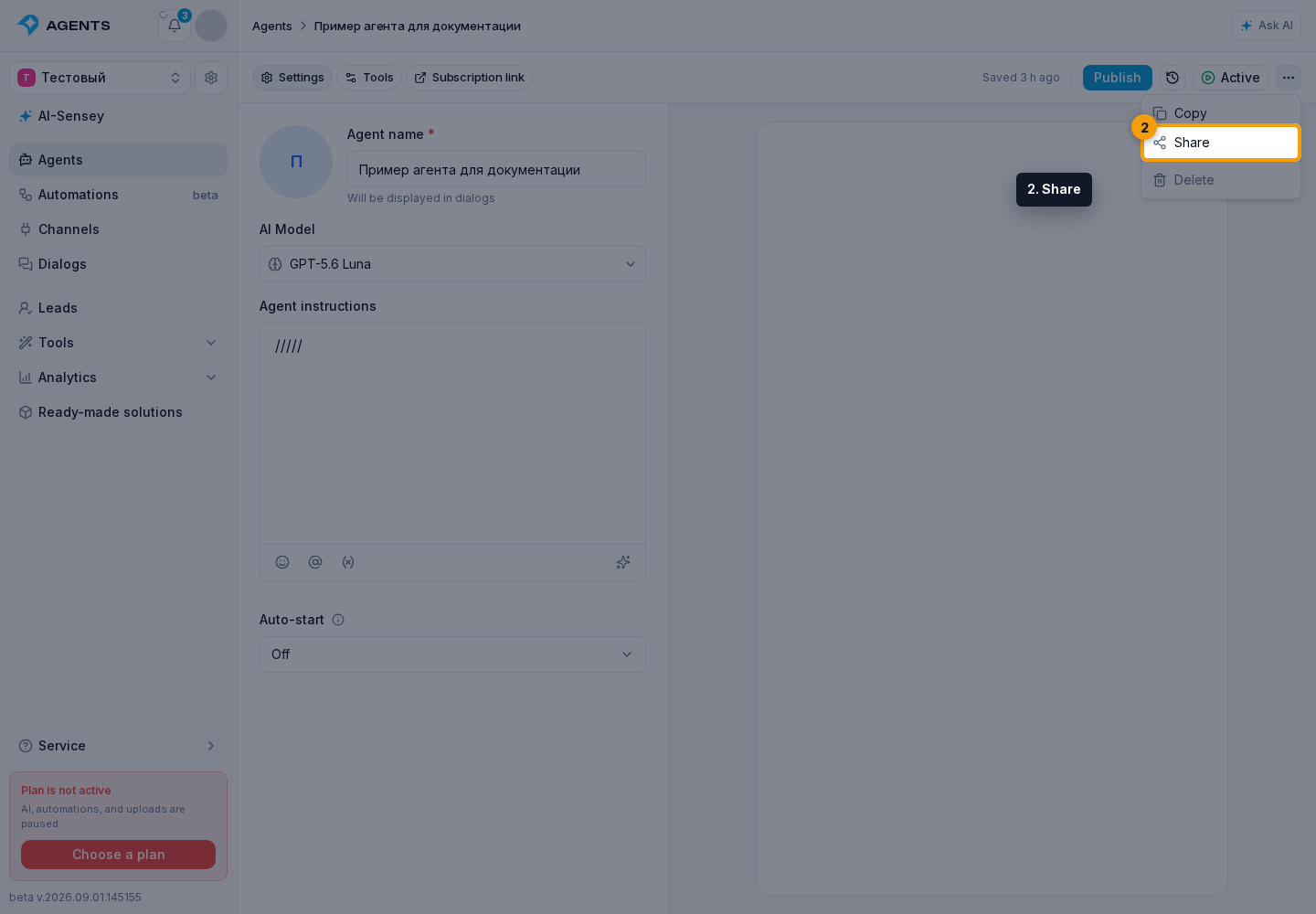
In the package dialog:
- enter the package name;
- select the expiration: 1 day, 7 days, 1 month, 1 year, or never;
- configure related resources and check the contents;
- click Create link.
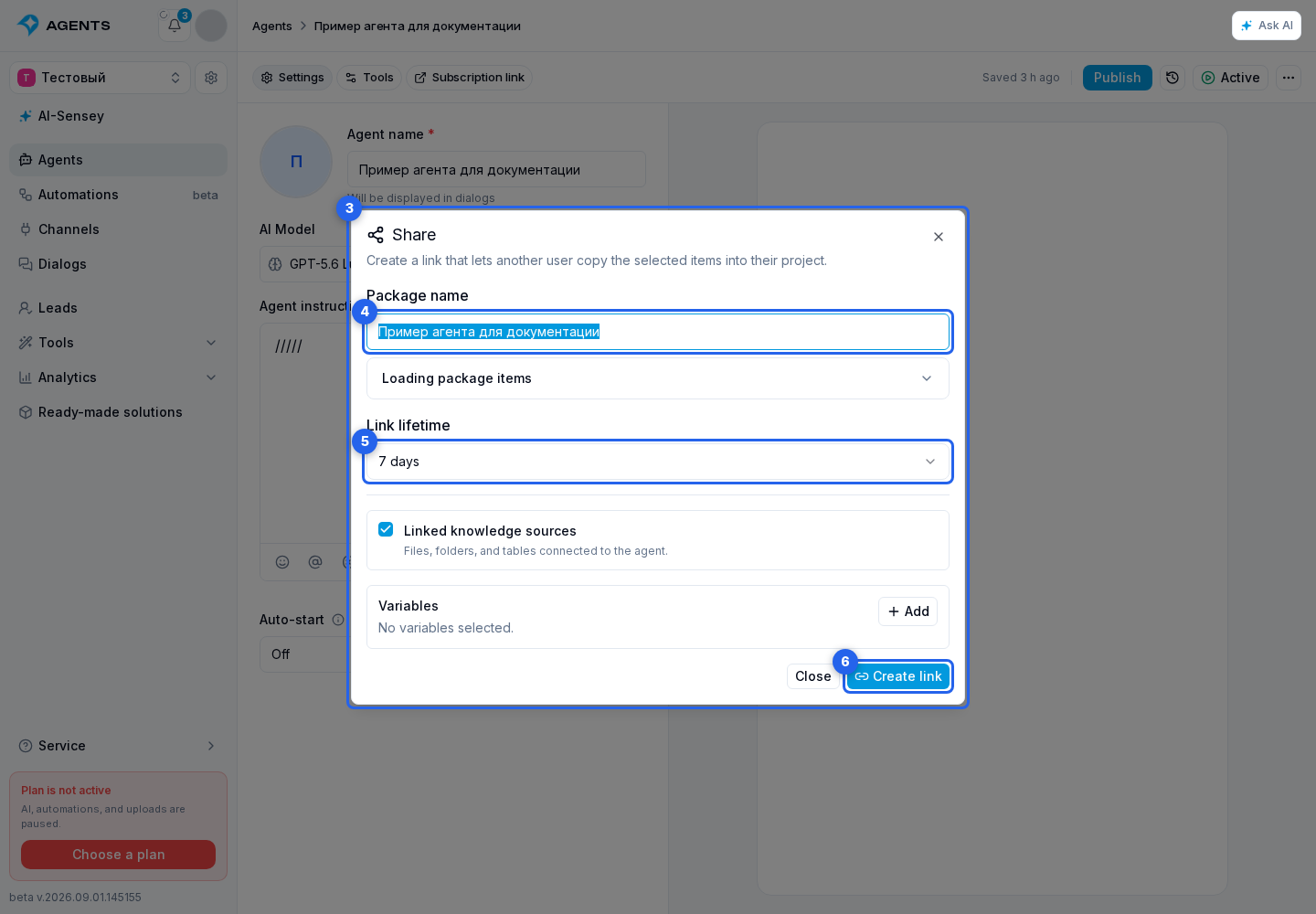
After creation, the link field is read-only. Copy it with the adjacent button. The link grants package preview and import access, so share it only with the intended recipient.
Managing links
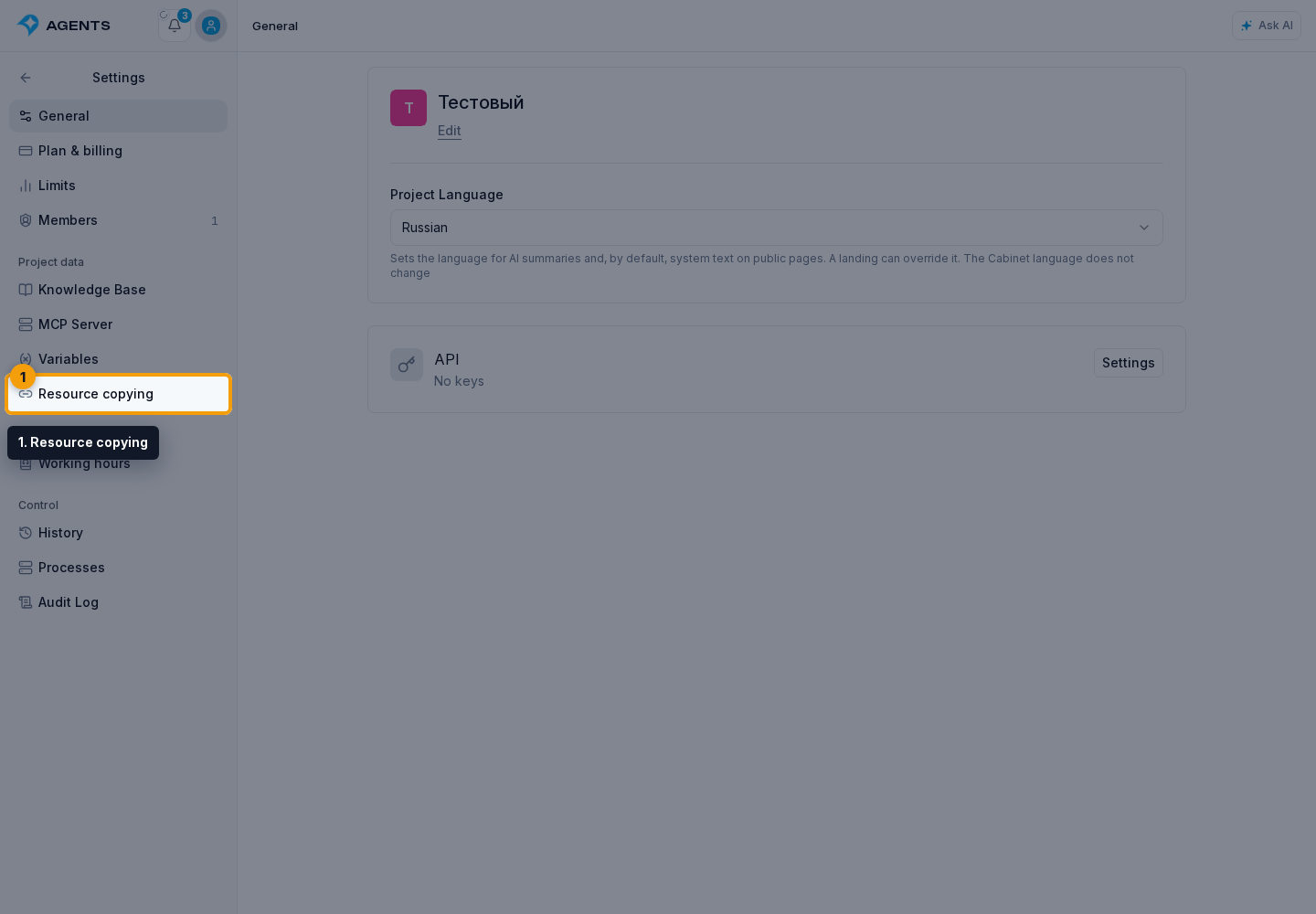
Click the Settings gear to the right of the project name and select Resource copying under Project data.
The Resource copying page contains the created link list. Tabs separate active links from the archive. Build package is in the same row above the list, to the right of the tabs.
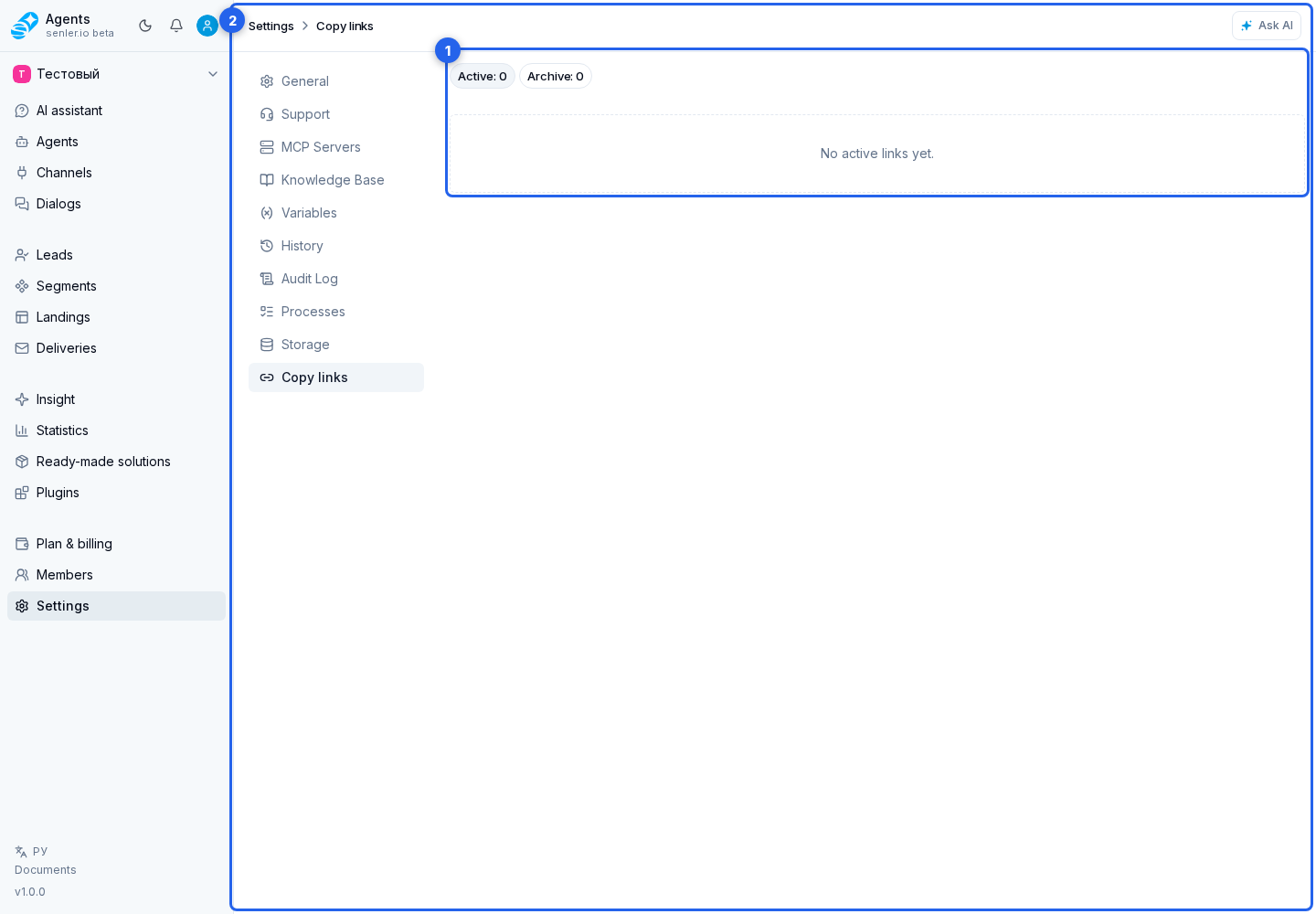
The table shows the package name, item count, source section, and access expiration. The source section can be automations, agents, deliveries, segments, knowledge base, landings, metrics, project, lead, or dialog variables.
Click a row to open its card. You can:
- change the name;
- keep the current expiration or set 1 day, 7 days, 1 month, 1 year, or never;
- expand package contents;
- copy the address of an active link;
- revoke access with confirmation.
Manually revoked and expired links move to the archive. An archived card can be viewed, but it cannot be edited or used to copy an active address.
Send the recipient the link and import instructions. To share several resources, first build a package.