
Birthday Step
The Birthday step starts an automation using the date in the lead profile. Send a greeting on the birthday itself or offer a gift, discount or appointment in advance.
Set the Date and Time
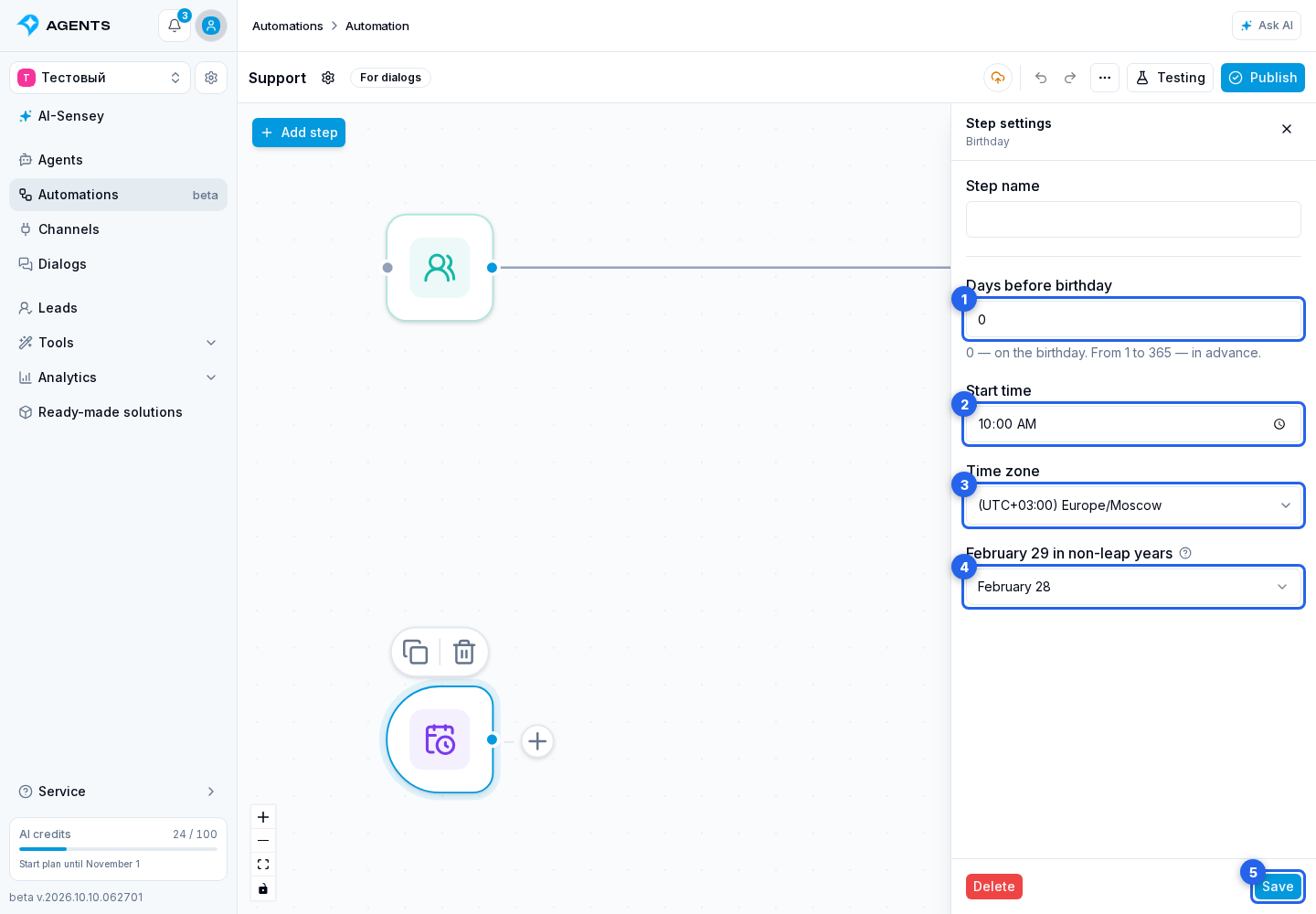
In a For dialogs automation, add Birthday from the step catalog, then select it on the canvas.
- In Days before birthday, enter an integer from 0 to 365.
0means the birthday itself;7means a week before it. - Set the Start time. It defaults to 10:00.
- In Time zone, choose the required zone in the searchable list. The start time uses this zone.
- In February 29 in non-leap years, choose when to send greetings: February 28, March 1 or leap years only.
- Click Save at the bottom of the step settings.
Days are counted as calendar days in the selected time zone, not as 24-hour intervals. For example, a birthday on October 11 with a value of 7 schedules the start for October 4. A birthday on January 1 with a value of 1 schedules the start for December 31 of the previous year.
For February 29 birthdays, the selected rule is applied before counting backwards. For example, in a non-leap year, choosing February 28 with a one-day advance starts the automation on February 27.
Connect a Message
- Connect the Birthday output to a Message step or another required branch. No incoming connection from Start is needed: the date starts the process itself.
- Publish the graph and enable new runs.
By default, the start repeats every year. A contact does not start the same entry twice for the same birthday, even after a date change or republication. For an early start, the limit applies to the birthday year, not the sending year.
The branch starts as a separate process and does not stop the contact's other processes. Its configured delays remain in effect, so the start time does not necessarily match message delivery time.
If There Is No Run
Check the date in the lead profile, messaging permission, blocks, automation channel settings and graph publication. Contacts without a date or messaging permission are skipped. A manual date takes priority over the channel date.
The channel date is checked again before the start. A profile retrieval failure does not erase the saved date; verification is retried a limited number of times. If the date has never been retrieved, attempts are spread over about a day. A failed request alone does not mean the profile has no birthday.
After a technical delay, the branch may start until the end of the scheduled day in the selected time zone. For an early start, this is the day before the birthday calculated from the setting, not the birthday itself. If the date cannot be verified by the end of that day, the occurrence is skipped. This limit does not stop a branch that has already started.
In diagnostics, select the automation and check the reason, such as a missing date, messaging restrictions or incomplete profile verification. It shows recent examples, not a complete list of all skips. Refresh the lead profile or enter the date manually when needed.