
Auto-Training Sources
Start agent auto-training.
Data sources
- VK community;
- additional VK communities;
- documents;
- connected project channels;
- website pages or another source available in the project interface.
Sources can be created, validated, restored after deletion, and selected for training. If a source does not appear during auto-training, check that it exists, passed validation, and is available for training.
For connected channels, auto-training shows whether history is available: old messages are unavailable, history is loading, history has already been saved, only part of the history has been saved, or the previous run ended with an error. If history is supported, it can be used when creating the agent.
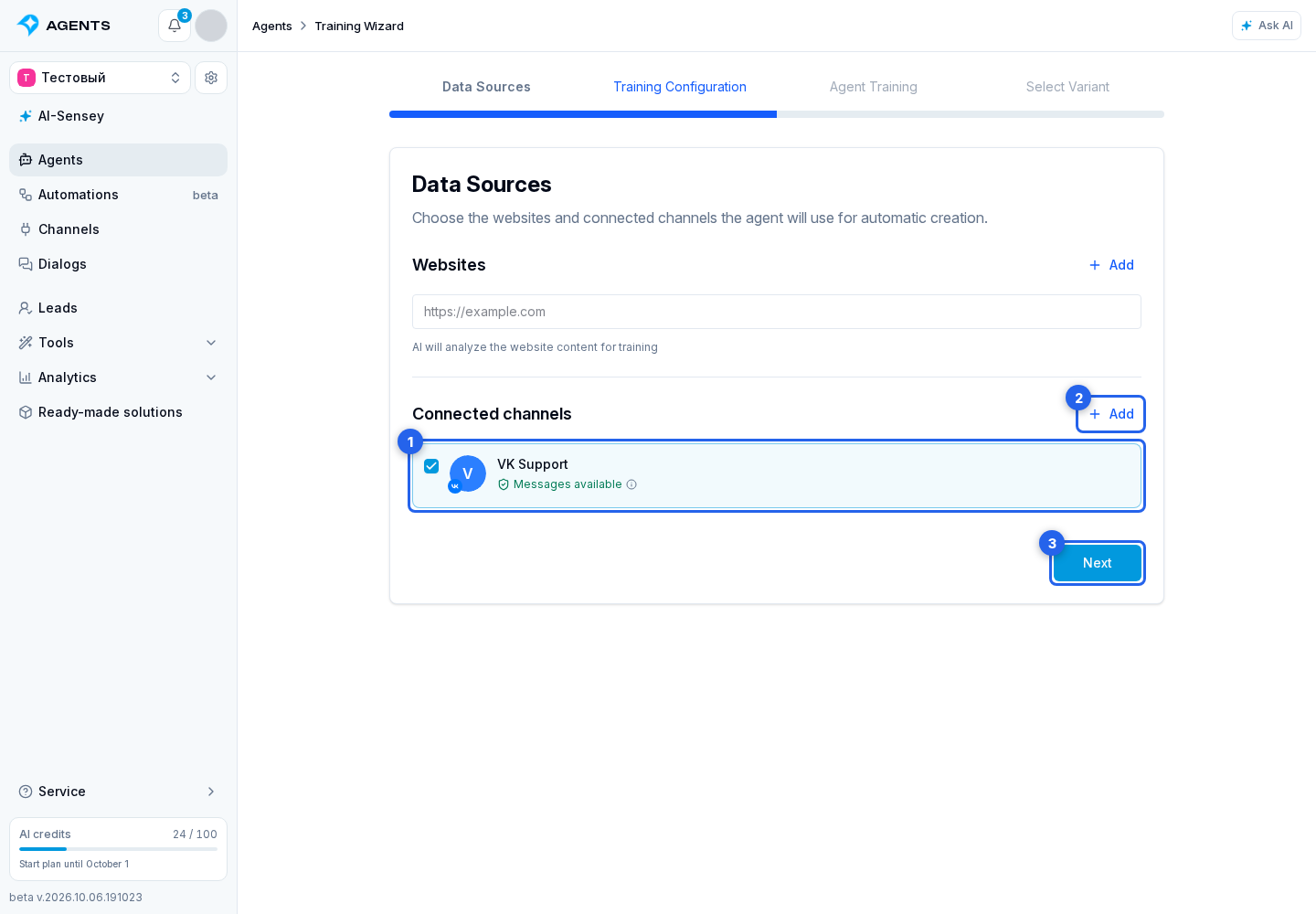
Choose a Connected Channel
- Select an active connected channel. Paused channels and Email are not shown in this list.
- When the required supported channel is absent, open Add channel.
- Continue with Next.
Supported Documents
- TXT;
- PDF;
- DOC;
- DOCX;
- CSV;
- JSON;
- MD.
Channel history and start estimate
The auto-training setup may show the Load channel history switch. It loads available old messages before generating agent variants. Use the history period field to choose how much history to include.
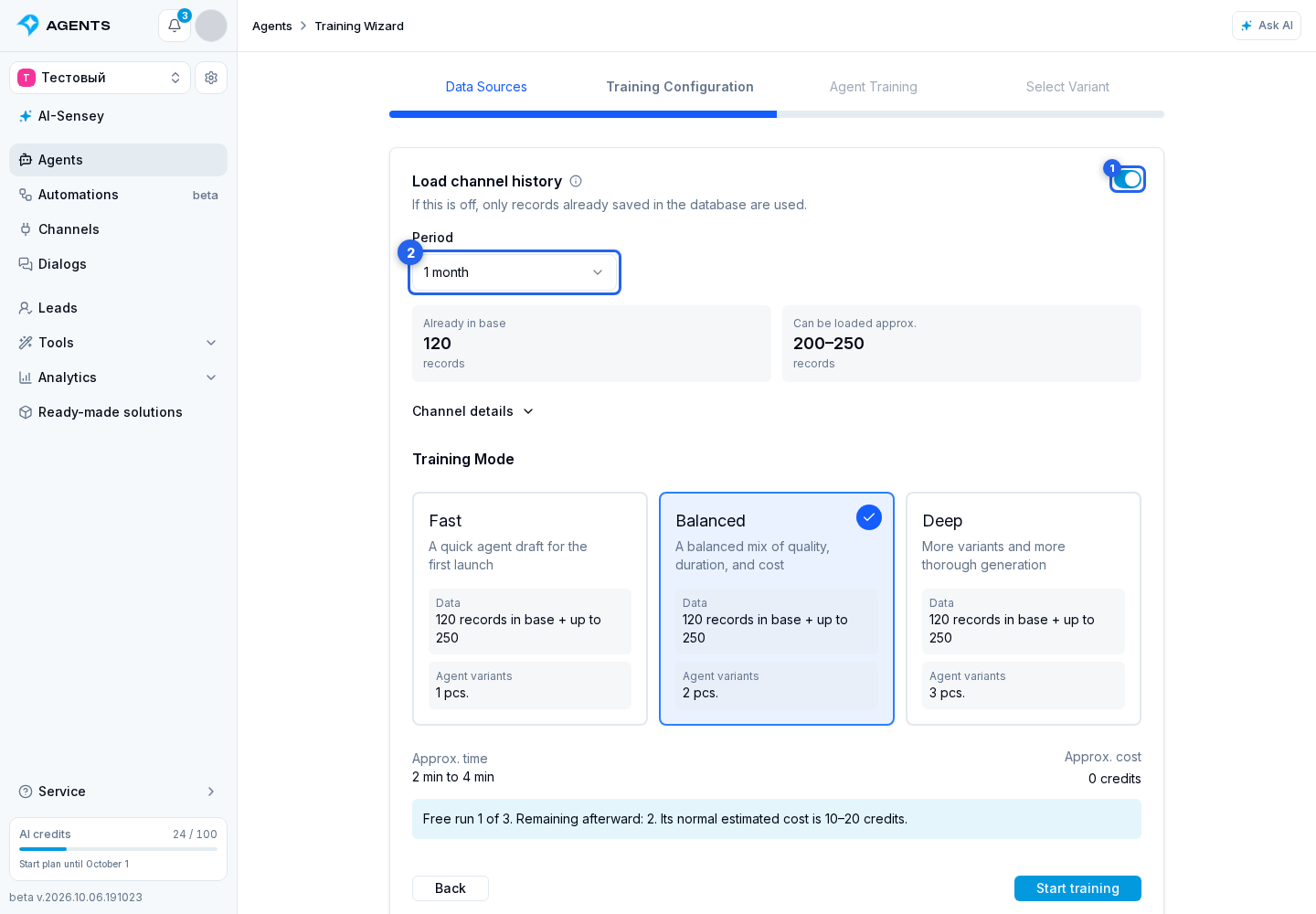
Nearby it shows:
- how many messages are already in the project database;
- how many messages can be additionally loaded from the platform;
- history period for training;
- details for each selected channel;
- approximate execution time;
- approximate credit cost.
The mode controls processing depth:
- Fast is suitable for a first draft and takes less time;
- Medium balances quality, time, and cost;
- Deep analyzes the data more thoroughly and creates more variants.
A current estimate is required before starting. It is recalculated after sources, history depth, or mode changes. The start button remains unavailable while the estimate is loading or when the AI service cannot return it, preventing a charge without a confirmed limit.
When a free run is available, the cabinet shows its number and how many free runs remain. A paid run shows the approximate charge. Actual cost depends on used AI tokens and does not exceed the confirmed estimate.
The switch is unavailable while the estimate is being calculated, when no channels are selected, when history loading is unavailable, or when the selected channels have no additional messages to load. If a specific reason is known, it appears directly below the switch.
After starting, review the used data and agent variants.