
Filter by Funnels
Open the lead list.
Funnels and stages
In General mode, add the “Funnels and stages” filter.
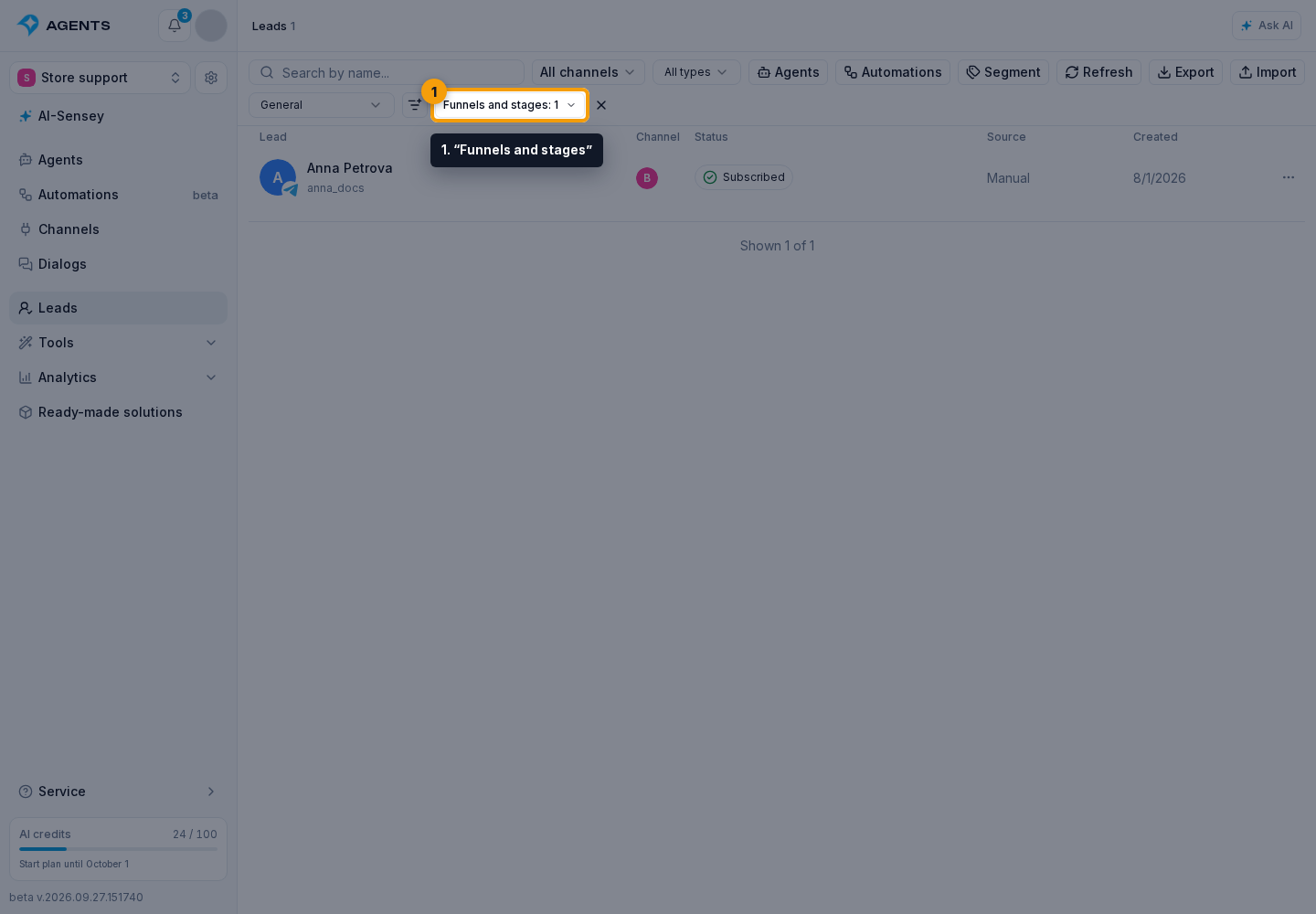
- Use search by name to find a funnel, stage, or marker.
- Select the funnels and stages you need.
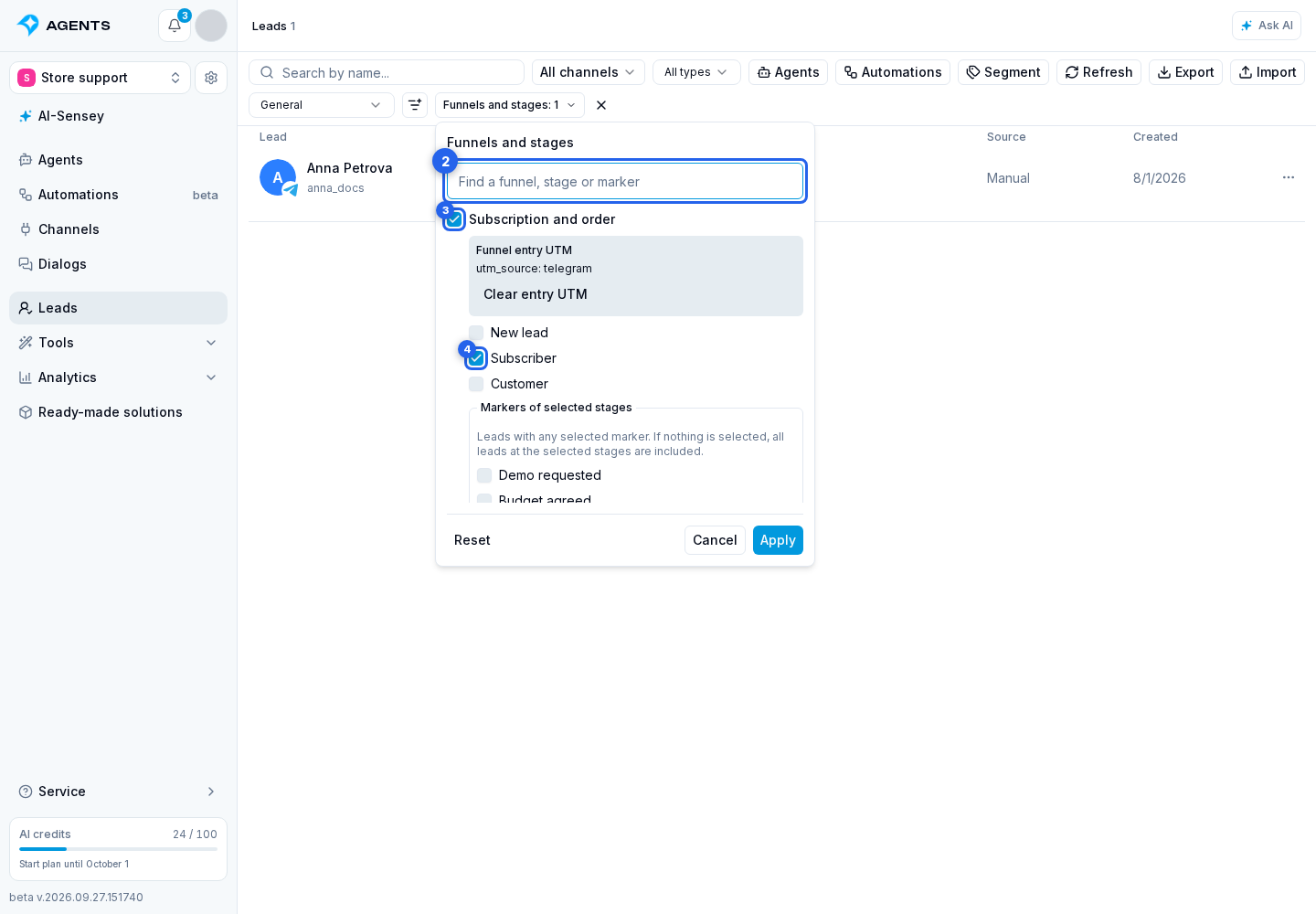
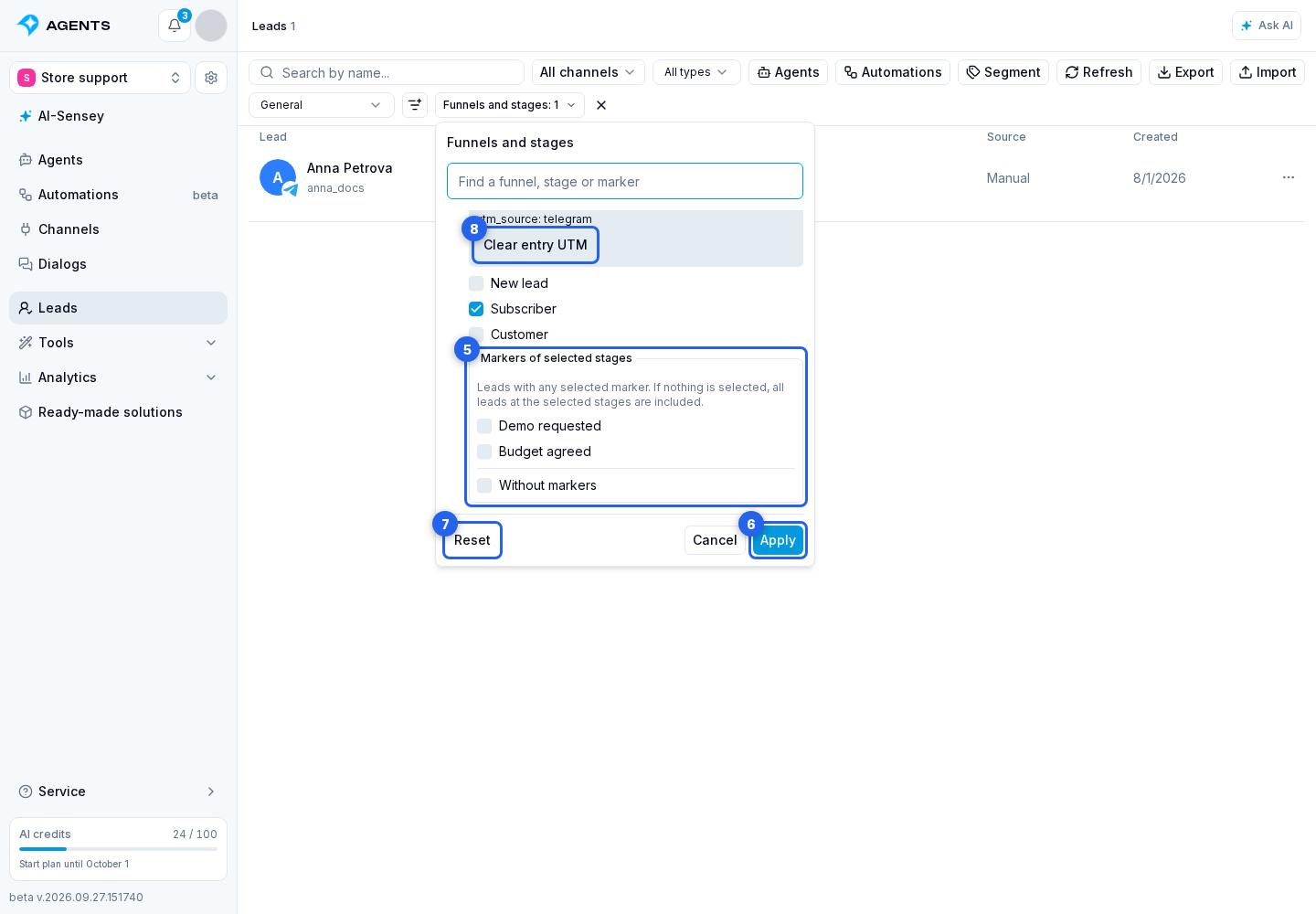
- Optionally select markers or Without markers in the marker list for the selected stages.
- Click “Apply”.
How the Condition Is Applied
Select up to 20 funnels. Selecting an entire funnel includes all its stages. Selections are combined with OR: a lead must match at least one of them. The filter checks current position, not previously visited stages.
Within a selected funnel, markers narrow the stage selection. For example, choosing the Discussion stage and the Needs a demo and Budget agreed markers keeps leads at that stage with at least one of those two markers. Also selecting Without markers includes leads with no markers at the selected stage. Clear markers keeps the stage selection. Deselecting a stage also removes its markers from the filter.
“Reset” clears the selection. If you arrived from a funnel by clicking “Now”, the filter already selects that stage and its funnel entry UTM. These differ from last-subscription UTM: they are saved when the lead enters the funnel. “Clear entry UTM” removes the tag restriction while keeping the selected funnel and stages.
Opening the list from the current count of a stage marker presets the filter to that marker. Opening it from Without markers shows leads without labels at the selected stage. The entry UTM restriction is also kept; Clear entry UTM does not remove the marker filter. Change markers directly in the filter and click Apply.
Funnel-entry UTM tags are separate from the last subscription UTM tags.