
Widget Texts
Open the settings of the Widget channel.
Fill In the Translations
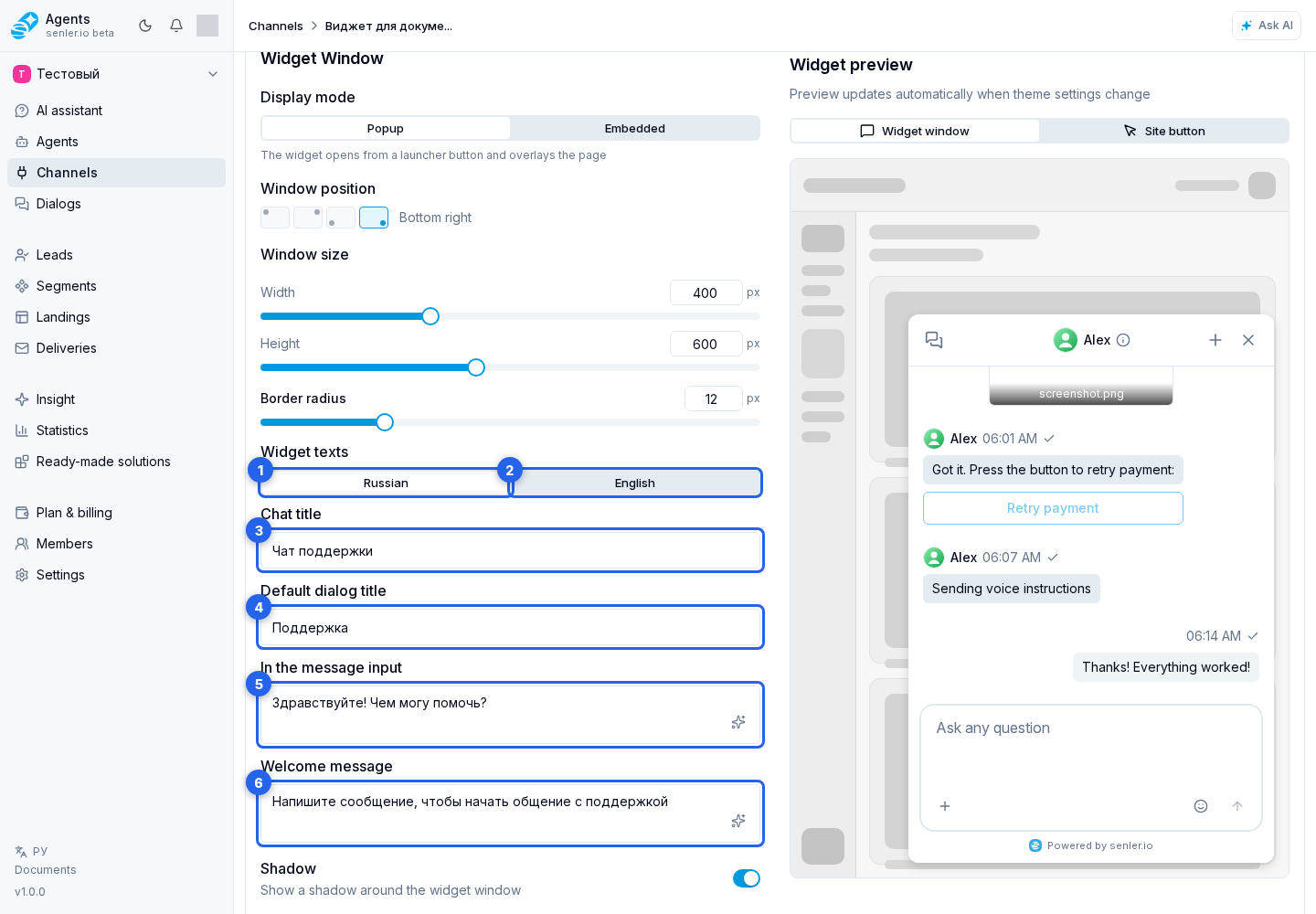
Texts are configured separately on the Russian and English tabs. A tab changes only the text version being edited, not the overall widget language.
On the Russian tab, set the chat title, default dialog title, and input placeholder. The English tab provides the same fields: chat title, default dialog title, and input placeholder.
Where the Texts Appear
The chat title is shown in the widget header. The default dialog title is used until a dialog has its own title. The placeholder is visible before typing.
The text shown before a conversation and first-question options are configured in the widget greeting.