Telegram Comments
Open the conversation in the dialog list.
Open Telegram Post Comments
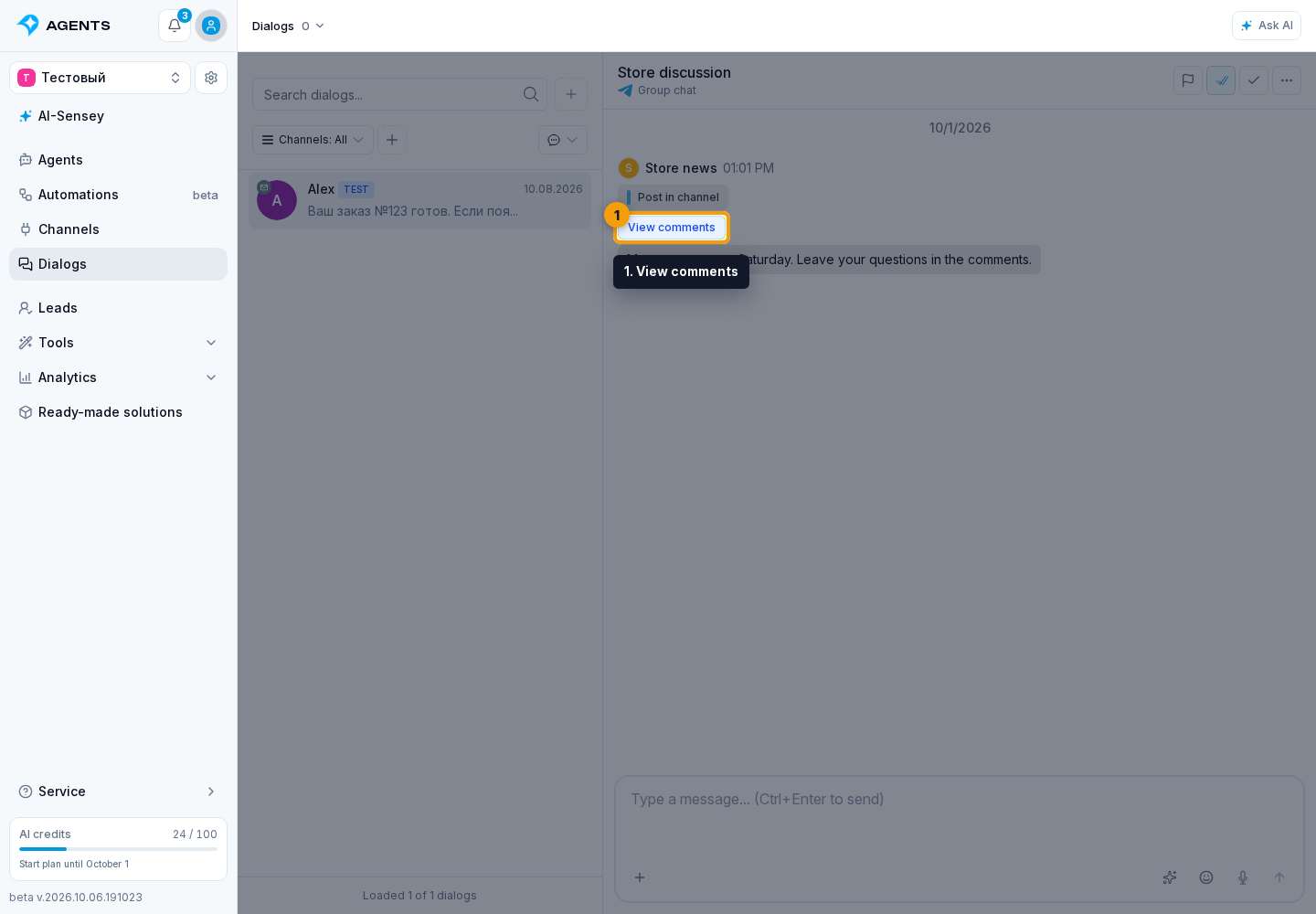
If a publication has a linked discussion thread, a View comments button appears below it. Select the button to open the comments for that post instead of the general dialog history.
Reply in the Thread
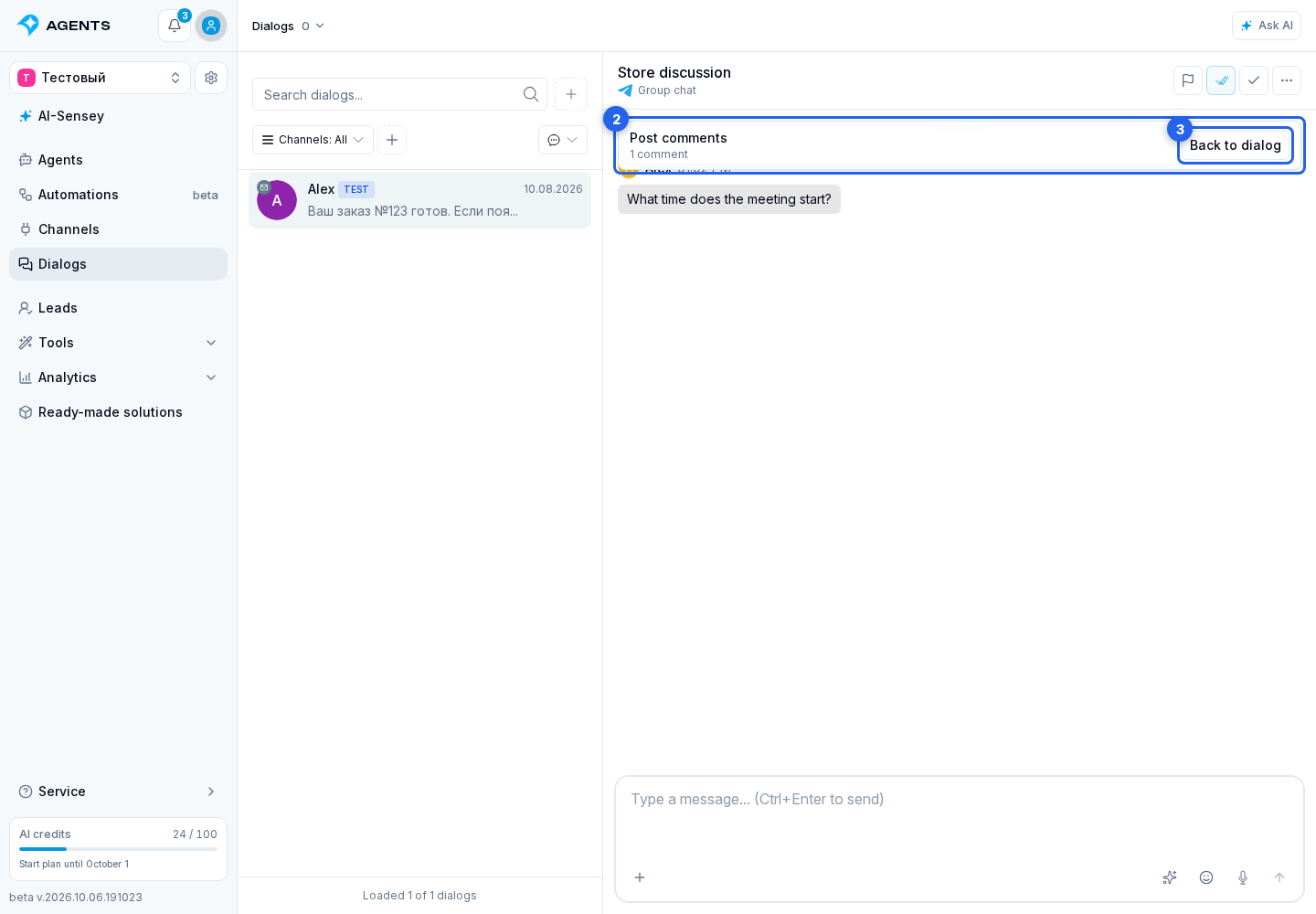
In this mode, you can read comments and reply in the selected thread. Back to dialog opens the regular history. The view comments button appears only for a publication whose related discussion thread was recognized by the cabinet.