
Retry delivery
If automation messages could not be sent because of the channel connection, you can retry the relevant steps after reconnecting. Steps already completed in the run are not executed again.
Open the list
In channel settings, find Unsent automation messages. This section appears when delivery failures for this channel require attention. Test and cancelled runs are not included.
Each row contains the step name, failure time, and a link to the original dialog. Viewing requires access to automations; retrying requires permission to manage them.
Retry the relevant steps
First restore the connection and resume the channel if it is paused.
- Select Open dialog next to a step. Check the original message: does it still need to be sent?
- Return to channel settings and select the steps to retry.
- Select Retry selected steps. Their automation branches continue after successful delivery.
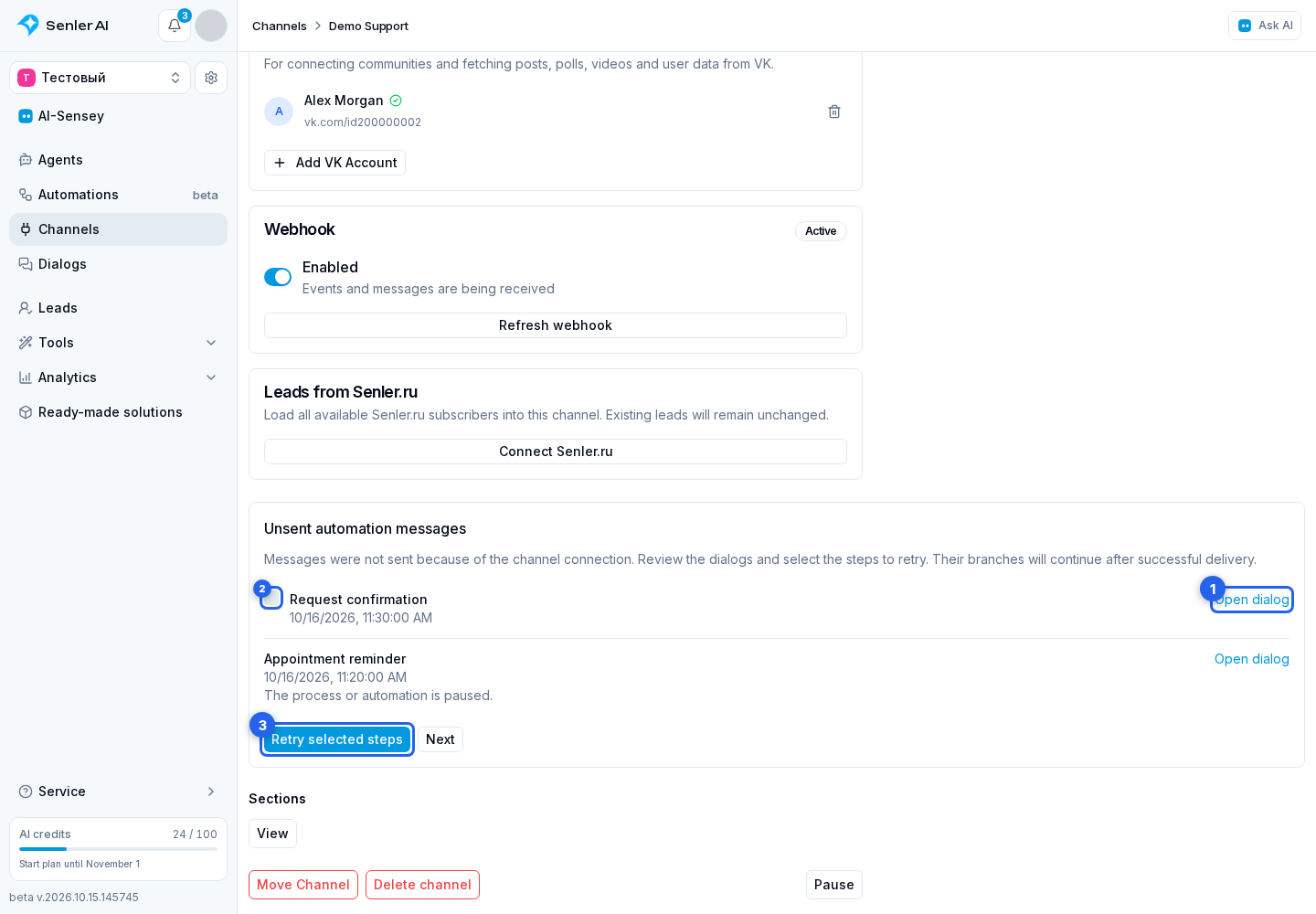
First resume any paused run or automation. If a message has already been delivered fully or partially, retrying the entire step from this list is rejected to avoid sending the delivered parts again. Check the result in the original dialog.
A failed retry appears next to its step and does not cancel the other selected retries.
Other messages
- Next opens the next part of the list.
- Back to first page returns to the first part.
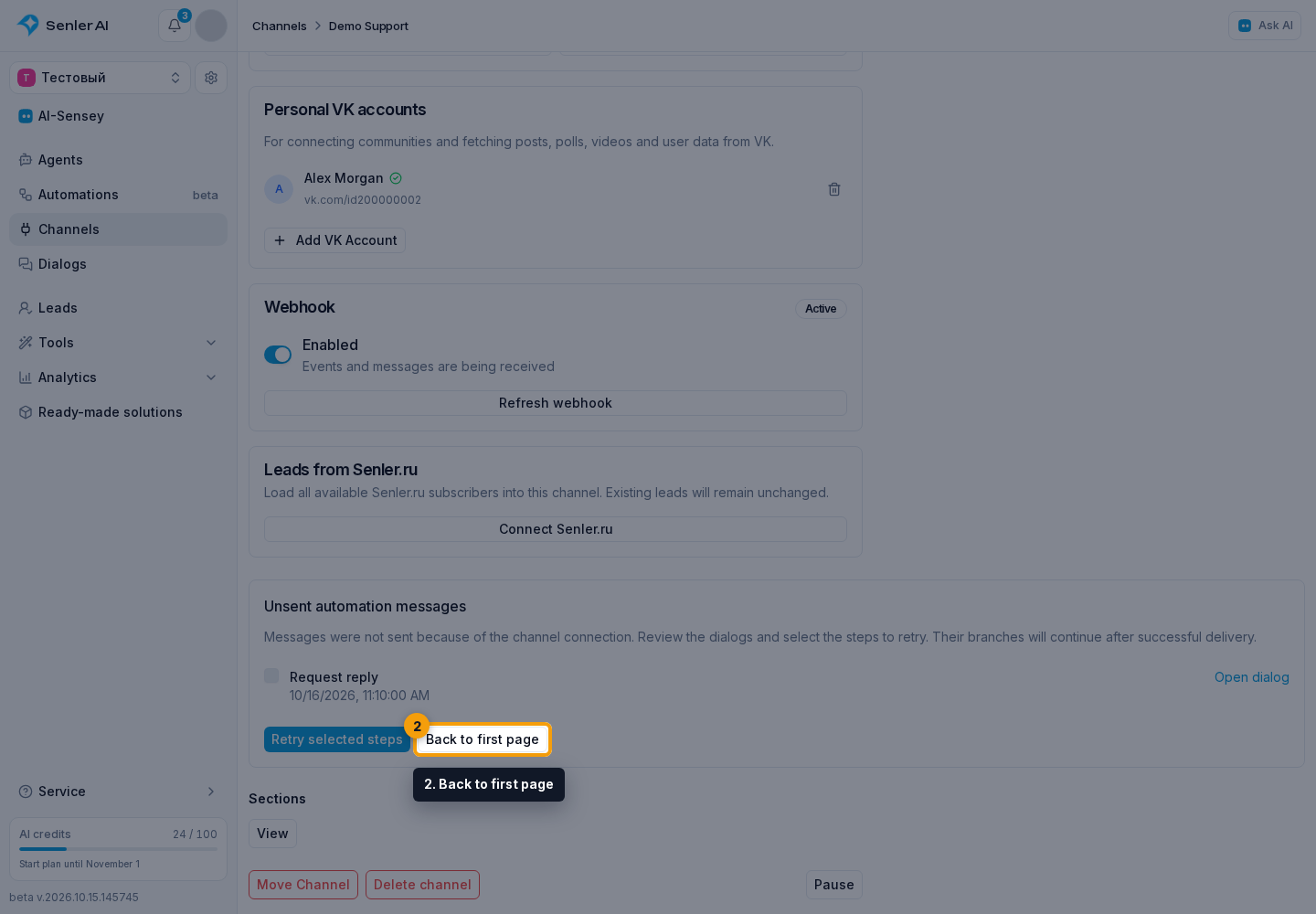
Selection is cleared when changing pages: retry the steps you need on the current page before moving on.