ruLog in to Senler

Voice Messages

Open the conversation in the dialog list.

Start Recording

Click the microphone button at the bottom of the conversation.
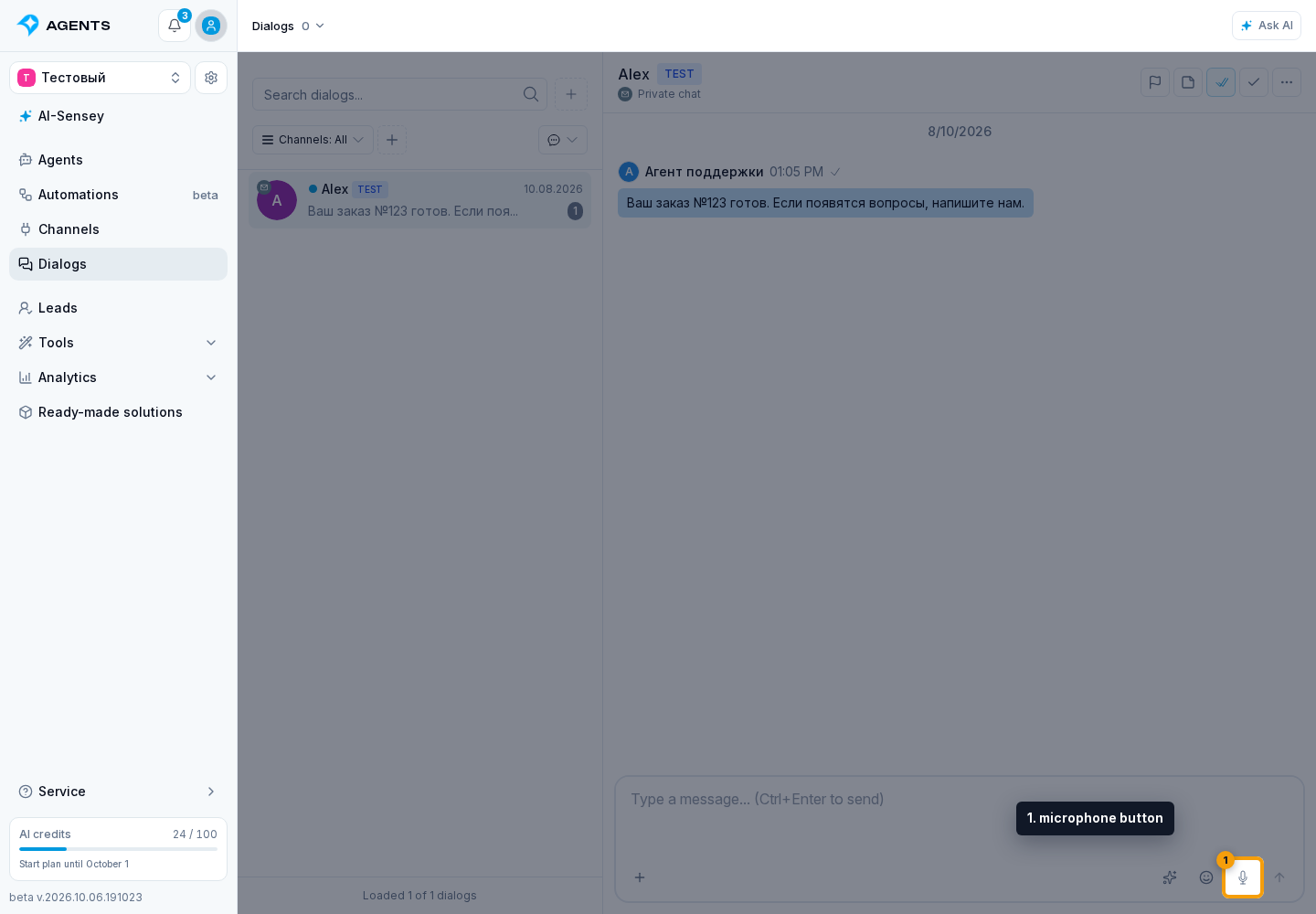
Voice Messages. 1. microphone button
1. microphone button

Finish Recording

  1. Speak your message.
  2. Click Stop and attach the recording.
  3. Send the message.

You can discard the recording before attaching it.
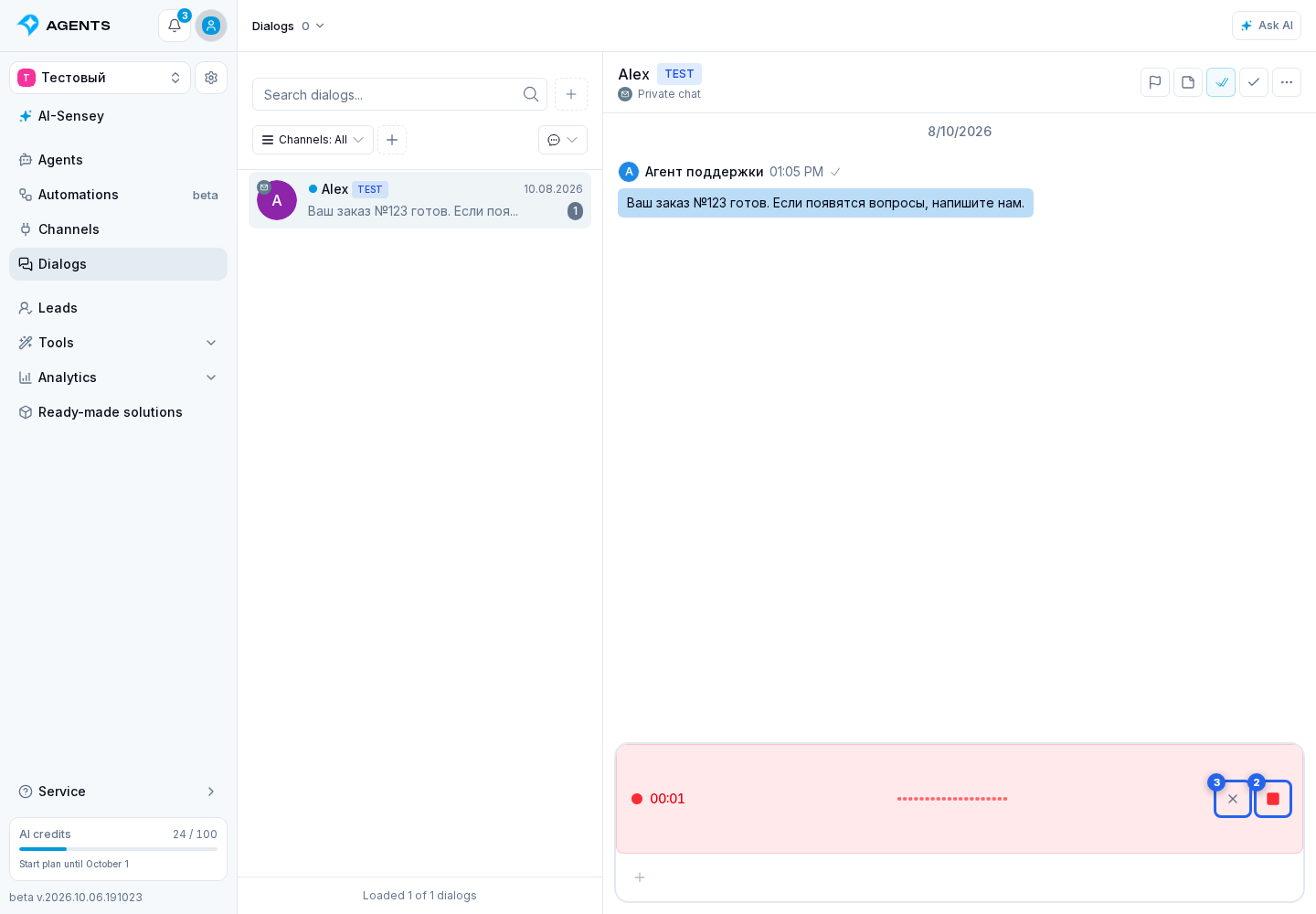
Voice Messages. Highlighted elements: 2. Stop and attach the recording; 3. discard the recording before attaching it
2. Stop and attach the recording · 3. discard the recording before attaching it