
Landing statistics
Statistics show how many visitors saw a landing, clicked a button, and subscribed. Compare the whole page, its variants, and individual blocks without connecting an external counter.
Open the report
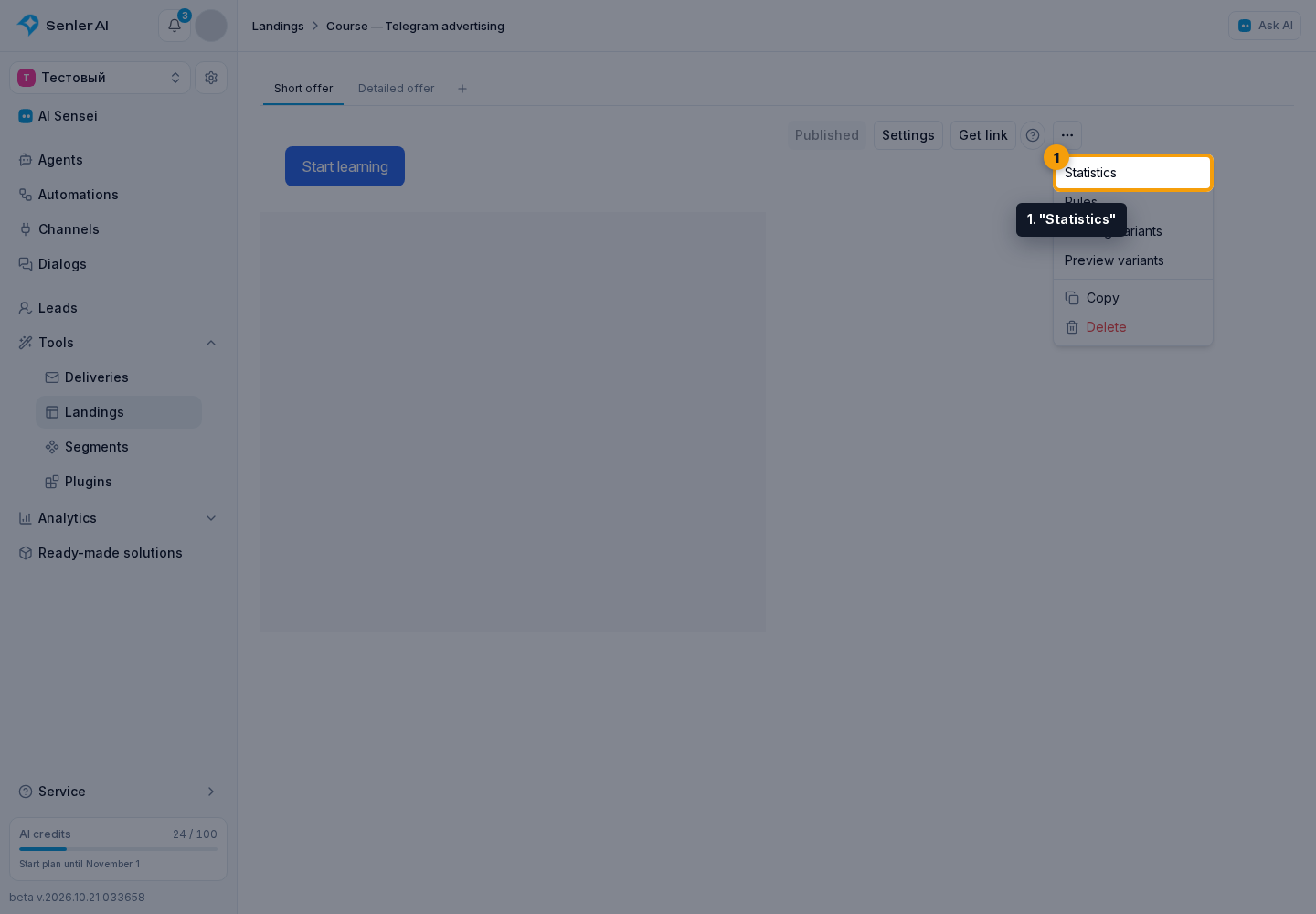
- In the editor, open the three-dot menu and select "Statistics".
- In the statistics dialog, choose a period: the last 7, 30, or 90 days.
- Click "Refresh" to load current data.
The same report is available in the agent subscription page editor.
Read the metrics
The summary shows:
- Visitors: unique browsers in which the landing was displayed.
- Clicked a button: visitors who clicked at least one button. Repeated clicks do not increase this count for the same browser.
- Subscribed: visitors with a confirmed subscription. Clicking a subscription button without completing the subscription does not count.
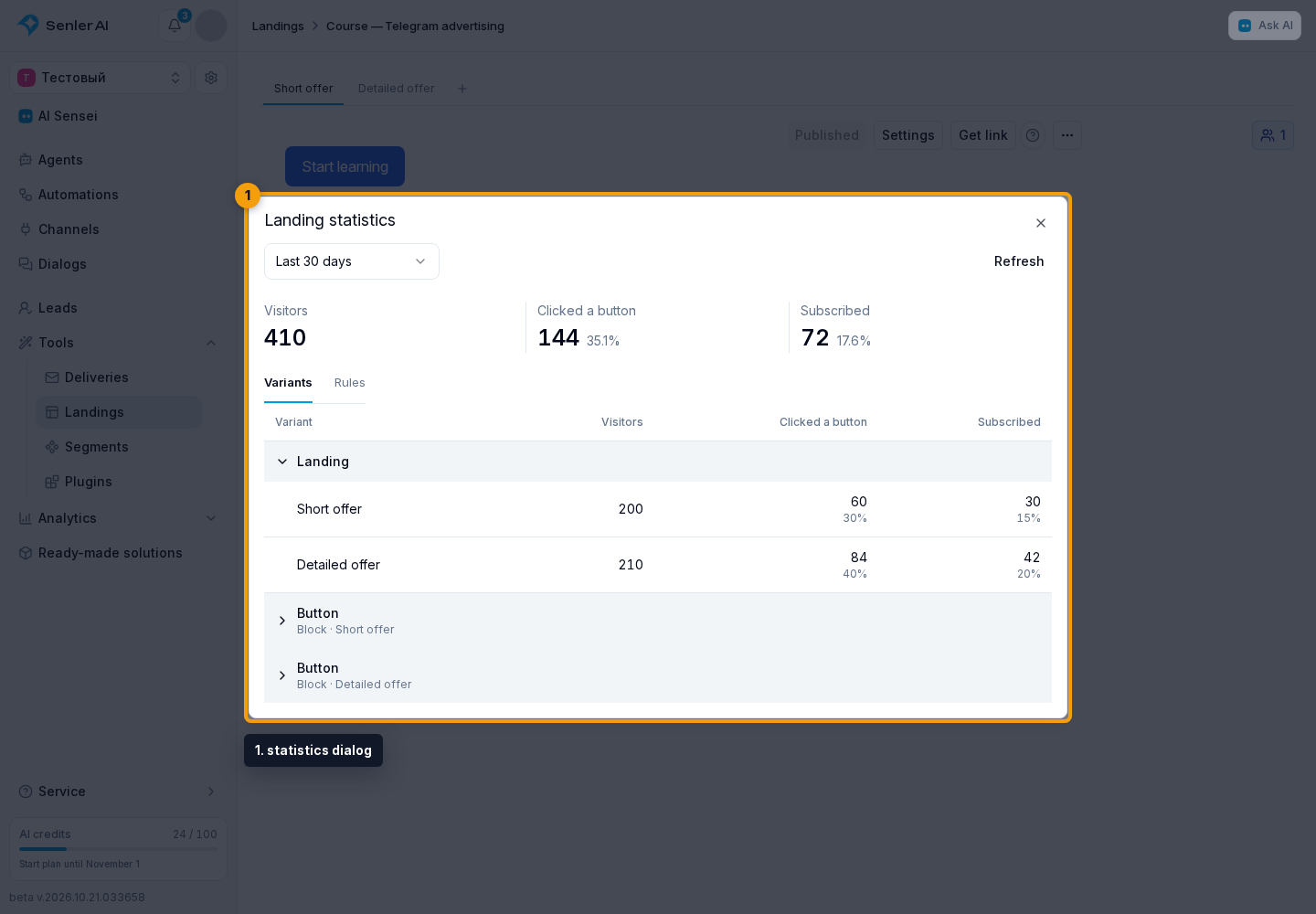
The percentages next to clicks and subscriptions use the number of visitors as their denominator. For example, 20 visitors clicking out of 100 visitors is 20%.
The period selects visits by their display date. A click or subscription can count within seven days of the display. Results for recent visits can therefore continue to grow.
Compare variants and rules
On the "Variants" tab, expand a landing or block row. Its variants show visitors, clicks, and subscriptions. A block counts after it actually appears on screen: loading a page does not mean the visitor saw its lower portion.
In the statistics dialog, open the "Rules" tab and expand a rule to compare its outcomes. Conditions, AI conditions, and A/B tests are available here. "No outcome" means the rule did not select an outcome, for example after an AI timeout. This is different from a configured "No data" outcome.
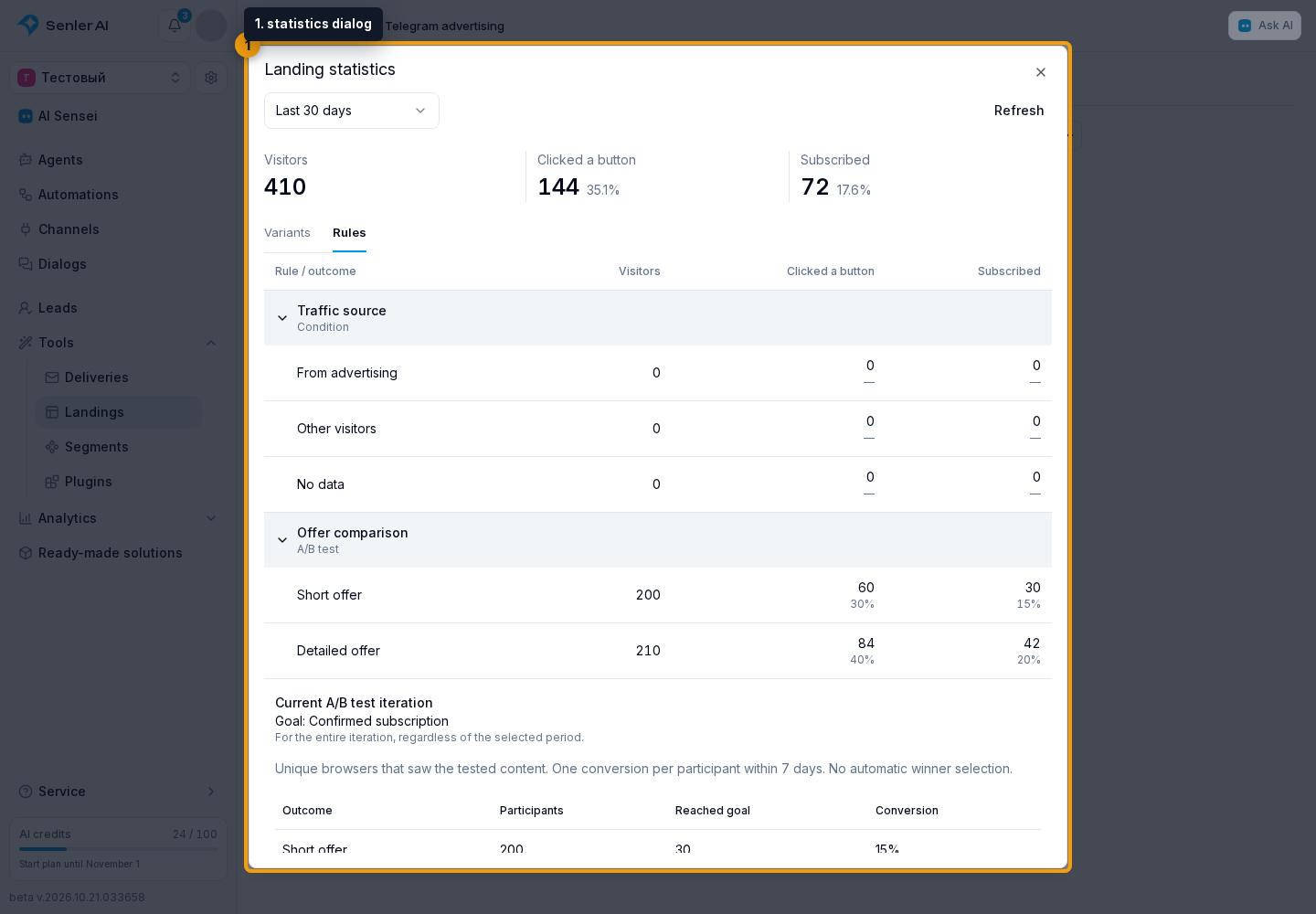
The summary is not the sum of the rows: a visitor can see multiple blocks or variants but counts once in the overall metric. Deleting a variant or rule from the editor does not delete statistics already collected.
An A/B test also shows the "Current A/B test iteration" report. It counts participants and the selected goal over the entire iteration, regardless of the period at the top. An ordinary rule row counts clicks on any buttons, whereas a click-goal test counts only selected buttons. See A/B test results.
Which visits count
The report collects data from published landings. Preview and links that force a variant, including a link to a specific subscription button, are excluded. To check normal display, use the link to the whole landing.
One person using different browsers can count more than once. Clearing browser storage also changes the visitor identifier. These metrics are not the number of project leads.
For traffic sources and external service reports, connect analytics and counters. This is a separate setting and is not required for built-in statistics.