
Pressing the Start Button Step
This step starts a For dialogs automation when a user presses Start in VK, Telegram, or MAX. For example, one start link can open a course and another can start consultation booking.
Choose a Start Condition
- In the step catalog, choose Pressing the Start button.
- Select the step on the workflow.
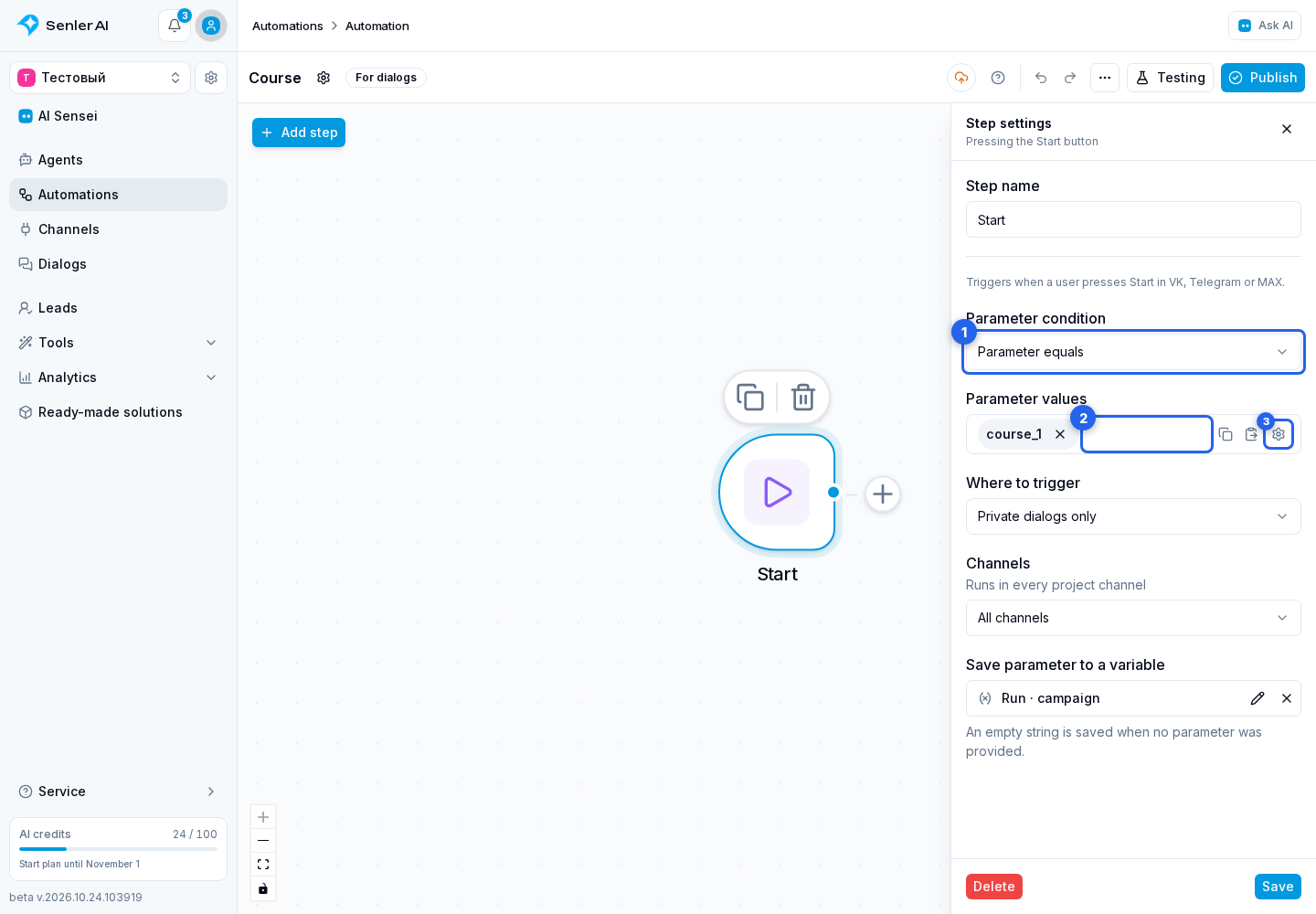
- Choose a rule in Parameter condition.
- Any press accepts starts with or without a parameter.
- Without a parameter accepts only starts without a parameter.
- Parameter equals checks a full match.
- Parameter starts with checks the beginning of the string.
- Parameter contains looks for a fragment anywhere in the string.
For the three comparison modes, enter Parameter values. Matching one value is enough. For ?start=course_1, the exact value is course_1; a shared prefix for several courses is course_. Do not include the /start command or link address.
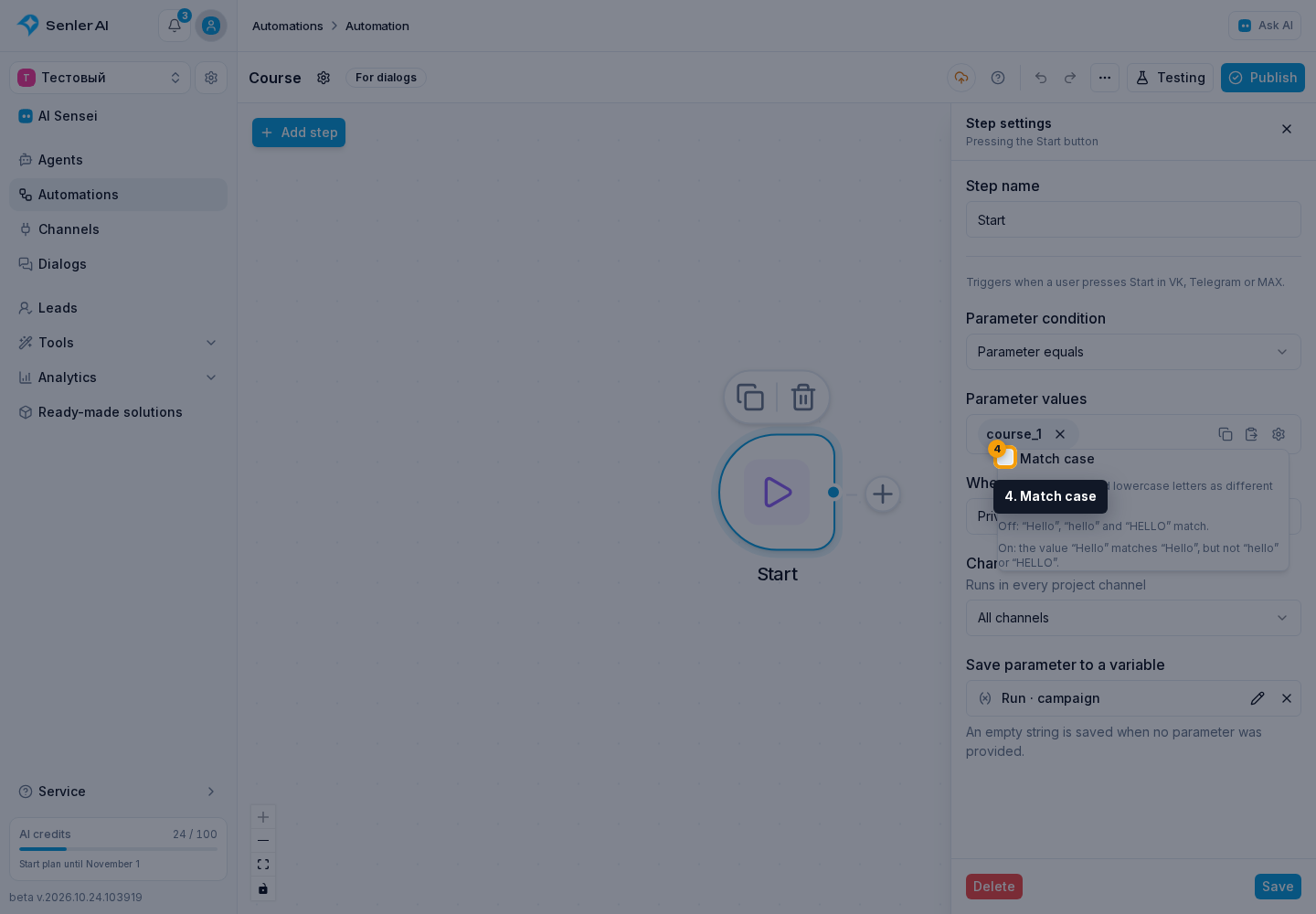
By default, Course_1 and course_1 match. To distinguish uppercase and lowercase letters, open the gear beside the values.
Enable Match case. Values are compared as ordinary text, not regular expressions.
Limit Dialogs and Save the Parameter
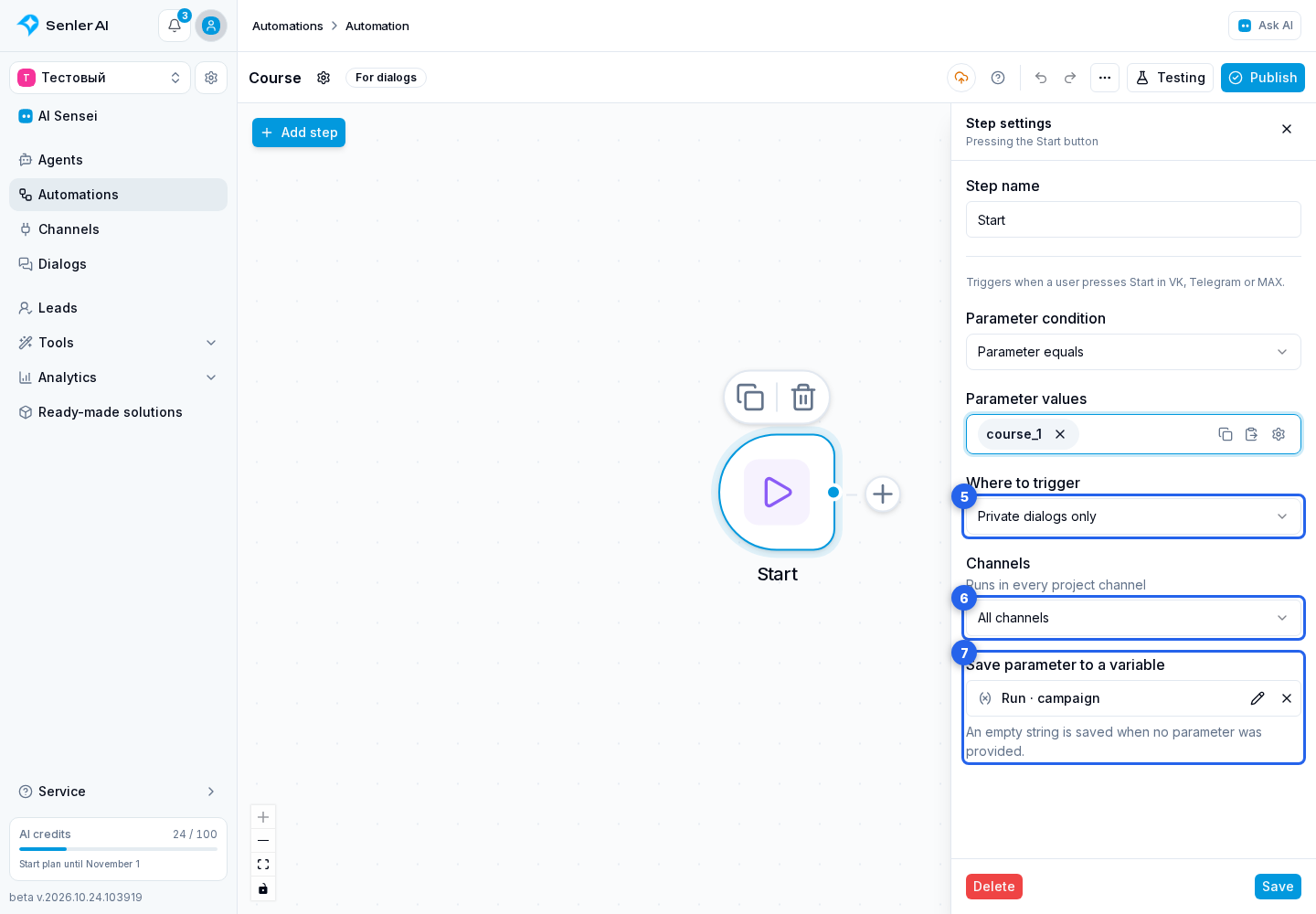
In Where to trigger, select all, private, group, or specific dialogs. For the first three options, the Channels field limits start sources; an empty list means all project channels.
In Save parameter to a variable, select a text variable of the run, lead, dialog, or project. Following steps can use it in a message or HTTP request, for example. If no parameter is provided, an empty string is saved.
Each new press that matches the condition starts a separate run. Existing active runs of this automation are not cancelled. Pressing again can therefore send the scenario's messages again.
Connect the output to the next step, test the start, and publish the automation. Testing accepts a parameter or an empty value.
What Counts as a Press
In Telegram, a /start command sent to the bot also qualifies, with or without a parameter. VK uses its system Start button: a regular message with that text or viewing a link does not replace it. In MAX, starting the bot is handled.
A start event and an ordinary incoming message are different conditions. The start link parameter is not searched by message keyword rules.
If several entries match the same press, each can start its own branch. A narrower condition does not disable the others. For example, Any press overlaps with Parameter equals course_1. Use non-overlapping conditions when only one branch should run.
To assign an agent without a multi-step scenario, configure its autostart.